1. Вступ
This manual provides essential information for the safe and effective operation of your VOLTCRAFT DSO-2202H + AFG Handheld Oscilloscope. This versatile device combines the functions of an oscilloscope, a multimeter, and an arbitrary function generator (AFG) into a single portable unit. Please read this manual thoroughly before using the device to ensure proper handling and to prevent damage or injury.
2. Інформація про безпеку
Always observe the following safety precautions to avoid personal injury and prevent damage to the instrument or other equipment.
- Прочитайте всі інструкції: Перед початком експлуатації пристрою прочитайте та зрозумійте всі інструкції з безпеки та експлуатації.
- Use proper probes: Use only probes and accessories rated for the voltage and current of the measurement.
- Уникайте вологих умов: Не використовуйте пристрій у вологих або damp середовищ.
- Заземлення: Ensure proper grounding when connecting to mains power or high-voltagелектронні схеми.
- Не відкривайте casing: Refer all servicing to qualified service personnel. Opening the casinможе наражати вас на небезпечний впливtagес.
- Observe all ratings: Do not exceed the maximum input ratings of the device.
3. Продукт закінчивсяview
The VOLTCRAFT DSO-2202H + AFG is a compact, multi-functional test instrument designed for various electrical measurement tasks. It features a clear color LCD display and intuitive controls.
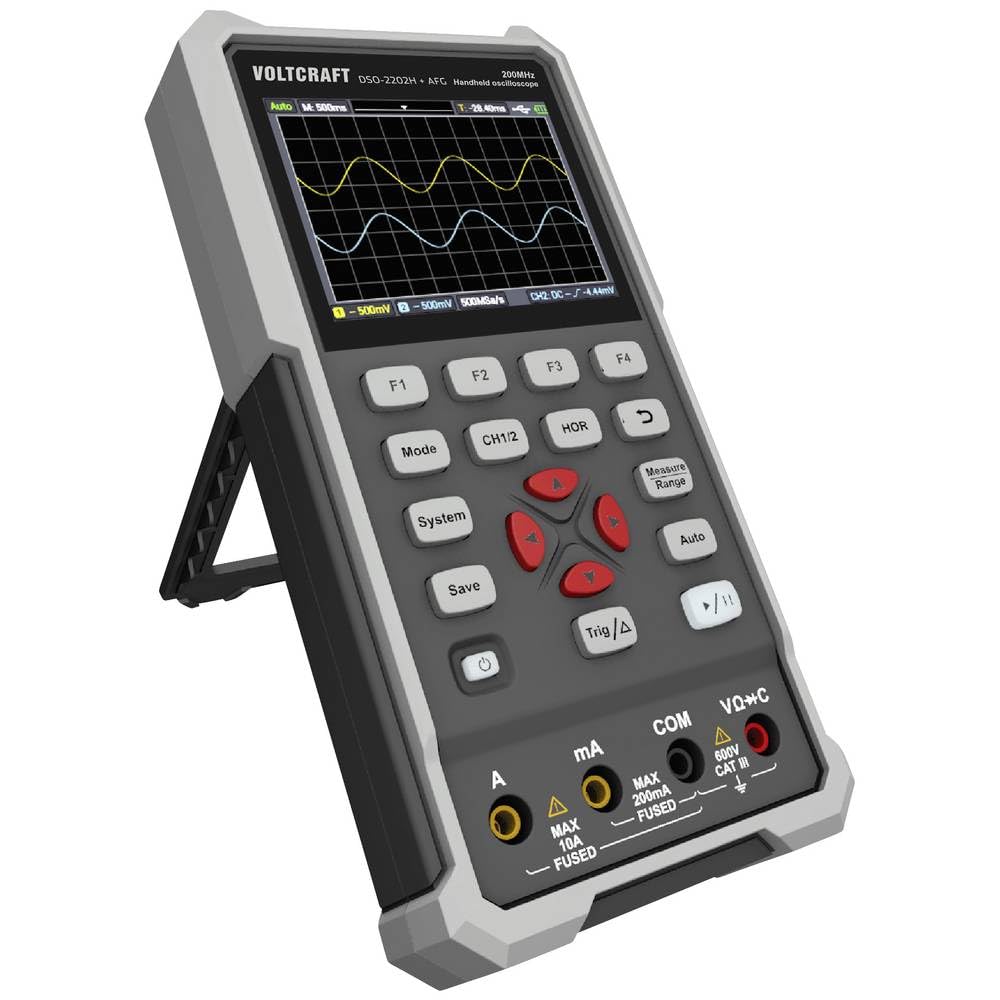
Малюнок 1: Спереду view of the VOLTCRAFT DSO-2202H + AFG Handheld Oscilloscope with connected test probes. The display shows a voltage reading, and the control panel with function buttons and navigation keys is visible below.
Ключові характеристики:
- Осцилограф, мультиметр та генератор сигналів 3-в-1
- 3.5-inch (8.89 cm) Color LCD Screen (320 x 240 pixels)
- USB Type-C Interface for connectivity and data storage
- Міцна та надійна конструкція
4. Налаштування
Follow these steps for initial setup of your device.
4.1 Увімкнення/вимкнення
- Щоб увімкнути пристрій, натисніть і утримуйте потужність button located on the side/top panel.
- The color LCD screen will illuminate, displaying the startup sequence.
- Щоб вимкнути живлення, натисніть і утримуйте кнопку потужність знову натискайте кнопку, доки пристрій не вимкнеться.
4.2 Підключення зондів
For oscilloscope functions, connect the oscilloscope probes to the BNC connectors. For multimeter functions, connect the test leads to the appropriate input jacks (VΩ+C, mA, A, COM) at the bottom of the device.
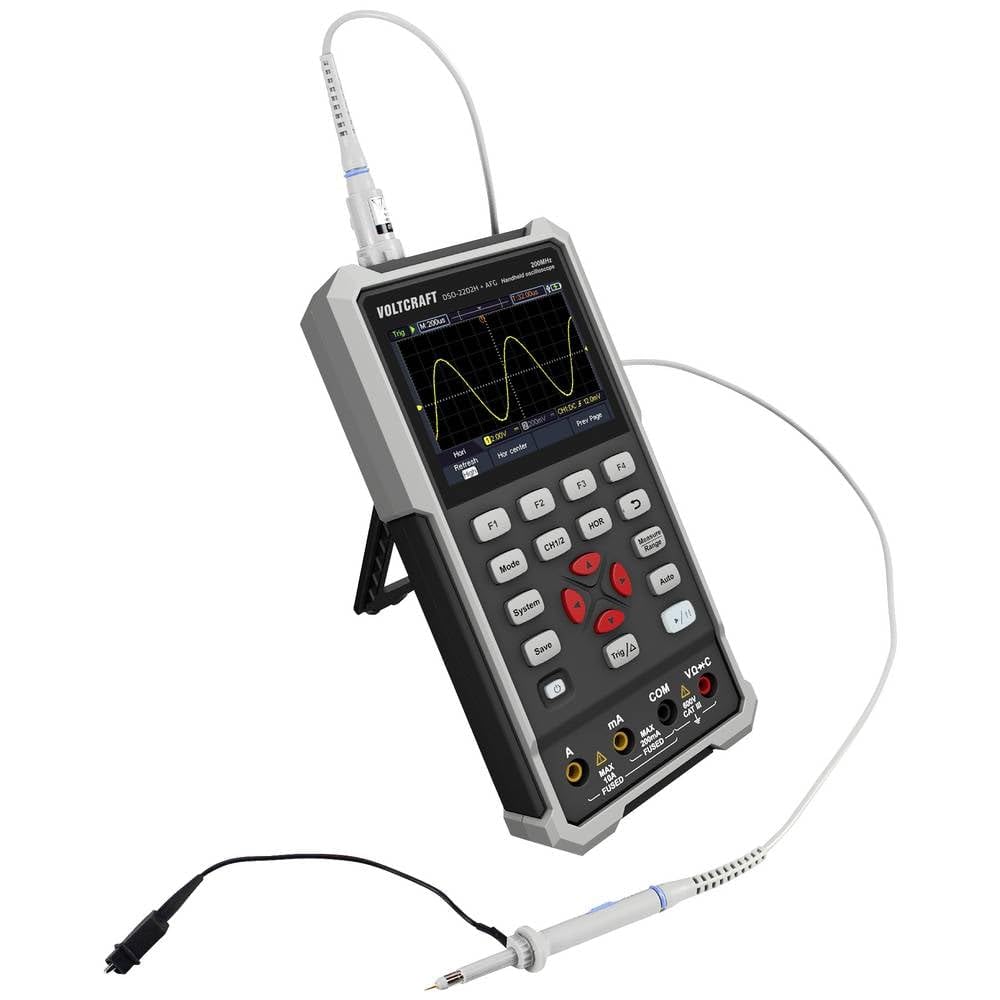
Малюнок 2: Сторона view of the device showing the kickstand extended for desktop use and an oscilloscope probe connected to the BNC input. The multimeter input jacks are visible at the bottom.
5. Інструкція з експлуатації
The DSO-2202H + AFG offers three primary modes of operation: Oscilloscope, Multimeter, and Arbitrary Function Generator.
5.1 Режим осцилографа
This mode allows you to visualize and analyze electrical signals. The device features 2 channels and a 200MHz bandwidth.
- Натисніть Режим button to select Oscilloscope mode.
- Connect the oscilloscope probe(s) to the circuit under test.
- Використовуйте CH1/2 button to switch between channels or view обидва.
- Adjust the vertical sensitivity (V/div) and horizontal time base (s/div) using the navigation buttons.
- Використовуйте Trig/Δ button to set trigger conditions for stable waveform display.
- The Авто button can automatically adjust settings for a stable waveform.

Figure 3: The device displaying a waveform in oscilloscope mode. The screen shows voltage and time divisions, indicating a signal measurement.
5.2 Режим мультиметра
The multimeter function allows for precise measurements of voltage, current, resistance, capacitance, and continuity.
- Натисніть Режим button to select Multimeter mode.
- Connect the test leads to the appropriate input jacks (e.g., VΩ+C for voltage/resistance/capacitance, A or mA for current, COM for common).
- Select the desired measurement function (e.g., DC Voltage, AC Voltage, Resistance) using the function buttons (F1-F4) or navigation keys.
- Зчитайте значення вимірювання на дисплеї.
5.3 Arbitrary Function Generator (AFG) Mode
The AFG allows you to generate various waveforms for testing circuits.
- Натисніть Режим button to select AFG mode.
- Connect the output of the AFG to the circuit requiring a signal input.
- Use the function buttons (F1-F4) and navigation keys to select waveform type (sine, square, triangle, etc.), frequency, ampгеографічна ширина та зміщення.
- Adjust parameters as needed for your application.
5.4 Зберігання даних
The USB Type-C port can be used for data storage. Connect the device to a computer using a USB Type-C cable to transfer saved waveforms or measurement data.
6. Технічне обслуговування
Proper maintenance ensures the longevity and accuracy of your device.
- Прибирання: Регулярно очищуйте пристрій м’якою сухою тканиною. Не використовуйте абразивні засоби для чищення або розчинники.
- Зберігання: Зберігайте пристрій у прохолодному, сухому місці, подалі від прямих сонячних променів та екстремальних температур.
- Догляд за акумулятором: If the device has an internal rechargeable battery, ensure it is charged periodically if stored for long periods to maintain battery health.
- Догляд за зондом: Inspect probes and test leads for damage before each use. Replace any damaged accessories immediately.
7. Вирішення проблем
If you encounter issues with your device, refer to the following common troubleshooting steps.
- Пристрій не вмикається: Ensure the device is charged or connected to a power source. Check the power button for proper engagement.
- Немає дисплея: If the device powers on but the screen is blank, try adjusting the display brightness (if available) or restarting the device.
- Неправильні показники: Verify that probes and test leads are correctly connected and not damaged. Ensure the correct measurement mode and range are selected. Calibrate the device if necessary (refer to advanced settings or contact support).
- Unstable waveform: In oscilloscope mode, adjust the trigger level, trigger source, and time base settings. Use the Auto button for initial setup.
For persistent issues, contact VOLTCRAFT customer support or your retailer.
8. Технічні характеристики
| Специфікація | Значення |
|---|---|
| Виробник | ВОЛТКРАФТ |
| Номер моделі | VC-13438620 (DSO-2202H + AFG) |
| Розміри продукту (Д x Ш x В) | 17 х 12 х 40 см |
| вага | 600 грами |
| матеріал | пластик |
| Смуга пропускання осцилографа | 200 МГц |
| Канали | 2-Канал |
| Sample Rate | 1 Гвиб./с |
| Глибина пам'яті | 8 kpts |
| роздільна здатність | 8 біт |
| Дисплей | 3.5-inch (8.89 cm) Color LCD (320 x 240 pixels) |
| Інтерфейс | USB Type-C |
| Система вимірювання | Метрика |
| Батарейки в комплекті | немає |
| Потрібні батареї | немає |
9. Гарантія та підтримка
For warranty information, please refer to the documentation provided with your purchase or contact your retailer. For technical support, visit the official VOLTCRAFT webсайту або зв’яжіться зі своїм відділом обслуговування клієнтів.


