вступ
The TIDRADIO TD-H8 is a high-power 10-watt dual-band ham radio designed for reliable communication. It features wireless programming capabilities via a smartphone application, a large 1.77-inch color screen, and a 2500mAh Type-C rechargeable battery. This manual provides detailed instructions for the proper setup, operation, and maintenance of your TD-H8 radio.
Ключові характеристики продукту
- 10 Watt Output Power: Provides extended communication range compared to lower-wattage radios. Features Low (2-3W), Mid (5-7W), and High (9-12W) power modes.
- Бездротове програмування: Program the radio directly from your smartphone using the Odmaster app, eliminating the need for a PC or programming cable.
- 2500mAh Type-C Battery: High-capacity rechargeable Li-ion battery offering up to 12 hours of continuous use and 60 hours of standby time. Supports USB-C direct charging.
- 1.77-дюймовий кольоровий екран: Large display for clear visibility of frequencies, channel numbers, and other radio information.
- Робота в двох діапазонах: Supports 144-174mHz and 420-470MHZ frequencies.
- Version Switching & Updatable Firmware: Supports switching between different firmware versions and allows for future software updates.
- Кілька функцій: Includes NOAA Scan, Frequency Hopping, Dual Watch, VOX, CTCSS/DCS Codes, Scanning, Monitor, Remote/Site Alarm, and DTMF.
Вміст упаковки
Після відкриття упаковки, будь ласка, перевірте наявність усіх наступних предметів:
- 2 × TIDRADIO TD-H8 10W Ham Radio units
- 2 × Desktop charging cradles
- 2 × USB-C chargers with cables
- 1 × Original Antenna
- 1 × Посібник користувача (цей документ)
Посібник із налаштування
1. Встановлення акумулятора та початкове заряджання
Before first use, ensure the battery is fully charged. Attach the 2500mAh Li-ion battery pack to the back of the radio, ensuring it clicks securely into place. Use the provided USB-C cable and charger, or the desktop charging cradle, to charge the radio. The charging indicator will show the charging status.
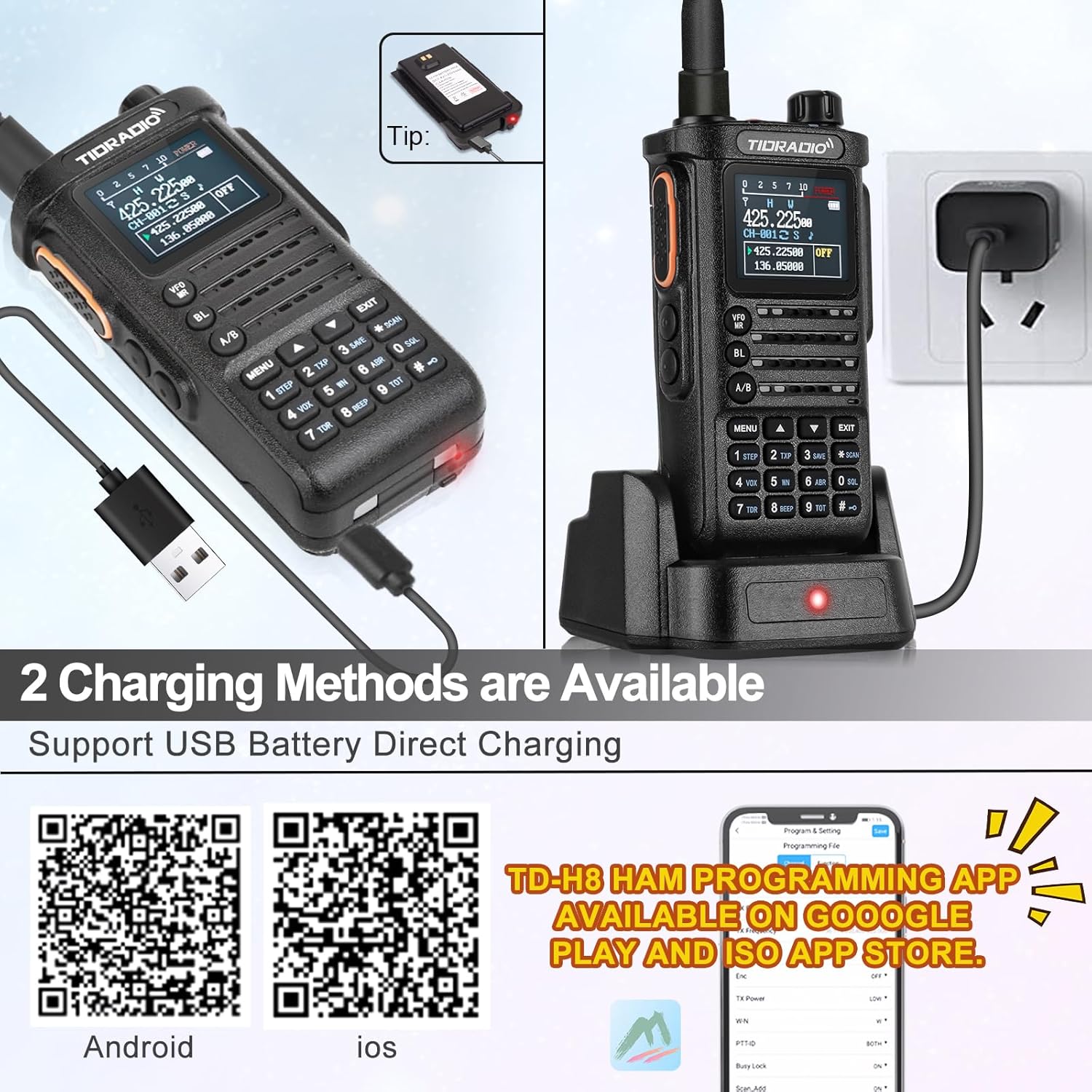
Image: TIDRADIO TD-H8 radio showing the 2500mAh battery and USB-C charging port. The radio is connected to a USB-C cable for direct charging.

Image: Comparison showing the 2500mAh battery pack for the TD-H8, highlighting its larger capacity compared to standard 1800mAh batteries.
2. Кріплення антени
Carefully screw the provided antenna onto the antenna connector at the top of the radio until it is finger-tight. Do not overtighten.
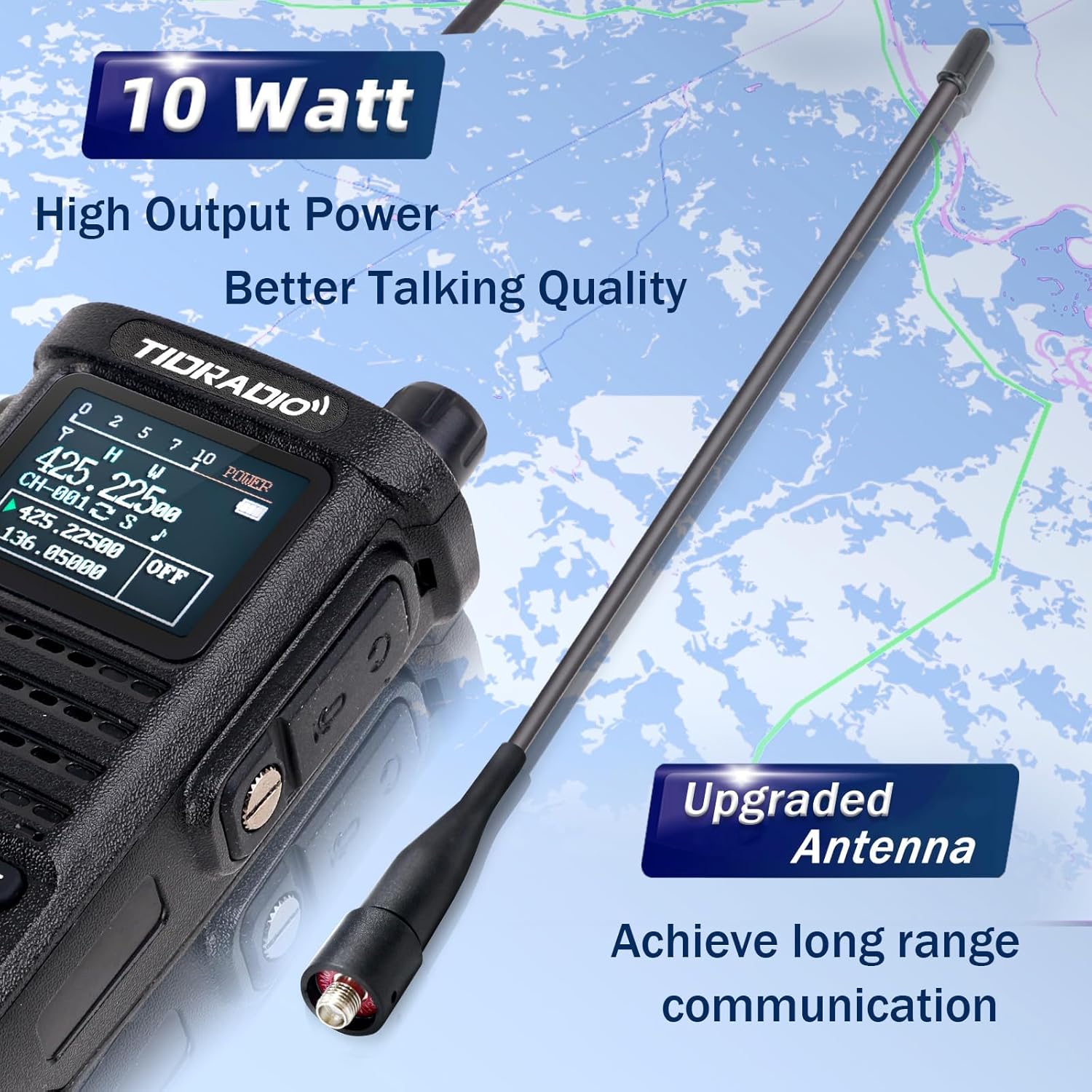
Image: Close-up of the TIDRADIO TD-H8 radio with its upgraded antenna, emphasizing its high output power and long-range communication capability.
3. Увімкнення/вимкнення живлення
To power on the radio, rotate the top knob (on/off/volume) clockwise. To power off, rotate it counter-clockwise until it clicks.
Інструкція з експлуатації
Основна операція
- Регулювання гучності: Adjust the top knob clockwise to increase volume and counter-clockwise to decrease.
- Кнопка «Натисни та говори» (PTT): Натисніть і утримуйте кнопку PTT збоку радіостанції для передачі. Відпустіть для прийому.
- Вибір каналу/частоти: Use the up/down arrow keys or the numeric keypad to select channels or input frequencies. The VFO/MR button switches between Frequency Mode (VFO) and Channel Mode (MR).
- Ключ А/Б: Switches between the upper (A) and lower (B) display frequencies for dual watch operation.
- Кнопка меню: Accesses the radio's menu for various settings.
- Кнопка виходу: Exits menu settings or current operation.
Розширені функції
- Метеорологічне радіо NOAA: The TD-H8 supports NOAA weather scans to keep you informed of weather alerts.
- Подвійний годинник: Одночасно контролюйте дві різні частоти.
- VOX (Голосова телефонна станція): Дозволяє передавати дані в режимі hands-free, коли виявлено голос.
- Сканування: Scan through channels or frequencies to find active transmissions.
- Коди CTCSS/DCS: Use these codes for selective signaling and to filter out unwanted communications.

Зображення: Детальне view of the TD-H8's color LCD screen, highlighting the display of frequency, channel number, channel name, and the Dual Watch function.

Image: The TD-H8 radio screen showing the NOAA Weather Radio feature, indicating its capability to receive weather alerts.
Programming the TD-H8
Wireless Programming via Odmaster App
The TD-H8 supports wireless programming directly from your smartphone using the Odmaster app. This eliminates the need for a PC or programming cable.
- Download the Odmaster app from your smartphone's app store:
- Enable Bluetooth on your smartphone and the TD-H8 radio (press the BL key).
- Open the Odmaster app, connect to your TD-H8 radio via Bluetooth, and follow the in-app instructions to program channels, frequencies, and other settings.
- The app allows for channel editing, nearby repeater search and import, and saving/sharing radio configurations.
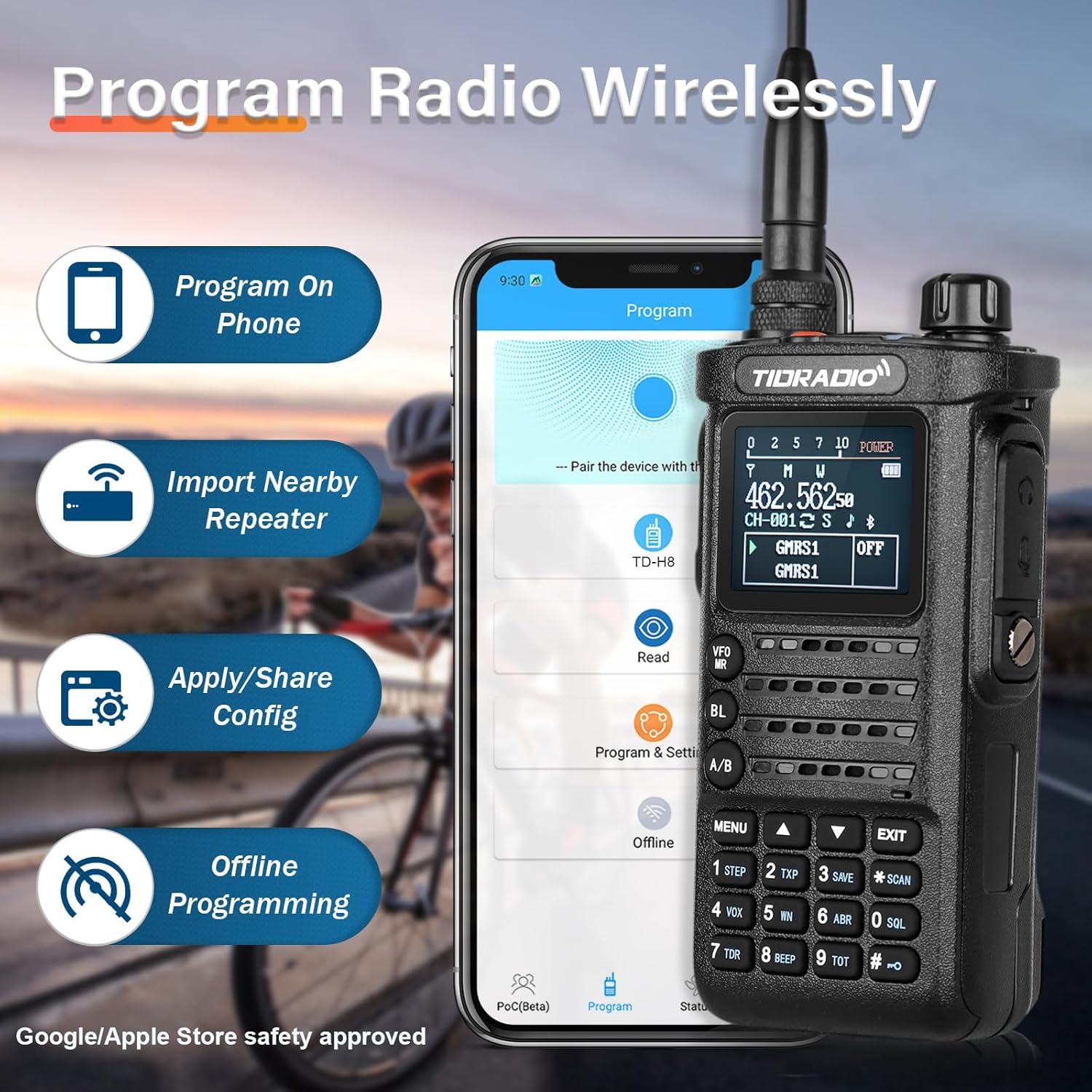
Image: The TIDRADIO TD-H8 radio shown alongside a smartphone displaying the Odmaster app interface, illustrating the wireless programming feature.

Image: Screenshot of the Odmaster app demonstrating the "Repeater List" feature, which allows users to search for and import nearby repeater information.
Програмування на ПК
The TD-H8 can also be programmed using PC software such as Chirp and CPS (Customer Programming Software).
Firmware Version Switching
If you encounter issues connecting to the TD-H8 during the programming process, especially with different model versions (e.g., 2nd vs. 3rd generation), you may need to switch the radio's firmware version.
To switch versions: Натисніть Кнопка "НІГ" + "*" button + power on the device simultaneously. Then, select the required version from the options displayed on the screen.
The TD-H8 also supports updatable firmware, allowing for future software enhancements.
Технічне обслуговування
- Прибирання: Використовуйте м'який, damp тканиною для очищення зовнішньої частини радіоприймача. Не використовуйте агресивні хімікати або розчинники.
- Догляд за акумулятором: Щоб продовжити термін служби акумулятора, уникайте частого повного розряджання акумулятора. Зберігайте радіостанцію та акумулятор у прохолодному сухому місці, коли вони не використовуються протягом тривалого часу.
- Догляд за антеною: Переконайтеся, що антена надійно закріплена, але не перетягнута. Уникайте згинання або напруження антени.
- Водонепроникність: The TD-H8 is water-resistant, but it is not waterproof. Avoid submerging the radio in water.
Усунення несправностей
| проблема | Можлива причина | Рішення |
|---|---|---|
| Радіо не вмикається. | Акумулятор не заряджений або неправильно встановлений. | Ensure the battery is fully charged and correctly attached. |
| Cannot connect to radio for wireless programming. | Bluetooth is off; incorrect firmware version selected; app issue. | Ensure Bluetooth is enabled on both devices. Try switching the radio's firmware version (PTT + "*" + Power On). Restart the app. |
| Poor transmission or reception range. | Antenna not properly attached; low power setting; environmental interference. | Check antenna connection. Ensure radio is set to High Power mode. Move to an area with fewer obstructions. |
| Дисплей тьмяний або нечитабельний. | Backlight setting; low battery. | Adjust backlight settings in the menu. Charge the battery. |
If problems persist, please contact TIDRADIO customer support for assistance.
Технічні характеристики
| Особливість | Деталь |
|---|---|
| Номер моделі | TD-H8 |
| ID FCC | 2AWL3-TDH8 |
| Діапазон частот | 144-174mHz, 420-470MHZ |
| Вихідна потужність | 10 Watt (High), 5-7 Watt (Mid), 2-3 Watt (Low) |
| Ємність акумулятора | 2500mAh Li-ion (7.4 Volts) |
| Тип дисплея | 1.77-дюймовий кольоровий РК-дисплей |
| Кількість каналів | 199 |
| Максимальний діапазон розмови | 10000 Meters (approx. 6.2 miles, dependent on conditions) |
| Рівень водонепроникності | Водостійкий |
| Вага товару | 2.27 фунта (приблизно 1.03 кг) |
| Розміри упаковки | 10 x 8.7 x 2.44 дюймів |
Продукт закінченийview відео
Відео: Посадовець надview of the TIDRADIO TD-H8 10W Ham Radio, showcasing its wireless programming module, 10-watt power output, 2500mAh battery, and large color screen display. This video provides a visual guide to the radio's main features and benefits.
Гарантія та підтримка
For any issues related to programming, operation, or general inquiries, please contact TIDRADIO customer support. Refer to the contact information provided with your purchase or visit the official TIDRADIO webсайт для ресурсів підтримки.
The manufacturer provides ongoing support, including free app updates and feature upgrades for the Odmaster application.


