1. Продукт закінчивсяview
The HOU Slim Bluetooth Keyboard Case is designed to enhance the functionality and protection of your iPad. It features a minimalist, ultra-thin, and lightweight design, making it ideal for portability. The case is constructed from silicon-containing tech leather, offering wear-resistant and stain-resistant properties. Its magnetic stand provides two ergonomic tilt angles for comfortable typing and viewінж.

Image 1.1: HOU Slim Bluetooth Keyboard Case with iPad in open position, showcasinклавіатуру та екран.
Ключові характеристики:
- Ультратонкий та легкий: Weighing approximately 434 grams and 0.6 cm thin, designed for easy transport.
- Міцний матеріал: Made from PU (with silicon) + synthetic leather for enhanced durability and easy cleaning.
- Магнітна підставка: Offers 115° for typing and 125° for viewing, providing stable support.
- Magnetic Separation: Keyboard and iPad can be easily separated due to dual magnetic points.
- Довговічний акумулятор: Забезпечує тривалий час використання.
- Точна посадка: Specifically designed for iPad 10th and 11th Generation models.
2. Що в коробці
Please check the contents of your package upon receipt:
- HOU Slim Bluetooth Keyboard Case
- Магнітний зарядний кабель
- Посібник користувача (цей документ)
3. Сумісність
This HOU Slim Bluetooth Keyboard Case is compatible with the following iPad models:
- iPad 10th Generation 10.9 inch (2022 models: A2696/A2757/A2777/A3162)
- iPad 11th Generation 11 inch A16 (2025 models: A3354/A3355/A3356)

Image 3.1: Diagram illustrating the compatible iPad models for the HOU keyboard case.
4. Інструкції з налаштування
4.1 Attaching Your iPad to the Case
- Align your compatible iPad with the backplate of the keyboard case.
- The iPad will securely attach to the case via strong magnets. No force or snapping is required.

Image 4.1: A user attaching an iPad to the HOU keyboard case using magnetic attraction.
4.2 Створення пари Bluetooth
- Ensure your iPad's Bluetooth is turned on.
- Turn on the HOU keyboard case. The Bluetooth indicator light on the keyboard will begin to flash.
- На вашому iPad перейдіть до Налаштування > Bluetooth.
- Select the HOU keyboard from the list of available devices.
- Once paired, the indicator light will stop flashing, and your iPad will show the keyboard as connected.

Image 4.2: An iPad screen displaying the Bluetooth connection status and battery level of the connected keyboard.
4.3 Заряджання клавіатури
Use the provided magnetic charging cable to charge the keyboard. Connect the magnetic end to the keyboard's charging port and the other end to a USB power source. The iPad can display the keyboard's battery level in real-time.

Зображення 4.3: Крупний план view of the magnetic charging port on the HOU keyboard case.
5. Інструкція з експлуатації
5.1 Налаштування Viewкут нахилу
The magnetic stand allows for two primary ergonomic tilt angles:
- Кут 115°: Suitable for typing and productivity tasks.
- Кут 125°: Ideal for media consumption, such as watching videos or reading.

Image 5.1: Illustration of the two adjustable viewing angles (115° and 125°) provided by the magnetic stand.
5.2 Використання комбінацій клавіш
The keyboard features dedicated shortcut keys for quick access to various iPad functions, including:
- Регулювання гучності
- Регулювання яскравості
- Функція пошуку
- Доступ до головного екрана
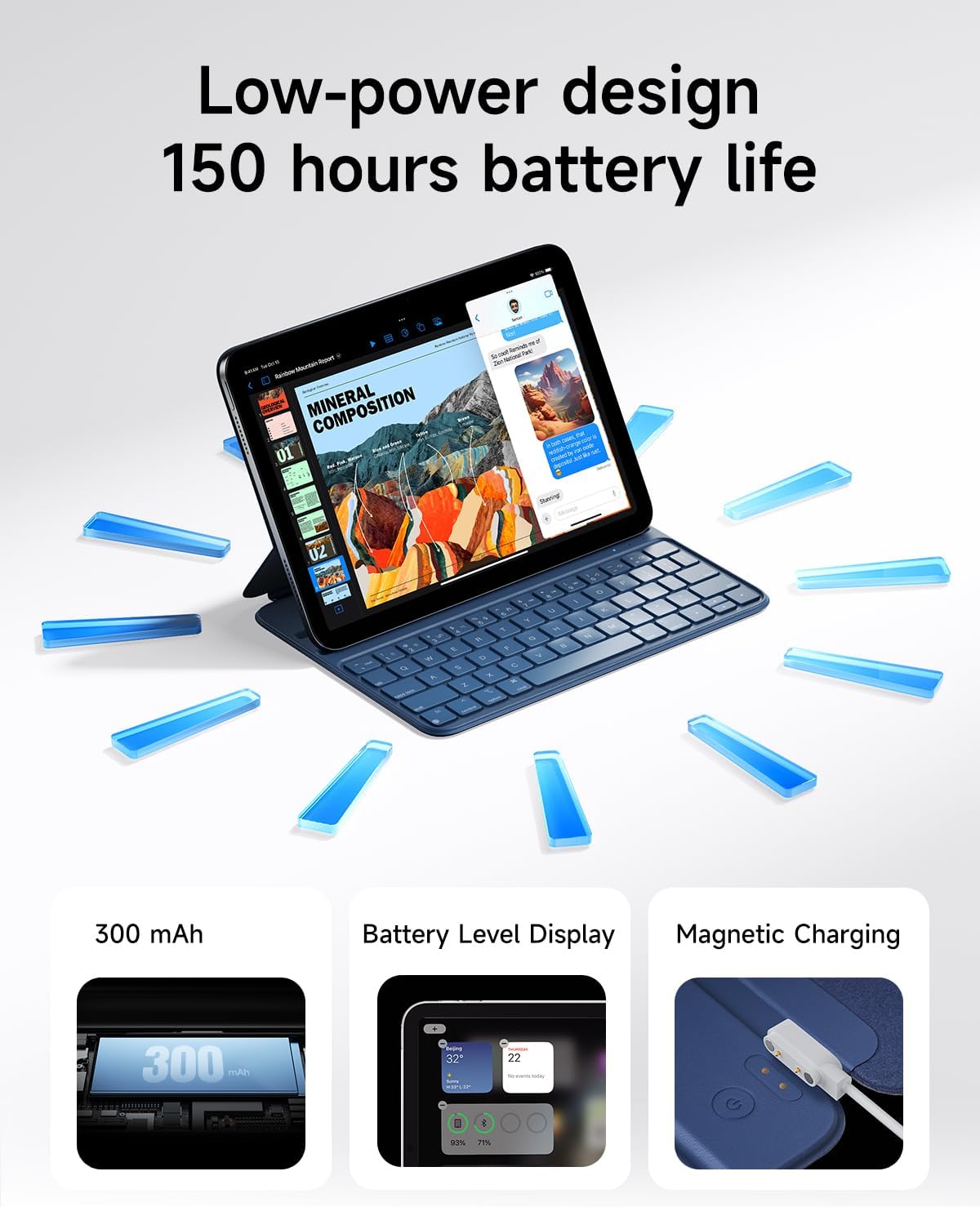
Image 5.2: A close-up of the HOU keyboard highlighting the layout and various shortcut keys.
5.3 Досвід набору тексту
The keyboard is designed with flat keycaps and a scissor-switch structure to provide smooth input, quiet operation, and responsive feedback, reducing fatigue during extended typing sessions.
Video 5.3: This video demonstrates the HOU Keyboard Case for iPad, showing its magnetic attachment, comfortable typing experience, and shortcut key functionality.
6. Технічне обслуговування
6.1 Очищення корпусу
The silicon-containing tech leather material is designed to be wear-resistant and stain-resistant. To clean, gently wipe the surface with a soft, damp cloth. For stubborn stains like coffee or ink, a mild soap solution can be used, followed by wiping with a clean, damp тканиною та сушіння на повітрі.
6.2 Догляд за акумулятором
To prolong battery life, avoid fully discharging the keyboard frequently. Charge the keyboard regularly, especially if it will be stored for an extended period.
7. Вирішення проблем
7.1 Клавіатура не підключається через Bluetooth
- Перевірте живлення: Переконайтеся, що клавіатура увімкнена та має достатній заряд батареї.
- Відновлення пари пристрою: On your iPad, forget the device in Bluetooth settings and attempt to pair again.
- Перезавантажте пристрої: Turn off and restart both your iPad and the keyboard.
- Близькість: Ensure the keyboard and iPad are within close range during pairing.
7.2 Typing Delay or Unresponsive Keys
- Підключення Bluetooth: Verify a stable Bluetooth connection. Disconnect and reconnect if necessary.
- Рівень заряду батареї: A low battery can affect performance. Charge the keyboard fully.
- Перешкоди: Відійдіть від інших бездротових пристроїв, які можуть створювати перешкоди.
8. Технічні характеристики
| Особливість | Деталь |
|---|---|
| Розміри продукту | 9.8 x 3.3 x 0.3 дюймів |
| Вага товару | 1.59 фунта (приблизно 721 грамів) |
| Виробник | HOU |
| Номер моделі товару | A2696/A2777/A2757 |
| Акумулятори | 1 літій-полімерна батарея (у комплекті) |
| Сумісні пристрої | iPad 10th Generation 10.9 inch 2022 & iPad 11th Generation 11 inch A16 2025 |
| Технологія підключення | Bluetooth |
| Особливості | Ergonomic, Hotkeys and Media Keys, Lightweight, PU+ABS, Rechargeable |
| Колір | Синій |
| матеріал | Акрилонітрилбутадієнстирол (АБС) |
9. Гарантія та підтримка
HOU provides a 12-month extended after-sales service for this product. For any inquiries or support needs, please contact HOU Store Customer Service. 24/7 online support is available.

Image 9.1: HOU Customer Service information, highlighting 24/7 online support and a 12-month extended after-sales service.
Additionally, a 30-day refund/replacement return policy is available through the retailer.


