1. Продукт закінчивсяview
The FITNATE Smart Door Knob offers convenient keyless entry with biometric fingerprint recognition and remote app control. Designed for enhanced security and ease of use, it is suitable for various indoor applications such as bedrooms, apartments, hotels, and offices. This smart lock combines modern design with advanced security features, including unlock records and automatic locking.

Figure 1: FITNATE Smart Door Knob with app interface and traditional keys.
2. Вміст упаковки
- FITNATE Smart Door Knob (Exterior and Interior Knobs)
- Механізм засувки
- Монтажні гвинти
- Механічні ключі (2)
- Шаблон установки
- Посібник користувача (цей документ)
3. Технічні характеристики
| Особливість | Деталь |
|---|---|
| Бренд | ФІТНИЙ |
| Назва моделі | Door Knob (HS0396K-BDFBA) |
| Тип замка | Біометричний |
| Особливість | Відбиток пальця |
| матеріал | метал |
| Колір | Матовий чорний |
| Розміри предмета (Д x Ш x В) | 7.95 x 3.23 x 3.23 дюймів |
| Вага товару | 2 фунта |
| Спосіб контролю | Додаток, дотик |
| Протокол підключення | Bluetooth |
| Джерело живлення | 4 батарейки типу АА (не входять в комплект) |
4. Посібник із встановлення
Before installation, ensure your door meets the required dimensions:
- Door Hole Diameter: 2-1/8" (54mm)
- Door Thickness: 1-3/8" to 2-1/8" (35-54mm)
- Backset: Adjustable for 2-3/8" or 2-3/4" (60 or 70mm)

Figure 2: Door dimension requirements for installation.
4.1 Покрокове встановлення
- Підготуйте двері: If replacing an existing knob, remove it. Use the provided template to mark and drill holes if installing on a new door.
- Встановіть засув: Insert the latch into the door edge hole. Ensure the latch bolt faces the correct direction for your door swing. Secure it with screws.
- Встановлення зовнішньої ручки: Pass the spindle and power cable from the exterior knob through the latch and door hole.
- Встановлення внутрішньої ручки: Connect the power cable from the exterior knob to the interior knob. Align the interior knob with the exterior knob and secure it with the long screws. Ensure the power cable is not pinched.
- Вставте батареї: Open the battery cover on the interior knob. Insert 4 AA alkaline batteries, ensuring correct polarity (+/-).
- Attach Battery Cover: Надійно закріпіть кришку акумулятора.

Figure 3: Visual guide for easy installation, showing components and suitable door types.
4.2 Відеоінструкція з встановлення
For a detailed visual guide on installation, please refer to the official video below:
Video 1: "How to Install - FITNATE Door Knob HS0396". This video provides a comprehensive step-by-step guide for installing the smart door knob.
5. Інструкція з експлуатації
5.1 Завантаження та налаштування програми
To utilize the smart features of your FITNATE door knob, download the "TUYA SMART" or "SMART LIFE" app from your device's app store (iOS App Store or Google Play Store).

Figure 4: The smart lock integrates with the app for user management and tracking unlock history.
- Створити акаунт: Відкрийте програму та створіть новий обліковий запис користувача або увійдіть, якщо у вас вже є обліковий запис.
- Додати пристрій: Click the "+" icon in the upper right corner of the app. Ensure Bluetooth is enabled on your phone. Touch the fingerprint screen of the lock to enable Bluetooth for easier connection.
- Discover & Add: The app will discover the "JB-ZAM" device. Click "Add" to pair.
- Rename Lock: Once successfully connected, you can click the device icon (e.g., "KNOB LOCK") to rename your lock for easy identification.
For a visual guide on app setup and usage, refer to the videos below:
Video 2: "FITNATE Fingerprint Door Knob with App Control". This video demonstrates the app control features of the smart door knob.
Video 3: "FITNATE HS0396 Door Knob - How to Use the APP". This video provides instructions on how to effectively use the app with your smart door knob.
5.2 Керування відбитками пальців
The lock supports storing up to 20 fingerprints for various users.

Figure 5: The smart door knob supports multiple user fingerprints for access.
- Додати відбиток пальця: In the app, navigate to "Member Management". Choose "Admin" or another user, then click "Fingerprint" and "Add".
- Зареєструвати відбиток пальця: Follow the on-screen prompts to place your finger on the sensor multiple times, adjusting the angle slightly for comprehensive enrollment. Ensure your finger is clean and dry.
- Rename Fingerprint: After successful enrollment, you can name the fingerprint for easy identification.
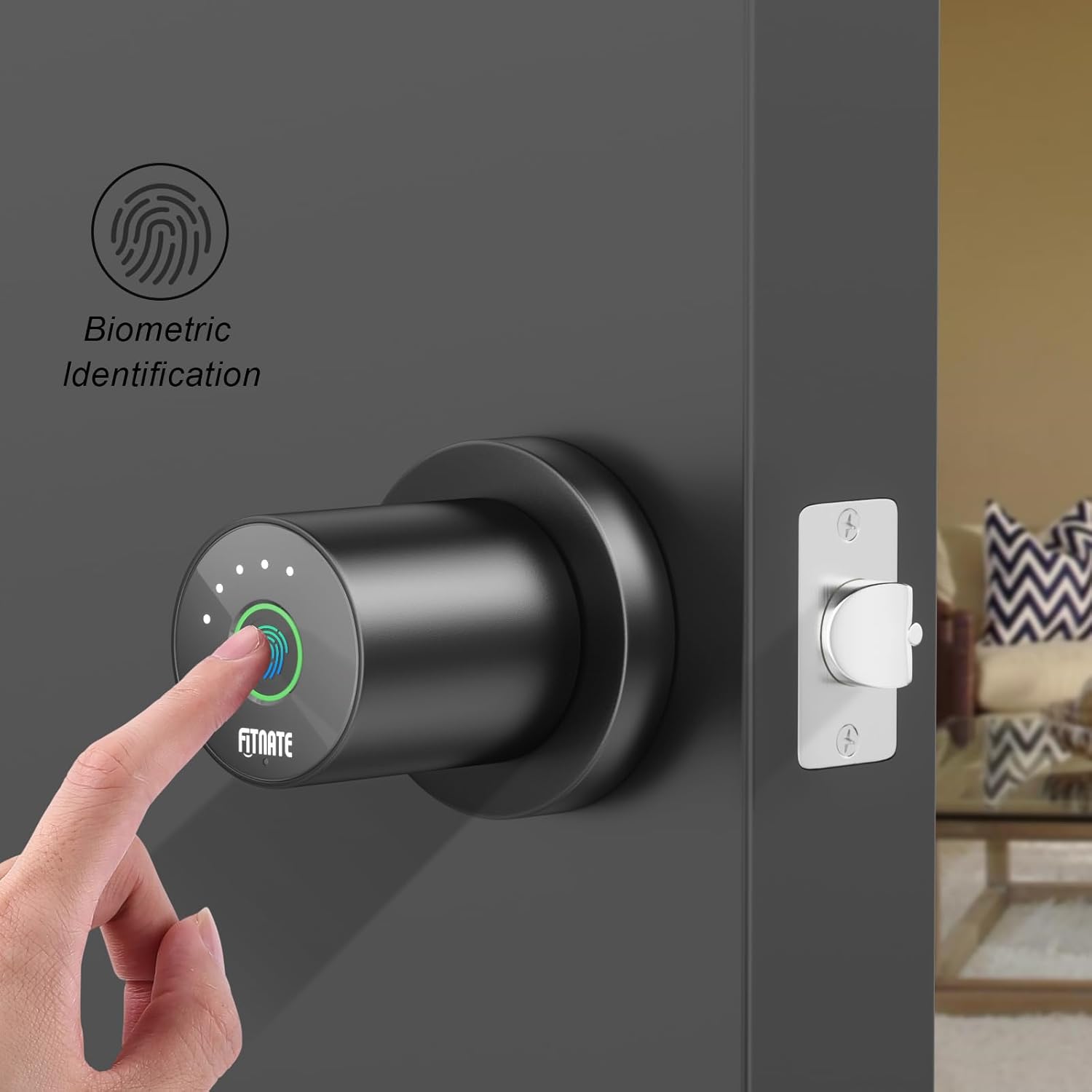
Figure 6: Biometric identification in action on the smart door knob.
5.3 Методи розблокування
- Розблокування відбитком пальця: Place your enrolled finger on the sensor. The light will turn green, and the lock will unlock.
- Розблокування програми: Open the app, and on the main lock page, hold and drag the key icon to the unlocked padlock icon to unlock the door remotely.
- Механічне розблокування ключем: In case of battery depletion or electronic malfunction, use the provided mechanical keys to unlock the door. The keyhole is located at the bottom of the knob.

Figure 7: The smart door knob offers convenient one-touch fingerprint unlocking.

Figure 8: The lock features a low battery alarm and a mechanical key for backup access.
5.4 Розширені функції програми
- Історія розблокування: View a record of when the lock was opened and by which user. Access this by entering the lock page and clicking "Unlock Record" at the bottom.
- Режим проходження: Enable this mode in the app (under "More") to keep the lock in a normally open state, allowing free passage without requiring a fingerprint or app unlock.
- Mute Lock Volume: Adjust or mute the lock's sound volume through the app settings (under "More" > "Lock Volume").
- Дистанційне розблокування: The app allows for remote unlocking, enabling you to grant access from anywhere.
- Автоматичне блокування: Configure automatic locking settings to ensure the door is secured after a set period.
6. Технічне обслуговування
- Заміна батареї: The door lock requires four LR6/AA/1.5V alkaline batteries. When a low battery reminder occurs (battery icon red with continuous beeping), replace the batteries within a week to ensure proper functionality.
- Прибирання: Протріть поверхню замка м’якою сухою тканиною. Уникайте використання абразивних засобів для чищення або розчинників, які можуть пошкодити покриття або електронні компоненти.
- Догляд за датчиком відбитків пальців: Для оптимальної роботи тримайте датчик відбитків пальців чистим і сухим.
7. Вирішення проблем
- Замок не відповідає:
- Перевірте рівень заряду батареї та замініть її, якщо вона низька.
- Ensure the power cable connection inside the interior knob is secure.
- Відбиток пальця не розпізнано:
- Переконайтеся, що ваш палець чистий і сухий.
- Try re-enrolling your fingerprint, adjusting the angle during the process.
- Переконайтеся, що датчик відбитків пальців чистий.
- Проблеми з підключенням до програми:
- Переконайтеся, що на вашому телефоні ввімкнено Bluetooth.
- Перезапустіть програму та спробуйте повторно підключитися.
- Touch the fingerprint sensor on the lock to activate Bluetooth pairing mode.
- Door does not lock/unlock properly:
- Check for any obstructions in the door frame or latch.
- Verify that the latch mechanism is installed correctly and moves freely.
- Ensure the interior and exterior knobs are properly aligned and secured.
- Red light on fingerprint sensor: Indicates an unlock failed. Re-attempt with an enrolled fingerprint.
8. Гарантія та підтримка
FITNATE products are designed for durability and performance. For warranty information, technical support, or assistance with your Smart Door Knob (Model: HS0396K-BDFBA), please refer to the contact information provided on the product packaging or the official FITNATE webсайт.
Ви також можете знайти додаткову підтримку та розділ поширених запитань на FITNATE Store on Amazon.


