1. Продукт закінчивсяview
The DEWENWILS Wireless Remote Control Outlet Kit provides a convenient solution for controlling electrical appliances and lighting. This kit includes two wireless outlets and one remote control wall switch, allowing you to manage devices from a distance. The system operates independently of Wi-Fi and is pre-programmed for immediate use.

Image 1: DEWENWILS Wireless Remote Control Outlet Kit components.
Ключові характеристики:
- Removable Wall Switch: The remote control can be detached from its base and used as a portable remote.
- Бездротове управління: Operate lights and appliances from up to 30 meters (100 feet) in open areas.
- Попередньо запрограмований: Ready for use right out of the box.
- Енергоефективний: Low standby power consumption of 0.6W. Outlets remain off after a power outage.
- Компактний дизайн: Space-saving and modern white appearance.
- Висока потужність: Supports up to 3680 Watts.
2. Інформація про безпеку
Будь ласка, прочитайте та зрозумійте всі інструкції з безпеки перед використанням цього виробу. Недотримання цих інструкцій може призвести до ураження електричним струмом, пожежі або серйозних травм.
- Do not exceed the maximum load capacity of 3680W or 16A.
- Тільки для використання в приміщенні. Не піддавайте впливу води абоamp умови.
- Ensure the product is fully inserted into the wall socket.
- Keep out of reach of children. The outlets feature child protection mechanisms.
- Не розбирайте та не змінюйте виріб.
- Unplug the device from the power outlet when not in use for extended periods or during cleaning.
- The product housing is made from high-quality, flame-retardant material for safety.
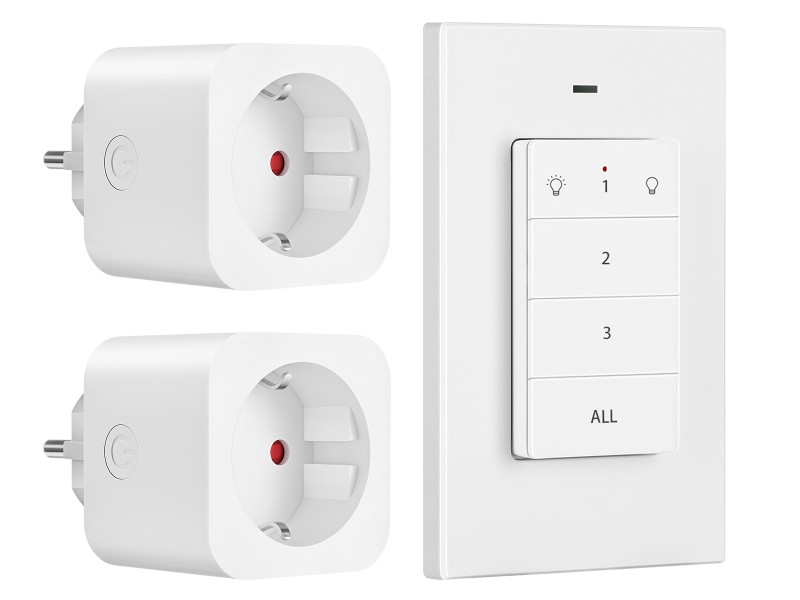
Image 2: Child safety features and flame-retardant material.
3. Вміст упаковки
Перевірте наявність усіх предметів у вашій упаковці:
- 2 розеток бездротового дистанційного керування DEWENWILS
- 1 x DEWENWILS Wireless Remote Control Wall Switch (with CR2032 battery installed)
- 1 х посібник користувача
4. Налаштування
4.1 Installing the Outlets
- Plug a wireless remote control outlet into a standard wall socket.
- Connect the appliance or light you wish to control into the wireless outlet.
- Ensure the appliance is switched on if it has its own power switch.
4.2 Installing the Remote Control Wall Switch
The remote control wall switch can be mounted on a wall or used as a portable remote.
- Настінне кріплення: Use the included adhesive strips or screws to attach the remote's base plate to a desired wall location. Ensure the location is within the 30-meter operating range of the outlets.
- Портативне використання: The remote control can be easily removed from its magnetic base plate for portable use.
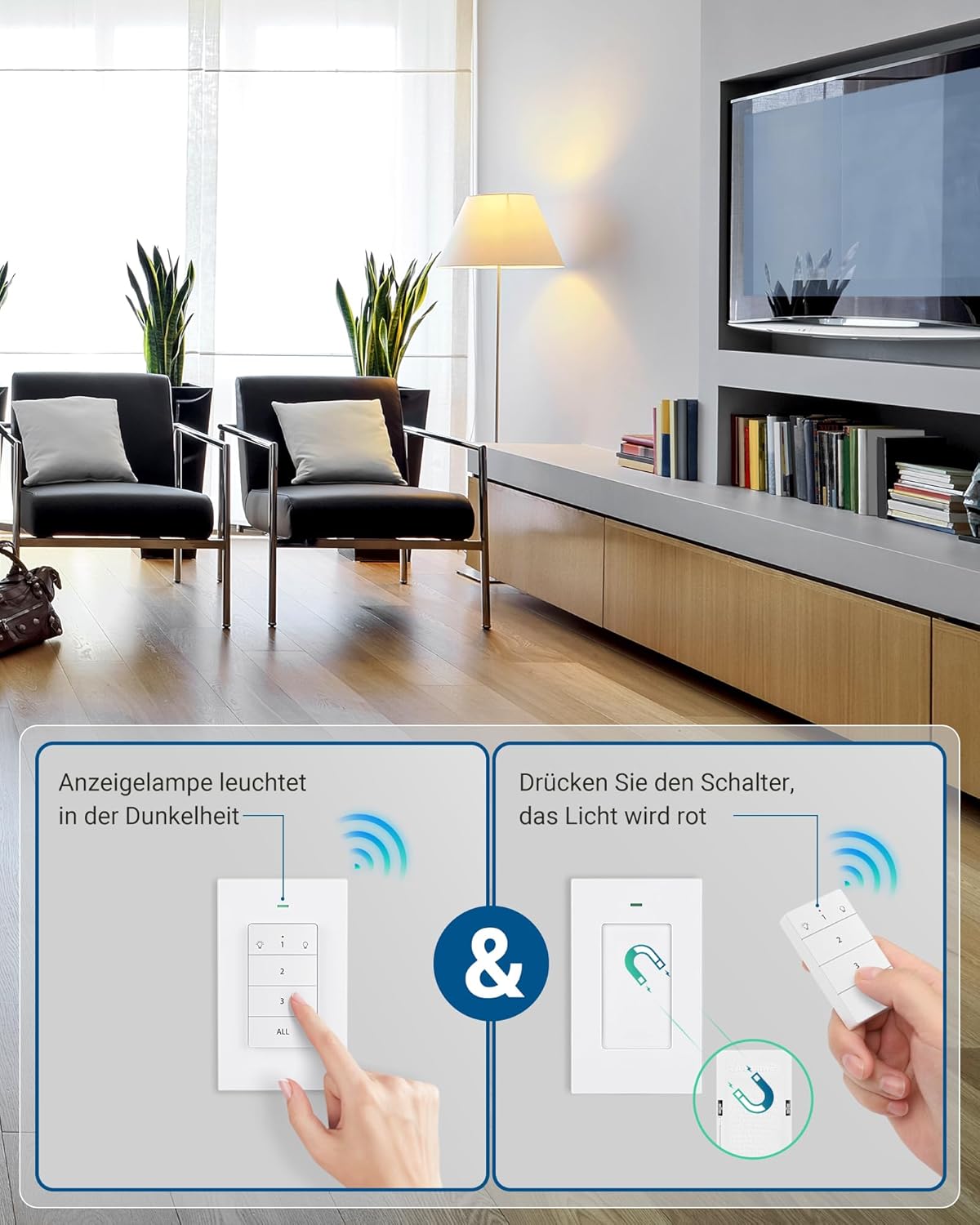
Image 3: Remote control wall switch mounted on a wall.
5. Інструкція з експлуатації
The remote control wall switch is pre-programmed to control the two included outlets. Each button on the remote corresponds to a specific outlet or controls all outlets simultaneously.
5.1 Розташування пульта дистанційного керування

Image 4: Remote Control Buttons.
- Кнопка 1: Controls the first paired outlet. Press once to turn ON, press again to turn OFF.
- Кнопка 2: Controls the second paired outlet. Press once to turn ON, press again to turn OFF.
- Кнопка 3: (If applicable) Controls a third paired outlet. This kit includes two outlets, so this button may be used for expansion.
- Кнопка ВСІ: Controls all paired outlets simultaneously. Press once to turn all ON, press again to turn all OFF.
5.2 Світловий індикатор
The remote control features an indicator light that illuminates when a button is pressed, confirming signal transmission. The outlets also have a red indicator light that shows their power status (ON/OFF).
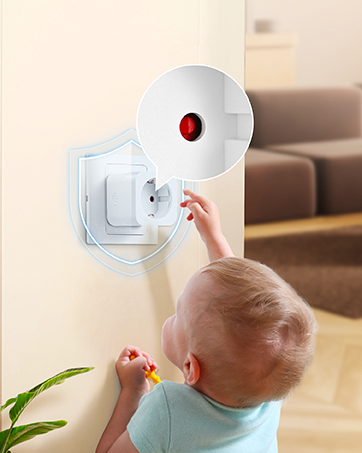
Image 5: Outlet with red indicator light.
6. Programming and Expandability
The outlets and remote are pre-programmed at the factory. However, you can re-program or add additional DEWENWILS remote controls or outlets (sold separately) to expand your system.
6.1 Pairing a New Remote or Outlet
- Підключіть розетку до розетки.
- Press and hold the small power button on the side of the outlet for approximately 3 seconds until the red indicator light flashes slowly.
- While the indicator light is flashing, press the desired ON/OFF button (1, 2, 3, or ALL) on your remote control.
- The outlet's indicator light will stop flashing and remain solid ON or OFF, indicating successful pairing.
6.2 Unpairing an Outlet
- Підключіть розетку до розетки.
- Press and hold the small power button on the side of the outlet for approximately 6 seconds until the red indicator light flashes rapidly.
- The outlet is now unpaired.

Image 6: Expandability with additional DEWENWILS accessories.
7. Технічне обслуговування
- Clean the product with a dry, soft cloth. Do not use abrasive cleaners or solvents.
- Replace the CR2032 battery in the remote control when its operating range decreases or it stops responding. To replace, open the battery compartment on the back of the remote.
- Коли продукт не використовується, зберігайте його в прохолодному сухому місці.
8. Вирішення проблем
| проблема | Можлива причина | Рішення |
|---|---|---|
| Розетка не реагує на пульт дистанційного керування. | 1. Батарейка пульта дистанційного керування низький заряд або розряджена. 2. Outlet is not plugged in or powered. 3. Розетка поза зоною дії. 4. Outlet is not paired with the remote. |
1. Замініть батарейку CR2032 у пульті дистанційного керування. 2. Ensure the outlet is securely plugged into a live wall socket. 3. Move the remote closer to the outlet. 4. Знову підключіть розетку до пульта дистанційного керування (див. розділ 6.1). |
| Remote indicator light does not illuminate. | Батарейка пульта дистанційного керування низький або розряджена. | Замініть батарею CR2032 у пульті дистанційного керування. |
| Outlet turns off unexpectedly. | Power otage сталося. | The outlet is designed to remain off after a power outage for safety. Turn it back on manually or with the remote. |
9. Технічні характеристики
| Специфікація | Значення |
|---|---|
| Номер моделі | DHRLS12L |
| Бренд | ДЕВЕНВІЛС |
| Робочий випtage | 230 вольт |
| Макс. поточний | 16 А |
| Макс. потужність | 3680 Вт |
| Бездротова частота | 433.92 MHz (RF) |
| Дальність бездротового зв'язку | До 30 метрів (100 футів) на відкритій місцевості |
| Тип батареї пульта | 1 x CR2032 (у комплекті) |
| Енергоспоживання в режимі очікування | 0.6 Вт |
| матеріал | Пластик (вогнестійкий) |
| Розміри розетки (Д x Ш x В) | 50 x 44 x 50 мм |
| Сертифікати | CE |
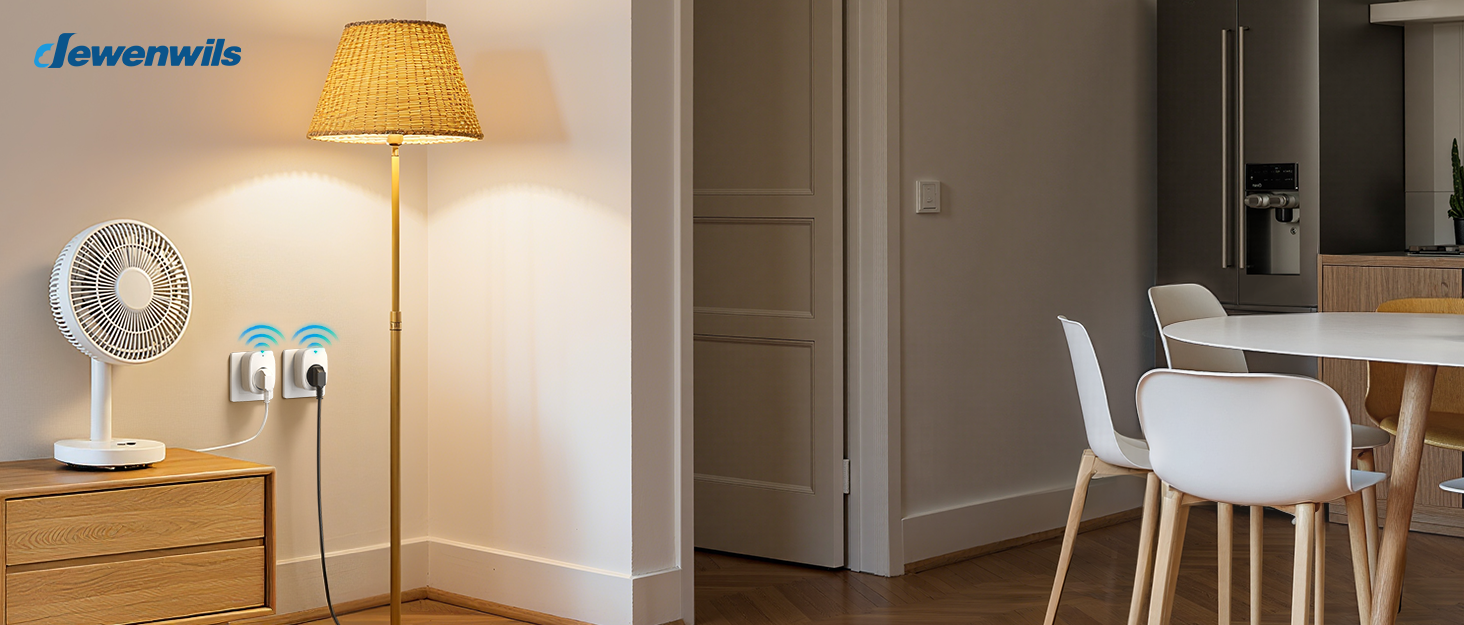
Image 7: Maximum power capacity and compatible appliances.

Image 8: 30-meter RF operating range.
10. Гарантія та підтримка
Warranty and support information is not available in the provided product data. Please refer to the product packaging or contact DEWENWILS customer service for details regarding warranty coverage and technical support.
For further assistance, please visit the official DEWENWILS webсайт або зверніться до їхніх каналів підтримки клієнтів.


