1. Вступ
The Elite Aria Smart Cooling Fan is an advanced device designed to enhance your indoor cycling experience by replicating outdoor ride conditions. It features intelligent airflow adjustment based on your workout intensity and data, reaching speeds up to 50 km/h. The Aria fan offers extensive compatibility with various sensors and devices, ensuring a highly immersive and effective training environment.
This manual provides essential information for the safe and efficient operation, setup, and maintenance of your Elite Aria Smart Cooling Fan. Please read it thoroughly before using the product.
2. Інформація про безпеку
- Завжди переконайтеся, що вентилятор встановлено на стійкій, рівній поверхні, щоб запобігти перекиданню.
- Тримайте руки, волосся та вільний одяг подалі від лопатей вентилятора під час роботи.
- Не використовуйте вентилятор з пошкодженим шнуром живлення або вилкою.
- Не занурюйте вентилятор у воду та не піддавайте його впливу надмірної вологи.
- Від’єднайте вентилятор від розетки перед чищенням або будь-яким технічним обслуговуванням.
- Цей прилад не призначений для використання особами (включаючи дітей) з обмеженими фізичними, сенсорними чи розумовими здібностями, або з браком досвіду та знань, якщо вони не перебувають під наглядом або не отримали інструкції щодо використання приладу особою, відповідальною за їх безпеку.
3. Вміст упаковки
Перевірте наявність усіх елементів в упаковці:
- Elite Aria Smart Fan Unit
- Адаптер живлення
- 2 x Activated Carbon Filters (pre-installed or separate)
- Посібник користувача (цей документ)
4. Налаштування
4.1 Розпакування та розміщення
- Carefully remove the Elite Aria Smart Cooling Fan from its packaging.
- Place the fan on a flat, stable surface in front of your training setup.
- Adjust the fan's angle to optimize airflow. The Aria features 10 adjustable positions, ranging from 0° to 50°, to best cover a cyclist's body shape.
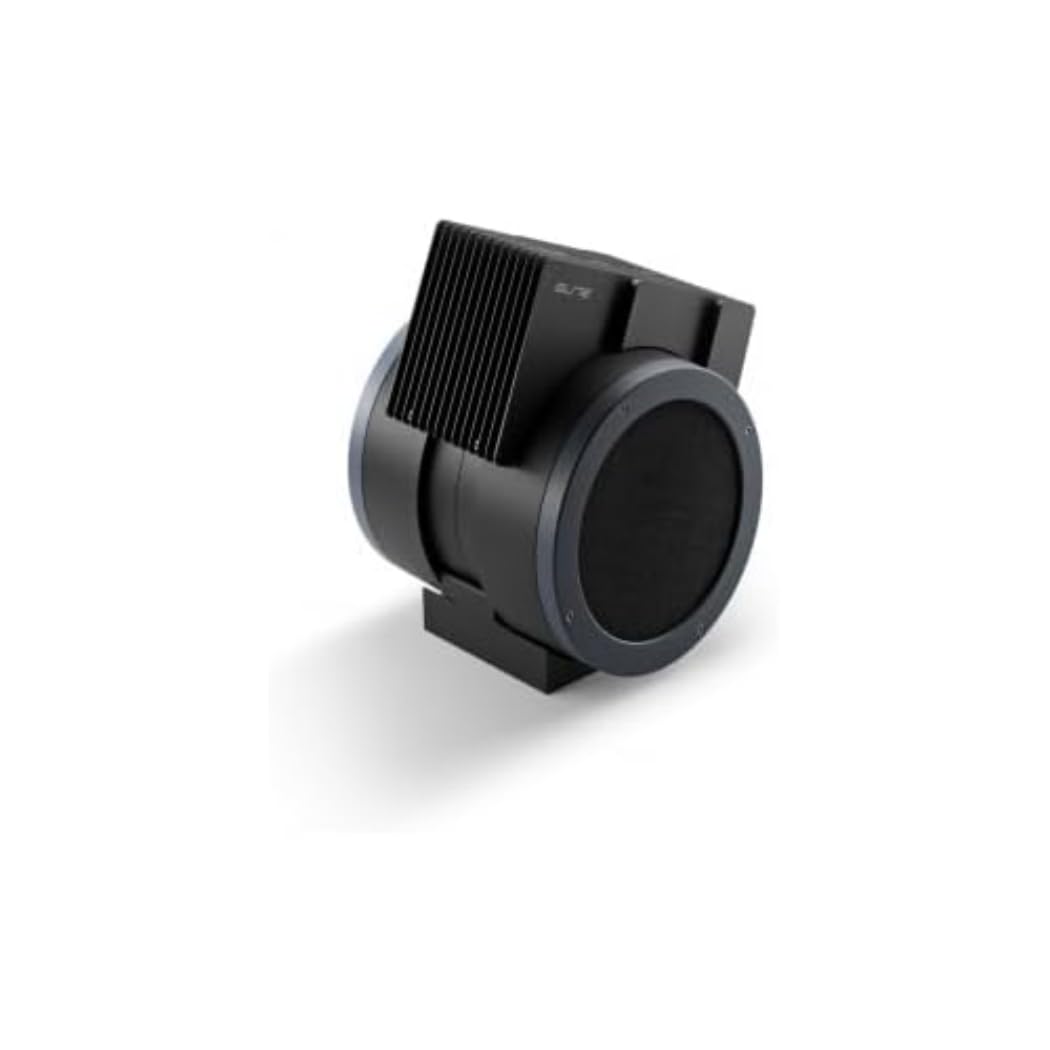
An image showing the Elite Aria Smart Cooling Fan, a black, cylindrical device with a rectangular top section containing cooling fins, designed for indoor cycling training.
4.2 Підключення живлення
- Connect the power adapter to the fan's power input port.
- Підключіть адаптер живлення до відповідної електричної розетки.
- The fan will power on in standby mode or manual mode, indicated by the control panel lights.
4.3 Встановлення фільтра (якщо він не встановлений попередньо)
The Aria includes 2 activated carbon filters designed to filter air and remove workout odors. If not pre-installed, follow these steps:
- Locate the filter compartments on the fan (refer to the diagram in the quick start guide if available).
- Insert the activated carbon filters into their respective slots. Ensure they are securely seated.
5. Режими роботи
5.1 Ручний режим
The Aria fan can be operated manually using the small keyboard on the unit:
- Кнопка живлення: Press to turn the fan on/off or activate standby mode.
- Регулювання швидкості: Use the dedicated buttons to cycle through 4 manual wind intensity levels.
- Режим очікування: Activate standby mode when not actively training.
5.2 Smart Mode (Automatic Adjustment)
The Aria fan's primary feature is its ability to automatically adjust airflow based on your workout data. It communicates wirelessly with various sensors and devices:
- ANT+ FE-C & ANT+ Speed Devices/Sensors: For speed-based airflow.
- ANT+ Power Meters: For power-based airflow.
- ANT+ & BLE Heart Rate Monitors: For heart rate-based airflow.
- ANT+ Body Temperature Sensors: For body temperature-based airflow.
To pair with a device or sensor:
- Ensure your sensor/device is active and within range.
- On the Aria's keyboard, press the button to select the desired data source (speed, power, heart rate, body temperature).
- The fan will automatically search for and connect to compatible sensors. Once connected, airflow will adjust dynamically.
5.3 My E-Training App Control
The Elite Aria fan can also be controlled via the My E-Training app, providing quick access to all main functions and advanced settings:
- Download and install the My E-Training app on your smartphone or tablet.
- Open the app and ensure Bluetooth is enabled on your device.
- Follow the in-app instructions to connect to your Elite Aria fan.
- Through the app, you can select the device/sensor to be connected, adjust wind power percentage, and customize advanced settings to suit your workout needs.
Note: You do not need a subscription to the My E-Training app to access all of Aria's features within the app.
6. Технічне обслуговування
6.1 Очищення
- Завжди вимикайте вентилятор перед чищенням.
- Протріть зовнішні поверхні вентилятора м’якою тканиноюamp тканина. Не використовуйте абразивні засоби чи розчинники.
- Переконайтеся, що вода не потрапляє всередину компонентів.
6.2 Activated Carbon Filter Replacement
The activated carbon filters help remove workout odors. They should be replaced periodically depending on usage and air quality.
- Від'єднайте вентилятор від розетки.
- Locate the filter compartments.
- Carefully remove the spent filters.
- Insert new activated carbon filters, ensuring they fit snugly.
- Dispose of old filters responsibly.
7. Вирішення проблем
- Вентилятор не включається:
- Перевірте, чи шнур живлення надійно підключений як до вентилятора, так і до електричної розетки.
- Ensure the electrical outlet is functional.
- No automatic airflow adjustment:
- Ensure your sensors/devices are turned on and within range of the fan.
- Verify that the correct data source (speed, power, HR, temp) is selected on the fan's control panel or via the My E-Training app.
- Check battery levels of your external sensors.
- Try restarting both the fan and your sensors/devices.
- Слабкий потік повітря:
- In manual mode, increase the speed level.
- In smart mode, ensure your workout intensity data is being correctly transmitted and interpreted.
- Check if the air intake or output is obstructed.
- Consider replacing the activated carbon filters if they are old or heavily used.
8. Технічні характеристики
| Особливість | Специфікація |
|---|---|
| Торгова марка | Елітний |
| Назва моделі | Арія |
| Номер деталі | 3204003750 |
| матеріал | Термопласт |
| Розміри виробу (ДхШхВ) | 12.2 x 11.81 x 14.17 дюймів |
| Розміри упаковки (ДхШхВ) | 17.72 x 17.32 x 14.76 дюймів |
| Вага упаковки | 6.2 кілограма |
| Максимальна швидкість повітряного потоку | До 50 км / год |
| Регульовані положення | 10 (від 0° до 50°) |
| Підключення | ANT+ FE-C, ANT+ Speed, ANT+ Power, ANT+ HR, BLE HR, ANT+ Body Temperature |
| Включені компоненти | Aria Smart Fan, 2 Activated Carbon Filters |
9. Гарантія та підтримка
Elite products are manufactured to high standards and are covered by a limited warranty. For specific warranty terms and conditions, please refer to the warranty card included with your product or visit the official Elite webсайт.
For technical support, troubleshooting assistance, or to inquire about replacement parts (such as activated carbon filters), please contact Elite customer service through their official webсайт або контактну інформацію, зазначену на упаковці вашого продукту.
Інтернет-ресурси:


