1. Більшеview
This manual provides instructions for the Canon PowerShot ELPH 360 HS Digital Camera. It covers initial setup, basic operation, maintenance, and troubleshooting to help you get the most out of your camera.
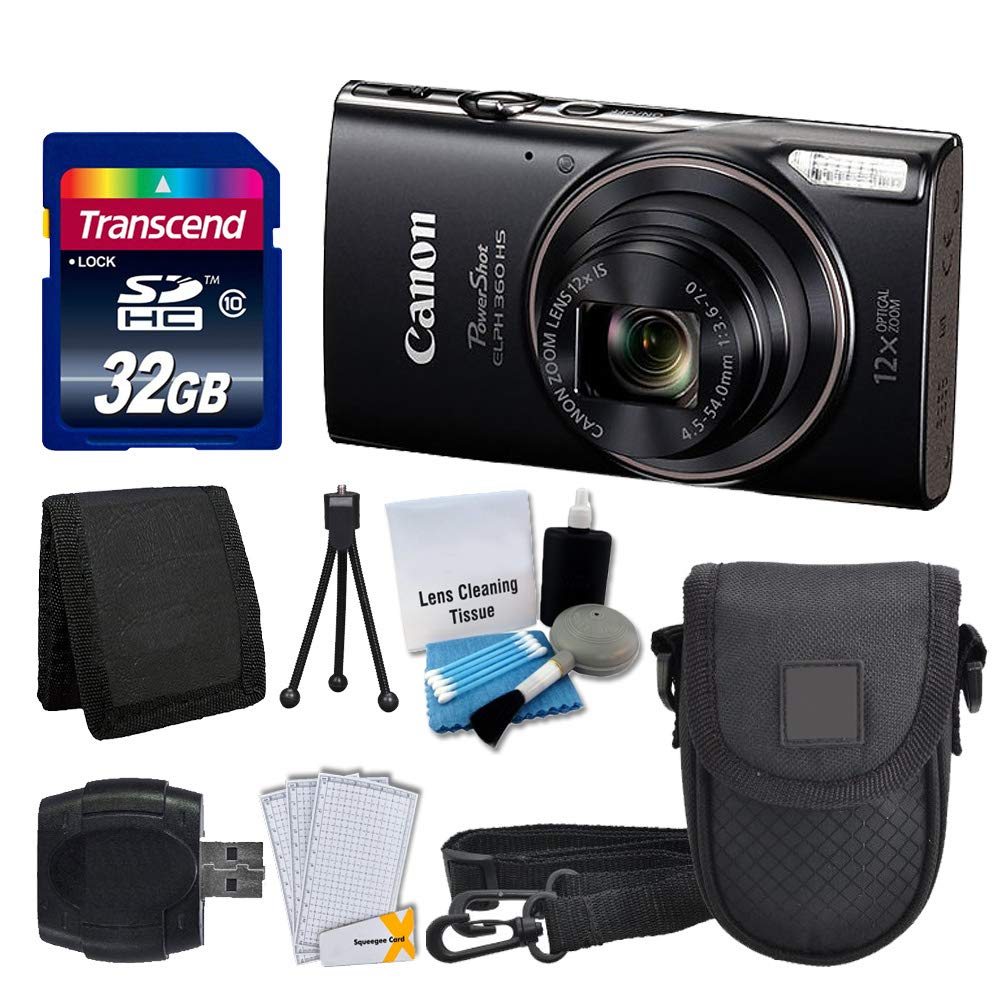
Зображення 1.1: спереду view of the Canon PowerShot ELPH 360 HS Digital Camera.
2. Що в коробці
Будь ласка, перевірте, чи всі наступні предмети входять до вашої упаковки:
- Цифрова камера Canon PowerShot ELPH 360 HS (чорна)
- Transcend 32GB Memory Card
- Футляр для камери
- USB-кардрідер
- LCD Screen Protectors
- Гаманець для карт пам'яті
- Акумулятор і зарядний пристрій
- Ремінець на зап'ясті
- Cleaning Kit (Lens Cleaning Tissue, Blower, Brush, Cotton Swabs)

Image 2.1: The Canon PowerShot ELPH 360 HS camera with its battery, charger, and wrist strap.
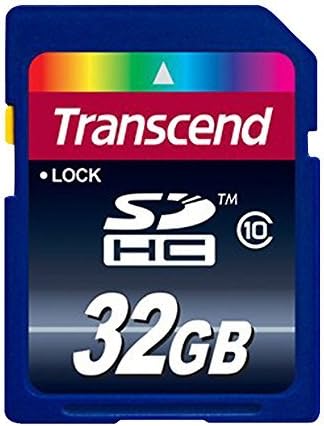
Image 2.2: A Transcend 32GB SDHC Memory Card, included for storage.
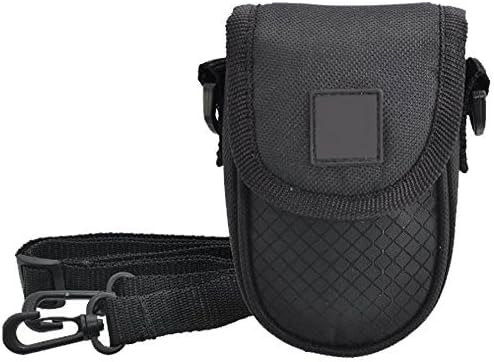
Image 2.3: A black camera case for protection and portability.

Image 2.4: The included cleaning kit for maintaining the camera's lens and body.
3. Налаштування
3.1. Зарядка батареї
- Insert the battery pack into the battery charger. Ensure the battery is correctly oriented.
- Підключіть зарядний пристрій до розетки. Індикатор заряджання засвітиться.
- Charging is complete when the indicator light changes color or turns off (refer to charger specific indicators).
3.2. Встановлення акумулятора та карти пам’яті
- Open the battery/card compartment cover on the camera.
- Insert the charged battery pack into the compartment, ensuring the contacts align. Push until it clicks into place.
- Insert the Transcend 32GB SDHC memory card into the card slot with the label facing the correct direction. Push until it clicks.
- Надійно закрийте кришку відділення.
3.3. Прикріплення ремінця на зап'ястя
Thread the wrist strap through the strap mount on the camera body to prevent accidental drops.
4. Робота з камерою
4.1. Увімкнення/вимкнення живлення
Натисніть [ПОТУЖНІСТЬ] кнопку, щоб увімкнути або вимкнути камеру.
4.2. Фотографування
- Увімкніть камеру.
- Select your desired shooting mode (e.g., Automatic) using the mode dial or menu.
- Скомпонуйте кадр за допомогою РК-екрана.
- Натисніть кнопку спуску затвора наполовину, щоб сфокусуватися. З’явиться рамка фокусування.
- Повністю натисніть кнопку спуску затвора, щоб зробити знімок.
4.3. Використання масштабування
Use the zoom lever around the shutter button to adjust the optical zoom (12x) for closer or wider shots.
4.4. Запис відео
- In a shooting mode, press the dedicated [ФІЛЬМ] кнопку, щоб почати запис.
- Натисніть [ФІЛЬМ] знову натисніть кнопку, щоб зупинити запис.
4.5. ПовторноviewЗображення та відео
Натисніть [PLAYBACK] button to enter playback mode. Use the directional buttons to navigate through your photos and videos.
4.6. Connecting to a Computer (USB)
Connect the camera to a computer using a USB cable to transfer photos and videos. The camera will appear as a removable drive.
4.7. Підключення через Wi-Fi та NFC
The camera supports Wi-Fi and NFC for wireless transfer of images to compatible devices or for remote control. Refer to the camera's on-screen menu for detailed setup instructions for these features.
5. Технічне обслуговування
5.1. Очищення камери
- Об'єктив: Use a lens brush or a soft, clean microfiber cloth with lens cleaning solution (from the included kit) to gently wipe the lens. Avoid touching the lens with your fingers.
- РК-екран: Use a soft, dry cloth to clean the LCD screen. For stubborn smudges, use a screen protector cleaning solution.
- Корпус камери: Wipe the camera body with a soft, dry cloth. Do not use organic solvents or strong cleaning agents.
5.2. Догляд за акумулятором
- Зберігайте батареї в прохолодному сухому місці, коли вони не використовуються.
- Уникайте частого повного розряджання акумулятора, щоб продовжити термін його служби.
- Не піддавайте батареї впливу екстремальних температур.
5.3. Зберігання
When storing the camera for extended periods, remove the battery and memory card. Store the camera in a dry, dust-free environment, preferably in its camera case.
6. Вирішення проблем
| проблема | Можлива причина | Рішення |
|---|---|---|
| Камера не вмикається. | Батарейка розряджена або неправильно вставлена. | Повністю зарядіть акумулятор і переконайтеся, що його правильно вставлено. |
| Не можна фотографувати. | Карта пам’яті заповнена, заблокована або не вставлена. | Insert a memory card, unlock it, or delete unnecessary files. |
| Зображення розмиті. | Тремтіння камери, неправильний фокус або брудний об'єктив. | Hold the camera steady, ensure proper focus, and clean the lens. |
| Wi-Fi/NFC connection fails. | Incorrect settings or device incompatibility. | Check camera and device settings. Ensure devices are compatible and within range. |
7. Технічні характеристики
- Назва моделі: PowerShot ELPH 360 HS
- Бренд: Canon
- Роздільна здатність фотодатчика: 20.2 Мп
- Оптичний зум: 12x
- Стабілізація зображення: Оптичний
- Тип об'єктива: Zoom (25-300 mm equivalent)
- Розмір екрана: 3-дюймовий РК-дисплей
- Підключення: Wi-Fi, NFC, USB
- Підтримується File Формат: JPEG, RAW
- Роздільна здатність відео: 1080p
- Тип карти пам'яті: SD, SDHC (32 ГБ у комплекті)
- Тип батареї: Літій-іонний
- колір: чорний
8. Гарантія та підтримка
8.1. Інформація про гарантію
This Canon PowerShot ELPH 360 HS Digital Camera comes with a 90-денна обмежена гарантіяБудь ласка, збережіть чек про покупку для гарантійного обслуговування.
8.2. Підтримка клієнтів
For further assistance, technical support, or service inquiries, please refer to the official Canon support webсайт або зверніться до служби підтримки клієнтів. Контактну інформацію зазвичай можна знайти на сайті виробника webсайті або в оригінальній упаковці продукту.


