вступ
The JOYROOM S-H142 is a versatile 4-in-1 device designed for iOS devices, combining a charger adapter and a multi-format card reader. This manual provides detailed instructions for its proper use and maintenance, ensuring optimal performance and longevity of your device.
Продукт закінченийview
The JOYROOM S-H142 is a compact and efficient accessory for your iOS devices. It features a USB interface for connectivity and supports MicroSD media types. A key feature is its ability to charge your device while simultaneously reading data from a memory card.
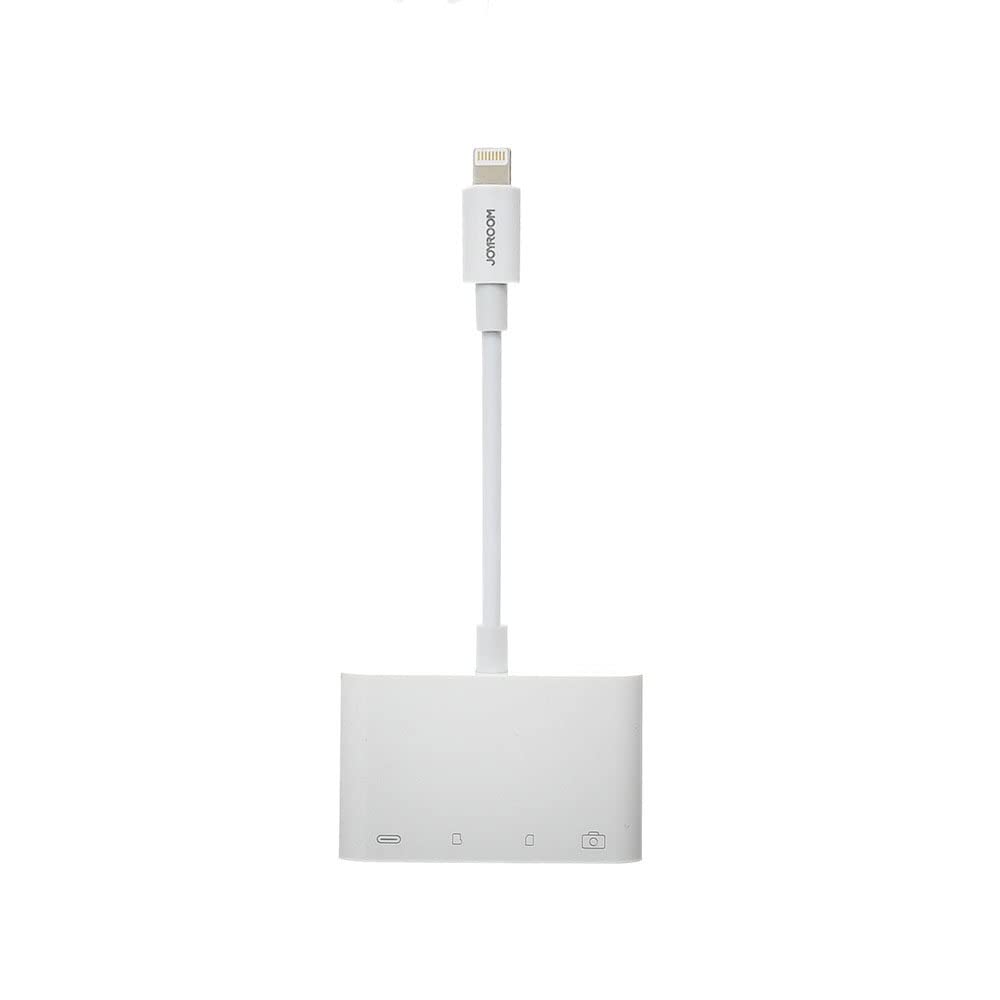
Зображення 1: спереду view of the JOYROOM S-H142 4-in-1 Charger Adapter and Card Reader, showing the Lightning cable, USB port, and card slots.

Зображення 2: Крупний план view of the JOYROOM S-H142, highlighting the USB port and MicroSD card slots.

Зображення 3: Детальний опис view of the Lightning connector of the JOYROOM S-H142, which connects to iOS devices.
Налаштування
- Підключення до пристрою iOS: Connect the Lightning connector of the S-H142 to your iOS device (iPhone/iPad). Ensure it is securely plugged in.
- Вставте картку пам'яті: Insert your MicroSD card into the designated slot on the S-H142. Push gently until it clicks into place.
- Connect Charging Cable (Optional): If you wish to charge your iOS device while using the card reader, connect a standard charging cable to the S-H142's charging input port.
Інструкція з експлуатації
- Доступ Files: Once connected, your iOS device should recognize the S-H142. You can access files on the inserted MicroSD card through the Files app on your iOS device. Navigate to 'Browse' and look for the external storage device.
- Функціональність зарядки: To charge your device while using the card reader, ensure a power source is connected to the S-H142's charging input. The device supports simultaneous data transfer and charging.
- Передача даних: You can transfer photos, videos, and other documents between your iOS device and the MicroSD card using the Files додаток.
Технічне обслуговування
- Прибирання: Keep the device clean and free from dust. Use a soft, dry cloth for cleaning. Do not use liquid cleaners or abrasive materials.
- Зберігання: Avoid exposing the device to extreme temperatures, direct sunlight, or moisture. Store in a cool, dry place when not in use.
- Обробка: Поводьтеся з пристроєм обережно. Уникайте падінь та сильних ударів.
Усунення несправностей
- Пристрій не розпізнано:
- Ensure the Lightning connector is securely plugged into your iOS device. Try disconnecting and reconnecting. Ensure your iOS device is running a compatible operating system version. Restart your iOS device if necessary.
- Картка не зчитується:
- Ensure the MicroSD card is inserted correctly and fully into its slot. Check if the card is damaged or corrupted. Try another MicroSD card to isolate the issue. Ensure the card format is compatible with iOS (e.g., FAT32, exFAT).
- Не заряджається:
- Verify that the charging cable and power source are functional. Ensure the charging cable is properly connected to the S-H142's charging input port. Try a different charging cable or power adapter.
Технічні характеристики
| Виробник | JOYROOM |
| Модель | S-H142 |
| Технологія підключення | USB |
| Апаратний інтерфейс | USB |
| Сумісні пристрої | Mobile Phones (iOS) |
| Тип носія | MicroSD |
| Особливості | Charging while reading |
| Колір | Білий |
| матеріал | пластик |
| Розміри упаковки | 12 х 11 х 1 см |
| вага | 55 грами |
Гарантія та підтримка
Щоб отримати інформацію про гарантію та технічну підтримку, зверніться до офіційного представника виробника website or contact your retailer. It is recommended to keep your purchase receipt for any warranty claims or support inquiries.


