1. Інформація про безпеку
Будь ласка, уважно прочитайте всі інструкції перед складанням та використанням. Зберігайте цей посібник для подальшого використання.
- Не перевищуйте максимальну вантажопідйомність 40 кг (88 фунтів).
- Переконайтеся, що шаблон VESA вашого телевізора сумісний (від 100x100 мм до 400x400 мм).
- Verify that all screws are securely tightened before placing the TV on the stand.
- Не дозволяйте дітям залазити на підставку для телевізора або гратися з нею.
- Встановіть підставку на стійку, рівну поверхню, щоб запобігти перекиданню.
- Avoid placing heavy objects on the stand's base that could compromise stability.
2. Вміст упаковки
Перед початком складання переконайтеся, що всі компоненти є в наявності та не пошкоджені. Якщо якісь деталі відсутні або пошкоджені, зверніться до служби підтримки клієнтів.

Зображення: Розгорнуте view of the TV stand components.
- Основа із загартованого скла
- Опорна колона
- Монтажна панель для телевізора
- VESA Extension Brackets (if applicable for larger VESA patterns)
- Various Screws, Washers, and Spacers for TV attachment
- Assembly Hardware (bolts, nuts, Allen wrench)
- Нековзкі гумові ніжки
3. Налаштування та складання
Follow these steps to assemble your XINLEI Universal TV Stand Base.
- Attach Non-Slip Feet to Base: Secure the non-slip rubber feet to the underside of the tempered glass base.
- Assemble Support Column: Attach the support column to the tempered glass base using the provided hardware. Ensure it is firmly secured.
- Attach TV Mounting Plate: Secure the TV mounting plate to the top of the support column.
- Prepare TV for Mounting:
- Identify your TV's VESA mounting holes on the back.
- Select the appropriate screws and spacers from the provided hardware kit that fit your TV's VESA pattern.
- Attach the VESA extension brackets to the TV mounting plate if your TV's VESA pattern requires them (e.g., 400x400mm).
- Важливо: Before attaching the TV to the stand, ensure that the mounting plate and screws will not block any ports or cables on the back of your television.
- Встановлення телевізора: Carefully lift your TV and align its VESA holes with the mounting plate/brackets. Secure the TV using the selected screws and spacers. Ensure the TV is level and stable.

Image: Detail of the tempered glass base with non-slip feet.
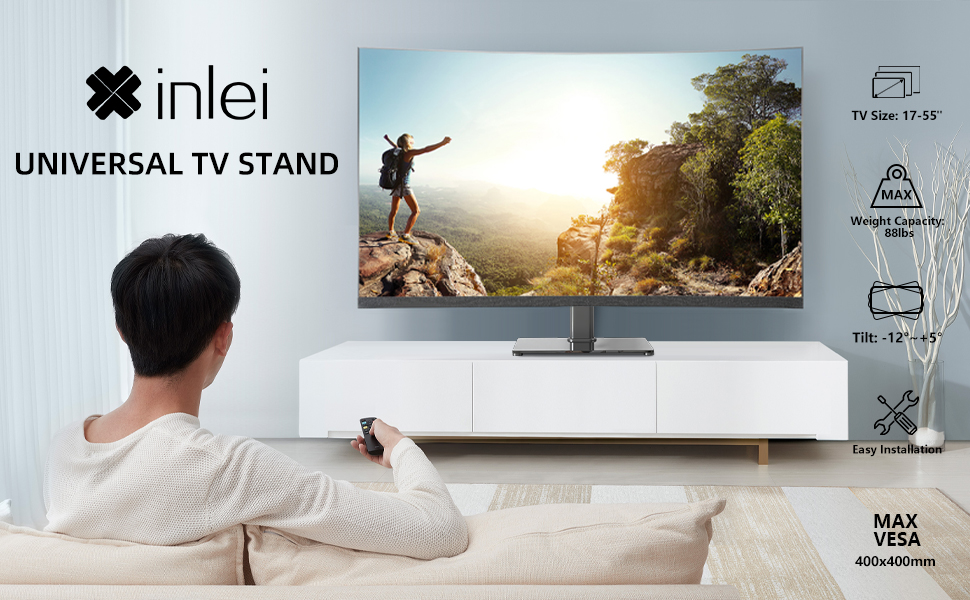
Image: Illustration emphasizing checking for port obstruction.

Image: Fully assembled TV stand with a television.
4. Інструкція з експлуатації
The XINLEI Universal TV Stand Base offers height adjustment and tilt functionality for optimal viewінж.
4.1 Регулювання висоти
This stand provides 3 adjustable height levels. To adjust the height:
- Carefully remove the TV from the mounting plate.
- Adjust the mounting plate's position on the support column to one of the three available height settings (11.1", 13.03", or 14.96" from the base).
- Secure the mounting plate at the desired height using the provided fasteners.
- Re-mount the TV onto the adjusted plate.
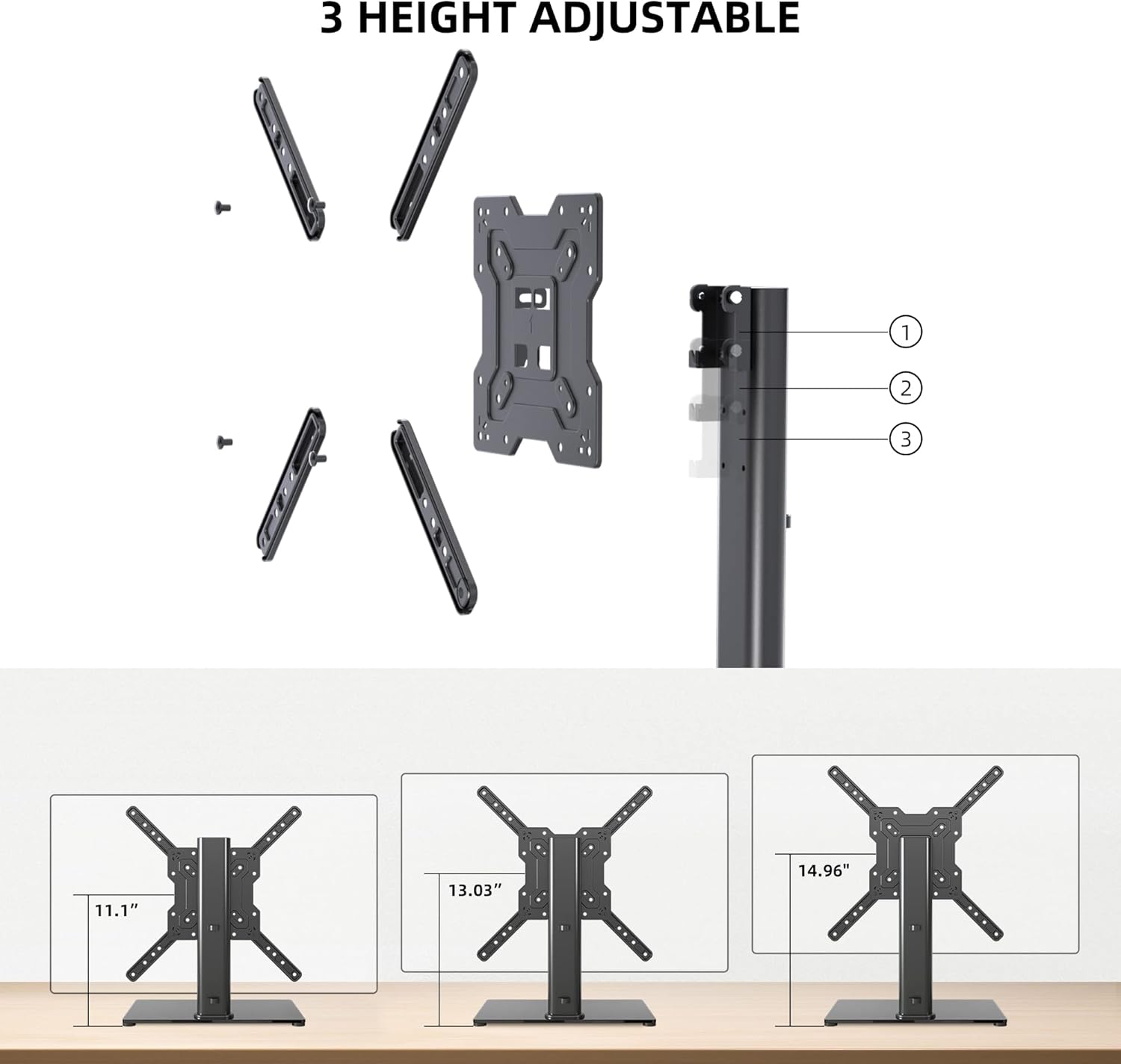
Image: Visual representation of the three height settings.
4.2 Регулювання нахилу
The TV mounting plate allows for a tilt range of -12 to +5 degrees.
- Loosen the tilt adjustment screws on the side of the mounting plate.
- Плавно нахиліть телевізор у потрібне положення viewкут.
- Tighten the tilt adjustment screws to secure the TV in position.

Image: Diagram demonstrating the tilt functionality.
4.3 Організація кабелів
Utilize the integrated cable management system within the support column to keep cables organized and out of sight.

Зображення: Прample of cable management through the stand's column.
5. Технічне обслуговування
Регулярне технічне обслуговування забезпечить довговічність та безпечну роботу вашої тумби під телевізор.
- Прибирання: Wipe the tempered glass base and metal components with a soft, damp тканиною. Уникайте абразивних засобів для чищення або розчинників, які можуть пошкодити покриття.
- Огляд: Періодично перевіряйте всі гвинти та з'єднання, щоб переконатися, що вони міцно затягнуті. За потреби підтягніть.
- Стабільність: Ensure the stand remains on a level surface and that the non-slip feet are intact.
6. Вирішення проблем
Якщо під час складання або використання у вас виникли проблеми, зверніться до наступних поширених рішень.
- Телевізор не вирівняний: Ensure the stand is on a flat surface. Check that the TV mounting plate is securely attached and that the VESA screws are tightened evenly.
- Screws Too Long/Short: The kit includes various screw lengths and spacers. Refer to your TV's manual for recommended screw sizes for VESA mounting. Use the appropriate spacers to ensure a secure fit without over-tightening or damaging the TV.
- Mount Blocks Ports: Before final mounting, always verify that the mounting plate does not obstruct any necessary ports on your TV. If it does, adjust the TV's position on the VESA plate or consider using longer spacers if safe and compatible.
- Стійка відчувається нестійкою: Confirm that all assembly bolts are fully tightened. Ensure the tempered glass base is placed on a solid, flat surface and that the non-slip feet are properly installed.
7. Технічні характеристики
| Особливість | Специфікація |
|---|---|
| Модель | TS102 |
| Сумісні розміри телевізорів | від 17 до 55 дюймів |
| Вага | 88 фунти (40 кг) |
| Сумісність VESA | Від 100x100 мм до 400x400 мм |
| Регулювання висоти | 3 levels (11.1", 13.03", 14.96") |
| Кут нахилу | від -12° до +5° |
| Базові розміри | 10.24 дюймів x 15.75 дюйма |
| матеріал | Загартоване скло, сталь |
| Колір | чорний |
| Вага товару | 9.86 фунта |

Image: Technical specifications and dimensions.
8. Гарантія та підтримка
XINLEI products are designed for durability and performance. For warranty information or technical support, please refer to the product packaging or contact XINLEI customer service directly.
Please have your model number (TS102) and purchase information ready when contacting support.


