1. Вступ
Thank you for choosing the ATTACK SHARK X2 Wireless Gaming Mouse. This manual provides detailed instructions for setting up, operating, and maintaining your mouse to ensure optimal performance. The X2 mouse features a transparent shell, 3-mode connectivity (2.4GHz wireless, Bluetooth 5.0, USB-C wired), adjustable DPI, 3D RGB lighting, and a rechargeable battery.

Image 1.1: The ATTACK SHARK X2 Wireless Gaming Mouse, showcasing its transparent design and vibrant RGB lighting. A USB receiver is also visible.
2. Продукт закінчивсяview
2.1 Вміст упаковки
- ATTACK SHARK X2 Wireless Gaming Mouse
- Зарядний кабель USB-C
- 2.4GHz USB Receiver (stored in the mouse)
- Посібник користувача
2.2 Компоненти миші

Зображення 2.1: Нижня частина view of the X2 mouse, highlighting the USB receiver slot, mode switch, and light effect switch.
- Клацніть лівою кнопкою миші
- Клацніть правою кнопкою миші
- Колесо прокрутки (also functions as a button)
- Кнопка DPI (below scroll wheel)
- Кнопка "Вперед". (ліва сторона)
- Кнопка "Назад". (ліва сторона)
- Перемикач режимів (bottom of mouse: OFF / 2.4G / Bluetooth)
- Перемикач світлових ефектів (bottom of mouse)
- Гніздо USB-приймача (bottom of mouse)
- Порт зарядки USB-C (front of mouse)
3. Налаштування та підключення
3.1 Заряджання миші
The X2 mouse features an 800mAh rechargeable battery. Before first use, or when the battery is low, connect the mouse using the provided USB-C cable.
- Connect the USB-C end of the cable to the mouse's charging port.
- Підключіть кінець USB-A до джерела живлення (наприклад, USB-порту комп’ютера, настінного USB-адаптера).
- Повна зарядка зазвичай займає приблизно 4 години.
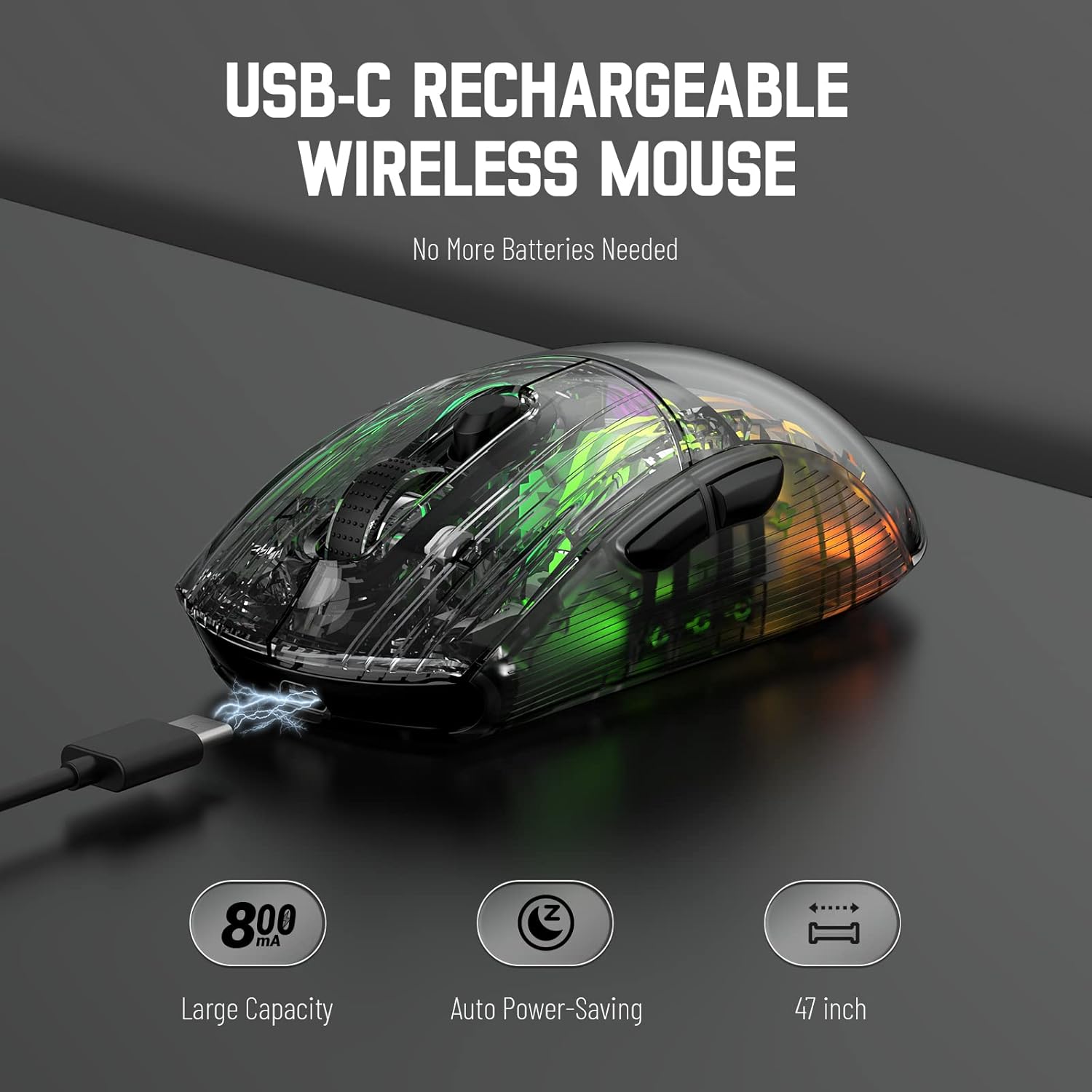
Image 3.1: The X2 mouse connected via its USB-C cable, illustrating the charging process.
3.2 Бездротове з'єднання 2.4 ГГц
For a stable and responsive wireless connection, use the 2.4GHz USB receiver.
- Locate the USB receiver stored in the slot on the bottom of the mouse.
- Push the mode switch on the bottom of the mouse to the "2.4G" position.
- Підключіть USB-приймач до вільного USB-порту на вашому комп’ютері або пристрої.
- The computer should automatically detect and install the necessary drivers. The mouse is ready for use once installation is complete (typically plug-and-play).
- If the mouse is unresponsive, try plugging the receiver into a different USB port.
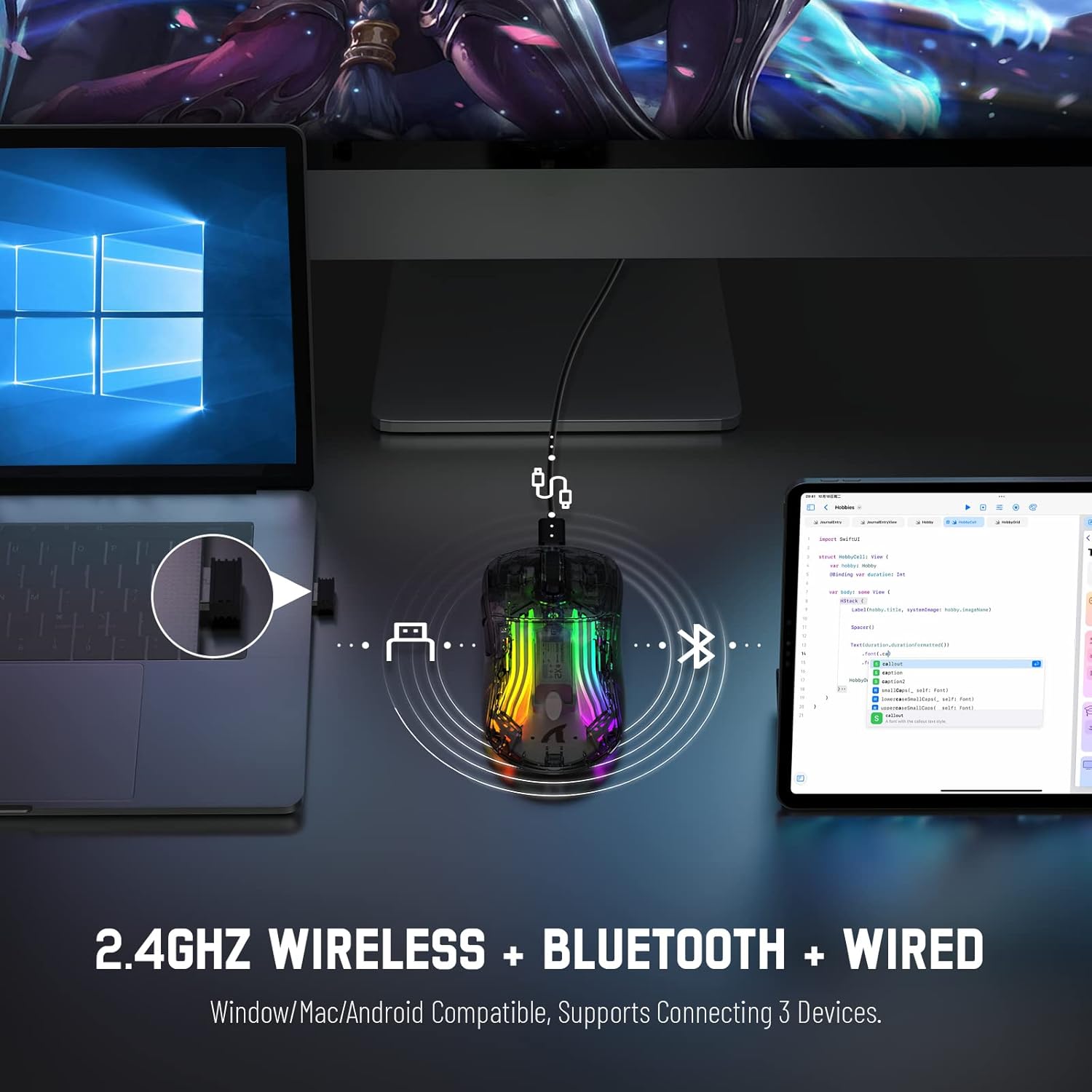
Image 3.2: Illustration of the 2.4GHz wireless connection, showing the USB receiver plugged into a laptop.
3.3 З’єднання Bluetooth 5.0
Connect your X2 mouse via Bluetooth for devices that support it, such as laptops, tablets, or smartphones.
- Push the mode switch on the bottom of the mouse to the "Bluetooth" position.
- Натисніть і утримуйте Клацніть лівою кнопкою миші + Кнопка коліщатка прокрутки + Клацніть правою кнопкою миші simultaneously for approximately 3-4 seconds. The blue light on the mouse will flash rapidly, indicating it is in pairing mode.
- На своєму пристрої перейдіть до налаштувань Bluetooth та увімкніть Bluetooth.
- шукати available devices. Select "X2 Mouse" from the list to connect.
- Once connected, the blue light will stop flashing and remain solid or turn off, depending on the lighting mode.
3.4 Дротове підключення USB-C
For a direct and reliable connection, use the USB-C cable in wired mode.
- Connect the USB-C end of the cable to the mouse's charging port.
- Connect the USB-A end to an available USB port on your computer or device.
- The mouse will function immediately as a wired mouse (plug-and-play).
4. Інструкція з експлуатації
4.1 Налаштування DPI
The mouse features 5 adjustable DPI levels to suit various tasks and gaming preferences. The game chip used is PixArt 3212.
- Натисніть Кнопка DPI (located below the scroll wheel) to cycle through the available DPI settings.
- Available DPI levels: 800 / 1200 / 1400 / 2000 / 2400.
4.2 Керування RGB-підсвічуванням
The X2 mouse features 3D RGB lighting with 11 different light colors and various effects.
- Натисніть Перемикач світлових ефектів (located on the bottom of the mouse) to cycle through the different RGB lighting modes and colors.

Image 4.1: The X2 mouse displaying its 3D RGB lighting, complementing a gaming setup.
4.3 Керування живленням
The mouse is designed with auto power-saving features to conserve battery life.
- The mouse will enter a sleep mode after a period of inactivity.
- Щоб розбудити мишу, просто перемістіть її або натисніть будь-яку кнопку.
- When the battery is low, the mouse's indicator light may flash red.
4.4 Безшумні кліки
The X2 mouse features silent click buttons, reducing noise during use.

Зображення 4.2: Бічний професіоналfile of the X2 mouse, emphasizing its ergonomic shape and silent click functionality.
5. Технічне обслуговування
5.1 Очищення
- Від’єднайте мишу від пристрою перед чищенням.
- Використовуйте м’яку, суху тканину без ворсу, щоб протерти поверхню миші.
- Для стійкого бруду злегкаampПротріть тканину водою або м’яким миючим розчином. Уникайте агресивних хімікатів.
- Do not allow liquids to enter the mouse's interior.
5.2 Зберігання
- Зберігайте мишу в прохолодному, сухому місці, подалі від прямих сонячних променів та екстремальних температур.
- When not in use, ensure the mode switch is set to "OFF" to conserve battery life.
- Keep the USB receiver stored in its designated slot on the bottom of the mouse to prevent loss.
6. Вирішення проблем
6.1 Миша не реагує
- Перевірте батарею: Переконайтеся, що миша заряджена. Підключіть її за допомогою кабелю USB-C для заряджання.
- Перевірте перемикач режимів: Verify the mode switch on the bottom of the mouse is set to the correct connection mode (2.4G, Bluetooth, or OFF for wired).
- Підключення 2.4 ГГц: Переконайтеся, що USB-приймач надійно підключено до робочого USB-порту. Спробуйте інший USB-порт.
- Підключення Bluetooth: Re-enter pairing mode (Left + Scroll + Right buttons for 3-4 seconds) and re-pair with your device. Ensure Bluetooth is enabled on your device.
- Дротове підключення: Ensure the USB-C cable is securely connected to both the mouse and the device.
6.2 Переривчасте з'єднання
- Відстань: Ensure the mouse is within the effective range (up to 50ft for 2.4GHz).
- Перешкоди: Move the mouse and receiver away from other wireless devices or large metal objects that may cause interference.
- Рівень заряду батареї: Low battery can affect connection stability. Charge the mouse.
6.3 RGB Lights Not Working
- Check Light Switch: Press the Light Effect Switch on the bottom of the mouse to cycle through modes or turn lights on.
- Рівень заряду батареї: Ensure the mouse has sufficient charge, as low battery might disable lighting to conserve power.
7. Технічні характеристики
| Особливість | Специфікація |
|---|---|
| Модель | X2 |
| Підключення | Бездротовий зв'язок 2.4 ГГц, Bluetooth 5.0, дротовий USB-C |
| Рівні DPI | 800 / 1200 / 1400 / 2000 / 2400 (PixArt 3212 Chip) |
| кнопки | 7 (Left, Right, Scroll Wheel, DPI, Forward, Backward, Light Effect Switch) |
| Освітлення | 3D RGB Lighting (11 light colors) |
| Акумулятор | Перезаряджається на 800 мАг |
| Час зарядки | прибл. 4 години |
| Робочий діапазон | Up to 50ft (2.4GHz) |
| Сумісність | Windows 7/8/10/XP, Vista 7/8, Mac OS, Linux (PC, Laptop, Tablet, PS4, PS5, Xbox One) |
| Вага товару | 6.4 унції |
| Розміри | 6.89 x 4.61 x 1.81 дюйма (упаковка) |
8. Гарантія та підтримка
ATTACK SHARK products are designed and manufactured to high-quality standards. For warranty information or technical support, please refer to the warranty card included with your product or contact the seller directly through your purchase platform. Please retain your proof of purchase for any warranty claims.
For further assistance, please visit the official ATTACK SHARK store on Amazon: ATTACK SHARK Store


