1. Продукт закінчивсяview
Мандрівникиview 2K Security Camera W7 is a high-resolution outdoor surveillance camera designed to provide comprehensive home security. Featuring 2K (3MP) video capture, full-color night vision, two-way audio, and advanced motion detection, it offers reliable monitoring day and night. The camera is IP65 waterproof, ensuring durability in various weather conditions, and supports both local SD card storage and cloud storage options.

Рисунок 1.1: wansview 2K Security Camera W7 and its mobile application interface.
2. Посібник із налаштування
2.1. Вміст упаковки
- слабийview 2K Security Camera W7
- USB-шнур живлення
- Power Plug
- Керівництво по установці
- Mounting Screws (2 sets)
2.2. Початкове налаштування
- Підключення живлення: Connect the USB power cord to the camera and then to the power plug. Plug the power plug into a standard electrical outlet. The camera requires a wired power connection for operation.
- Завантажте додаток: Download the "Wansview Cloud" app from the Apple App Store or Google Play Store on your smartphone.
- Реєстрація облікового запису: Відкрийте Wansview Cloud app and register for a new account or log in if you already have one.
- Додати пристрій: Tap the "+" icon in the app to add a new device. Select the W7 camera model.
- Wi-Fi підключення: Follow the in-app instructions to connect the camera to your 2.4GHz Wi-Fi network. Ensure your Wi-Fi signal is strong at the camera's intended mounting location. You will be prompted to scan a QR code displayed on your phone screen with the camera's lens.
- Монтаж: Once the camera is successfully connected, choose a suitable outdoor location for mounting. Use the provided mounting screws and the installation guide to securely attach the camera to a wall. The camera is designed for wall-mounted installation.

Figure 2.1: Key features and weather resistance of the wansview Камера W7.
3. Інструкція з експлуатації
3.1. Жити View та керування панорамуванням/нахилом
Access the live video feed from your camera through the Wansview Cloud app. You can remotely control the camera's viewing angle with its 350° pan and 55° tilt capabilities to monitor a wide area.
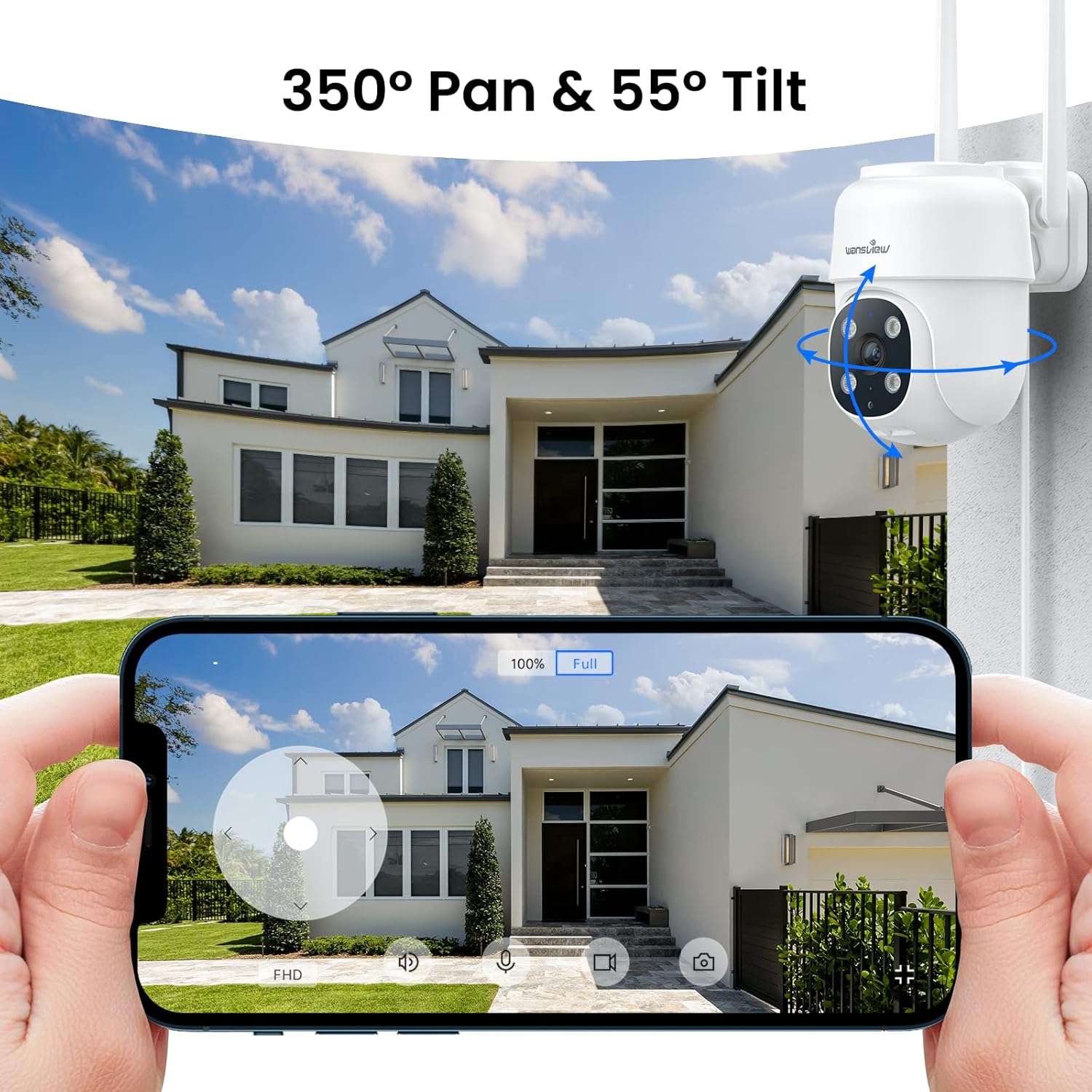
Figure 3.1: Remote pan and tilt control via the Wansview Хмарний додаток.
3.2. Двосторонній аудіозв'язок
The camera features a built-in microphone and speaker, enabling two-way communication. Use the app to speak to visitors or deter unwanted guests from your property.
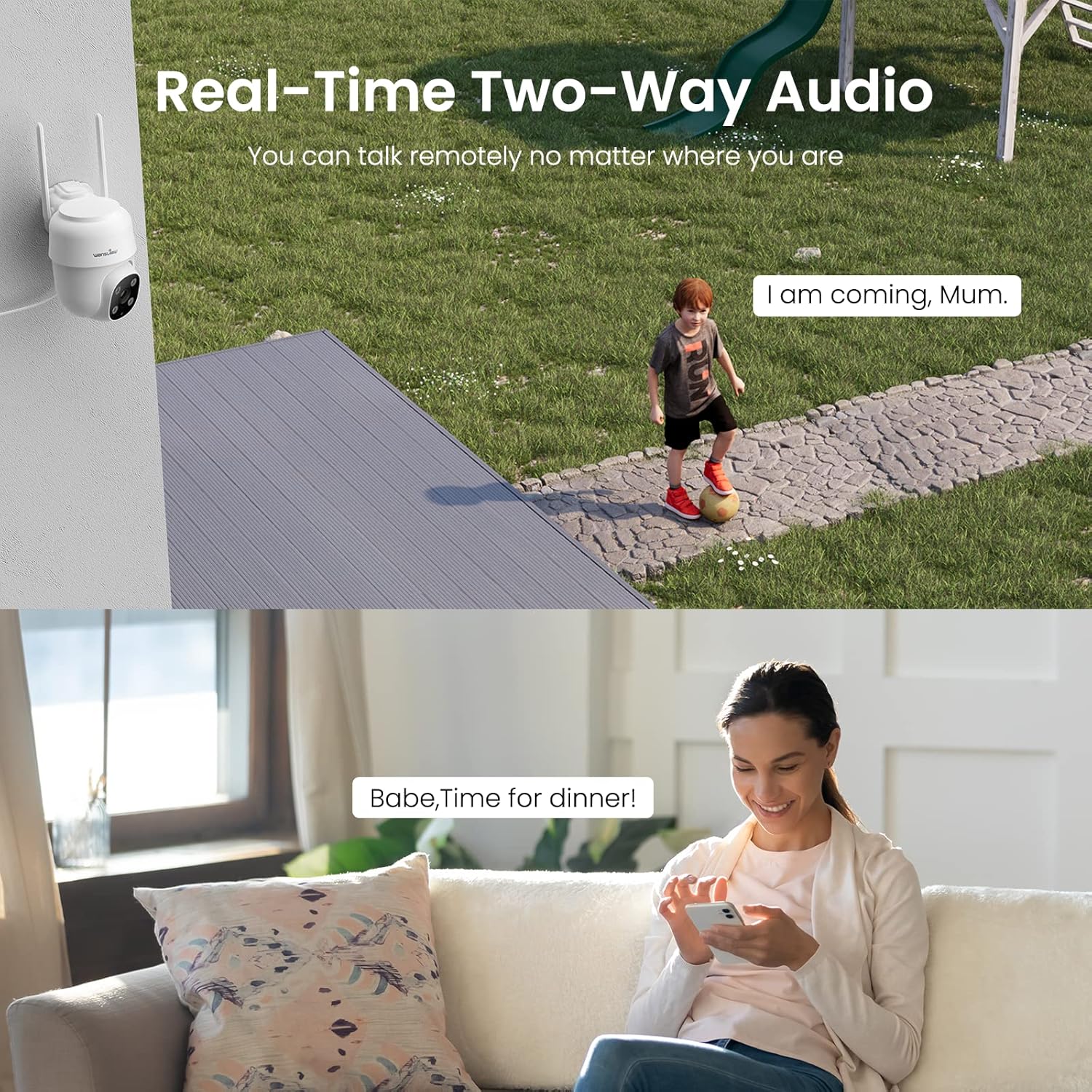
Figure 3.2: Demonstrating the real-time two-way audio functionality.
3.3. Режими нічного бачення
The W7 camera offers two night vision modes for clear visibility in low-light conditions:
- Інфрачервоне нічне бачення: Забезпечує чітке чорно-біле зображення в повній темряві.
- Повнокольорове нічне бачення: Utilizes built-in white lights to display color images at night when activated.

Figure 3.3: Visual comparison of infrared and full-color night vision.
3.4. Виявлення руху та сповіщення
The camera's built-in sensor detects motion and can trigger real-time alerts to your phone. You can customize the motion detection sensitivity and define specific detection areas within the app to minimize false alarms.
- Світлова сигналізація: The camera's white light can be set to turn on automatically or manually upon motion detection.
- Сирена тривоги: Для відлякування зловмисників можна увімкнути звукову сирену.
- Сповіщення: Receive push notifications on your smartphone when motion is detected.
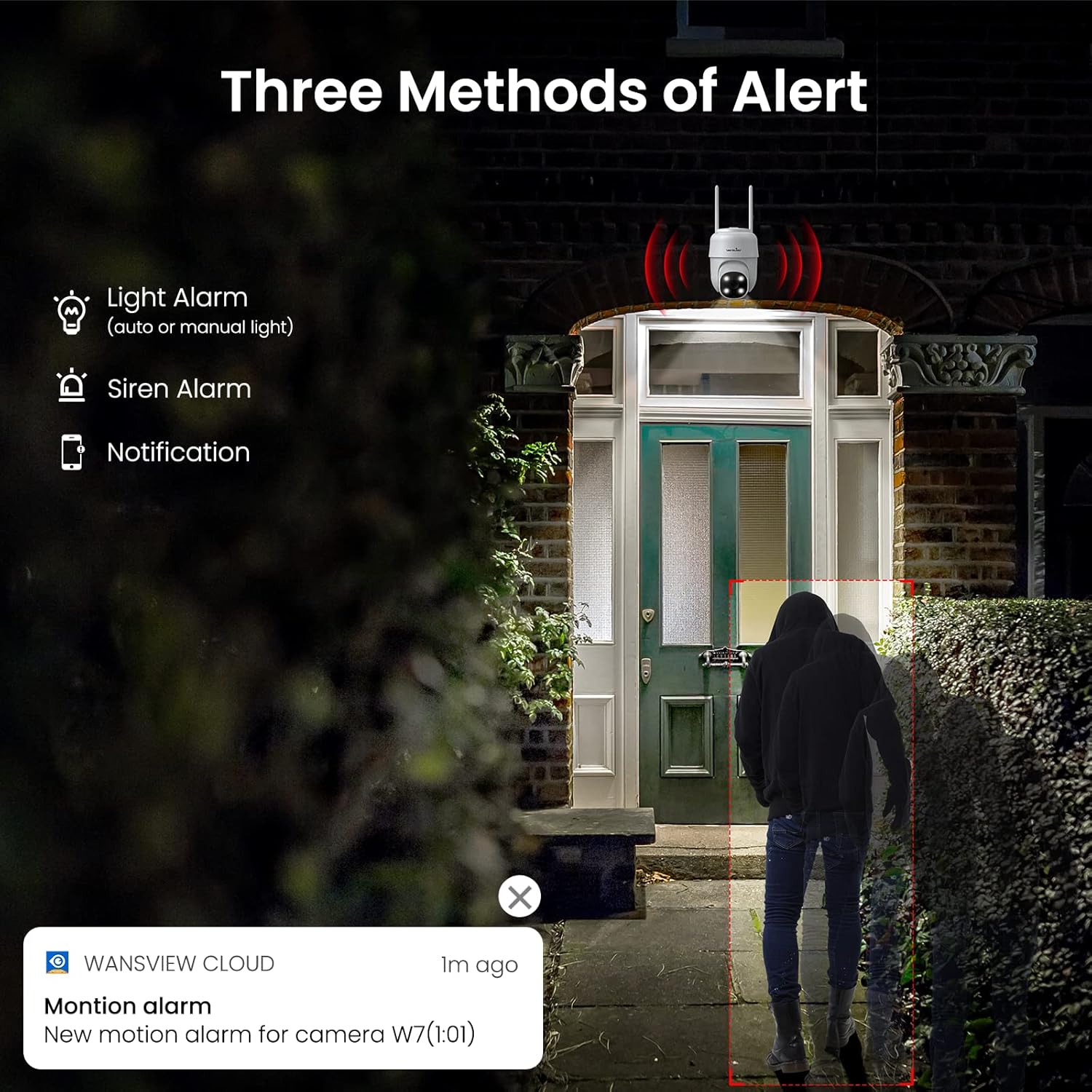
Малюнок 3.4: Закінченоview of the three alert methods available.

Figure 3.5: Customizing the motion detection area for precise alerts.
3.5. Запис та зберігання
The W7 camera supports continuous 24/7 recording to ensure no important moments are missed. You have two primary storage options:
- Пам'ять на картці SD: Insert a microSD card (up to 128GB, not included) into the camera for local storage of recordings.
- Хмарне сховище: Optional cloud storage provides a secure backup for your video footage.
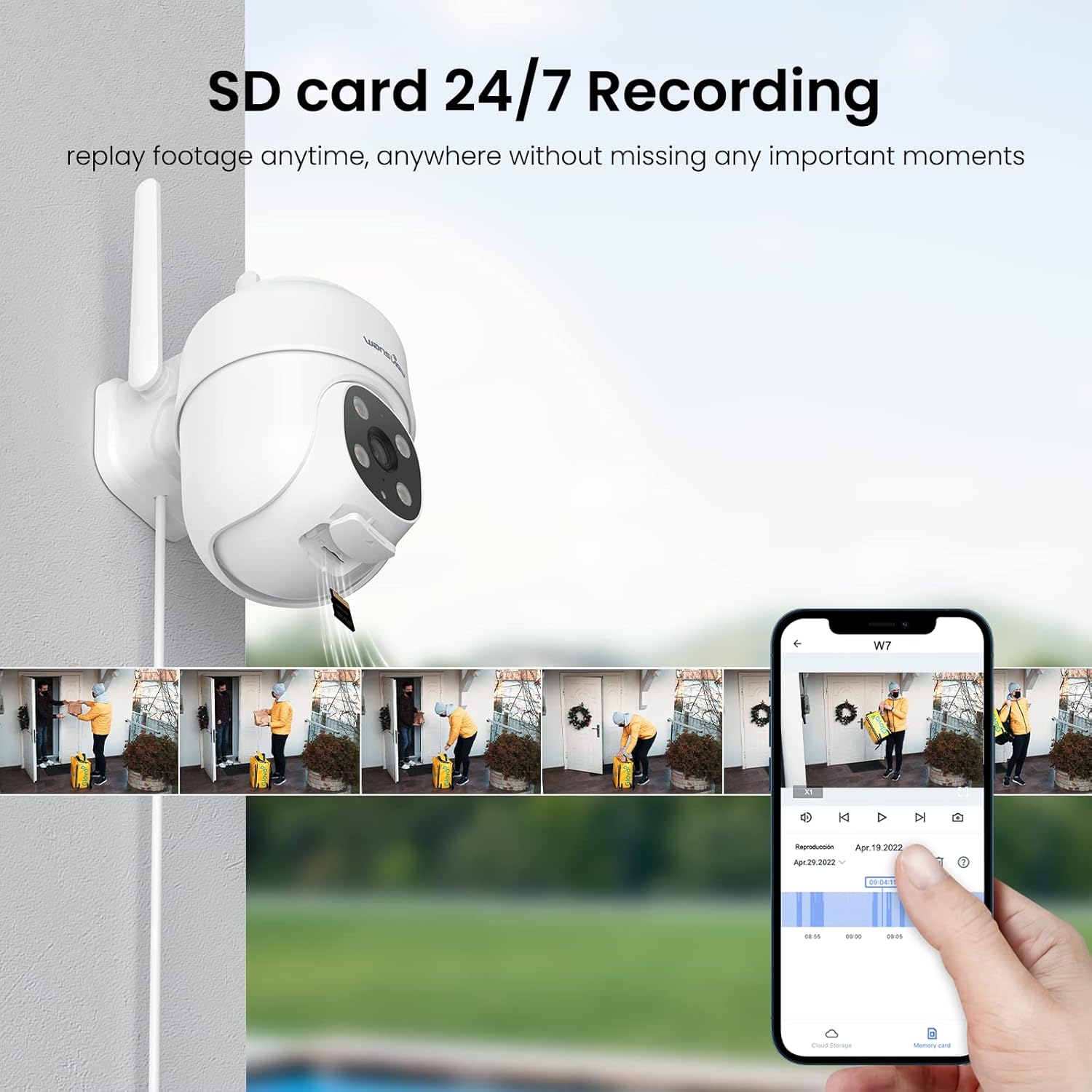
Figure 3.6: SD card storage and playback of recorded footage.
3.6. Інтеграція «Розумний дім».
Мандрівникиview W7 camera is compatible with Amazon Alexa Echo Show and Google Home. You can use voice commands to view your camera's live feed on compatible smart displays.

Figure 3.7: Integrating the camera with smart home assistants like Alexa.
3.7. Багатокористувацький доступ
You can share camera access with family members or trusted individuals through the Wansview Cloud app, allowing multiple users to view the live feed and recordings simultaneously.

Figure 3.8: Sharing camera access with family and friends.
4. Технічне обслуговування
- Прибирання: Regularly clean the camera lens and body with a soft, dry cloth to ensure clear image quality. Avoid using harsh chemicals or abrasive materials.
- Підключення живлення: Periodically check the power cord and plug for any signs of damage. Ensure the connection remains secure.
- Сигнал Wi-Fi: Verify that the camera maintains a strong 2.4GHz Wi-Fi signal at its installed location for optimal performance. Consider a Wi-Fi extender if the signal is weak.
- Оновлення прошивки: Keep the Wansview Cloud app updated to the latest version, as this often includes firmware updates for the camera that improve performance and security.
- Управління SD-карткою: If using an SD card for storage, periodically check its status in the app. Format the SD card as needed to maintain optimal recording performance.
5. Вирішення проблем
5.1. Поширені проблеми та їх вирішення
| проблема | Можлива причина | Рішення |
|---|---|---|
| Камера офлайн/Не вдається підключитися | No power; Weak Wi-Fi signal; Incorrect Wi-Fi password; Router issues. | Check power connection. Ensure camera is within Wi-Fi range. Verify Wi-Fi password. Restart router and camera. |
| Погана якість відео | Брудний об'єктив; Недостатнє освітлення; Проблеми з пропускною здатністю мережі. | Clean the camera lens. Ensure adequate lighting for optimal 2K resolution. Check network speed. |
| Motion alerts are inaccurate/too frequent | Sensitivity too high; Detection area too broad. | Adjust motion detection sensitivity in the app (e.g., set to 'Normal'). Refine the detection area to focus on critical zones. |
| Night vision not clear/not activating | Obstruction in front of lens; Ambient light interference. | Переконайтеся, що жодні предмети не блокують камеру view. Minimize external light sources that might interfere with infrared sensors. |
| Проблеми з двостороннім аудіо | Microphone/speaker blocked; App permissions; Network delay. | Check for obstructions around microphone/speaker. Ensure app has microphone permissions. Check network stability. |
| SD-карта не записує | SD card full/corrupted; Incorrect format; Card not inserted properly. | Format the SD card via the app. Ensure the card is correctly inserted. Replace if corrupted. |
5.2. Скидання камери
If issues persist, you can reset the camera to its factory settings through the Wansview Cloud app under device management. This can resolve many software-related problems.
6. Технічні характеристики
| Особливість | Деталь |
|---|---|
| Номер моделі | W7 |
| Роздільна здатність відео | 2K (3 мегапікселя) |
| Використання в приміщенні/зовні | Відкритий |
| Джерело живлення | Дротовий електричний (5 вольт, 5 ват) |
| Підключення | 2.4 ГГц Wi-Fi |
| Діапазон повороту/нахилу | Панорамування 350°, нахил 55° |
| Viewкут нахилу | 95 градусів |
| Нічне бачення | Full-Color Night Vision, Infrared Night Vision (up to 10 meters) |
| Рейтинг водонепроникності | IP65 |
| Робоча температура | від -10℃ до 50℃ (від 14°F до 122°F) |
| Параметри зберігання | Карта MicroSD (до 128 ГБ, не входить до комплекту), хмарне сховище |
| Розміри (Д x Ш x В) | 4.5 x 3.44 x 4.8 дюймів |
| Вага товару | 13.3 унції |
| Включені компоненти | Camera, USB cable, Plug, Installation guide, Mounting screws |
7. Гарантія та підтримка
Щоб отримати інформацію про гарантію та технічну підтримку, зверніться до офіційного веб-сайту WAN.view website or contact wansview customer service directly. Customer support can assist with setup, troubleshooting, and product inquiries.
На основі наданих даних офіційних відео про продукт не було доступно для вбудовування.


