1. Вступ
Дякуємо за покупкуasing the Shanrya Digital Mirror Alarm Clock. This manual provides essential information for the proper setup, operation, and maintenance of your device. Please read these instructions carefully before use and retain them for future reference.

Малюнок 1: Спереду view of the Shanrya Digital Mirror Alarm Clock displaying 4:30 in red LED digits.
2. Налаштування
2.1 Вміст упаковки
- Shanrya Digital Mirror Alarm Clock
- USB кабель живлення
- Посібник користувача (цей документ)
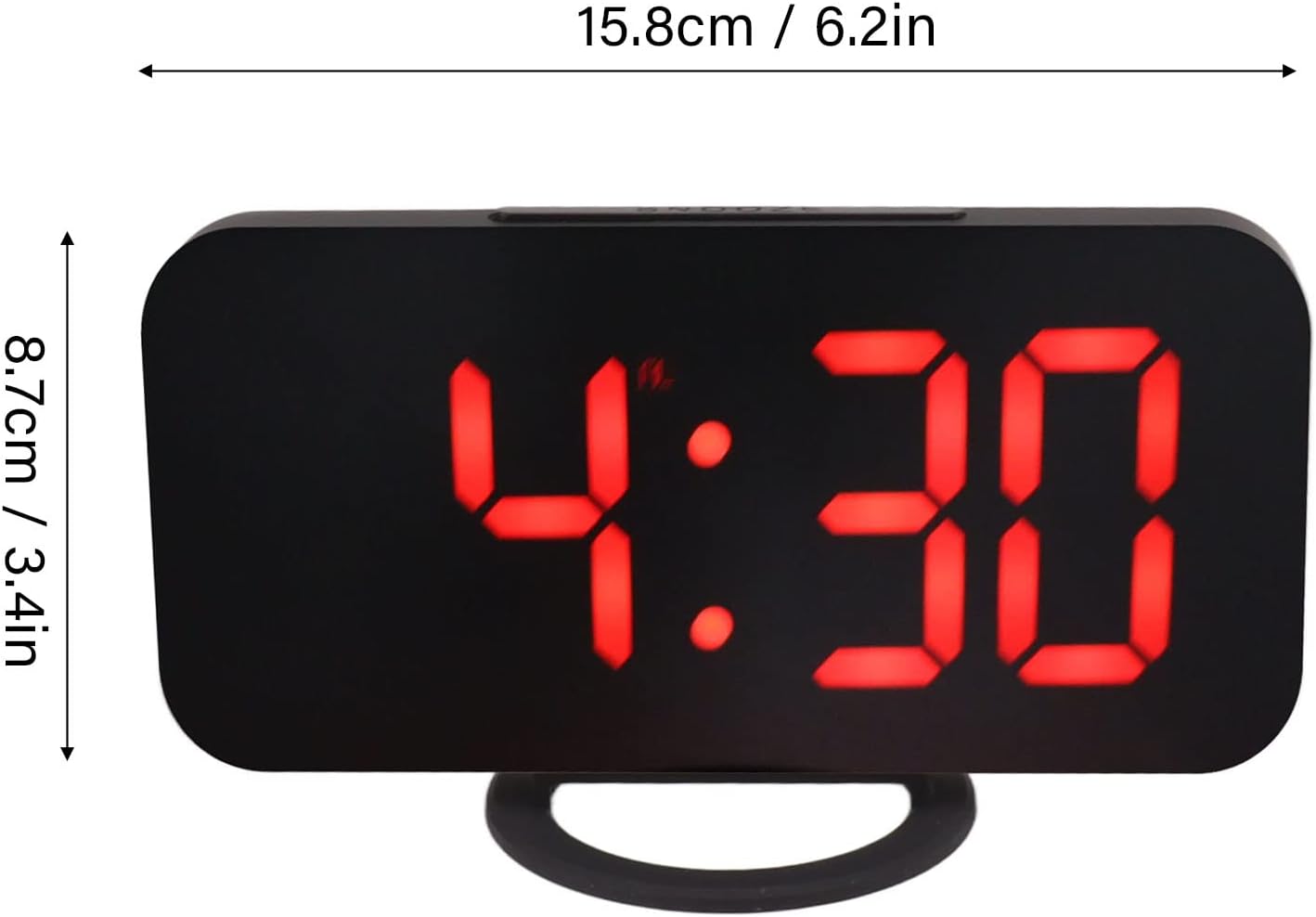
Figure 2: The alarm clock shown with its USB power cable, ready for connection.
2.2 Підключення живлення
- Connect the small end of the provided USB power cable to the DC 5V input port on the back of the alarm clock.
- Connect the standard USB end of the cable to a USB power adapter (not included) or a powered USB port.
- Дисплей засвітиться, що сигналізує про те, що годинник увімкнено.
Примітка: This clock requires continuous power via USB. It does not operate on batteries for primary function, but may have a small internal battery for time memory during power outages (not user-replaceable).
3. Інструкція з експлуатації
3.1 Функції кнопок
The clock features several buttons, typically located on the top or side. Refer to Figure 3 for button identification.

Малюнок 3: Детально view of the clock's control buttons and examples of different display brightness levels.
- Кнопка MODE: Used to switch between time display, alarm setting, and other modes.
- Кнопки ВГОРУ/ВНИЗ: Used to adjust values (time, alarm) or brightness levels.
- Кнопка СНОЗУ: Activates the snooze function when the alarm sounds.
3.2 Встановлення часу
- Натисніть РЕЖИМ кнопку, доки не почне блимати дисплей часу.
- Використовуйте UP і ВНИЗ кнопки для налаштування години.
- Прес РЕЖИМ again to switch to minute adjustment.
- Використовуйте UP і ВНИЗ кнопки для налаштування хвилин.
- Прес РЕЖИМ щоб підтвердити та вийти з режиму налаштування часу.
3.3 Налаштування будильника
- Натисніть РЕЖИМ button repeatedly until the alarm icon (e.g., a bell) appears and the alarm time flashes.
- Використовуйте UP і ВНИЗ кнопки, щоб встановити потрібну годину будильника.
- Прес РЕЖИМ again to switch to minute adjustment.
- Використовуйте UP і ВНИЗ кнопки для встановлення потрібних хвилин будильника.
- Прес РЕЖИМ to confirm and activate the alarm. The alarm icon will remain displayed.
- To deactivate the alarm, repeat the steps and press РЕЖИМ until the alarm icon disappears.
3.4 Функція відкладання
Коли пролунає будильник, натисніть кнопку СНОЙЗ button (usually located on top of the clock) to temporarily silence the alarm. The alarm will sound again after a preset interval (e.g., 5-10 minutes). To turn off the alarm completely, press any other button or let it ring for its full duration.
3.5 Регулювання яскравості
The clock offers multiple brightness levels for its LED display, including manual adjustment, automatic adjustment, and a night mode. This allows for optimal visibility in various lighting conditions.
- Ручне налаштування: У режимі відображення часу натисніть кнопку UP or ВНИЗ buttons to cycle through different brightness levels (e.g., Dark, Mid Gear, Bright).
- Автоматичне налаштування: Some models may feature an ambient light sensor that automatically adjusts display brightness based on room lighting. Refer to Figure 3 for visual representation of brightness levels.
- Нічний режим: A specific setting that dims the display significantly during predefined night hours to prevent disturbance. Consult the specific button sequence for your model to activate/deactivate night mode.
4. Технічне обслуговування
4.1 Очищення
To clean the clock, gently wipe the surface with a soft, dry, or slightly damp cloth. Do not use abrasive cleaners, solvents, or chemical sprays, as these can damage the mirror finish and electronic components.
4.2 Зберігання
If storing the clock for an extended period, disconnect it from the power source and store it in a cool, dry place away from direct sunlight and extreme temperatures.
5. Вирішення проблем
| проблема | Можлива причина | Рішення |
|---|---|---|
| Дисплей порожній або не світиться. | Немає живлення або погане з'єднання. | Ensure the USB cable is securely connected to both the clock and a powered USB port/adapter. Try a different USB port or adapter. |
| Сигналізація не звучить. | Alarm not set or deactivated. Volume too low (if applicable). | Verify the alarm is set and the alarm icon is displayed. Check if there's a volume setting (though most digital clocks have fixed alarm volume). |
| Час неправильний. | Неправильно встановлено час або перебої з електропостачанням. | Reset the time according to section 3.2. If power was interrupted, the clock may need to be reset. |
| Дисплей занадто яскравий або занадто тьмяний. | Потребує налаштування яскравості. | Adjust the brightness manually using the UP/DOWN buttons as described in section 3.5. |
6. Технічні характеристики
- Номер моделі: Shanrya1am475rqfe-12
- ASIN: B0BVC2VWF3
- Бренд: Shanrya
- Тип дисплея: Цифровий світлодіод (червоний)
- особливості: Alarm, Snooze, Dimmable Display (Manual, Auto, Night Mode)
- Джерело живлення: DC 5V via USB cable
- Розміри: Approximately 15.8 cm (6.2 in) x 8.7 cm (3.4 in) (Width x Height)
- Перша доступна дата: 25 березня 2023 р

Figure 4: Diagram illustrating the approximate dimensions of the alarm clock.
7. Гарантія та підтримка
На цей продукт поширюється стандартна гарантія виробника. Щоб дізнатися про конкретні гарантійні умови, зверніться до документації, наданої під час покупки, або зверніться до продавця.
For technical support or inquiries, please contact the seller or manufacturer through the platform where the product was purchased. Please have your model number (Shanrya1am475rqfe-12) and ASIN (B0BVC2VWF3) ready when contacting support.


