1. Вступ
1.1 продукт закінченоview
The NACON Meta Quest 2 A/C Adapter is designed to provide efficient and reliable power to your Meta Quest 2 VR headset. This manual contains important information regarding the safe and proper use of your adapter. Please read it thoroughly before use and retain it for future reference.

Figure 1: NACON Meta Quest 2 A/C Adapter retail packaging, showing the white charger and USB-C cable.
1.2 Що в коробці
- 1 x NACON A/C Adapter (Wall Charger)
- 1 x USB-C to USB-C Cable (1.20m)

Figure 2: Contents of the NACON Meta Quest 2 A/C Adapter package, including the white wall charger and USB-C cable.
2. Налаштування
- Розпакуйте адаптер: Carefully remove the A/C adapter and USB-C cable from their packaging.
- Підключіть кабель: Insert one USB-C end of the charging cable into the USB-C port on the A/C adapter.
- Підключити до живлення: Insert the A/C adapter into a standard wall outlet. Ensure the outlet provides the correct voltage (100-240 В, 50/60 Гц).
- Підключення до пристрою: Plug the other USB-C end of the cable into the charging port of your Meta Quest 2 headset.
The adapter is now ready to charge your device.
3. Інструкція з експлуатації
Once connected as described in the "Setup" section, the NACON Meta Quest 2 A/C Adapter will automatically begin charging your Meta Quest 2 headset. The charging indicator on your Meta Quest 2 headset will typically illuminate to confirm that charging is in progress.
- Ensure the adapter and cable are securely connected at all times during charging.
- Avoid disconnecting the adapter abruptly during an active charging cycle if possible.
- The adapter is designed for continuous use but should be unplugged from the wall outlet when not in use for extended periods.
4. Технічне обслуговування
- Прибирання: Disconnect the adapter from the power outlet and your device before cleaning. Use a soft, dry cloth to wipe the surface of the adapter and cable. Do not use liquid cleaners or abrasive materials.
- Зберігання: Зберігайте адаптер і кабель у прохолодному, сухому місці, подалі від прямих сонячних променів та екстремальних температур.
- Догляд за кабелем: Уникайте надмірного згинання або скручування кабелю, особливо поблизу роз'ємів, щоб запобігти пошкодженню.
5. Вирішення проблем
| проблема | Можлива причина | Рішення |
|---|---|---|
| Пристрій не заряджається. | Loose connection, faulty outlet, damaged cable/adapter. |
|
| Повільна зарядка. | Using a non-optimal power source, background processes on device. |
|
| Адаптер теплий на дотик. | Normal operation, excessive load. |
|
6. Технічні характеристики
| Особливість | Деталь |
|---|---|
| Номер моделі | 1244252 |
| Бренд | NACON |
| Сумісні пристрої | Мета квест 2 |
| Тип роз'єму | USB типу C |
| Вхідний об'ємtage | 100-240 В, 50/60 Гц |
| Вихід | 5V === 3.0A (15W) |
| Ampераж | 3000 міліamps (3A) |
| Загальна кількість портів USB | 1 (USB-C) |
| Довжина кабелю | 1.20 метрів (приблизно 3.94 фути) |
| Розміри продукту | 3.94 x 1.97 x 0.5 inches (Adapter only) |
| Вага товару | 4.2 унції |
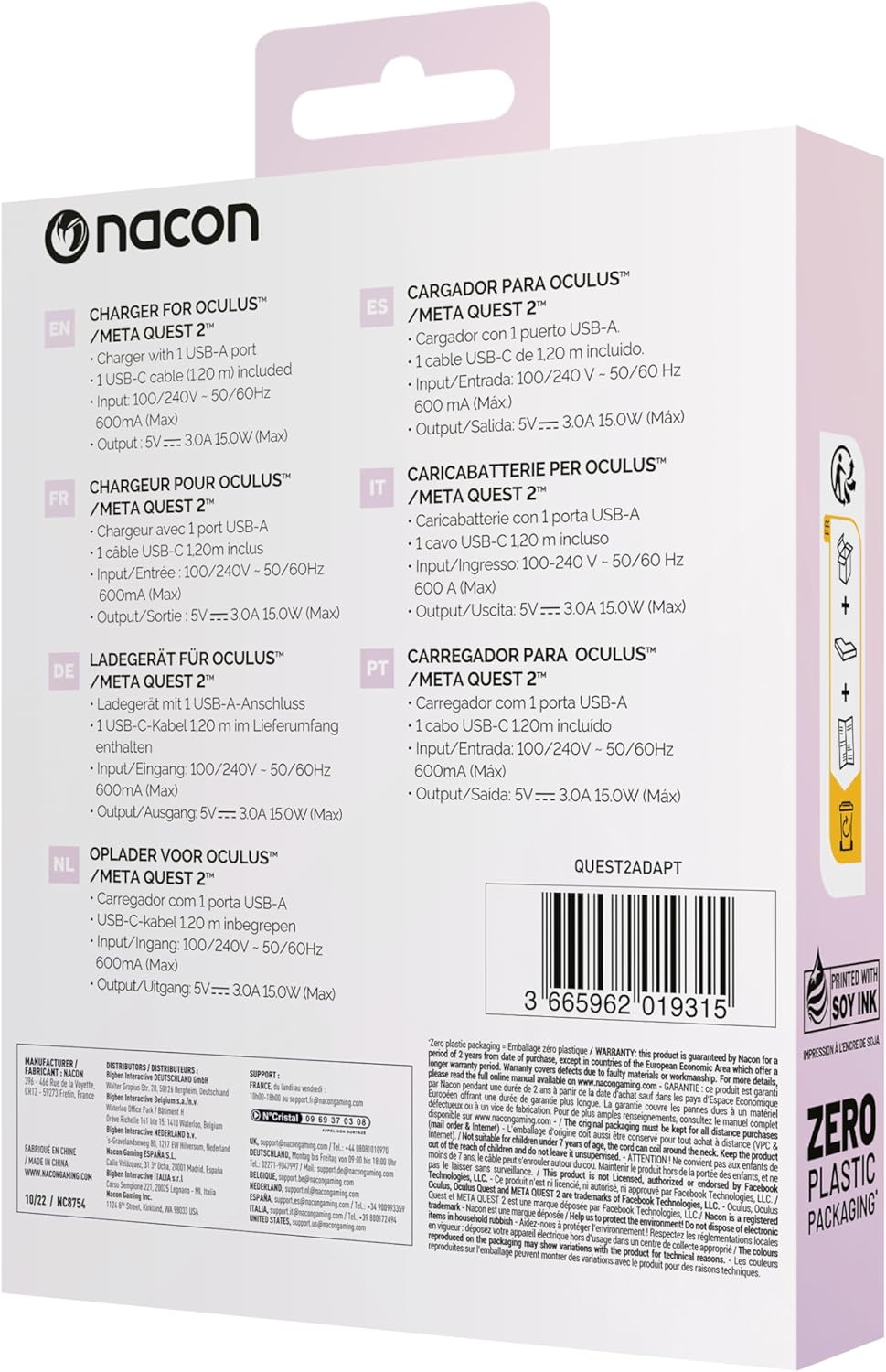
Figure 3: Back of the product packaging showing multilingual specifications, including input and output details.
7. Гарантія та підтримка
NACON products are manufactured to the highest standards and are warranted against defects in materials and workmanship for a specified period from the date of purchase. Please refer to your local consumer protection laws for specific warranty details.
For technical support or warranty claims, please visit the official NACON webсайт або зверніться до місцевого продавця. Зберігайте чек про покупку для гарантійного обслуговування.
Інтернет-підтримка: www.nacongaming.com/en-GB/support


