1. Вступ
This manual provides essential information for the safe installation, operation, and maintenance of your CREATE WIND CLEAR Ceiling Fan. Please read these instructions thoroughly before installation and retain them for future reference.
The CREATE WIND CLEAR Ceiling Fan is a quiet ceiling fan featuring a 40W DC brushless motor and a winter-summer reversal function. Its compact and versatile design includes retractable blades. It is suitable for small to medium-sized rooms and bedrooms, offering a built-in LED light with three adjustable color temperatures. The fan body is constructed from steel, and the blades are made of ABS. It provides 6 speed settings and a programmable timer up to 8 hours, all controllable via the included remote control and WiFi connectivity.
2. Техніка безпеки
- Завжди відключайте живлення за допомогою головного автоматичного вимикача перед встановленням, технічним обслуговуванням або очищенням.
- Встановлення має виконувати кваліфікований електрик відповідно до всіх місцевих та національних електротехнічних норм.
- Ensure the mounting structure can support the weight of the fan (refer to specifications for weight).
- Не вставляйте предмети на шлях руху лопатей вентилятора.
- Переконайтеся, що всі з’єднання надійні та належним чином ізольовані.
- Цей прилад не призначений для використання особами (включаючи дітей) з обмеженими фізичними, сенсорними чи розумовими здібностями, або з браком досвіду та знань, якщо вони не перебувають під наглядом або не отримали інструкції щодо використання приладу особою, відповідальною за їх безпеку.
3. Включені компоненти
Перед початком встановлення перевірте наявність усіх компонентів:
- CREATE WIND CLEAR Ceiling Fan Unit
- Пульт дистанційного керування
- Акумулятор для пульта дистанційного керування
- Mounting Hardware (screws, brackets, etc. - specific items may vary)
- Інструкція з експлуатації
For a visual reference of the product and its components, please see the image below:

4. Налаштування та встановлення
Professional installation is highly recommended for this ceiling fan. Ensure the power supply is disconnected before starting any installation work.
4.1 Фізичне встановлення
- Монтажний кронштейн: Securely attach the mounting bracket to a ceiling joist or a suitable electrical junction box rated for fan support.
- Електропроводка: Connect the fan's electrical wires to the household wiring according to the wiring diagram provided in the full installation guide (not included in this summary). Ensure proper grounding.
- Вентилятор в зборі: Carefully lift and attach the fan motor assembly to the mounting bracket.
- Встановлення леза: The fan features retractable blades that deploy automatically when the fan operates. No manual blade installation is typically required after the main unit is mounted.
- Монтаж комплекту освітлення: Attach the LED light kit to the fan housing as per the detailed instructions.
Refer to the following images for visual guidance on the fan's appearance and dimensions:


4.2 Налаштування Wi-Fi
The fan supports WiFi connectivity for control via a smartphone application. Refer to the specific instructions provided with the fan for pairing the device with your home WiFi network and the CREATE smart home app.
5. Інструкція з експлуатації
Your CREATE WIND CLEAR Ceiling Fan can be operated using the included remote control or via the dedicated smartphone application.
5.1 Функції дистанційного керування
- Увімкнення/вимкнення живлення: Натисніть кнопку живлення, щоб увімкнути або вимкнути вентилятор і світло.
- Швидкість вентилятора: Adjust between 6 fan speeds using the designated speed buttons.
- Контроль світла: Turn the LED light on/off and cycle through three adjustable color temperatures (warm, neutral, cold).
- Таймер: Налаштуйте автоматичне вимкнення вентилятора через 1, 2, 4 або 8 годин.
- Зимовий/літній режим: Switch between forward (summer) and reverse (winter) rotation modes.

5.2 Winter and Summer Modes
The fan features a reversible motor to optimize air circulation for different seasons:
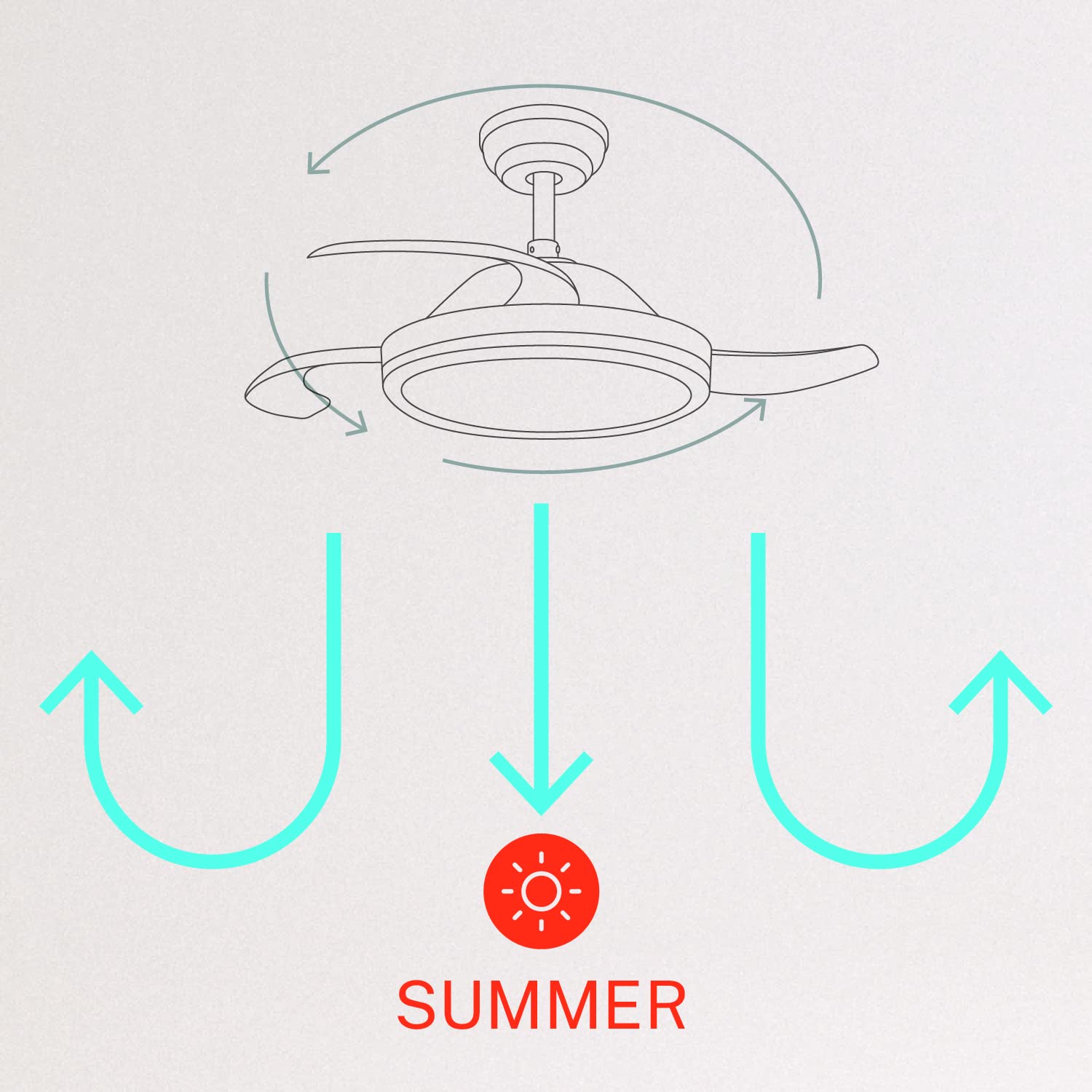
- Літній режим (обертання проти годинникової стрілки): The fan blades rotate counter-clockwise, pushing air downwards to create a cooling breeze.
- Зимовий режим (обертання за годинниковою стрілкою): The fan blades rotate clockwise, drawing air upwards to circulate warm air trapped near the ceiling, helping to distribute heat more evenly.

6. Технічне обслуговування
Регулярне технічне обслуговування забезпечує оптимальну продуктивність та довговічність вашого стельового вентилятора.
- Прибирання: Періодично очищуйте лопаті вентилятора та корпус двигуна м’якою губкоюamp тканиною. Не використовуйте абразивні засоби для чищення або розчинники. Перед чищенням переконайтеся, що вентилятор вимкнено, а живлення відключено.
- Затягуючі гвинти: Check all mounting screws and blade attachment screws annually to ensure they are properly tightened.
- Джерело світла: The LED light source is integrated. If it requires service, contact qualified personnel.
7. Вирішення проблем
Якщо у вас виникли проблеми з вентилятором, зверніться до наступних поширених проблем та способів їх вирішення:
| проблема | Можлива причина | Рішення |
|---|---|---|
| Вентилятор не запускається | No power supply; Loose wiring; Remote control battery depleted | Check circuit breaker; Verify all wiring connections; Replace remote control battery. |
| Коливання вентилятора | Loose mounting screws; Unbalanced blades | Ensure mounting bracket and fan assembly screws are tight; Check for any obstructions to blade movement. |
| Світло не працює | Loose wiring; LED module fault | Check light kit wiring connections; Contact customer support if LED module is faulty. |
| Пульт не працює | Depleted battery; Remote not paired | Replace remote control battery; Refer to pairing instructions in the full manual. |
| WiFi control issues | Poor WiFi signal; Incorrect app setup | Ensure strong WiFi signal; Reconfigure WiFi connection in the app. |
8. Технічні характеристики
| Особливість | Деталь |
|---|---|
| Бренд | СТВОРИТИ |
| Номер моделі | 120760_254772 |
| колір | Білий |
| Дизайн електричного вентилятора | Вентилятор на стелі |
| Джерело живлення | Провідний електричний |
| Стиль | With WiFi |
| Розміри продукту | 107 Г x 107 Ш x 39 В сантиметрів |
| Тип кімнати | Спальня |
| Особливість | Таймер |
| Рекомендоване використання | Вентиляція |
| Wattage | 40 Вт |
| Включені компоненти | Remote, Battery |
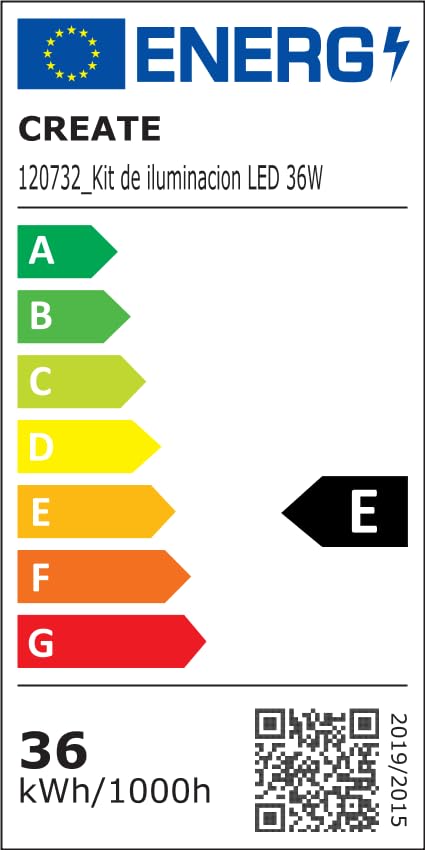
For detailed product data and energy efficiency information, please refer to the following documents:

9. Гарантія та підтримка
For warranty information, technical support, or service inquiries, please contact CREATE customer service or refer to the official CREATE webсайт. Зберігайте чек про покупку як підтвердження покупки.


