вступ
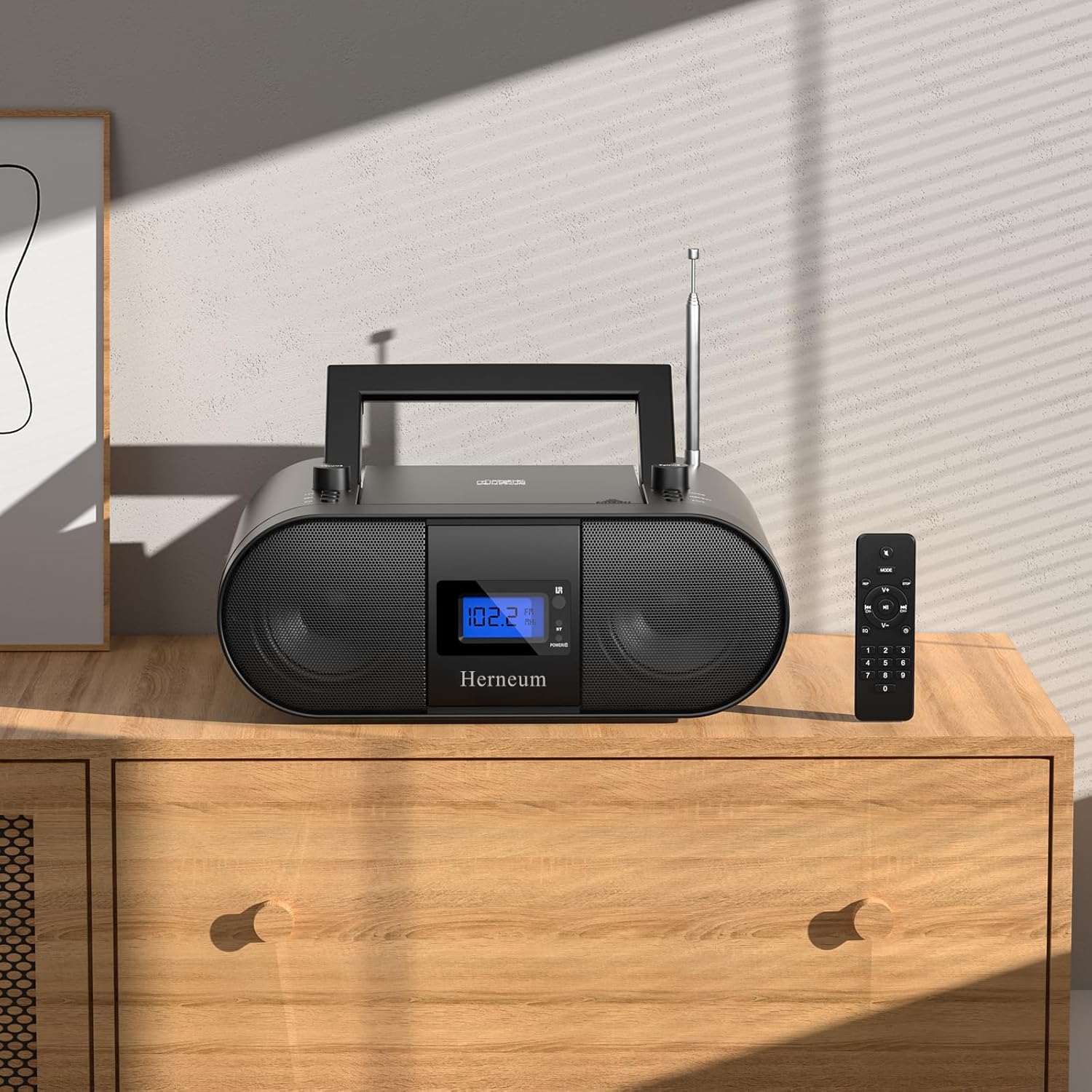
This manual provides essential instructions for the safe and efficient operation of your Herneum FC Portable CD Player Boombox. Please read this manual thoroughly before using the device and retain it for future reference.
Особливості продукту
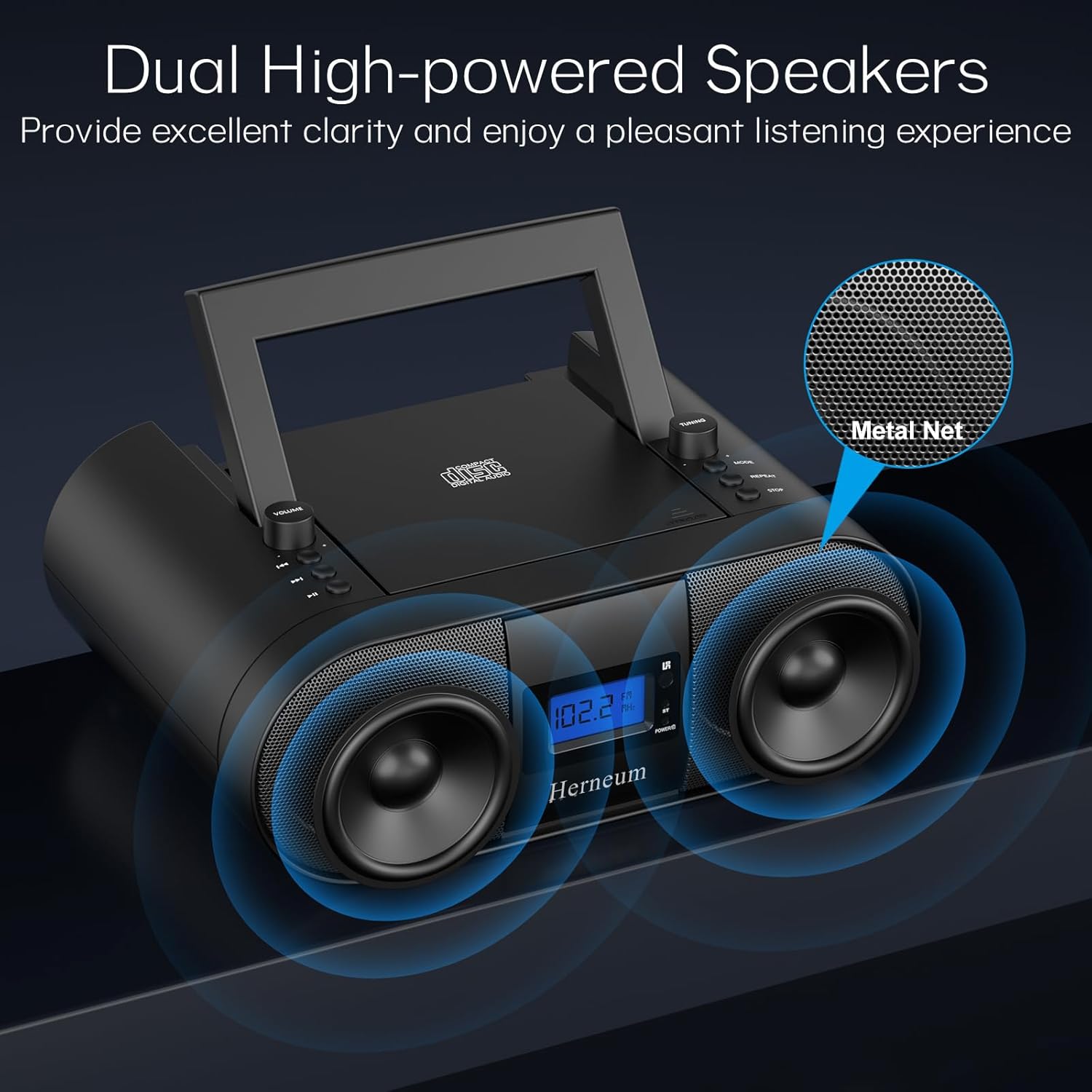
- Portable CD Player: Top-loading CD player with play/pause, skip, and repeat functions.
- FM-радіо: Built-in FM radio with telescopic antenna for enhanced reception.
- Dual Stereo Sound System: High-performance speakers for clear audio.
- Акумуляторна батарея: Integrated 2000mAh battery providing 4-5 hours of playback.
- Підключення Bluetooth: Бездротова потокова передача аудіо із сумісних пристроїв.
- Кілька входів: Supports USB and AUX-in for versatile audio sources.
- Вихід для навушників: Для приватного прослуховування.
- Пульт дистанційного керування: Convenient operation from a distance, including sleep timer function.
Вміст упаковки
Переконайтеся, що всі предмети присутні після розпакування:
- Herneum FC Portable CD Player Boombox
- Пульт дистанційного керування
- Посібник користувача
- Кабель живлення
Інформація про безпеку
- Не піддавайте пристрій впливу дощу або вологи.
- Уникайте розміщення пристрою поблизу джерел тепла або під прямими сонячними променями.
- Не відкривайте пристрій casinг; зверніться до кваліфікованого персоналу для обслуговування.
- Зберігати в недоступному для дітей місці.
- Використовуйте лише наданий адаптер живлення.
Налаштування
1. Живлення пристрою
The Herneum FC can be powered by its internal rechargeable battery or by connecting it to an AC power outlet.
- Живлення змінного струму: Connect the provided power cable to the "Power socket" (19) on the back of the unit and then to a wall outlet.
- Акумуляторна батарея: The unit has a built-in 2000mAh rechargeable battery. It charges automatically when connected to AC power. A full charge provides approximately 4-5 hours of playback.
2. Регулювання антени
For optimal FM radio reception, extend the telescopic antenna fully and adjust its position.

Інструкція з експлуатації
1. Загальні елементи керування
The device features various controls on its top panel and a remote control for convenient operation.

- Вимикач живлення (18): Розташований на задній панелі пристрою.
- Volume +/- (1): Регулює вихідний рівень звуку.
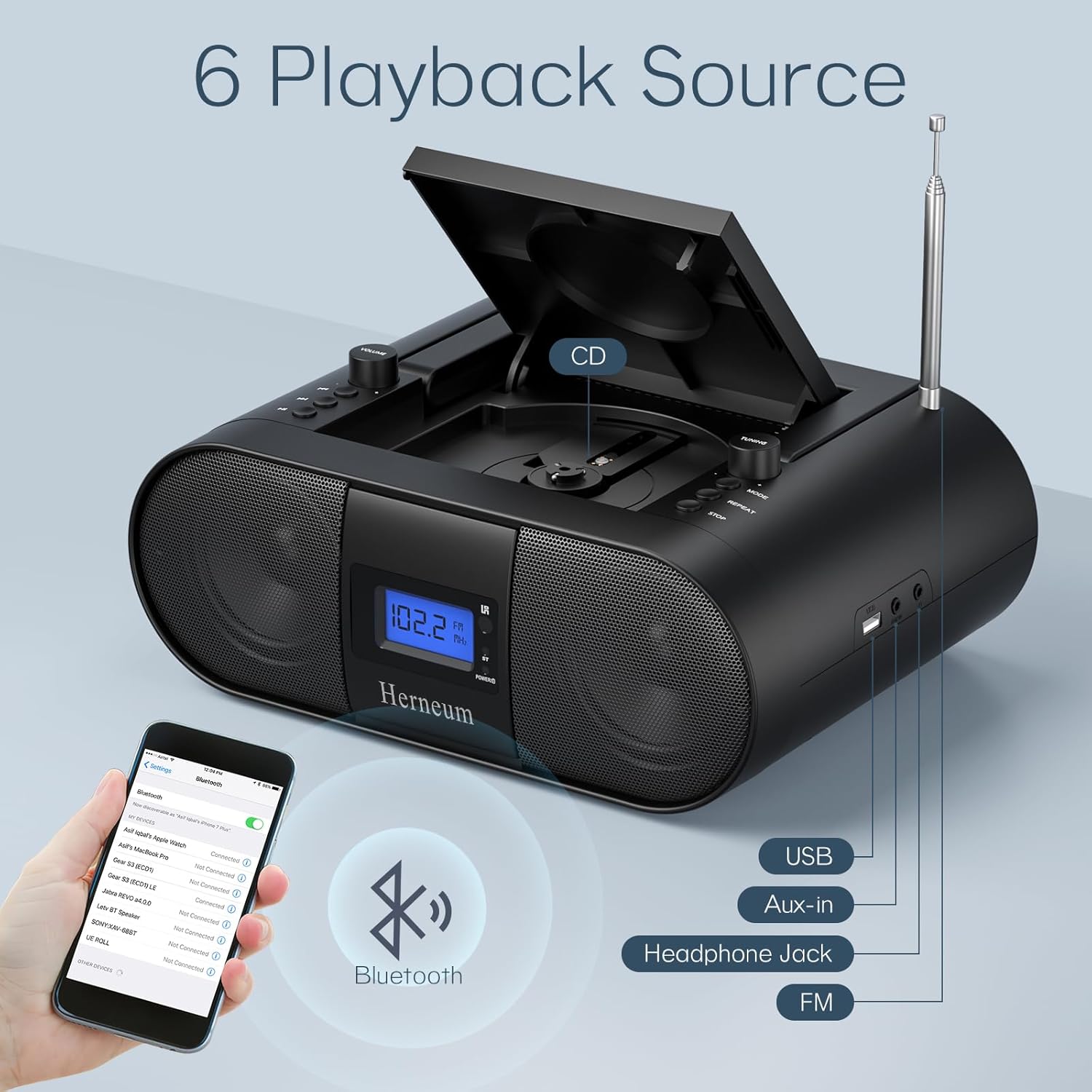
- Режим (7): Switches between CD, FM, Bluetooth, USB, and AUX modes.
- Дисплей (14): Відображає поточний режим, номер треку та FM-частоту.
2. Відтворення компакт-диска
- Open the CD compartment (10) by gently lifting the lid.
- Помістіть компакт-диск етикеткою догори.
- Закрийте відсік для компакт-дисків.
- Натисніть Режим button (7) to select CD mode.
- Прес Відтворення/Пауза (4), щоб почати відтворення.
- використання Попередній трек (2) і Наступний трек (3) to navigate tracks.
- Прес Повторіть (8) for single track or all track repeat.
- Прес СТІЙ (9) to end playback.
3. Робота FM-радіо
- Витягніть телескопічну антену.
- Натисніть Режим button (7) to select FM radio mode.
- використання Налаштування +/- (6) to manually tune to a station.
- For automatic scanning, press and hold Налаштування +/- (6).
4. Підключення Bluetooth
- Натисніть Режим button (7) to select Bluetooth mode. The display will show "BT" and flash, indicating it's ready for pairing.
- On your mobile device, enable Bluetooth and search for "Herneum FC" (or similar device name).
- Select the device to pair. Once connected, the "BT" indicator will stop flashing.
- You can now stream audio from your device to the boombox.
5. Відтворення через USB
- Insert a USB drive containing MP3/WMA files into the USB PORT (11).
- Натисніть Режим button (7) to select USB mode.
- Playback will start automatically. Use track navigation buttons to select songs.
6. Підключення AUX-входу
- Connect an external audio device (e.g., smartphone, MP3 player) to the AUX-in jack (12) using a 3.5mm audio cable.
- Натисніть Режим кнопку (7), щоб вибрати режим AUX.
- Керуйте відтворенням та гучністю зі свого зовнішнього пристрою.
7. Використання навушників
Plug headphones into the Headphone jack (13) for private listening. The speakers will automatically mute.
8. Пульт дистанційного керування
The included remote control allows for convenient operation of all functions from a distance. Insert 2 x AAA batteries (not included) into the remote.
- Вимкнути/увімкнути звук: Temporarily silences or restores audio.
- Пропустити доріжку: Navigates to the next or previous track.
- Change Radio: Налаштування частоти FM.
- Регулювання гучності: Збільшує або зменшує гучність.
- Stop Playing: Halts current playback.
- Режим еквалайзера: Налаштовує параметри еквалайзера звуку.
- Таймер сну: Set preferred running time (15, 30, 45, 60, or 90 minutes).

Технічне обслуговування
- Прибирання: Використовуйте м’яку суху тканину для очищення зовнішньої частини пристрою. Не використовуйте абразивні засоби для чищення або розчинники.
- Догляд за CD: Тримайте компакт-диски за краї. Протирайте брудні компакт-диски м’якою тканиною без ворсу, рухаючись від центру до країв.
- Зберігання: When not in use for extended periods, store the boombox in a cool, dry place.
Усунення несправностей
| проблема | Можлива причина | Рішення |
|---|---|---|
| Немає живлення | Power cable not connected; battery drained; power switch off. | Check power cable connection; charge battery; ensure power switch (18) is ON. |
| Компакт-диск не відтворюється/пропускає | Компакт-диск брудний або подряпаний; компакт-диск вставлено неправильно; відсік для компакт-диска не закритий. | Clean or replace CD; ensure CD is label-side up; close compartment firmly. |
| Поганий FM -прийом | Antenna not extended/adjusted; weak signal. | Extend and adjust antenna; try moving the unit to a different location. |
| Bluetooth не з’єднується | Device not in pairing mode; Bluetooth disabled on external device. | Ensure boombox is in Bluetooth mode; enable Bluetooth on your device and search again. |
| Пульт не працює | Batteries drained or inserted incorrectly; obstruction between remote and unit. | Replace remote batteries; ensure correct polarity; remove obstructions. |
Технічні характеристики
- модель: FC
- Бренд: Гернеум
- Розміри продукту: 12.6 x 8.66 x 5.9 дюймів
- Вага товару: 4.36 фунта
- Технологія підключення: Bluetooth, CD, USB, AUX-in, FM Radio
- колір: чорний
- Тип динаміка: Подвійний динамік
- Батарея: Вбудована акумуляторна батарея на 2000 мАг
- Playback Time (Battery): 4-5 годин
Гарантія та підтримка
The Herneum FC Portable CD Player Boombox comes with an 18-month warranty. For warranty claims, technical support, or any inquiries, please contact Herneum customer service.
Visit the official Herneum store for more information: Herneum Store


