вступ
This manual provides detailed instructions for the installation, operation, and maintenance of your CP PLUS CP-V41A 4MP Wi-Fi Camera. Please read this manual thoroughly before using the product to ensure correct usage and optimal performance. Keep this manual for future reference.
Продукт закінченийview
The CP PLUS CP-V41A is a 4MP Wi-Fi camera designed for home security and surveillance. It features high-resolution imaging, night vision capabilities, and smart integration options.
Ключові характеристики:
- 4MP CMOS Image Sensor: Забезпечує чітке та детальне відео footage.
- Об'єктив 3.6 мм: Пропонує широке поле view для всебічного охоплення.
- Стиснення відео H.265: Efficiently compresses video to save storage space without compromising quality.
- Підтримка Wi-Fi: Enables wireless connectivity for flexible placement.
- IR Distance of 15 Mtr.: Ensures clear night vision up to 15 meters.
- Рейтинг IP65: Suitable for both indoor and outdoor use, offering protection against dust and water jets.
- Інтеграція розумного будинку: Works with Google Assistant and Amazon Alexa for voice control and smart automation.
Що в коробці:
- CP PLUS CP-V41A 4MP Wi-Fi Camera
- Адаптер живлення
- Монтажні гвинти та дюбелі
- Короткий посібник з початку роботи (докладнішу інформацію див. у цьому посібнику)

Image: The CP PLUS CP-V41A 4MP Wi-Fi Camera, highlighting its model and key features.
Налаштування
1. Фізичне встановлення
- Виберіть місце розташування: Виберіть відповідне місце для камери, враховуючи бажане viewing area, Wi-Fi signal strength, and power source accessibility. The camera is rated IP65, making it suitable for both indoor and outdoor environments.
- Встановити камеру:
- Позначте точки свердління на стіні або стелі, використовуючи монтажну основу камери як шаблон.
- Просвердліть отвори та вставте надані дюбелі.
- Secure the camera's mounting base with the screws.
- За потреби відрегулюйте кут камери.
- Підключіть живлення: Plug the power adapter into the camera's power input and then into a power outlet. The camera will power on and initiate its startup sequence.
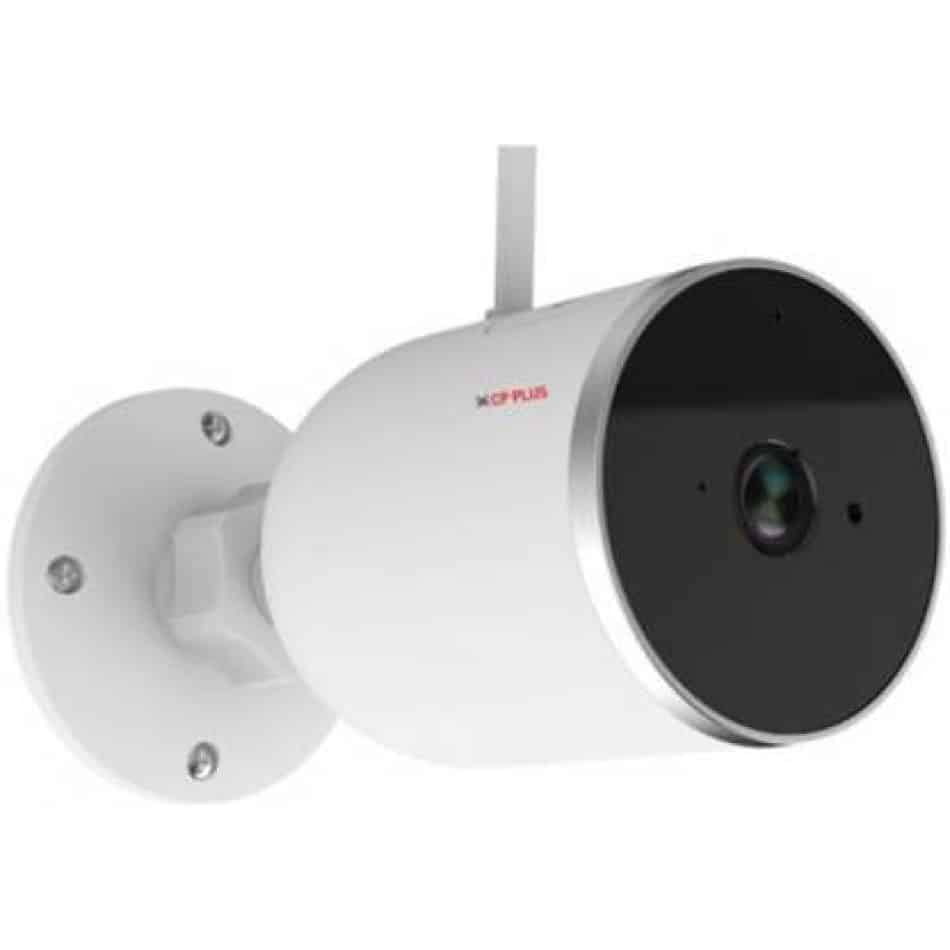
Зображення: Збоку view of the CP PLUS CP-V41A camera showing its mounting base and antenna, illustrating physical installation.
2. Мережеве підключення (Wi-Fi)
- Завантажте додаток: шукати the official CP PLUS mobile application on your smartphone's app store (iOS or Android) and install it.
- Створити обліковий запис: Відкрийте застосунок і зареєструйте новий обліковий запис або увійдіть, якщо у вас вже є обліковий запис.
- Додати пристрій: Follow the in-app instructions to add your new camera. This typically involves:
- Scanning a QR code on the camera.
- Connecting your phone to the camera's temporary Wi-Fi hotspot.
- Selecting your home Wi-Fi network and entering its password.
- Завершення: Once connected, the camera's status indicator will change, and you will see the camera online in your app.
Інструкція з експлуатації
1. Жити View і Запис
- Доступ до служби Live View: Open the CP PLUS app and select your camera from the device list to view живий корм.
- Ручний запис: Tap the record button in the app to start or stop manual video recording.
- Знімок: Use the snapshot button to capture still images from the live feed.
2. Виявлення руху та сповіщення
- Увімкнути виявлення руху: Navigate to the camera settings in the app and enable motion detection.
- Налаштувати чутливість: Set the motion detection sensitivity to minimize false alarms.
- Set Alert Schedule: Configure specific times or days for receiving motion alerts.
- Отримувати сповіщення: The app will send push notifications to your smartphone when motion is detected.
3. Нічне бачення
The camera automatically switches to night vision mode in low-light conditions, utilizing its infrared (IR) LEDs to provide clear black-and-white video up to 15 meters. Ensure no obstructions block the IR lights for optimal performance.
4. Smart Home Integration (Google Assistant / Amazon Alexa)

Image: The CP PLUS CP-V41A camera integrated into a smart home environment, indicating compatibility with Google Assistant.
- Зв'язати обліковий запис: In your Google Home or Amazon Alexa app, search for the CP PLUS skill/service and link your CP PLUS account.
- Відкрийте для себе пристрої: Once linked, ask your smart assistant to discover new devices.
- Голосові команди: Тепер ви можете використовувати голосові команди для view your camera feed on compatible smart displays (e.g., "Hey Google, show me the front door camera" or "Alexa, show me the living room camera").
Технічне обслуговування
- Прибирання:
- Gently wipe the camera lens and body with a soft, dry cloth.
- Не використовуйте агресивні хімікати або абразивні миючі засоби.
- Перед чищенням переконайтеся, що камера вимкнена.
- Оновлення прошивки: Regularly check the CP PLUS app for available firmware updates. Updates often include performance improvements, new features, and security enhancements. Follow the in-app instructions to perform updates.
- Управління сховищем: If using a local storage (e.g., microSD card, not included), periodically review і керувати записаними footagе. щоб забезпечити достатній простір.
Усунення несправностей
| проблема | Можлива причина | Рішення |
|---|---|---|
| Камера не вмикається. | Адаптер живлення не підключений або несправний. | Ensure the power adapter is securely connected to the camera and a working power outlet. Try a different outlet. |
| Неможливо підключитися до Wi-Fi. | Incorrect Wi-Fi password, weak signal, or camera too far from router. | Verify Wi-Fi password. Move the camera closer to the router. Ensure your router is broadcasting a 2.4GHz network (5GHz is not supported by many smart devices). Reset the camera and try pairing again. |
| Погана якість зображення або розмите відео. | Protective film on lens, dirty lens, or insufficient lighting. | Remove any protective film. Clean the lens with a soft cloth. Ensure adequate lighting or check night vision functionality. |
| Виявлення руху не працює. | Motion detection disabled, sensitivity too low, or incorrect schedule. | Check app settings to ensure motion detection is enabled, sensitivity is appropriate, and the schedule is correctly configured. |
| No sound or poor audio. | Microphone/speaker blocked, app volume low, or network issues. | Ensure nothing is obstructing the microphone or speaker. Check volume settings in the app and on your phone. Verify stable network connection. |
Технічні характеристики
| Особливість | Деталь |
|---|---|
| Номер моделі | CP-V41A |
| Датчик зображення | 1/2.8” 4MP CMOS (0.9071cm) |
| Об'єктив | 3.6 мм |
| Стиснення відео | H.265 |
| Підключення | Wi-Fi, Ethernet |
| ІЧ відстань | 15 метрів |
| Захист від проникнення | IP65 |
| Сумісність із розумним помічником | Помічник Google, Amazon Alexa |
| Джерело живлення | Провідний електричний |
| Використання в приміщенні/зовні | В приміщенні, на відкритому повітрі |
| Вага товару | 460 г |
| Розміри (ДxШxВ) | 20 х 10 х 5 сантиметрів |
| Включені компоненти | Перехідник |

Image: An office setting with the CP PLUS CP-V41A camera mounted, illustrating its 4MP CMOS image sensor capability.
Гарантія та підтримка
Продукція CP PLUS розроблена для надійності та продуктивності. Щоб отримати інформацію про гарантію, зверніться до гарантійного талона, що додається до вашого продукту, або відвідайте офіційний веб-сайт CP PLUS. website. For technical support, troubleshooting assistance, or service inquiries, please contact CP PLUS customer support through their official channels.
Примітка: Характеристики та характеристики продукту можуть бути змінені без попереднього повідомлення.


