1. Вступ
This manual provides essential instructions for the safe and efficient operation, maintenance, and troubleshooting of your Cecotec Cumbia Power Matic-ccino 9000 S automatic coffee machine. Please read this manual thoroughly before first use and keep it for future reference.
The Cecotec Cumbia Power Matic-ccino 9000 S is a mega-automatic coffee machine featuring a Plug&Play system, designed to prepare a wide variety of coffees with a single touch. It offers 20 types of hot beverages, including espresso, ristretto, lungo, doppio, americano, latte, flat white, latte macchiato, cortado, hot milk, and cappuccino.
Key features include a Custom Coffee System for personalizing intensity, temperature, pressure, coffee quantity, milk, cream, and foam, as well as the pouring order. The machine can memorize your favorite coffee settings for quick access. It incorporates a rapid Thermoblock heating system for optimal temperature and a powerful 19-bar ForceAroma pressure pump for maximum cream and aroma. The All Cappuccino System automatically adds milk or foam for perfect lattes and cappuccinos.
The machine is equipped with a high-quality, interactive touch control panel, a 250g bean reservoir with an airtight lid, an integrated conical grinder with 5 grinding levels, and a removable 1.7L water tank. It also includes a 500ml Full Latte milk tank accessory and features an adjustable coffee spout (10.5 cm to 15 cm) and a cup warmer tray.

Зображення 1.1: закінченоview of the Cecotec Cumbia Power Matic-ccino 9000 S coffee machine, showing two cups of coffee being dispensed and the milk tank.
2. Техніка безпеки
Завжди дотримуйтесь основних запобіжних заходів під час використання електроприладів, щоб зменшити ризик пожежі, ураження електричним струмом та травмування.
- Перед використанням прочитайте всі інструкції.
- Не занурюйте прилад, шнур живлення або вилку у воду чи інші рідини.
- Переконайтеся, що обtagзазначене на приладі відповідає потужності вашої місцевої електромережіtage.
- Тримайте прилад у недоступному для дітей місці.
- Вимкніть прилад з розетки, коли він не використовується та перед чищенням.
- Не використовуйте прилад із пошкодженим шнуром або вилкою.
- Не використовуйте аксесуари, не рекомендовані виробником.
- Використовуйте прилад лише за призначенням у побуті.
- Уникайте контакту з гарячими поверхнями.
3. Компоненти продукту
Familiarize yourself with the main parts of your coffee machine:
- Control Panel / Touch Screen
- Coffee Bean Hopper with Airtight Lid
- Water Tank (Removable, 1.7L capacity)
- Coffee Spout (Adjustable height)
- Drip Tray and Grids
- Контейнер для меленої кави
- Milk Tank (Full Latte, 500ml capacity)
- Піднос для підігріву чашок
- Шнур живлення

Image 3.1: Close-up of the interactive touch control panel, showing beverage selection options.
4. Налаштування
4.1 Розпакування та початкове розміщення
- Обережно видаліть усі пакувальні матеріали.
- Place the machine on a stable, flat, heat-resistant surface, away from water sources and direct heat.
- Забезпечте належну вентиляцію навколо приладу.
4.2 Початкове очищення
- Wash the removable water tank, milk tank, drip tray, and ground coffee container with warm, soapy water. Rinse thoroughly and dry.
- Протріть зовнішню частину машини рекламоюamp тканина.
4.3 Наповнення резервуара для води
- Вийміть резервуар для води об'ємом 1.7 л із задньої панелі машини.
- Наповніть його свіжою холодною водою з-під крана до позначки MAX.
- Щільно вставте резервуар для води на його місце.
4.4 Заповнення бункера для кавових зерен
- Open the airtight lid of the coffee bean hopper located on top of the machine.
- Засипте свіжі кавові зерна в бункер. Не переповнюйте.
- Close the lid firmly to preserve aroma.
4.5 Connecting the Milk Tank (Optional)
- If preparing milk-based beverages, fill the 500ml Full Latte milk tank with fresh milk.
- Connect the milk tank to the designated port on the coffee machine as per the diagram in the quick start guide.
4.6 Перше використання / Грунтування
- Підключіть машину до заземленої розетки.
- Follow the on-screen instructions for the initial priming cycle. This typically involves dispensing hot water to rinse the internal circuits.
5. Інструкція з експлуатації
5.1 Увімкнення/вимкнення живлення
- Press the power button on the touch screen to turn the machine on. It will perform a brief self-cleaning cycle.
- To turn off, press the power button again. The machine will perform a final rinse before shutting down.
5.2 Selecting a Beverage
- On the touch screen, browse through the 20 available beverage options.
- Tap on your desired drink (e.g., Espresso, Latte, Cappuccino).
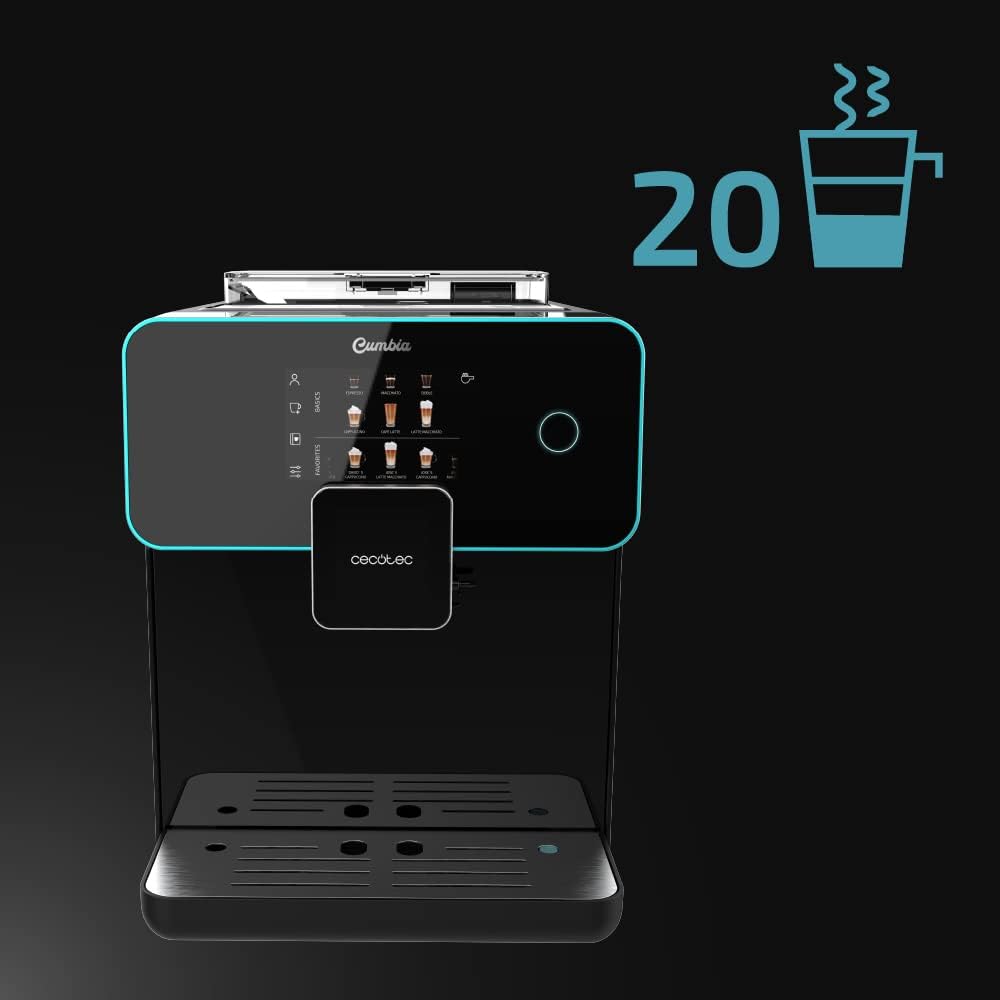
Image 5.1: The touch screen displaying the wide selection of 20 hot beverages available.
5.3 Customizing Beverages (Custom Coffee System)
- After selecting a drink, the Custom Coffee System interface will appear.
- Adjust parameters such as coffee intensity, temperature, pressure, coffee quantity, milk quantity, and foam level using the on-screen sliders.
- You can also customize the pouring order (e.g., milk first or coffee first).
- Confirm your selections to start brewing.

Image 5.2: The 'Custom Coffee' interface, allowing users to personalize various aspects of their drink.
5.4 Saving Favorite Coffees
- After customizing a beverage, you can save it as a favorite for quick access.
- Follow the on-screen prompt to name and save your personalized drink. It will appear on the main screen under your profile.

Image 5.3: Icon indicating the ability to save up to 10 user profiles or favorite drink settings.
5.5 Adjusting Spout Height
- The coffee spout can be adjusted vertically from 10.5 cm to 15 cm.
- Manually slide the spout up or down to fit your cup size, from small espresso cups to tall breakfast mugs.
5.6 Using the Cup Warmer Tray
- Place cups on the designated cup warmer tray on top of the machine.
- This feature helps maintain coffee temperature and enhances aroma and cream.
6. Технічне обслуговування
Регулярне чищення та технічне обслуговування забезпечують оптимальну продуктивність та довговічність вашої кавоварки.
6.1 Щоденне прибирання
- Лоток для крапель: Щодня спорожняйте та промивайте піддон для крапель і решітку.
- Контейнер для меленої кави: Empty the ground coffee container when prompted or daily to prevent mold growth.
- Молочна система: After each milk-based beverage, perform a quick rinse cycle for the milk system as prompted by the machine. For thorough cleaning, disassemble and wash the milk tank and frothing components with warm, soapy water.
6.2 Очищення резервуара для води
- Clean the water tank weekly with warm, soapy water. Rinse thoroughly to remove any soap residue.
6.3 Bean Hopper and Grinder Maintenance
- Periodically empty the bean hopper and wipe it clean with a dry cloth. Ensure no coffee residue accumulates.
- The integrated conical grinder has 5 grinding levels. Adjust as needed for your preferred coffee strength. Refer to the on-screen menu for grinder adjustment options.
6.4 Видалення накипу
- Машина повідомить, коли потрібно видалити накип.
- Use a descaling solution recommended by Cecotec and follow the on-screen instructions for the descaling process.
- Regular descaling is crucial for maintaining machine performance and coffee quality, especially in areas with hard water.

Image 6.1: Icon representing the machine's 'Always Clean' feature, highlighting its automatic cleaning cycles.
7. Вирішення проблем
У цьому розділі розглядаються поширені проблеми, з якими ви можете зіткнутися. Якщо у вас проблеми, не перелічені тут, зверніться до служби підтримки клієнтів.
| проблема | Можлива причина | Рішення |
|---|---|---|
| Каву не роздають | Резервуар для води порожній; кавові зерна порожні; заварювальний блок засмічений. | Refill water tank; refill bean hopper; clean the brewing unit as per maintenance instructions. |
| Кава занадто слабка | Занадто грубий рівень помелу; недостатня кількість кави; старі кавові зерна. | Adjust grinder to a finer setting; increase coffee intensity in Custom Coffee settings; use fresh coffee beans. |
| Молоко не спінюється належним чином | Milk tank or frothing components dirty; milk type unsuitable; milk temperature too high/low. | Clean milk tank and frothing system thoroughly; use cold, fresh milk (preferably semi-skimmed or full-fat); ensure milk is cold. |
| Повідомлення про помилку на екрані | Specific machine fault; component not correctly inserted. | Refer to the specific error code in the full manual (if available) or contact customer support. Ensure all removable parts are correctly seated. |
8. Технічні характеристики
| Особливість | Деталь |
|---|---|
| Бренд | Cecotec |
| Номер моделі | 01644 |
| Колір | Serie Nera |
| Розміри продукту (Д x Ш x В) | 51.5 х 35.5 х 44 см |
| Вага товару | 11.1 кілограма |
| Ємність резервуара для води | 1.7 літра |
| Місткість резервуара для молока | 500 ml (Full Latte accessory) |
| потужність | 1500 Вт |
| Напірний насос | 19 Bars (ForceAroma Technology) |
| Ємність бункера для кави в зернах | 250г |
| Тип шліфувальної машинки | Вбудований конічний шліфувальний верстат (5 рівнів) |
| Coffee Spout Height Adjustment | 10.5 см до 15 см |
| Особливості | Milk Frother, Touch Control Panel, Thermoblock System, Custom Coffee System, Auto-off |
| матеріал | пластик |
| Наявність запасних частин | 10 років |
9. Гарантія та підтримка
9.1 Інформація про гарантію
Your Cecotec Cumbia Power Matic-ccino 9000 S coffee machine is covered by a manufacturer's warranty. Please refer to the warranty card included with your product or visit the official Cecotec webсайт для отримання детальних умов та положень. Зберігайте підтвердження покупки для гарантійних претензій.
9.2 Підтримка клієнтів
For technical assistance, spare parts, or any questions regarding your product, please contact Cecotec customer support. Contact details can typically be found on the official Cecotec webсайту або в упаковці продукту.


