1. Вступ
This manual provides detailed instructions for the setup, operation, and maintenance of your Logitech MK670 Comfort Wave Wireless Keyboard and Mouse Combo, along with the included Mini Bluetooth Speaker, Gel Wrist Pad, and Gel Mouse Pad. Please read this manual thoroughly before using the products to ensure optimal performance and longevity.

Image 1.1: Complete bundle including the Logitech MK670 keyboard, mouse, mini Bluetooth speaker, and gel pads.
2. Компоненти продукту
Ваш пакет повинен містити такі предмети:
- Logitech MK670 Comfort Wave Wireless Keyboard
- Бездротова миша Logitech
- USB-приймач Logitech Unifiing
- Міні-портативна бездротова Bluetooth колонка
- Gel Wrist Pad
- Gel Mouse Pad
- Micro USB Charging Cable (for speaker)
- Документація користувача (цей посібник)
3. Інструкції з налаштування
3.1. Logitech Keyboard and Mouse Setup
- Розпакувати: Обережно вийміть клавіатуру та мишу з упаковки.
- Вставте батареї: The keyboard and mouse typically come with pre-installed batteries or require standard AA/AAA batteries. Open the battery compartments (usually on the underside of each device) and ensure batteries are correctly inserted.
- Locate Unifying Receiver: The small USB Unifying receiver is often stored inside the mouse's battery compartment for safekeeping. Remove it.
- Підключення приймача: Plug the Logitech Unifying USB receiver into an available USB port on your computer.
- Увімкнення: Turn on the keyboard and mouse using their respective power switches (usually located on the underside or side). The devices should automatically connect to your computer.

Image 3.1: The Logitech MK670 wireless keyboard and mouse, ready for connection via the Unifying receiver.
3.2. Mini Bluetooth Speaker Setup
- Зарядний динамік: Before first use, fully charge the mini Bluetooth speaker using the provided Micro USB charging cable. Connect the Micro USB end to the speaker and the USB-A end to a power source (e.g., computer USB port, USB wall adapter). The charging indicator light will typically turn off or change color when fully charged.
- Увімкнення: Press and hold the power button on the speaker until you hear an audible prompt or see an indicator light flash, indicating it is in pairing mode.
- Підключення через Bluetooth:
- На вашому пристрої (смартфоні, планшеті, ноутбуці) перейдіть до налаштувань Bluetooth.
- Переконайтеся, що Bluetooth увімкнено.
- шукати available devices. The speaker will typically appear as a name like "Mini Speaker" or similar.
- Виберіть динамік для сполучення. Після сполучення ви почуєте звуковий сигнал підтвердження.
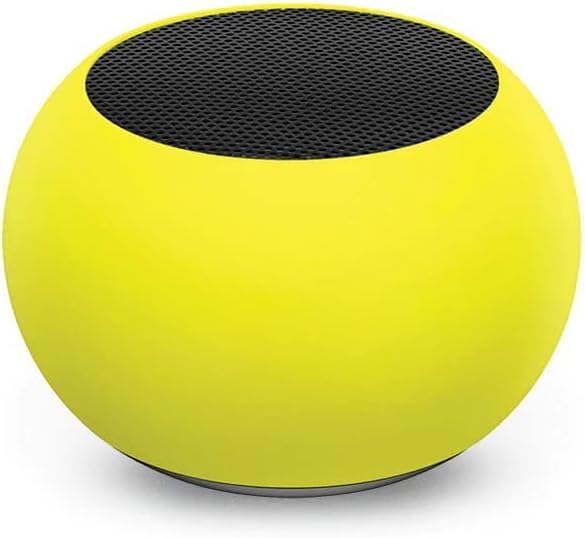
Зображення 3.2: Крупний план view of the compact mini Bluetooth speaker, highlighting its design.
3.3. Gel Pads Placement
- Keyboard Wrist Rest: Place the longer gel wrist pad directly in front of your Logitech MK670 keyboard, aligning it to support your wrists while typing.
- Mouse Pad with Wrist Rest: Position the gel mouse pad on your desk where you typically use your mouse. Ensure the integrated wrist rest provides comfortable support for your mousing hand.

Image 3.3: The ergonomic gel wrist pad and gel mouse pad, designed for comfort and support.
4. Інструкція з експлуатації
4.1. Використання клавіатури
- Введення: The Comfort Wave design provides an ergonomic layout for natural hand and wrist positioning.
- Цифрова клавіатура: Utilize the full-size numeric keypad for efficient data entry.
- Клавіші швидкого доступу: Access common functions quickly using the dedicated shortcut keys (e.g., media controls, volume, application launch). Refer to the key legends for specific functions.
- Регульовані по нахилу ніжки: Flip out the tilt legs on the underside of the keyboard to adjust the typing angle for personalized comfort.

Зображення 4.1: Збоку view of the Logitech MK670 keyboard, illustrating the adjustable tilt legs for ergonomic customization.
4.2. Використання миші
- Pointing and Clicking: Use the mouse for precise cursor control, left-clicks, and right-clicks.
- Прокрутка: Коліщатко прокручування забезпечує плавну навігацію по документах та web сторінки.
- Двосторонній дизайн: Миша розроблена для комфортного використання як лівшами, так і правшами.
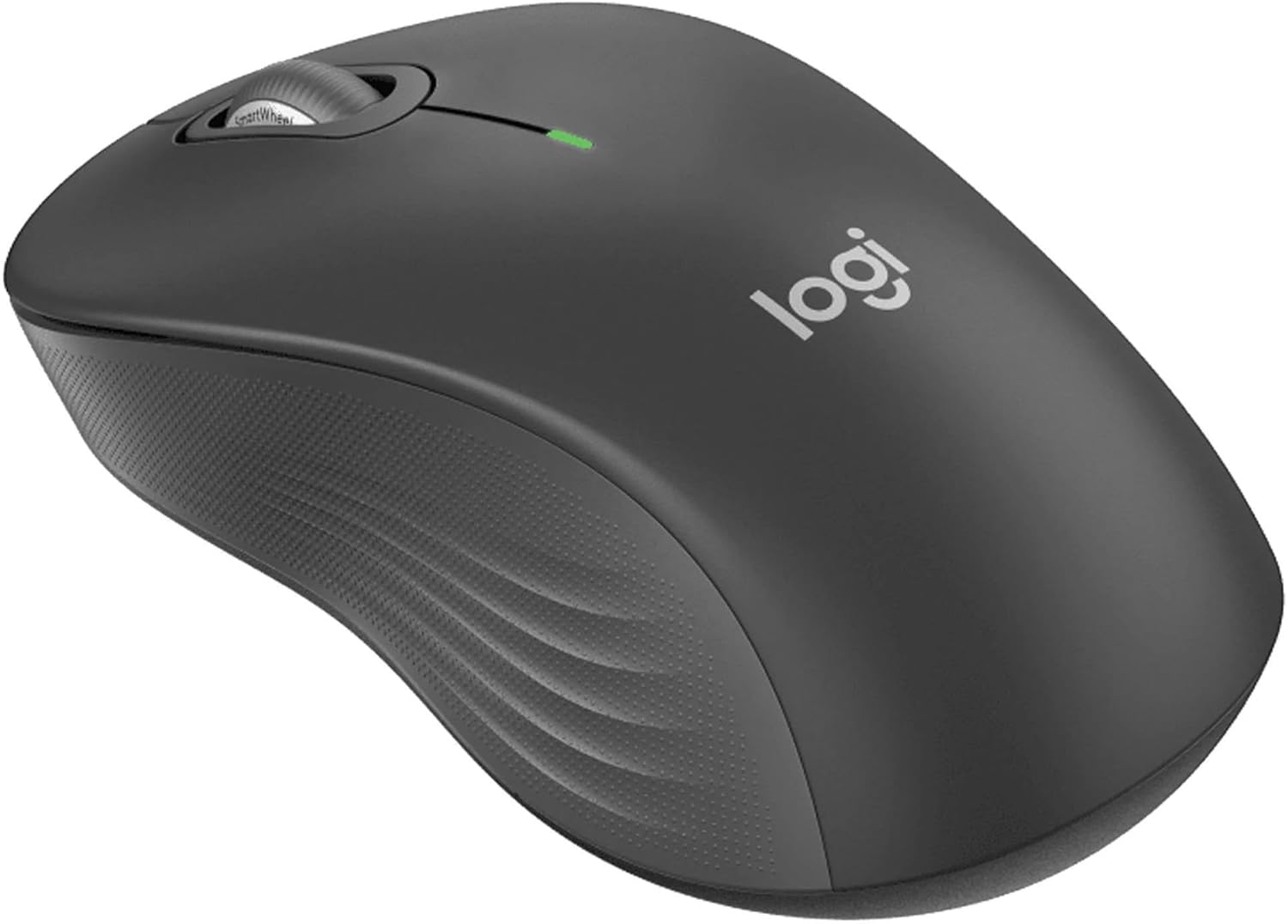
Зображення 4.2: Детальний view of the Logitech wireless mouse, showcasing its ergonomic shape.
4.3. Mini Bluetooth Speaker Usage
- Увімкнення/вимкнення живлення: Натисніть і утримуйте кнопку живлення, щоб увімкнути або вимкнути динамік.
- Парування Bluetooth: Once powered on, the speaker will automatically attempt to connect to the last paired device. If not, it will enter pairing mode for new connections (refer to Section 3.2).
- Регулювання гучності: Volume is typically controlled via the connected device. Some speakers may have integrated volume buttons.
- Пульт дистанційного керування селфі: The speaker may feature a remote selfie button. Consult the speaker's specific instructions for activation and use with your device's camera.
- Дзвінки в режимі Hands-Free: With its built-in microphone, the speaker can be used for hands-free calls when connected to a smartphone.
5. Технічне обслуговування
5.1. прибирання
- Клавіатура та миша: Злегка протріть м’якою тканиною без ворсу dampened with water or a mild cleaning solution. Avoid harsh chemicals or abrasive materials. For dust between keys, use compressed air.
- Mini Bluetooth Speaker: Wipe the exterior with a soft, dry cloth. Do not immerse in water.
- Gel Pads: Витріть з рекламоюamp cloth and mild soap if necessary. Allow to air dry completely before reuse.
5.2. Battery Replacement (Keyboard and Mouse)
When the battery indicator light on your keyboard or mouse signals low power, replace the batteries with new ones of the same type (e.g., AA or AAA). Ensure correct polarity when inserting new batteries.
6. Вирішення проблем
6.1. Keyboard/Mouse Not Responding
- Перевірте батареї: Переконайтеся, що батарейки правильно вставлені та мають достатній заряд. За потреби замініть їх.
- Перемикачі живлення: Verify that both the keyboard and mouse power switches are in the 'ON' position.
- USB-приймач: Ensure the Logitech Unifying USB receiver is securely plugged into a working USB port on your computer. Try a different USB port.
- Близькість: Ensure the keyboard and mouse are within the operational range (up to 33 feet) of the USB receiver.
- Повторна пара: If issues persist, you may need to re-pair the devices using Logitech's Unifying software (downloadable from the Logitech support webсайт).
6.2. Mini Bluetooth Speaker Connection Issues
- Потужність динаміка: Переконайтеся, що динамік заряджений та увімкнений.
- Bluetooth увімкнено: Verify Bluetooth is enabled on your source device.
- Забути пристрій: On your source device, 'forget' or 'unpair' the speaker from your Bluetooth device list, then attempt to pair again.
- Близькість: Keep the speaker and source device within close range (typically 10 meters or 33 feet) for stable connection.
- Перешкоди: Відійдіть від інших бездротових пристроїв, які можуть створювати перешкоди.
6.3. No Sound from Speaker
- Рівні гучності: Check the volume on both the speaker and the connected device.
- Вихідний сигнал вихідного пристрою: Ensure your device's audio output is set to the Bluetooth speaker.
- Відтворення мультимедіа: Verify that media is playing on your source device.
7. Технічні характеристики
| Особливість | Деталь |
|---|---|
| Бренд | Logitech |
| Модель | MK670 (Keyboard & Mouse Combo) |
| Технологія підключення | 2.4GHz Wireless (Keyboard & Mouse), Bluetooth 5.0 (Speaker) |
| Дальність бездротового зв'язку | До 33 футів (10 метрів) |
| Функції клавіатури | Ergonomic Comfort Wave design, Full-size with numeric keypad, Shortcut keys, Cushioned palm rest, Adjustable tilt legs |
| Особливості миші | Ambidextrous design, Precise tracking |
| Розміри динаміка | 45.45 мм x 33 мм (1.75" x 1.3") |
| Вага динаміка | 2.46 унцій |
| Ємність акумулятора динаміка | 400 мАг |
| Speaker Playback Time | До 4 годин |
| Speaker Special Features | Magnetic base, Built-in mic, Remote selfie button, Glow in the Dark (Yellow variant) |
| Сумісні пристрої | Laptops, Gaming Consoles (for keyboard/mouse functionality), Bluetooth-enabled devices (for speaker) |
| Вага товару (пакет) | 4 фунта |
| Розміри упаковки | 23 x 10 x 10 дюймів |
8. Інформація про гарантію
Logitech products are typically covered by a limited hardware warranty. For specific warranty terms and conditions, including duration and coverage details, please refer to the warranty card included with your product or visit the official Logitech webсайт. Зберігайте чек про покупку для гарантійних претензій.
9. Підтримка
For further assistance, technical support, or to download the latest drivers and software for your Logitech products, please visit the official Logitech support webсайт. Ви також можете знайти там розділ поширених запитань та форуми спільноти.
Підтримка Logitech Webсайт: https://support.logi.com/


