1. Вступ
The ECOWITT WittCam HP10 is an outdoor weather camera designed for continuous monitoring of various environmental conditions. It is suitable for observing plant growth, weather changes, water levels, and other outdoor phenomena. Featuring IP66 waterproofing and a 150-degree wide-angle lens, the camera connects via Wi-Fi for remote access and data management through a dedicated app and webсайт.

Малюнок 1: Спереду view of the ECOWITT WittCam HP10 Outdoor Weather Camera.
2. Продукт закінчивсяview
2.1. Компоненти
- WittCam HP10 Camera Unit: The main camera device.
- Монтажна база: For securing the camera to a surface.
- Шнур живлення USB: Provides power to the camera.
- Керівництво користувача: Цей посібник з інструкціями.
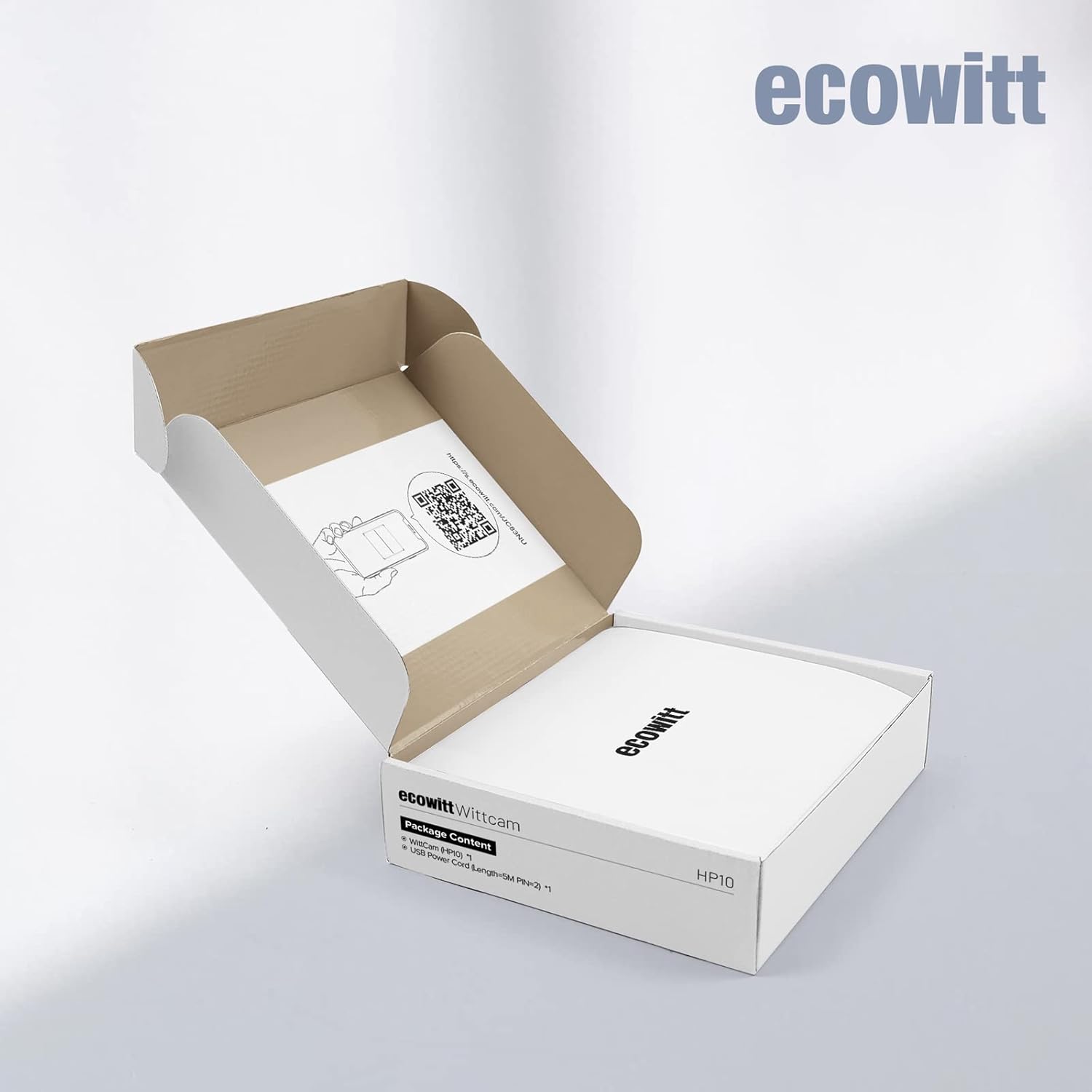
Figure 2: The ECOWITT WittCam HP10 camera connected to its USB power cable.
2.2. Ключові характеристики
- Picture Hosting: Images are hosted on www.ecowitt.net, with automatic time-elapsed video generation for daily activity.
- HTTP GET Command Support: Allows retrieval of the last taken picture.
- Бездротове підключення: Supports 2.4 GHz Wi-Fi (802.11 b/g/n) with a transmission distance of up to 30 meters (100 feet) in open fields.
- Довговічність: IP66 waterproof rating ensures protection against dust and strong jets of water.
- Ширококутний об'єктив: 150-градусний ширококутний view для комплексного моніторингу.
- Висока роздільна здатність: 1080p video capture resolution.
- Контроль програми: Керувати і view camera feeds via a dedicated mobile application.
- No Local Storage: The camera does not support Micro SD card storage.

Figure 3: Key features of the WittCam HP10, including Wi-Fi connectivity and wide-angle lens.
3. Налаштування
3.1. Розпакування та первинна перевірка
Обережно розпакуйте всі компоненти та перевірте наявність наступних предметів:
- ECOWITT WittCam HP10 Camera
- Монтажна основа
- USB Power Cord (approximately 2 meters / 6.56 feet)
- Quick Start Guide / User Manual (digital version available via QR code or at s.ecowitt.com/JC83NU)
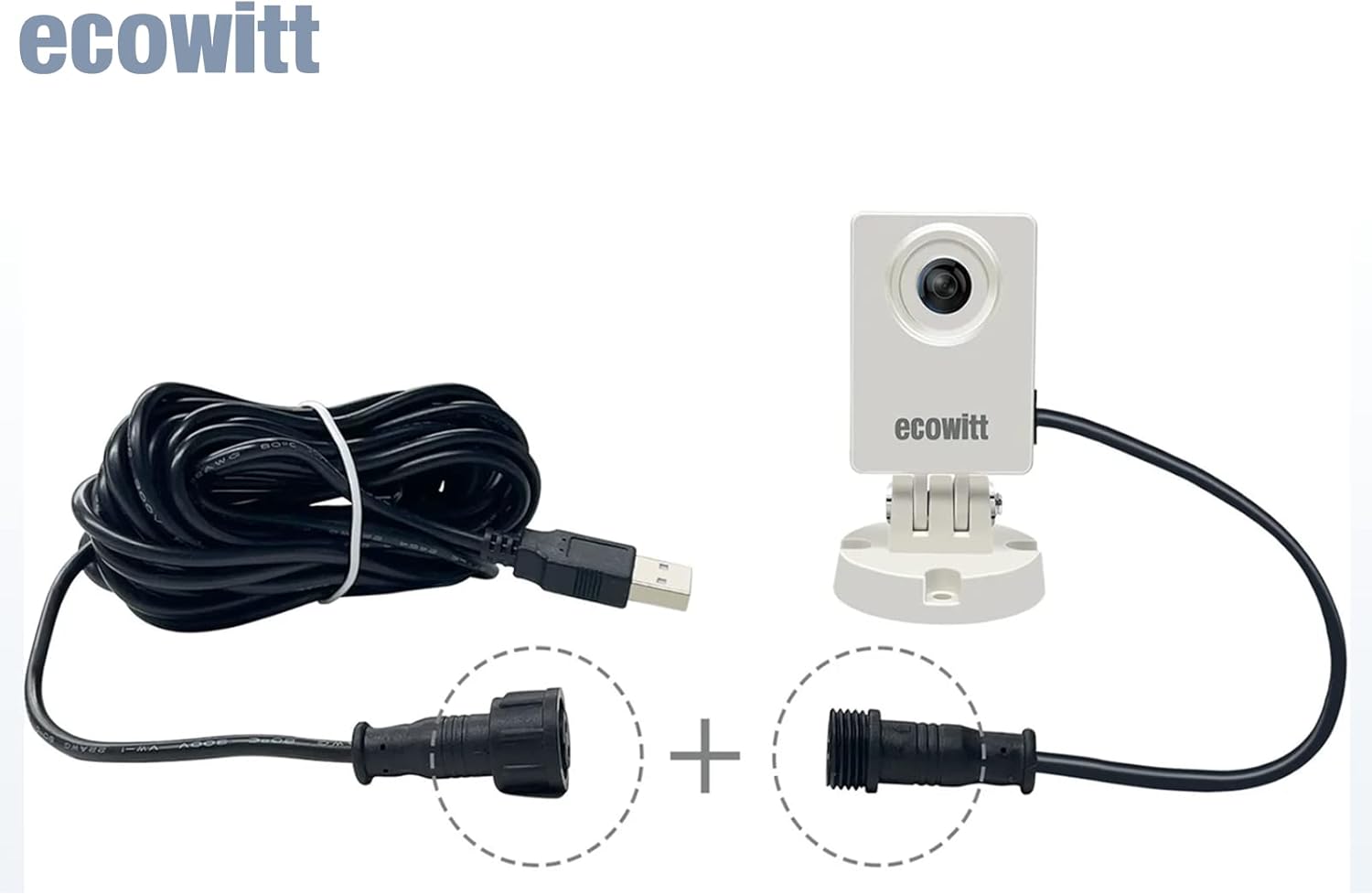
Figure 4: The WittCam HP10 packaging and included items.
3.2. Фізичне встановлення
- Виберіть місце розташування: Виберіть місце на відкритому повітрі, яке забезпечує чіткий view of the area you wish to monitor. Ensure the location is within range of your 2.4 GHz Wi-Fi network.
- Встановити камеру: Use the provided mounting base to securely attach the camera to a wall or other stable surface. Ensure the camera is positioned to capture the desired field of view.
- Підключіть живлення: Connect the USB power cord to the camera and plug it into a suitable power source. The camera requires a continuous power supply.

Малюнок 5: Впрample of the WittCam HP10 mounted outdoors for environmental monitoring.
3.3. Wi-Fi Connection and App Integration
- Завантажте додаток: шукати the "ECOWITT" app on your smartphone's app store (iOS or Android) and install it.
- Створити обліковий запис: Open the ECOWITT app and follow the instructions to create a new account or log in if you already have one.
- Додати пристрій: In the app, select the option to add a new device. Follow the on-screen prompts to connect your WittCam HP10 to your 2.4 GHz Wi-Fi network. This typically involves scanning a QR code on the camera or entering Wi-Fi credentials.
- Перевірте підключення: Once connected, the camera's status indicator should confirm a successful Wi-Fi connection. You should be able to view live snapshots or recent images within the app.

Figure 6: The WittCam HP10 indicating a strong Wi-Fi signal.
4. Інструкція з експлуатації
4.1. Monitoring Capabilities
The WittCam HP10 is designed for various monitoring applications:
- Зростання рослин: Observe the development of plants over time.
- Зміни погоди: Monitor cloud formations, precipitation, and other atmospheric conditions.
- Рівень води: Track changes in water bodies or containers.
- Snow Depth: Measure snow accumulation.
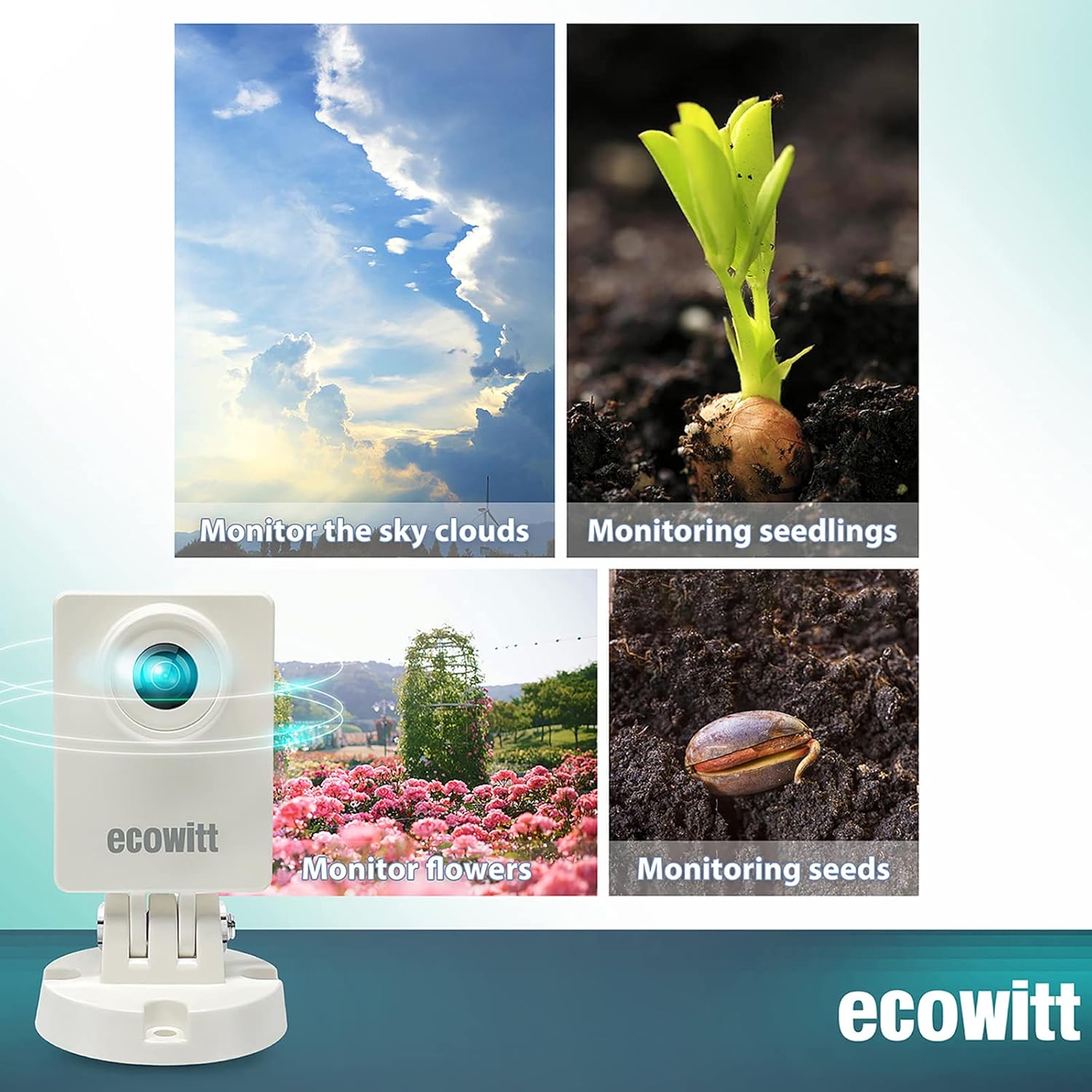
Figure 7: Monitoring plant growth stages with the WittCam HP10.

Малюнок 8: Впрamples of monitoring weather conditions and seedlings.

Figure 9: The WittCam HP10 observing an agricultural environment.
4.2. Picture Hosting and Time-Lapse Video
The camera uploads pictures to www.ecowitt.net. The website organizes received pictures for the current day. If the time exceeds 24 hours, it automatically generates a time-elapsed video for easier review of changes.
4.3. HTTP GET Command
The camera supports HTTP GET commands for reading the last picture taken. To utilize this feature, the device's IP address must be obtained.
5. Технічне обслуговування
- Очищення лінз: Періодично очищуйте об'єктив камери м'якою губкоюamp cloth to ensure clear image quality. Avoid abrasive materials.
- Підключення живлення: Regularly check that the USB power cord is securely connected to both the camera and the power source.
- Сигнал Wi-Fi: Ensure the camera maintains a stable Wi-Fi connection. If signal strength is low, consider repositioning the camera or Wi-Fi router.
- Робоча температура: The camera is designed to operate within a temperature range of 0°C to 50°C (32°F to 122°F).
6. Вирішення проблем
- Камера не підключається до Wi-Fi:
Ensure your Wi-Fi network is 2.4 GHz. Verify the Wi-Fi password. Move the camera closer to the router. Restart both the camera and your router. - No Images or Snapshots in App/Webсайт:
Check the camera's power supply and Wi-Fi connection. Confirm the camera is properly added to your ECOWITT account. Allow some time for images to upload, as the camera primarily takes snapshots, not live streaming video. - Проблеми з якістю зображення:
Очистіть об'єктив камери. Переконайтеся, що в полі зору камери немає перешкод. view. - Немає нічного бачення:
Please note that this camera does not feature dedicated night vision capabilities. It is primarily designed for daytime monitoring. - Складність з налаштуванням:
Refer to the digital user manual at s.ecowitt.com/JC83NU for detailed setup instructions. Ensure all steps are followed precisely.
7. Технічні характеристики
| Особливість | Специфікація |
|---|---|
| Номер моделі | HP10 |
| Джерело живлення | Провідний електричний |
| Протокол підключення | Wi-Fi (2.4 ГГц) |
| Тип монтажу | Настінне кріплення |
| Роздільна здатність захоплення відео | 1080p |
| Колір | Білий |
| Міжнародний захист рейтингу | IP66 |
| Спосіб контролю | додаток |
| Вага товару | 8.2 унції |
| Розміри упаковки | 5.94 x 4.88 x 2.28 дюймів |
| Тип флеш-пам'яті | NO Micro SD |
| Тип фокусування | Ручне фокусування |
| Формат захоплення відео | MPEG-4 |
| Рекомендоване використання | Моніторинг |
| Особливість | Пульт дистанційного керування |
| Сумісні пристрої | Ecowitt WiFi Gateway |

Figure 10: Dimensions of the ECOWITT WittCam HP10.
8. Гарантія та підтримка
For warranty information, please refer to the documentation included with your purchase or visit the official ECOWITT website. For technical support, frequently asked questions, and additional resources, please visit www.ecowitt.net.


