1. Вступ
Thank you for choosing the Nexxt Indoor Smart Camera. This manual provides essential information for the safe and efficient use of your new device. Please read it thoroughly before installation and operation, and retain it for future reference.
This 1080p HD fixed room camera is designed to provide reliable indoor surveillance with features such as night vision, two-way audio communication, motion detection, and seamless integration with smart home ecosystems like Amazon Alexa and Google Assistant.
2. Інформація про безпеку
- Ensure the camera is powered by the provided power adapter. Using unauthorized adapters may damage the device and void the warranty.
- Do not expose the camera to water, moisture, or extreme temperatures. It is designed for indoor use only.
- Уникайте розміщення камери під прямими сонячними променями або поблизу джерел тепла.
- Не намагайтеся розбирати або ремонтувати камеру самостійно. Звертайтеся до кваліфікованого персоналу для проведення будь-яких технічних робіт.
- Зберігайте камеру та її аксесуари у недоступному для дітей та домашніх тварин місці.
- Ensure stable Wi-Fi connectivity for optimal performance.
3. Вміст упаковки
Перевірте наявність усіх елементів в упаковці:
- NEXXT Indoor Smart Camera (NHC-I710)
- Адаптер живлення
- стенд
- Посібник користувача (цей документ)

Image: The retail packaging of the NEXXT Indoor Smart Camera, showing the camera and key features.
4. Продукт закінчивсяview
The Nexxt Indoor Smart Camera offers a range of features for comprehensive home monitoring:
- Роздільна здатність Full HD 1080p: Забезпечує чітке та детальне відео footage.
- Автоматичне нічне бачення: Integrated infrared LEDs enable clear monitoring in low-light conditions up to 30 feet.
- Двосторонній зв'язок: Built-in microphone and speaker allow for real-time audio interaction.
- Виявлення руху: Попереджає вас про виявлений рух у полі зору камери view.
- Локальні та хмарні сховища: Supports microSD cards (sold separately) and Microsoft Azure cloud storage (subscription sold separately) for recording.
- Інтеграція розумного будинку: Compatible with Amazon Alexa and Google Assistant for voice control and integration into smart routines.
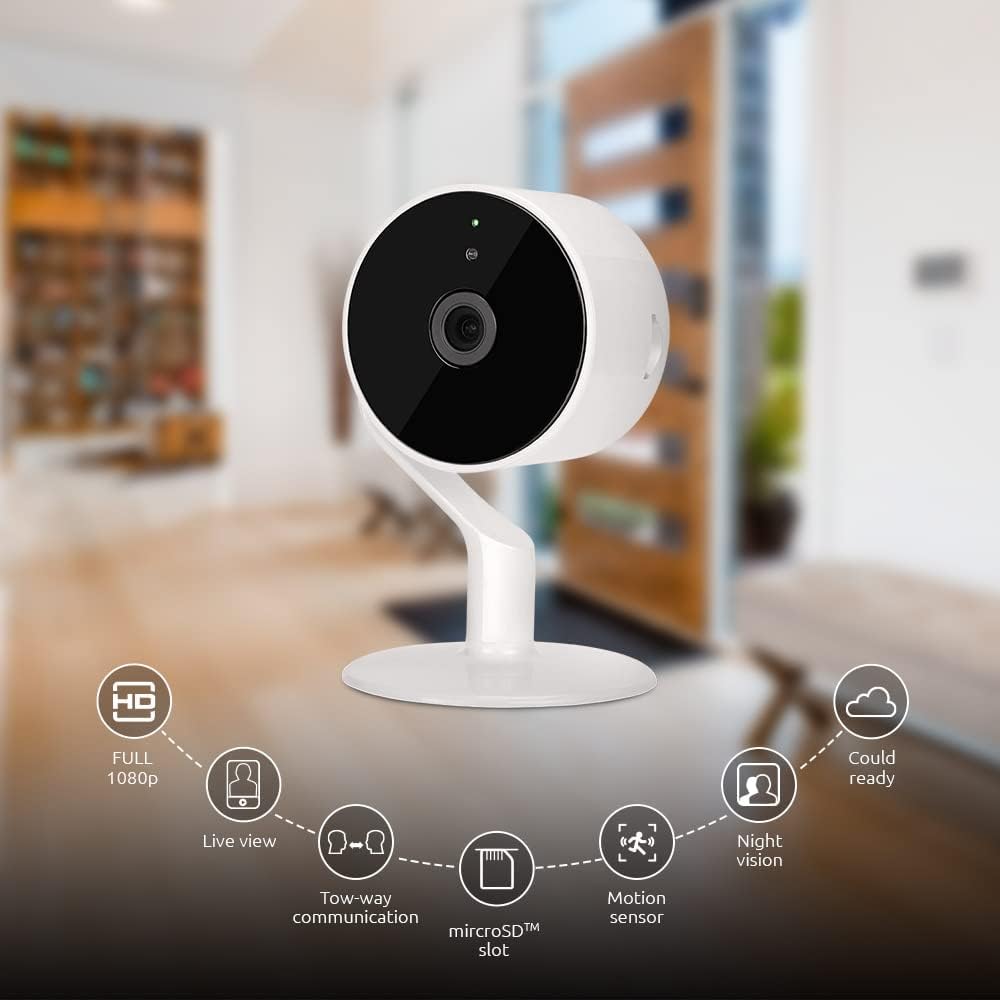
Image: The NEXXT Indoor Smart Camera highlighting its key features: Full HD 1080p, Live View, Two-way communication, microSD slot, Motion sensor, Night vision, and Cloud ready.
5. Налаштування
5.1 Увімкнення
- Place the camera on a stable, flat surface or mount it using appropriate hardware (not included).
- Підключіть адаптер живлення до вхідного порту живлення камери.
- Plug the power adapter into a standard electrical outlet. The camera will power on and its indicator light will begin to flash, indicating it's ready for pairing.
5.2 Встановлення та сполучення програм
To control and monitor your camera, you need to download the Nexxt Home App:
- Завантажити Додаток Next Home від Google Play Store (для пристроїв Android) або Apple App Store (для пристроїв iOS).
- Open the Nexxt Home App and create a new account or log in if you already have one.
- Tap the "+" icon or "Add Device" to begin the pairing process.
- Select "Camera" or the specific camera model from the list of devices.
- Follow the on-screen instructions in the app to connect the camera to your home Wi-Fi network. This typically involves scanning a QR code displayed on your phone with the camera.
- Once connected, the camera's indicator light will turn solid, and you will see the camera added to your app.

Image: Illustration showing the NEXXT Indoor Smart Camera being set up to function as a webcam, connecting to a laptop.
6. Інструкція з експлуатації
6.1 Живий View
From the Nexxt Home App, tap on your camera's name to access the live video feed. You can view foo в режимі реального часуtagвашої контрольованої зони.

Image: The NEXXT Indoor Smart Camera on a desk, with text indicating "Full HD resolution" and its ability to provide 1080p high-quality video day or night.
6.2 Двосторонній зв'язок
У прямому ефірі view, tap the microphone icon in the app to enable two-way audio. You can speak through your phone, and your voice will be projected through the camera's speaker. Tap the icon again to end communication.

Image: An illustration depicting communication between a person using a phone and another person near the camera, symbolizing the two-way talk feature.
6.3 Нічне бачення
The camera automatically switches to night vision mode in low-light conditions. You can also manually toggle night vision on/off within the app settings for the camera.

Image: A split image showing a room in daylight on one side and the same room in night vision on the other, demonstrating the camera's night vision capability.

Image: A smartphone screen displaying the Nexxt Home app interface with a night vision toggle switch, overlaid on a room scene, indicating active night vision monitoring.
6.4 Виявлення руху та сповіщення
Configure motion detection sensitivity and alert preferences in the app. When motion is detected, you will receive notifications on your smartphone.

Image: A person sleeping in bed with a motion detection icon overlaid, indicating advanced motion detection with an effective range of up to 30 feet.

Image: A woman holding a smartphone displaying the Nexxt Home app, with text indicating that advanced human identification technology helps reduce false alarms and unwanted notifications.
6.5 Запис та зберігання
The camera supports local storage via a microSD card (up to 128GB, not included) and cloud storage via Microsoft Azure (subscription required, sold separately). Insert the microSD card into the designated slot on the camera. Manage recording settings and view записаний footage through the Nexxt Home App.
6.6 Спільний доступ
You can securely share your camera's security feed with multiple approved devices, allowing family members or trusted individuals to also monitor your home.

Image: Two smartphones displaying the Nexxt Home app, with text stating "Everyone Can Keep Watch" and explaining that the security feed can be securely shared with multiple approved devices.
6.7 Інтеграція з розумним будинком
The Nexxt Indoor Smart Camera is compatible with Amazon Alexa and Google Assistant. Follow the instructions in your Alexa or Google Home app to link your Nexxt Home account and enable voice commands for your camera.
7. Технічне обслуговування
- Прибирання: Використовуйте м’яку суху тканину для очищення об’єктива та корпусу камери. Не використовуйте рідкі засоби для чищення або аерозолі.
- Зберігання: Якщо камеру зберігатимете протягом тривалого часу, від’єднайте її від живлення та зберігайте у прохолодному сухому місці.
- Оновлення прошивки: Regularly check the Nexxt Home App for available firmware updates to ensure optimal performance and security.
8. Вирішення проблем
- Камера не підключається до Wi-Fi:
- Переконайтеся, що ваша мережа Wi-Fi працює на частоті 2.4 ГГц. Камера не підтримує Wi-Fi 5 ГГц.
- Перевірте правильність пароля від Wi-Fi.
- Перемістіть камеру ближче до вашого Wi-Fi роутера.
- Перезавантажте роутер і камеру.
- Ні в прямому ефірі view or choppy video:
- Перевірте швидкість вашого інтернет-з’єднання.
- Ensure the camera has a strong Wi-Fi signal.
- Close and reopen the Nexxt Home App.
- Сповіщення про рух не отримано:
- Перевірте, чи в налаштуваннях програми ввімкнено функцію виявлення руху.
- Check your phone's notification settings for the Nexxt Home App.
- Налаштуйте чутливість виявлення руху.
- Двосторонній аудіозв'язок не працює:
- Ensure your phone's microphone is enabled for the Nexxt Home App.
- Перевірте налаштування гучності на телефоні та в додатку.
9. Технічні характеристики
| Особливість | Специфікація |
|---|---|
| Назва моделі | NHC-I710 |
| Роздільна здатність захоплення відео | 1080p HD |
| Використання в приміщенні/зовні | закритий |
| Технологія підключення | Бездротовий (Wi-Fi) |
| Протокол підключення | Wi-Fi (2.4 ГГц) |
| Джерело живлення | Провідний електричний |
| Діапазон нічного бачення | 30 футів |
| Тип контролера | Amazon Alexa, Google Assistant |
| Тип монтажу | Настільне кріплення |
| Розміри предмета (Д x Ш x В) | 3 x 7 x 3 дюймів |
| Вага товару | 6.7 унцій (0.19 кілограма) |
| UPC | 798302056152 |
| Міжнародний захист рейтингу | IP65 |
10. Гарантія та підтримка
The Nexxt Indoor Smart Camera comes with a Гарантія 2 рік з дати покупки. Будь ласка, збережіть чек про покупку для гарантійного обслуговування.
For technical support, troubleshooting assistance, or warranty inquiries, please visit the official Nexxt Solutions website or contact their customer support through the Nexxt Home App.
Наступні рішення Webсайт: www.nexxtsolutions.com


