1. Вступ
This manual provides comprehensive instructions for the setup, operation, maintenance, and troubleshooting of your KLIM Discman Portable CD Player. This device is designed for playing audio CDs, CD-R, CD-RW, and MP3 discs, offering a versatile listening experience. Please read this manual thoroughly before using the product to ensure proper function and longevity.

Image 1.1: KLIM Discman with headphones and accessories.
2. Вміст упаковки
Перевірте наявність усіх елементів в упаковці:
- KLIM Discman CD Player
- KLIM Headset (Foldable Headphones)
- Earphone Accessories
- Зарядний кабель USB-C
- Сумка для перенесення
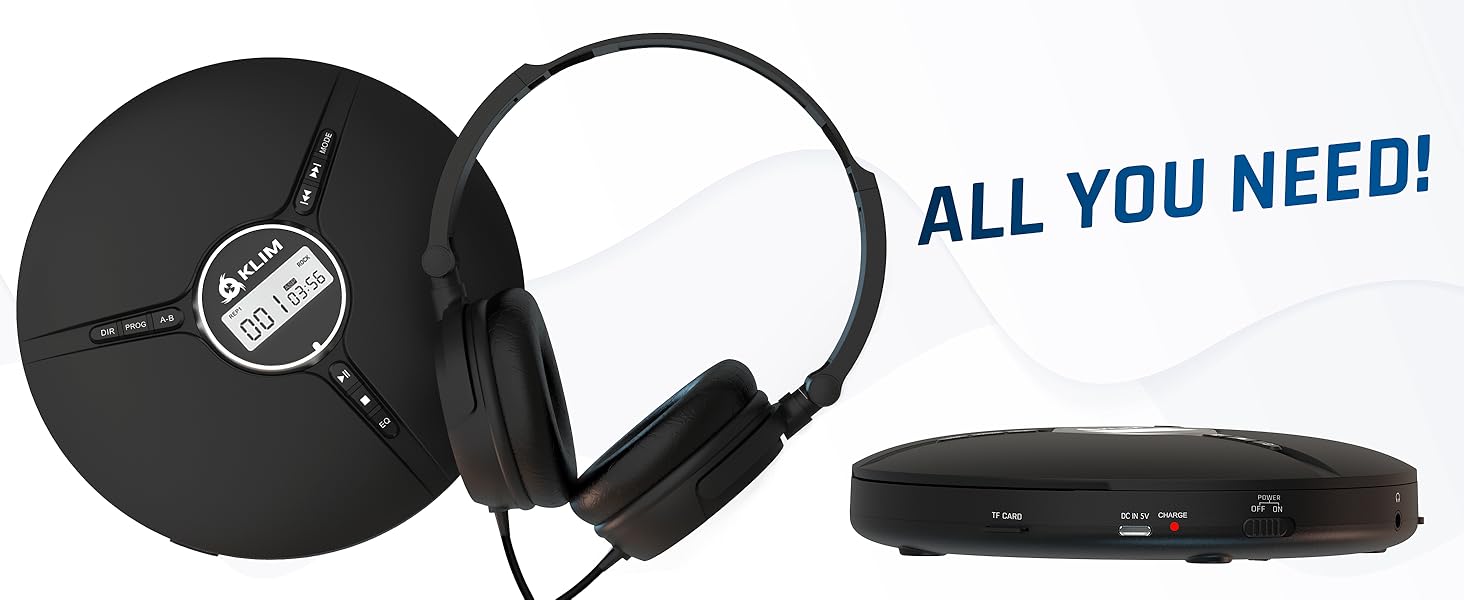
Image 2.1: All included components.
3. Продукт закінчивсяview
Familiarize yourself with the various parts and controls of your KLIM Discman.

Image 3.1: Labeled diagram of the KLIM Discman controls and ports.
Елементи керування та порти:
- Цифровий дисплей: Відображає номер доріжки, час та стан відтворення.
- Кнопка DIR: Directory navigation for MP3 discs.
- Кнопка PROG: Program playback order.
- Кнопка AB: Repeat a specific section of audio.
- Кнопка MODE: Selects playback modes (e.g., repeat one, repeat all).
- Previous/Rewind Button (◀◀): Skips to the previous track or rewinds current track.
- Next/Fast Forward Button (▶▶): Skips to the next track or fast forwards current track.
- Кнопка відтворення/паузи (▶/‖‖): Запуск або призупинення відтворення.
- Кнопка зупинки (■): Зупинка відтворення.
- Кнопка EQ: Перемикає різні попередньо налаштовані налаштування еквалайзера.
- Регулювання гучності: Регулює рівень вихідного аудіо.
- AUX / Jack 3.5 mm Input: Для підключення зовнішніх аудіопристроїв або навушників.
- Слот для картки TF: For inserting a MicroSD card (up to 32 GB) for MP3 playback.
- Порт зарядки USB-C: Для заряджання внутрішнього акумулятора.
- ON/OFF and HOLD Button: Powers the device on/off and locks buttons to prevent accidental presses.
4. Налаштування
4.1. Зарядка батареї
The KLIM Discman features a built-in rechargeable battery. Before first use, fully charge the device.
- Connect the provided USB-C charging cable to the USB-C port on the Discman.
- Підключіть інший кінець кабелю USB-C до адаптера живлення USB (не входить до комплекту) або USB-порту комп’ютера.
- Індикатор заряджання засвітиться. Після повного заряджання індикатор може змінити колір або вимкнутися, залежно від моделі.
- Повного заряду вистачає на 14 годин відтворення.
4.2. Вставлення компакт-диска
- Gently slide the OPEN switch to open the CD compartment lid.
- Place the CD with the label side facing up onto the center spindle. Ensure the CD is securely seated.
- Close the CD compartment lid firmly until it clicks into place.
4.3. Підключення навушників
Connect the included KLIM headset or your preferred 3.5mm headphones to the AUX / Jack 3.5 mm input port on the Discman.
4.4. Inserting a TF Card (MicroSD)
If playing MP3 files from a TF card:
- Locate the TF Card slot on the side of the Discman.
- Insert the TF card (up to 32 GB) into the slot until it clicks. Ensure the card is inserted in the correct orientation.
- Щоб вийняти, обережно натисніть на карту, доки вона не вискочить.
5. Інструкція з експлуатації
5.1. Power On/Off and Hold Function
- Увімкнення: Пересуньте перемикач УВІМК./ВИМК. у положення «УВІМК.».
- Вимкнення живлення: Slide the ON/OFF switch to the 'OFF' position.
- Функція утримання: Slide the ON/OFF switch to the 'HOLD' position to lock all buttons and prevent accidental operation during transport. The display will show 'HOLD'.
5.2. Базове відтворення
- After powering on and inserting a CD, the player will typically begin playback automatically.
- Натисніть ▶/‖‖ кнопку для призупинення відтворення. Натисніть знову, щоб продовжити.
- Натисніть ▶▶ button to skip to the next track. Press and hold to fast forward.
- Натисніть ◀◀ button to skip to the beginning of the current track. Press twice to skip to the previous track. Press and hold to rewind.
- Натисніть ■ , щоб зупинити відтворення.
5.3. Регулювання гучності
Adjust the volume using the dedicated volume control buttons or dial on the device (if present, otherwise volume is controlled by connected headphones/speakers).
5.4. Налаштування еквалайзера (EQ)
Натисніть EQ button repeatedly to cycle through available sound equalizer presets (e.g., Bass, Pop, Jazz, Rock, Classic, etc.) to customize your audio experience.
5.5. Repeat and Program Functions
- Кнопка MODE: Press to select different repeat modes (e.g., repeat one track, repeat all tracks, random play).
- Кнопка PROG: Allows you to program a specific order of tracks to play. Refer to the on-screen display for programming steps.
- Кнопка AB: Press once at the start point (A) and again at the end point (B) of a section you wish to repeat. The player will continuously loop this section. Press a third time to cancel.
- DIR Button (for MP3 discs): If your MP3 disc contains multiple folders, press DIR to navigate between directories.
5.6. Відтворення з TF-картки
If a TF card is inserted, the player may automatically switch to TF card mode or require you to press a MODE button to select it. Playback controls are similar to CD playback.
5.7. Connecting to External Audio Devices
The Discman can connect to external speakers or car audio systems via the 3.5mm AUX output. Use a 3.5mm audio cable (not included) to connect the Discman to the AUX input of your external device.

Image 5.1: Connectivity options for the KLIM Discman.
6. Технічне обслуговування
6.1. Cleaning the Discman
- Протріть зовнішню частину програвача м’якою сухою тканиною.
- Не використовуйте абразивні засоби для чищення, розчинники або сильні миючі засоби.
- To clean the optical lens, use a specialized CD lens cleaning kit. Avoid touching the lens directly.
6.2. Догляд за акумулятором
- Щоб продовжити термін служби акумулятора, уникайте частого повного розряджання акумулятора.
- Регулярно заряджайте пристрій, навіть якщо він не використовується, щоб підтримувати справність акумулятора.
- Зберігайте пристрій у прохолодному, сухому місці, якщо він не використовується протягом тривалого часу.
6.3. CD and TF Card Handling
- Handle CDs by their edges to avoid fingerprints and scratches on the playing surface.
- Зберігайте компакт-диски в їхніх футлярах, коли вони не використовуються.
- Ensure TF cards are inserted and removed correctly to prevent damage to the card or slot.
7. Вирішення проблем
If you encounter issues with your KLIM Discman, refer to the following common problems and solutions:
| проблема | Можлива причина | Рішення |
|---|---|---|
| Пристрій не включається. | Battery is depleted. Device is in HOLD mode. | Charge the battery. Slide the ON/OFF switch out of 'HOLD' position. |
| CD does not play / 'DISC' error. | CD is dirty, scratched, or inserted incorrectly. Disc format is not supported. | Clean the CD. Reinsert the CD correctly. Ensure the disc is CD Audio, CD-R, CD-RW, or MP3 format. |
| Немає звуку з навушників. | Headphones not connected properly. Volume is too low. Headphones are faulty. | Ensure headphones are fully plugged in. Increase volume. Test with another pair of headphones. |
| Music skips or stutters. | CD is scratched or dirty. Excessive movement. | Clean the CD. The anti-shock protection buffers 100 seconds of audio, but extreme movement can still cause skips. |
| TF-карту не розпізнано. | TF card inserted incorrectly. Card is corrupted or unsupported format. | Reinsert the TF card. Ensure it is formatted correctly (FAT32) and contains supported MP3 files. Max capacity 32GB. |
8. Технічні характеристики
Technical details for the KLIM Discman Portable CD Player.
| Особливість | Деталь |
|---|---|
| Назва моделі | KLIM Nomad |
| Розміри продукту | 5.51 x 5.51 x 1.1 дюймів |
| Вага товару | 8.1 унції |
| Акумулятор | 1 літій-іонний акумулятор (у комплекті) |
| Час відтворення | До 14 годин (приблизно) |
| Сумісність | CD Audio, CD-R, CD-RW, MP3 |
| Підтримка карт TF | До 32 Гб |
| Підключення | 3.5mm Auxiliary Jack, USB-C (charging) |
| Особливості | Anti-skip/Anti-shock protection (100s), Digital Equalization, HOLD function |

Зображення 8.1: Розміри виробу.
9. Гарантія та підтримка
The KLIM Discman comes with a Гарантія на 5 рік. This warranty covers manufacturing defects and ensures the product meets quality standards for an extended period.
For technical support, warranty claims, or any questions regarding your KLIM Discman, please visit the official KLIM webсайт або зверніться до служби підтримки клієнтів. Більше інформації можна знайти на www.klimtechs.com.
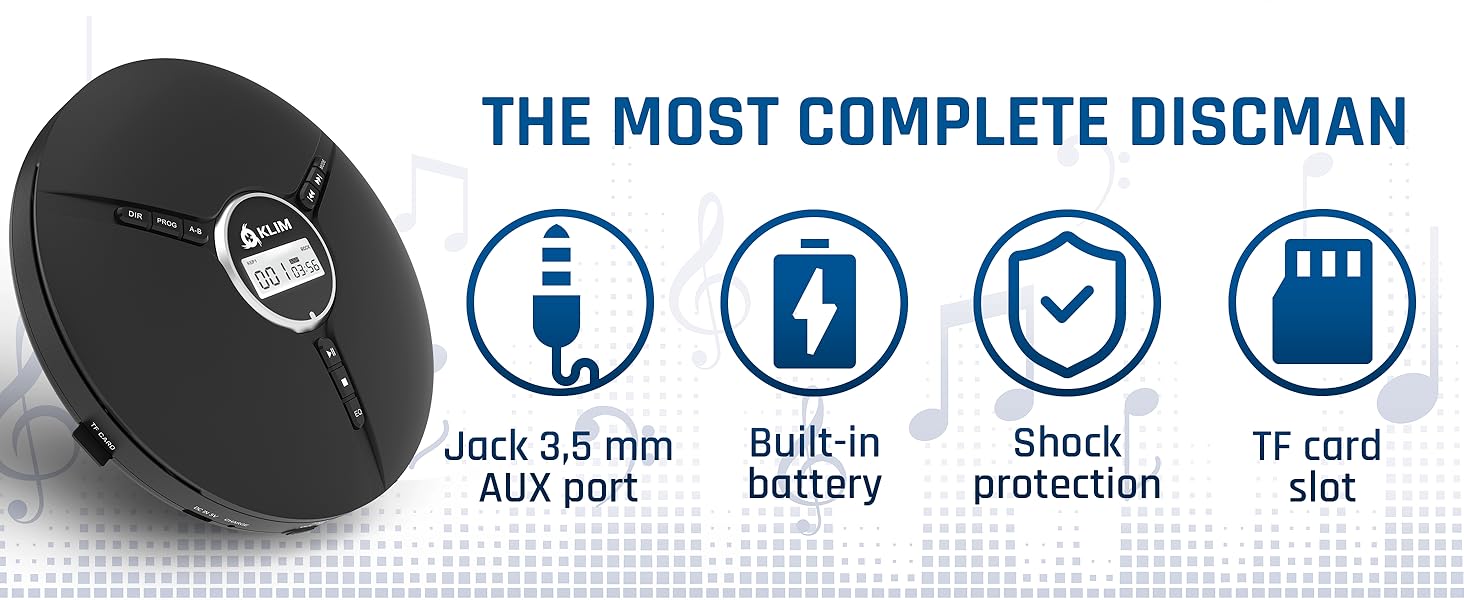
Image 9.1: Key features including shock protection and built-in battery.


