вступ
This manual provides comprehensive instructions for the MAUL M112 calculator. It covers setup, basic operations, advanced functions, maintenance, and troubleshooting to ensure optimal performance and longevity of your device. Please read this manual thoroughly before using the calculator.
Продукт закінченийview

Зображення 1: Фронт view of the MAUL M112 calculator, showcasing its 12-digit display and key layout. The calculator features a silver front panel and black keys with colored function buttons.
The MAUL M112 is a compact, 12-digit display calculator designed for office, home, and school use. It features both solar and battery power for reliable operation in various lighting conditions. Key functions include percentage and tax calculations, memory functions, and an automatic shutdown feature to conserve energy.

Зображення 2: The MAUL M112 calculator held in a hand, illustrating its compact size (approximately 11.9 cm x 7.0 cm x 1.0 cm). This image highlights its portability and ergonomic design.
Налаштування
Джерело живлення
The MAUL M112 calculator operates on a dual power system: solar and battery. This ensures continuous functionality even in low-light environments.
- Сонячна енергія: The calculator primarily uses solar energy when sufficient light is available. Ensure the solar panel, located above the display, is exposed to light for optimal performance.
- Потужність батареї: For use in dark conditions or when solar power is insufficient, the calculator automatically switches to battery power. One LR1130 battery is included with the device.
Початкове використання
Upon first use, the calculator should be ready for operation. If the display does not activate, ensure it is exposed to light or check the battery compartment.

Зображення 3: Задня view of the MAUL M112 calculator, displaying the battery compartment cover. This is where the LR1130 battery is housed and can be accessed for replacement.
Інструкція з експлуатації
Основні операції
- Power On/Clear: Прес ON C·CE to turn on the calculator or clear the current entry.
- Все чисто: Прес AC to clear all calculations and memory.
- Введення номера: Use the number keys (0-9) and the decimal point (.) to enter values.
- Арифметичні операції: використання + (додаток), - (віднімання), x (множення) та ÷ (division) for calculations.
- Дорівнює: Прес = щоб відобразити результат обчислення.
- Double Zero: The 00 button allows for quick entry of two zeros.
- Delete Last Digit: Натисніть → (backspace) button to delete the last entered digit.
Функції пам'яті
The calculator includes a 3-button memory function:
- M+Додає відображене значення до пам'яті.
- M-: Віднімає відображене значення з пам'яті.
- MRC: Recalls the memory content (first press) or clears the memory (second press).
Спеціальні функції
- % (відсотокtagд): Розраховує відсоткиtagес.
- Example (Add Percentagд): Enter value, press +, enter percentage, натисніть %.
- Example (Discount): Enter value, press -, enter percentage, натисніть %.
- TAX+ / TAX- (Tax Calculation): These buttons are used for calculations involving tax rates.
- Встановлення ставки податку: Прес НАБІР, then enter the tax rate (e.g., 5 for 5%), then press ПОДАТОК+. The tax rate is now stored.
- Add Tax: Enter original price, press ПОДАТОК+.
- Subtract Tax: Enter price including tax, press ПОДАТОК-.
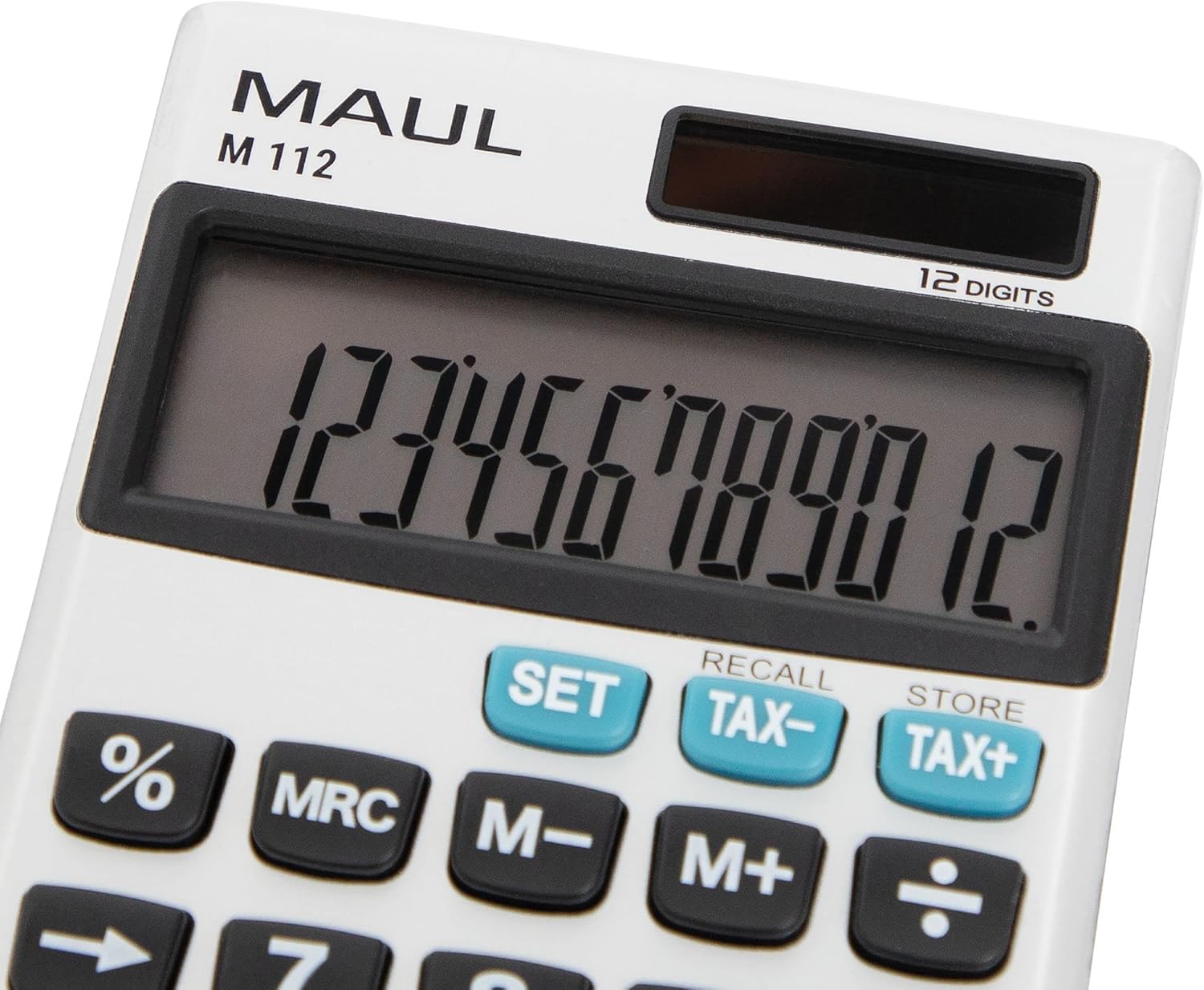
Зображення 4: Детальний view of the MAUL M112 calculator's 12-digit LCD display and the function keys, including SET, TAX-, TAX+, %, MRC, M-, M+, and the arithmetic operators. This image highlights the clear labeling and distinct coloring of important keys.
Технічне обслуговування
прибирання
Щоб зберегти зовнішній вигляд та функціональність калькулятора:
- Протріть калькулятор м’якою сухою тканиною.
- Для стійкого бруду злегкаampпромийте тканину водою. Уникайте використання агресивних хімікатів або абразивних засобів для чищення.
- Ensure no liquid enters the calculator's internal components.
Заміна батареї
When the display becomes dim or unresponsive in low light, the LR1130 battery may need replacement.
- Переверніть калькулятор.
- Locate the battery compartment cover (refer to Image 3).
- Carefully open the cover using a small screwdriver or coin.
- Вийміть стару батарейку LR1130.
- Insert a new LR1130 battery, ensuring correct polarity (+/-).
- Надійно закрийте кришку батарейного відсіку.
Примітка: Утилізуйте використані батареї відповідно до місцевих правил.
Усунення несправностей
- Дисплей порожній:
- Переконайтеся, що калькулятор має достатнє освітлення для роботи від сонячної енергії.
- Check if the battery needs replacement (refer to Battery Replacement section).
- Прес ON C·CE щоб увімкнути пристрій.
- Неправильні розрахунки:
- Прес AC to clear all previous entries and memory.
- Double-check your input values and the sequence of operations.
- Клавіші не реагують:
- Ensure the keys are clean and free from debris.
- If the issue persists, try replacing the battery.
Технічні характеристики
| Назва моделі | M112 |
| Дисплей | 12-digit LCD, 1-line display |
| Джерело живлення | Solar powered and battery operated (LR1130) |
| Розміри (Д x Ш x В) | 11.9 х 7.0 х 1.0 см |
| матеріал | Plastic (front made of aluminium) |
| Функції пам'яті | 3-button memory (M+, M-, MRC) |
| Спеціальні функції | Відсотокtage (%), Tax Calculation (TAX+, TAX-), Double Zero (00), Delete Last Digit (→) |
| Автоматичне відключення | так |
| Виробник | Якоб Маул ГмбХ |
Гарантія
The MAUL M112 calculator comes with a Гарантія 5 рік from the date of purchase. This warranty covers manufacturing defects under normal use. Please retain your proof of purchase for warranty claims. For detailed warranty terms and conditions, please refer to the official MAUL webсайту або зв’яжіться зі службою підтримки клієнтів.
Підтримка
For further assistance, technical support, or inquiries regarding your MAUL M112 calculator, please visit the official MAUL webсайт або зверніться до їхнього відділу обслуговування клієнтів. Контактну інформацію зазвичай можна знайти на упаковці продукту або на сайті виробника webсайт.
Виробник: Якоб Маул ГмбХ


