вступ
This manual provides instructions for the safe and efficient operation of your Alecto Smartbaby5 WiFi Baby Monitor. Please read this manual thoroughly before use and retain it for future reference.

The Alecto Smartbaby5 baby monitor, shown next to a smartphone displaying its live video feed.
Інформація про безпеку
- Ensure the device is placed out of reach of children.
- Використовуйте лише наданий адаптер живлення.
- Не піддавайте пристрій впливу води або надмірної вологості.
- Уникайте розміщення пристрою поблизу джерел тепла або прямих сонячних променів.
- The camera requires a 2.4 GHz Wi-Fi connection for operation.
Вміст упаковки
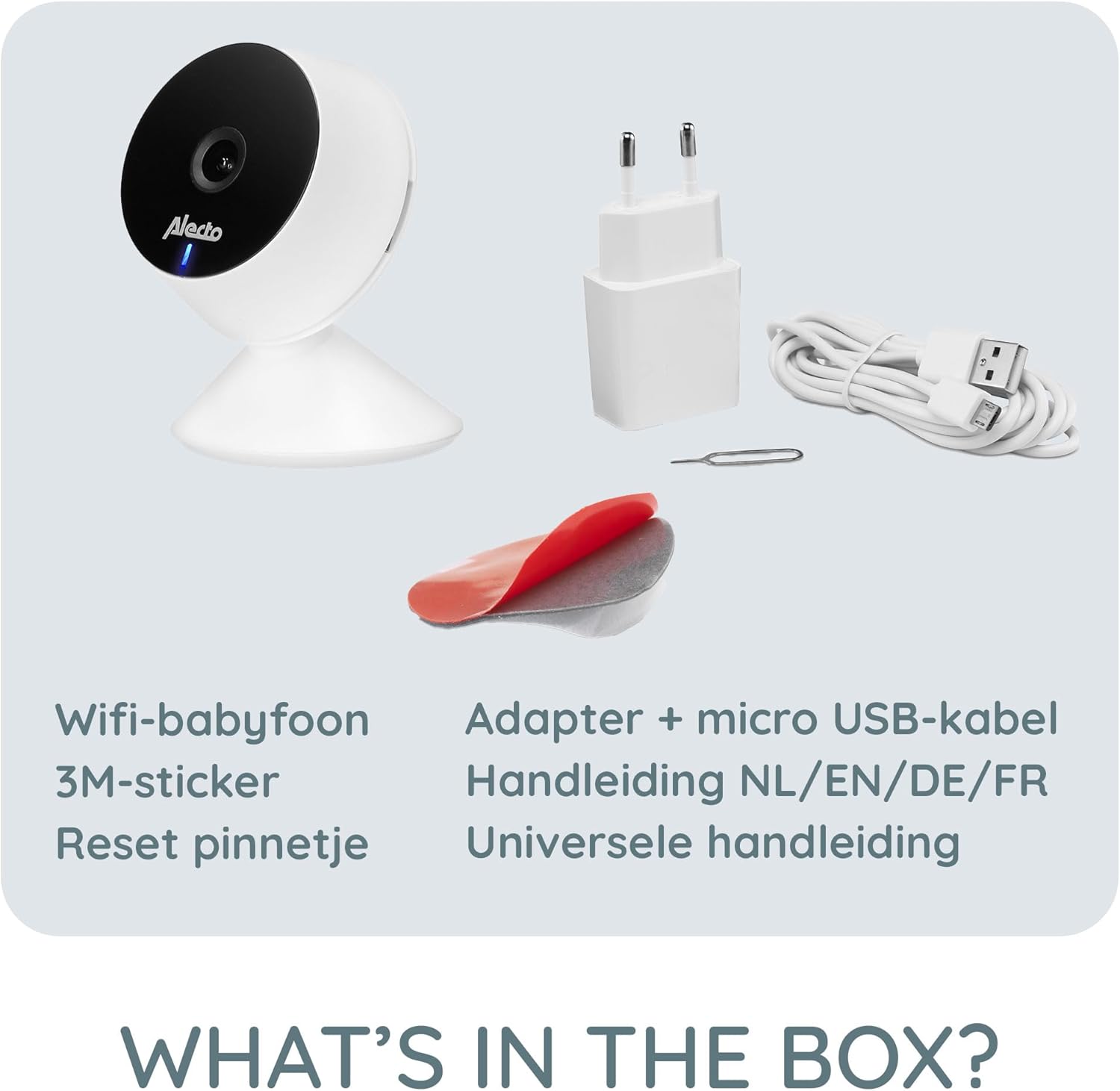
Перевірте наявність усіх елементів в упаковці:
- Alecto Smartbaby5 WiFi Baby Monitor Camera
- Адаптер живлення
- Кабель Micro USB
- Клейка наклейка 3M
- Скинути PIN-код
- User Manual (multi-language)

An illustration of the items included in the Alecto Smartbaby5 product box.
Налаштування
1. Живлення камери
- Підключіть кабель micro USB до порту живлення камери.
- Підключіть адаптер живлення до настінної розетки.
- The camera will power on, indicated by an LED light.
2. Встановлення та підключення програми
The Alecto Smartbaby5 operates via the Smart Life application.
- Завантажити Розумне життя додаток з App Store (iOS) або Google Play Store (Android).
- Створіть обліковий запис або увійдіть, якщо у вас його вже є.
- Дотримуйтесь інструкцій у додатку, щоб додати новий пристрій. Переконайтеся, що ваш смартфон підключено до 2.4 ГГц мережа Wi-Fi.
- The camera will guide you through the pairing process.

The Alecto Smartbaby5 requires a 2.4 GHz Wi-Fi connection for proper functionality.
3. Розміщення камери
Position the camera in a location that provides a clear view of the desired area (e.g., crib). The camera can be placed on a flat surface or mounted.
- Поверхневе розміщення: Розмістіть камеру на стійкій, рівній поверхні.
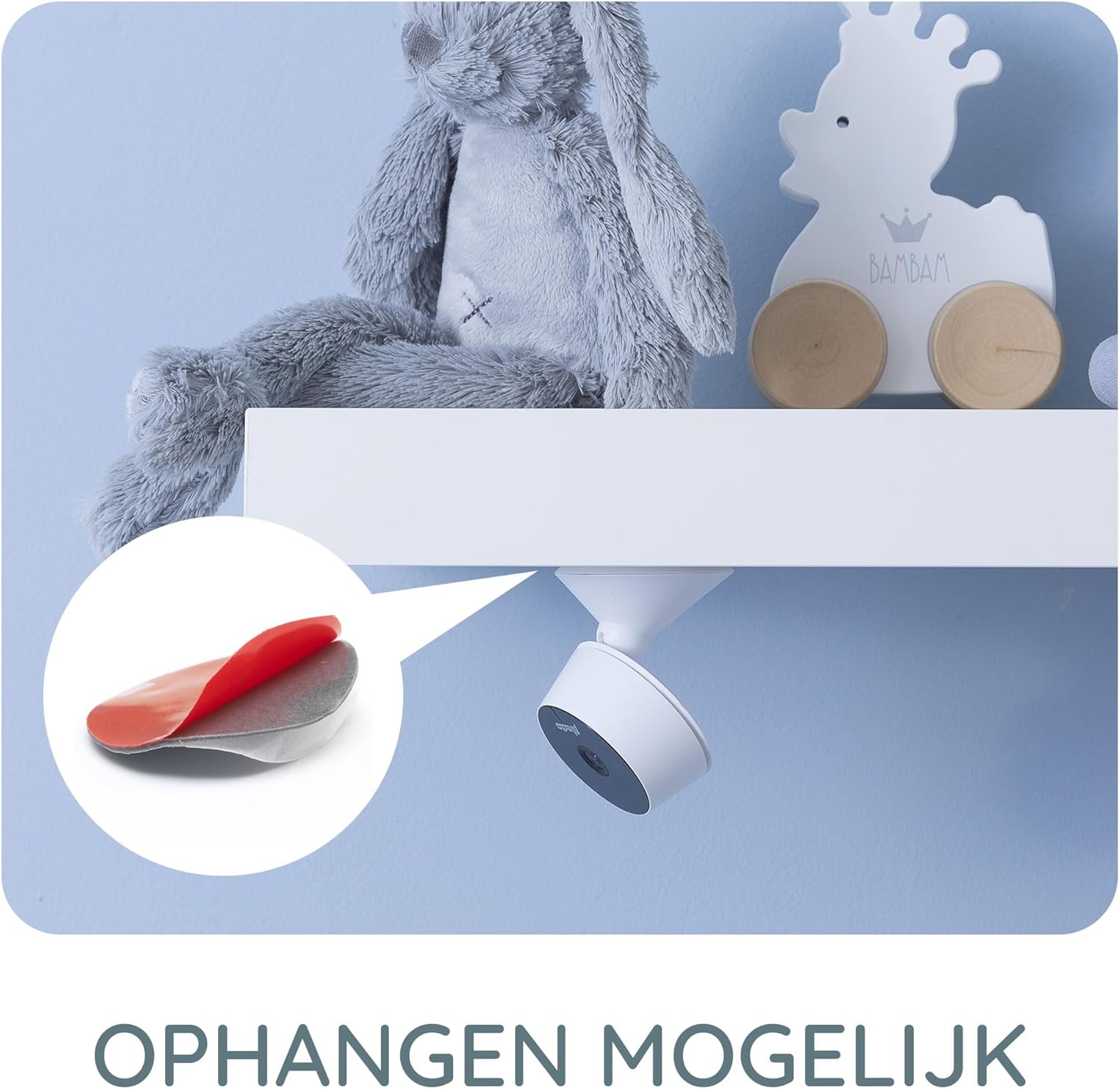
- Wall/Shelf Mounting: Use the provided 3M adhesive sticker to securely attach the camera to a wall or under a shelf. Ensure the surface is clean and dry before applying the adhesive.

The camera can be mounted under a shelf using the included 3M adhesive for optimal viewкути.
Інструкція з експлуатації
Жити View та моніторингу
Once connected, open the Smart Life app on your smartphone or tablet to access the live video feed from the camera. The app provides a secure connection, ensuring only authorized users can view корм.
The Smart Life app interface showing various features like push notifications, recording, and MicroSD storage options.
Key Features via Smart Life App
- Роздільна здатність HD: View live video in 1920 x 1080p HD resolution.
- Інфрачервоне нічне бачення: The camera automatically switches to infrared night vision in low-light conditions, providing clear images in the dark.
- Виявлення руху та звуку: Receive push notifications on your smartphone when movement or sound is detected in the monitored area.
- Two-Way Intercom Function: Use the built-in speaker and microphone to listen to and speak with your child remotely through the app.
- Запис: Record images and videos directly to your smartphone or optionally to a MicroSD card (not included).
- Mobile Internet Access: Monitor your child via mobile internet (5G, 4G, or 3G) when away from your home Wi-Fi network.

The two-way intercom function allows remote communication with your child.
Технічне обслуговування
- Прибирання: Використовуйте м’яку суху тканину для очищення об’єктива та корпусу камери. Не використовуйте рідкі засоби для чищення або аерозолі.
- Зберігання: Якщо пристрій зберігатиметься протягом тривалого часу, від’єднайте його від живлення та зберігайте у прохолодному сухому місці.
- Оновлення програмного забезпечення: Regularly check the Smart Life app for available firmware updates for the camera to ensure optimal performance and security.
Усунення несправностей
| проблема | Можлива причина | Рішення |
|---|---|---|
| Камера не підключається до Wi-Fi. | Неправильний діапазон Wi-Fi (не 2.4 ГГц), слабкий сигнал, неправильний пароль. | Ensure your router is broadcasting a 2.4 GHz signal. Move the camera closer to the router. Re-enter Wi-Fi password carefully. |
| У додатку немає відеотрансляції. | Camera is offline, app issue, internet connectivity problem. | Check if the camera is powered on and connected to Wi-Fi. Restart the app. Verify your smartphone's internet connection. |
| Motion/Sound detection not working. | Settings not enabled in the app, app notifications disabled. | Go to the camera settings in the Smart Life app and enable motion/sound detection. Check your phone's notification settings for the Smart Life app. |
| Intercom function not working. | Microphone/speaker issues, app permissions. | Ensure the app has microphone permissions on your phone. Check volume settings in the app. |
| Camera falls off mounting surface. | Adhesive not strong enough, surface not clean. | Ensure the mounting surface is clean, dry, and smooth. Use a stronger adhesive if necessary, or consider screw mounting if available. |
Технічні характеристики
- Номер моделі: SMARTBABY5
- Основний матеріал: пластик
- Особливості: Motion Detector, Infrared Night Vision, Two-Way Intercom
- Сумісність пристрою: Смартфон (iOS, Android)
- Бездротовий зв'язок: Wi-Fi (лише 2.4 ГГц)
- Тип живлення: Живлення від адаптера
- Потрібні батареї: немає
- Роздільна здатність відео: 1920 x 1080p (HD)
- Розміри (Д x Ш x В): 8 х 6 х 7.2 см
- вага: 143 грами
- Виробник: Commaxx
Physical dimensions of the Alecto Smartbaby5 baby monitor camera.
Гарантія та підтримка
For warranty information and technical support, please refer to the documentation provided with your product or visit the official Alecto website. Alecto Baby is committed to providing high-quality products and support.
Виробник: Commaxx


