вступ
This manual provides essential instructions for the safe and efficient use of your iHome IHQI1006W-OD Airpad 10-Watt Qi Ultra Slim Wireless Charging Pad. Please read this manual thoroughly before operating the device and retain it for future reference.
Інформація про безпеку
- Do not expose the charging pad to liquids, moisture, or extreme temperatures.
- Avoid placing metal objects, credit cards, or other foreign materials on the charging pad during operation, as this may interfere with charging or cause damage.
- Do not disassemble, modify, or attempt to repair the device yourself. Contact qualified service personnel for assistance.
- Ensure the power adapter used is compatible with the charging pad's specifications (e.g., 9V input).
- Keep the charging pad away from strong magnetic fields.
- Цей виріб призначений лише для використання в приміщенні.
Вміст упаковки
Перевірте наявність усіх предметів у вашій упаковці:
- iHome IHQI1006W-OD Airpad Wireless Charging Pad
- Посібник користувача
- USB Cable (Power Adapter not included)
Інструкції з налаштування
- Підключіть зарядну панель: Plug the provided USB cable into the charging pad's input port.
- Підключення до живлення: Connect the other end of the USB cable to a compatible USB power adapter (not included) and then plug the adapter into a wall outlet. Ensure the power adapter supports 9V input for optimal performance.
- Розміщення: Place the charging pad on a flat, stable surface, free from obstructions.
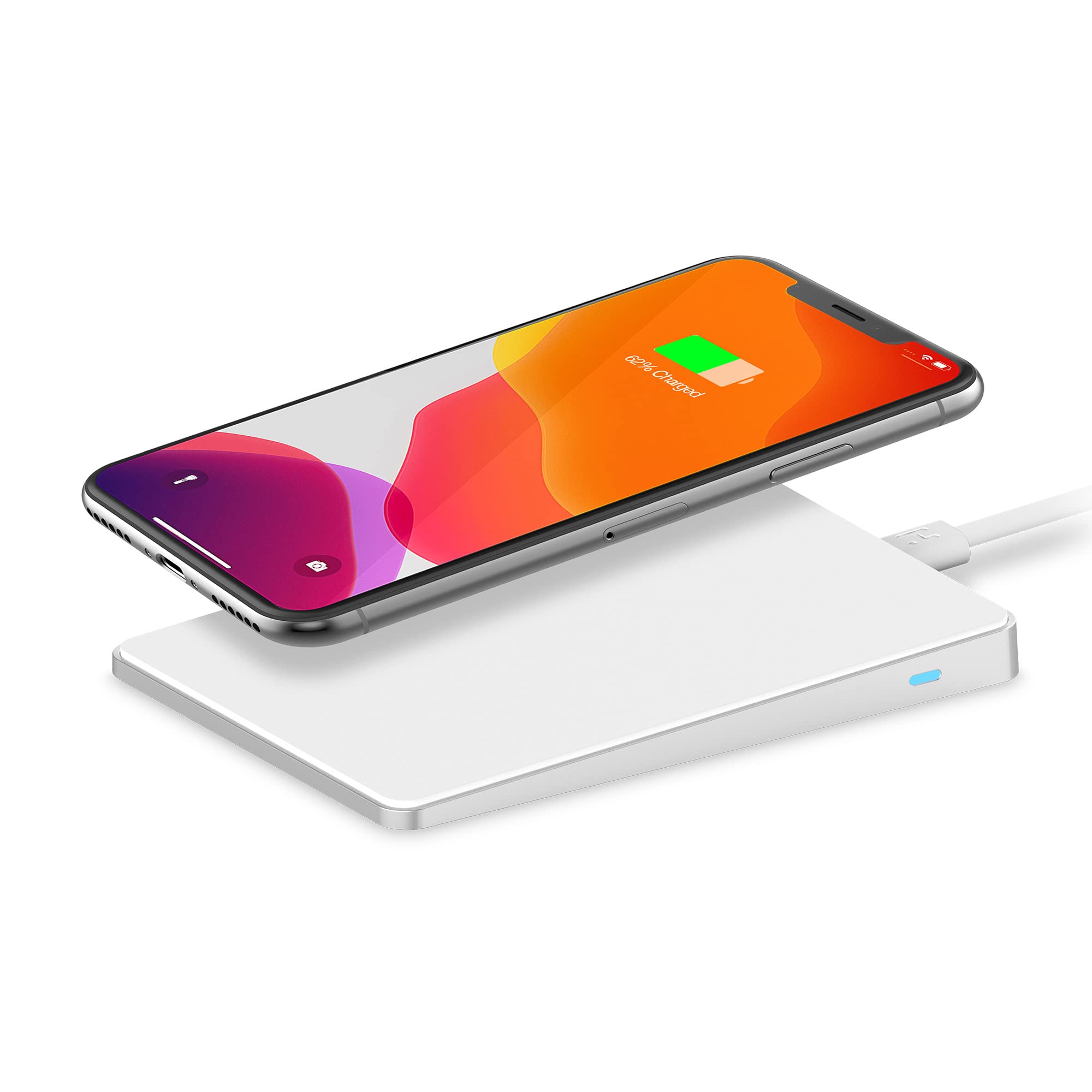
The image above illustrates the iHome Airpad wireless charging pad with a smartphone placed on its surface. The charging pad is connected via a white USB cable to a power source, indicating readiness for operation. The smartphone screen displays a charging icon and "62% Charged," confirming active wireless power transfer. A white keyboard and mouse are visible in the background, suggesting a typical desktop setup.
Інструкція з експлуатації
- Розмістіть пристрій: Carefully place your Qi-compatible smartphone or other device onto the center of the charging pad. The anti-slip surface helps keep your device secure.
- Підтвердження заряджання: Your device should indicate that it is charging (e.g., a charging icon on the screen, an LED indicator on the phone). The charging pad may also have an indicator light to confirm active charging.
- Оптимальна зарядка: For iPhones, the pad adjusts to 7.5 watts for optimal charging speed without overheating. For other compatible devices, it provides up to 10 watts.
- Видалити пристрій: Once your device is fully charged or you wish to stop charging, simply lift it from the pad.

Це зображення надає ближче уявлення view of a smartphone resting on the iHome Airpad wireless charger. The phone's screen clearly shows "62% Charged" and a battery icon, confirming that the device is receiving power wirelessly. The slim design of the charging pad is evident, and the white charging cable is connected to the pad. This visual demonstrates the product's primary function of wirelessly charging compatible devices.
Технічне обслуговування
- Прибирання: Disconnect the charging pad from the power source before cleaning. Use a soft, dry cloth to wipe the surface. Do not use abrasive cleaners or solvents.
- Зберігання: When not in use, store the charging pad in a cool, dry place, away from direct sunlight and extreme temperatures.
Усунення несправностей
| проблема | Можлива причина | Рішення |
|---|---|---|
| Пристрій не заряджається. |
|
|
| Повільна зарядка. |
|
|
| Перегрів. |
|
|
Технічні характеристики
| Номер моделі | IHQI1006W-OD |
| Бренд | iHome |
| Вхідний об'ємtage | 9 вольт (постійний струм) |
| Вихідна ватtage | Up to 10 Watts (7.5W for iPhone) |
| Тип роз'єму | Wireless (Qi standard) |
| Сумісні пристрої | Qi-compatible smartphones and devices |
| Особливості | Fast Charging, Anti-slip, Overheat protection, Minimalist design |
| Розміри продукту | 10.52 х 10.52 х 0.36 см |
| Вага товару | 155 г |
| Колір | Білий |
Інформація про гарантію
iHome products are designed and manufactured to the highest quality standards. For specific warranty terms and conditions, please refer to the warranty card included with your purchase or visit the official iHome webсайт. Ця гарантія зазвичай покриває дефекти матеріалів та виготовлення за умов нормального використання.
Підтримка клієнтів
If you encounter any issues or have questions regarding your iHome IHQI1006W-OD Airpad, please contact iHome customer support:
- Webсайт: Visit the official iHome webсайт із поширеними запитаннями, ресурсами підтримки та контактною інформацією.
- Електронна пошта/Телефон: Зверніться до iHome website or your product packaging for specific email addresses or phone numbers for technical support.


