1. Більшеview
The FIFINE K669PRO2 is a USB condenser microphone designed for various applications including podcasting, gaming, streaming, voice-overs, and online meetings. It features RGB lighting, a tap-to-mute function, a gain control knob, and a cardioid pickup pattern for clear audio capture. This manual provides instructions for setting up, operating, and maintaining your microphone.
2. Вміст упаковки
Будь ласка, перевірте вміст упаковки, щоб переконатися, що всі елементи присутні:
- FIFINE K669PRO2 USB Condenser Microphone with Pop Filter
- USB-C to USB-A Cable (6.5ft / 2m)
- Підставка для штатива
- Посібник користувача

Figure 2.1: Package Contents. Includes the microphone with pop filter, USB cable, tripod stand, and user manual.
3. Посібник із налаштування
Follow these steps to set up your FIFINE K669PRO2 microphone:
3.1 Фізична збірка
- Attach the Tripod Stand: Screw the microphone onto the included tripod stand. Ensure it is firmly attached and stable on your desk.
- Встановіть поп-фільтр: Attach the pop filter to the microphone's shock mount. This helps reduce plosive sounds for clearer audio.

Figure 3.1: Plug and Play setup. The microphone connects directly to your computer via the provided USB cable.
3.2 Підключення до вашого пристрою
- Підключіть кабель USB: Plug the USB-C end of the cable into the microphone and the USB-A end into an available USB port on your computer (PC/Mac) or gaming console (PS4/PS5).
- Розпізнавання системи: Your operating system should automatically detect and install the necessary drivers. The microphone is plug-and-play, requiring no additional software installation.
- Виберіть як пристрій введення:
- Windows: Перейдіть до Налаштування звуку > Введення and select "FIFINE K669PRO2" as your input device.
- macOS: Перейдіть до Системні налаштування > Звук > Введення and select "FIFINE K669PRO2".
- PS4/PS5: Перейдіть до Налаштування > Пристрої > Аудіопристрої and select "FIFINE K669PRO2" as your input device.
4. Інструкція з експлуатації
4.1 Контроль посилення
The microphone features a gain control knob on the front. Rotate the knob to adjust the microphone's input sensitivity. Turn clockwise to increase gain and counter-clockwise to decrease it. Adjust the gain to achieve optimal audio levels without distortion.

Figure 4.1: Front panel controls, including the gain knob for volume adjustment.
4.2 Функція вимкнення звуку
Tap the mute button on the front of the microphone to instantly mute or unmute your audio. The LED indicator will change color to show the mute status (e.g., green for active, red for muted), providing a visual reminder.
Figure 4.2: Front panel controls, highlighting the tap-to-mute button.
4.3 Керування RGB-підсвічуванням
The microphone features customizable RGB lighting. Use the RGB control key on the back of the microphone to cycle through different lighting modes and colors. There are three lighting modes and over nine color options available.

Figure 4.3: RGB lighting in action, showcasing dynamic solid-color, dynamic multi-color, and static solid color modes.

Малюнок 4.4: Задня частина view of the microphone, indicating the RGB control button.
4.4 Кардіоїдна діаграма спрямованості
The K669PRO2 utilizes a cardioid polar pattern. This means the microphone primarily picks up sound from the front, reducing unwanted noise from the sides and rear. Position the microphone directly towards the sound source (e.g., your mouth) for optimal voice capture.
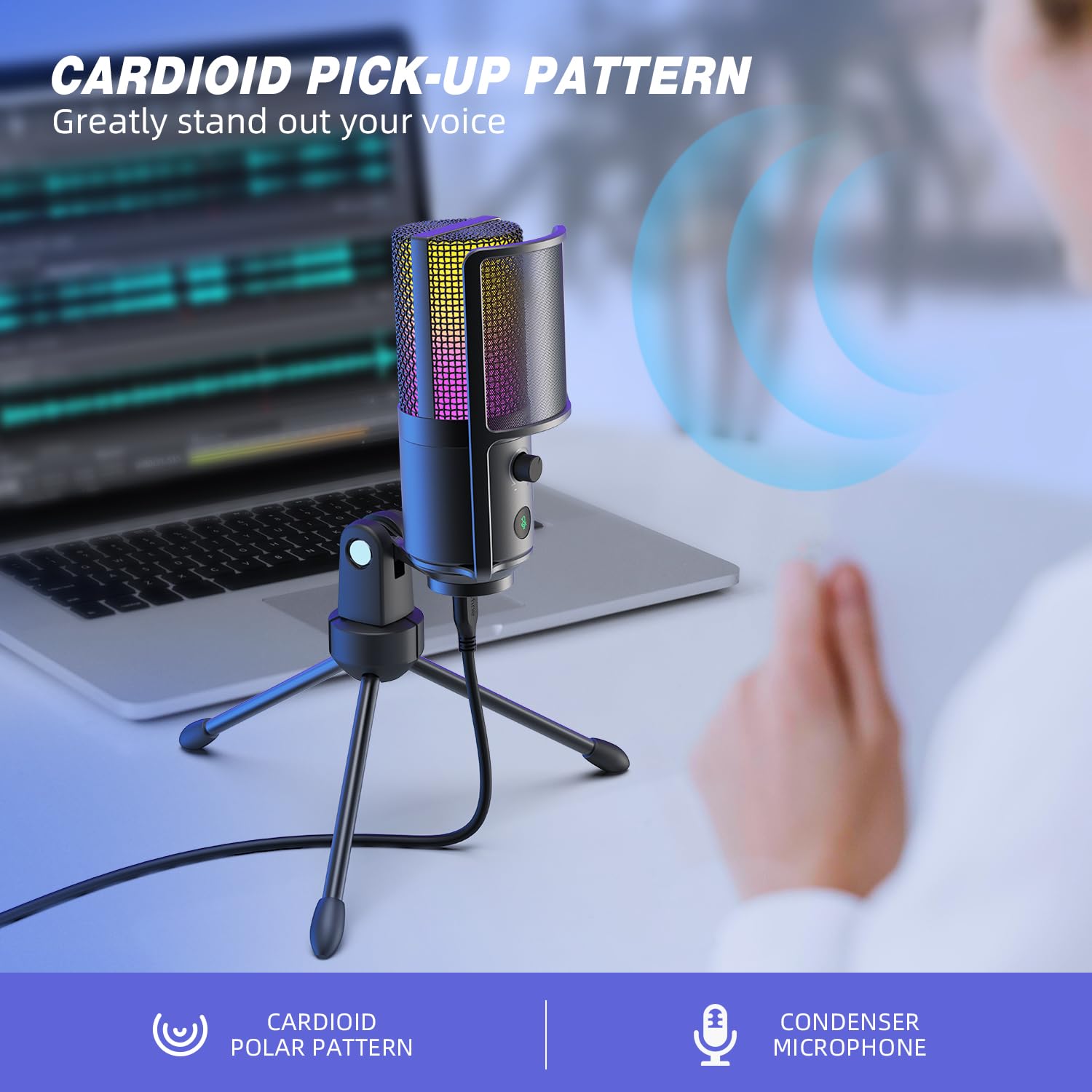
Figure 4.5: Cardioid pickup pattern illustration, demonstrating focused sound capture.
5. Технічне обслуговування
- Прибирання: Use a soft, dry cloth to clean the microphone's exterior. Avoid using liquid cleaners or solvents, as they may damage the device.
- Зберігання: Коли мікрофон не використовується, зберігайте його в сухому, захищеному від пилу місці.
- Обробка: Поводьтеся з мікрофоном обережно. Уникайте падінь та сильних ударів, які можуть вплинути на його роботу.
6. Вирішення проблем
| проблема | Можлива причина | Рішення |
|---|---|---|
| Немає звуку з мікрофона. |
|
|
| Low volume or weak audio. |
|
|
| Спотворений або нечіткий звук. |
|
|
| RGB-підсвічування не працює. |
|
|
7. Технічні характеристики
| Модель | K669PRO2 |
| Полярний візерунок | Однонаправлений (кардіоїд) |
| Технологія підключення | USB |
| Тип роз'єму | USB-C (on mic), USB-A (on cable) |
| Сумісні пристрої | ПК, Mac, PS4, PS5 |
| матеріал | метал |
| АЧХ | 20 Гц - 20 кГц |
| Співвідношення сигнал-шум | 70 дБ |
| Джерело живлення | Провідний електричний (живлення від USB) |
| Вага товару | 508 г |
| Включені компоненти | Microphone, USB Cable, Tripod Stand, Pop Filter |
8. Гарантія та підтримка
For warranty information, technical support, or customer service inquiries, please refer to the official FIFINE website or contact their customer support directly. Details can typically be found on the product packaging or the manufacturer's official online channels.
You can visit the FIFINE store for more information: FIFINE Official Store


