1. Продукт закінчивсяview
The STABILA LD220 is a compact and easy-to-use laser distance measuring tool designed for quick and accurate measurements. It features an impact-resistant housing with a shock-absorbent STABILA soft grip casing, ensuring durability in various working conditions. The large digits on the display facilitate easy reading of measurements.
Ключові характеристики:
- Compact, easy-to-use laser.
- 4 basic measuring functions: length, area, volume, and continuous measurement.
- Calculates measuring results quickly.
- Великі цифри для легкого читання.
- Impact-resistant housing with shock-absorbent STABILA soft grip casing.
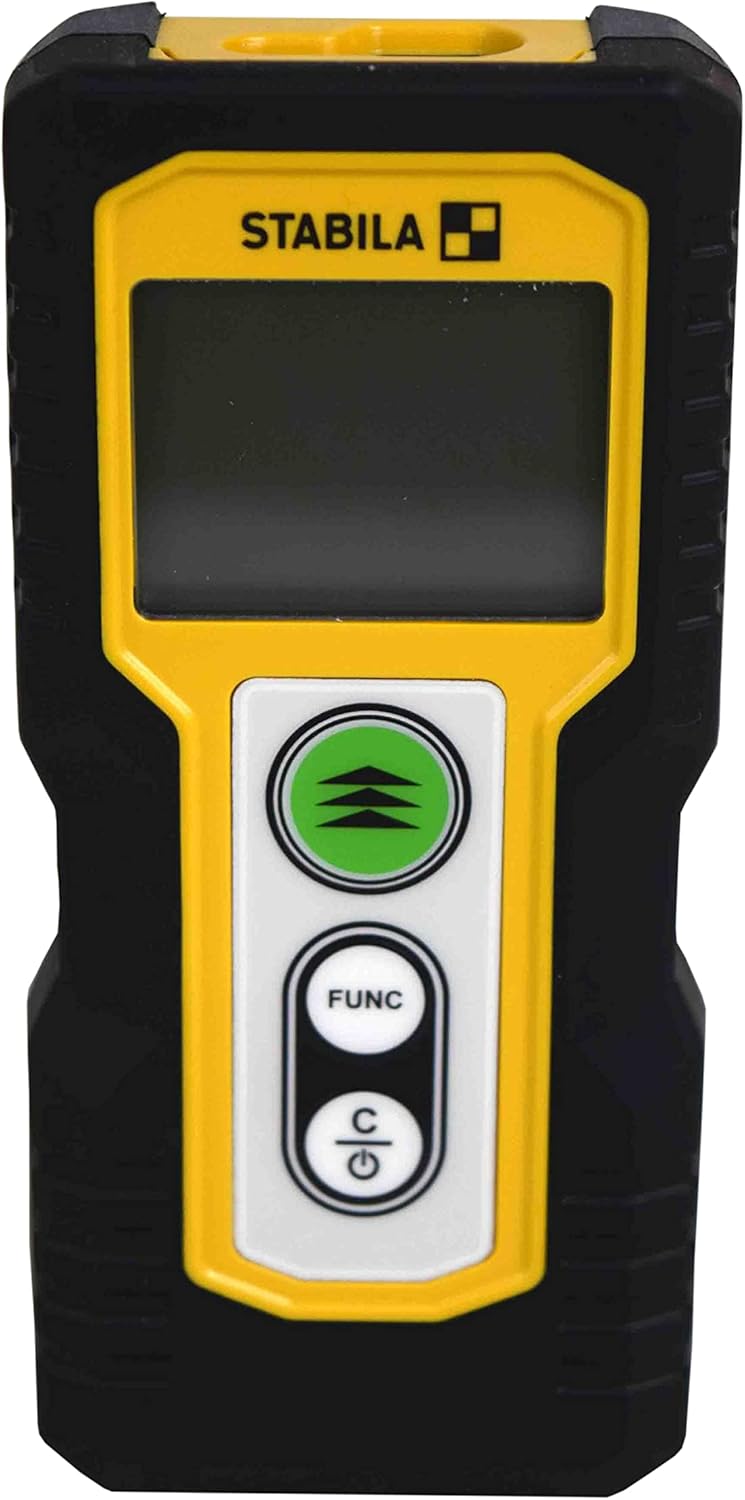
Малюнок 1.1: Спереду view of the STABILA LD220 laser distance measuring tool, showcasinйого компактний дизайн та дисплей.
2. Початок роботи
2.1 Вміст упаковки
Переконайтеся, що всі компоненти присутні:
- STABILA LD220 Laser Distance Measuring Tool
- Batteries (Alkaline, LR03/AAA type)
2.2 Встановлення батареї
The STABILA LD220 requires two AAA alkaline batteries for operation. Follow these steps to install them:
- Знайдіть кришку відсіку для батареї на задній панелі пристрою.
- Посуньте кришку вниз або у напрямку, вказаному стрілкою, щоб відкрити її.
- Insert two AAA alkaline batteries, ensuring the correct polarity (+ and -) as marked inside the compartment.
- Закрийте кришку батарейного відсіку, засунувши її назад на місце до клацання.

Figure 2.1: The STABILA LD220 device shown alongside two AAA batteries, indicating the power source.

Рисунок 2.2: Крупний план view of the two AAA alkaline batteries, which power the device.
2.3 Увімкнення/вимкнення
Щоб увімкнути пристрій, натисніть Power/Clear (C) кнопку. Щоб вимкнути живлення, натисніть і утримуйте Power/Clear (C) button for a few seconds, or the device will automatically shut off after a period of inactivity to conserve battery life.
3. Інструкція з експлуатації
The STABILA LD220 offers four primary measuring functions. Familiarize yourself with the buttons:
- Measurement Button (Green, with three arrows): Initiates a measurement or activates continuous measurement.
- Function Button (FUNC): Cycles through different measurement modes (Length, Area, Volume, Continuous).
- Power/Clear Button (C): Powers the device on/off, clears the last measurement, or exits a function.

Рисунок 3.1: Детальний view of the STABILA LD220's control panel, highlighting the measurement, function, and power/clear buttons.
3.1 Вимірювання довжини
This is the default mode for single distance measurements.
- Переконайтеся, що пристрій увімкнено.
- Направте лазерний промінь на цільову поверхню.
- Натисніть Кнопка вимірювання once. The measured distance will appear on the display.
3.2 Безперервне вимірювання (відстеження)
This mode allows for dynamic measurement, displaying real-time distance as you move the device.
- Натисніть FUNC button until the continuous measurement icon (often a series of horizontal lines or a tracking symbol) appears on the display.
- Натисніть Кнопка вимірювання щоб почати безперервне вимірювання.
- Move the device slowly towards or away from the target. The display will update the distance continuously.
- Натисніть Кнопка вимірювання знову або C button to stop continuous measurement.
3.3 Вимірювання площі
To calculate the area of a rectangular space (Length x Width).
- Натисніть FUNC button until the area measurement icon (a square or rectangle) appears.
- Measure the first side (e.g., length) by pointing the laser and pressing the Кнопка вимірювання.
- Measure the second side (e.g., width) by pointing the laser and pressing the Кнопка вимірювання знову.
- Пристрій автоматично розрахує та відобразить площу.
3.4 Вимірювання об'єму
To calculate the volume of a rectangular space (Length x Width x Height).
- Натисніть FUNC button until the volume measurement icon (a cube or rectangular prism) appears.
- Measure the first side (e.g., length) by pointing the laser and pressing the Кнопка вимірювання.
- Measure the second side (e.g., width) by pointing the laser and pressing the Кнопка вимірювання.
- Measure the third side (e.g., height) by pointing the laser and pressing the Кнопка вимірювання.
- Пристрій автоматично розрахує та відобразить об'єм.

Figure 3.2: The product packaging illustrating the various measuring functions, including length, area, volume, and tracking.
4. Догляд і технічне обслуговування
Proper care and maintenance will extend the life of your STABILA LD220.
- Прибирання: Використовуйте м'який, damp cloth to clean the device. Do not use harsh chemicals, abrasive cleaners, or solvents. Ensure the laser lens and display are kept clean for accurate readings.
- Зберігання: Store the device in a dry, cool place, away from direct sunlight and extreme temperatures. If storing for an extended period, remove the batteries to prevent leakage.
- Обробка: Although the device has an impact-resistant housing, avoid dropping it or subjecting it to severe shocks.
- Догляд за акумулятором: Замініть батарейки, коли на дисплеї з’явиться індикатор низького заряду батарейки. Утилізуйте використані батарейки відповідно до місцевих правил.
5. Вирішення проблем
If you encounter issues with your STABILA LD220, refer to the following common problems and solutions:
| проблема | Можлива причина | Рішення |
|---|---|---|
| Пристрій не включається. | Розряджені або неправильно встановлені батареї. | Перевірте полярність батарейок. Замініть їх новими лужними батарейками типу AAA. |
| Неточні вимірювання. | Laser lens is dirty; target surface is too reflective/absorbent; device is unstable during measurement. | Clean the laser lens with a soft cloth. Use a target plate for difficult surfaces. Ensure the device is held steady. |
| На дисплеї відображається повідомлення про помилку. | Вимірювання поза діапазоном; внутрішня помилка. | Ensure target is within the 100ft (30m) range. Power off and restart the device. If the error persists, contact support. |
| Лазерний промінь не видно. | Bright ambient light; laser not activated. | Use in lower light conditions or use a laser target plate. Press the measurement button to activate the laser. |
6. Технічні характеристики
Detailed specifications for the STABILA LD220 Laser Distance Measuring Tool:
| Специфікація | Значення |
|---|---|
| Номер моделі | Stabila - 06220 |
| Діапазон вимірювання | До 100 футів (30 м) |
| Вимірювальні функції | Length, Area, Volume, Continuous Measurement |
| Колір | чорний |
| матеріал | пластик |
| Розміри предмета (Д x Ш x В) | 8 x 5 x 2 дюймів |
| Вага товару | 8 унції |
| Потрібні батареї | No (Included Components: Stabila - 06220, but requires 2x AAA Alkaline batteries for operation) |
| Тип батареї | Лужні (AAA) |
| Виробник | Стабіла |
| Дата першої доступності | 17 березня 2022 р |

Малюнок 6.1: Задня частина view of the STABILA LD220, displaying the product label with model number, power requirements, and laser class information.
7. Гарантія та підтримка
For information regarding product warranty, returns, or technical support, please refer to the documentation included with your purchase or visit the official Stabila webсайт. Конкретні гарантійні умови можуть відрізнятися залежно від регіону та продавця.


