вступ
The ViewSonic X11-4K projector offers true 4K Ultra HD resolution with HDR/HLG support, advanced LED technology, and smart capabilities in a portable design. This manual provides essential information for setting up, operating, maintaining, and troubleshooting your projector to ensure an optimal cinematic experience in any home environment.
Що в коробці
- ViewSonic X11-4K Projector
- Кабель живлення
- Пульт дистанційного керування
- Короткий посібник
Особливості продукту
- 4K UHD LED Projection: Delivers bright 1000 ANSI lumens with a short throw lens for supersized movies and games.
- Vivid Colors: Achieves 125% Rec. 709 color accuracy and supports HDR/HLG content for lifelike visuals.
- Преміум аудіо: Features built-in Dual Harman Kardon Bluetooth speakers for room-filling sound.
- Легке налаштування: Includes 0.8x-1x digital zoom, instant auto focus, vertical/horizontal keystone, and 4-corner adjustment for flexible placement.
- Можливості потокового передавання: Supports livestreaming and content consumption from various platforms by adding a compatible dongle (not included).
- Гнучке підключення: Compatible with most media players, PCs, Macs, and mobile devices via Wi-Fi, HDMI, and USB-C inputs.
Налаштування
The ViewSonic X11-4K is designed for effortless setup. Place the projector on a stable surface a few feet from your desired projection area. The short throw lens can project images up to 100 inches from a short distance. Utilize the instant auto focus, H/V keystone, and 4-corner adjustments to achieve a perfectly aligned and sharp image.
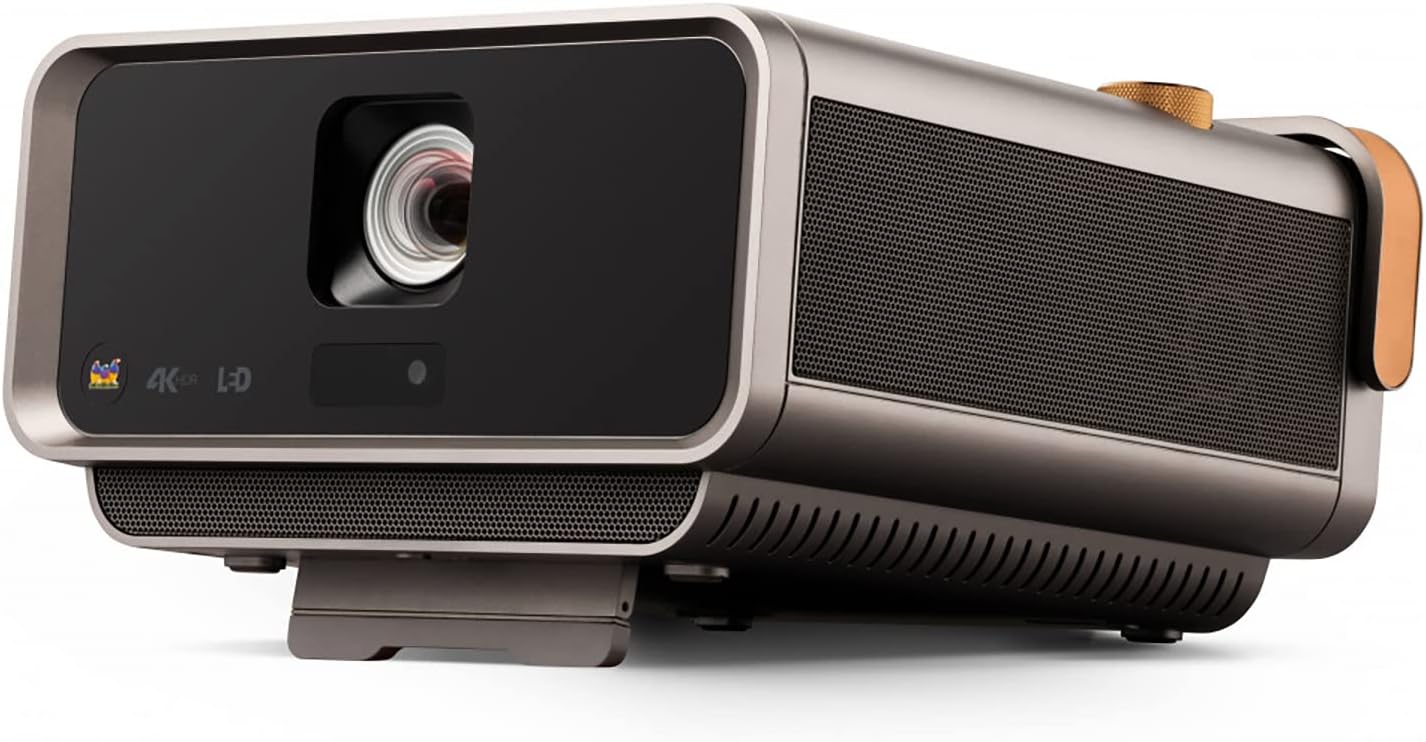
Малюнок 1: Спереду view з ViewSonic X11-4K projector, showcasinоб'єктив та елегантний дизайн.

Figure 2: Visual representation of the autofocus, digital zoom, 4-corner keystone, and auto keystone adjustment features for easy setup.
Інструкція з експлуатації
Power on the projector using the dedicated button or remote control. Navigate the on-screen menu using the remote to select input sources, adjust picture settings, and manage audio options. The intuitive interface allows for quick access to all functionalities.

Малюнок 3: Верх view of the projector showing the integrated control knob for power and volume, along with other control buttons.
Підключення
The X11-4K offers diverse connectivity options:
- HDMI: Connect external devices such as Blu-ray players, gaming consoles, or set-top boxes.
- USB-C: Directly connect compatible mobile devices, laptops, or gaming consoles like the Nintendo Switch for video streaming and power delivery.
- Wi-Fi: Enable wireless screen mirroring from your smartphone, tablet, or computer.
- Bluetooth: Connect to external Bluetooth speakers or headphones for enhanced audio, or use the projector's built-in Harman Kardon speakers.

Малюнок 4: Задня частина view of the projector displaying various input and output ports including HDMI, USB-C, and audio jacks.

Figure 5: Illustration of USB-C connectivity with various devices like smartphones, tablets, laptops, and a Nintendo Switch.
Налаштування зображення
Achieve the perfect picture with the following adjustment features:
- Instant Auto Focus: The projector automatically adjusts for optimal clarity.
- H/V Keystone: Corrects distorted images when the projector is not perfectly centered.
- 4-кутове регулювання: Fine-tune each corner of the image independently for a precise fit on any surface.
- Цифрове збільшення: Налаштуйте розмір зображення, не переміщуючи проектор.

Figure 6: Diagram illustrating the short throw capability, showing screen sizes (80", 100", 120") at various distances (4.7', 5.8', 7').
Аудіо
Experience rich and immersive sound with the integrated Harman Kardon speakers. For private listening or connecting to external audio systems, utilize the Bluetooth connectivity or audio output ports.

Figure 7: Image depicting the projector with sound waves emanating from it, highlighting the Harman Kardon speakers and Bluetooth connectivity.
Технічні характеристики
| Особливість | Деталь |
|---|---|
| Номер моделі | X11-4K |
| Роздільна здатність дисплея | 3840 x 2160 (4K UHD) |
| Яскравість | 1000 ANSI Lumens |
| Точність кольору | 125% рекомендовано 709 року |
| Підключення | Wi-Fi, HDMI, USB-C, Ethernet, USB 2.0 Type A |
| Особливості | Short Throw, H/V Keystone, 4-Corner Adjustment, Instant Auto Focus, Dual Harman Kardon Speakers |
| Розміри продукту | 10.3 x 10.7 x 2.7 дюймів |
| Вага товару | 9.9 фунта |

Figure 8: Image detailing the physical dimensions of the ViewSonic X11-4K projector.
Технічне обслуговування
Щоб забезпечити довговічність і оптимальну продуктивність вашого ViewSonic X11-4K projector, follow these maintenance guidelines:
- Очищення лінз: Обережно протріть об’єктив проектора м’якою тканиною без ворсу, призначеною для оптичних поверхонь. Уникайте абразивних матеріалів або агресивних хімікатів.
- Зовнішнє очищення: Використовуйте м’яку суху тканину для очищення зовнішньої частини проектора. Для стійких плям злегка протрітьampen тканину з водою.
- Вентиляція: Ensure that the projector's ventilation openings are clear and unobstructed to prevent overheating.
- Зберігання: Якщо проектор не використовується протягом тривалого часу, зберігайте його в прохолодному, сухому місці, в ідеалі в оригінальній упаковці або захисному футлярі.
Усунення несправностей
Якщо у вас виникли проблеми з проектором, зверніться до наступних поширених рішень:
- Без зображення: Check all cable connections (HDMI, USB-C) and ensure the correct input source is selected on the projector. Verify the power cable is securely connected.
- Розмите зображення: Use the instant auto focus feature or manually adjust the focus. Ensure the projection surface is flat and the projector is stable.
- Спотворене зображення: Utilize the H/V keystone and 4-corner adjustment features to correct any trapezoidal or uneven image shapes.
- Немає звуку: Check the volume settings on both the projector and the connected source device. Ensure external speakers (if connected via Bluetooth or audio out) are properly paired and powered on.
- Пульт дистанційного керування не працює: Replace the batteries in the remote control. Ensure there are no obstructions between the remote and the projector's IR receiver.
Гарантія та підтримка
For warranty information, technical support, or service inquiries, please refer to the official ViewСоник website or contact their customer support. Keep your purchase receipt and product serial number handy for any support requests.
Офіційні відео про продукти
ViewSonic Home Theater and Business Projectors
Це відео забезпечує завершенняview of ViewSonic's home theater and business projectors, highlighting key features and applications.
Проектор для домашнього кінотеатру 4K
This video demonstrates the capabilities of the 4K home theater projector, focusing on visual quality and user experience.


