1. Вступ і даліview
The Wemo Smart Video Doorbell is designed for seamless integration with Apple HomeKit Secure Video, providing a convenient and secure method to monitor your home and communicate with visitors. This device offers a wide field of view and high-definition video quality, ensuring comprehensive coverage of your doorstep. It leverages your existing iCloud subscription for secure storage of motion-based recordings within the Apple Home App.
Key features include face recognition, dual-band Wi-Fi connectivity for reliable performance, and infrared technology for clear night vision. This doorbell is compatible exclusively with wired 16-24V AC doorbell systems.
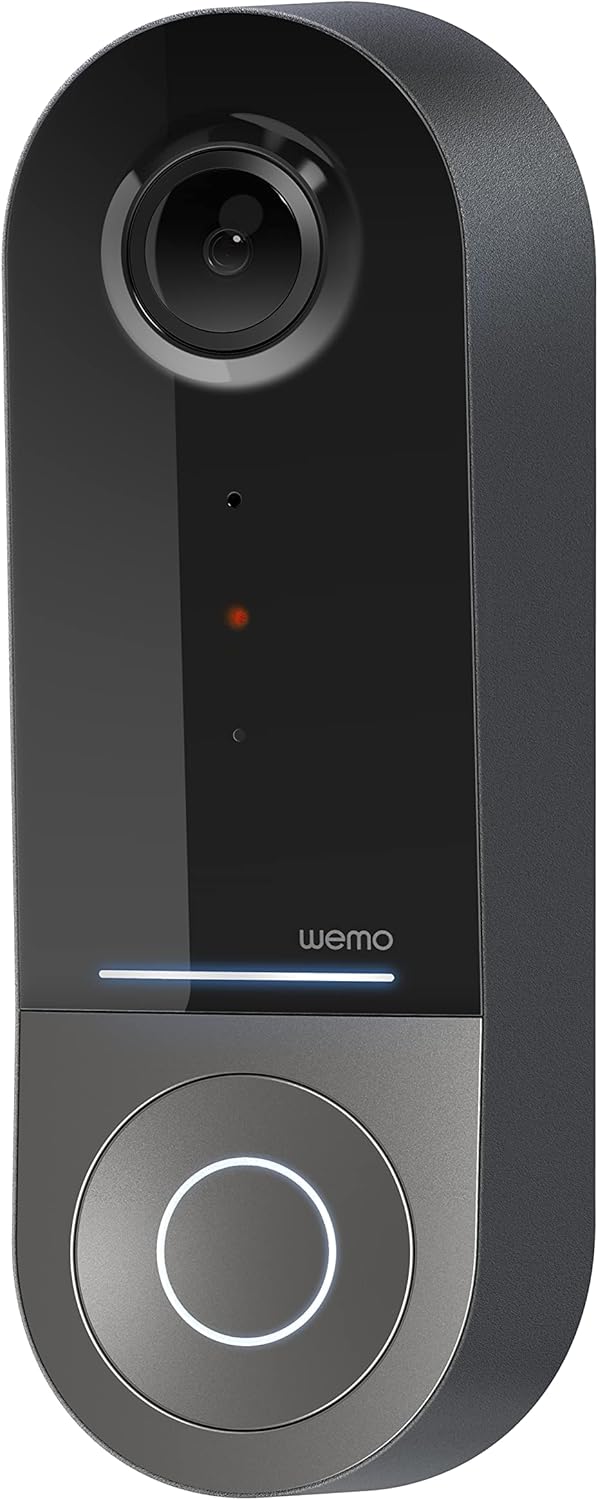
Figure 1: Wemo Smart Video Doorbell
2. Налаштування та встановлення
2.1 Контрольний список перед встановленням
- Ensure you have a wired doorbell system with 16-24V AC power.
- Download the Apple Home App on your iOS device.
- Confirm strong 2.4GHz and 5GHz Wi-Fi signal at your doorbell location.
2.2 Фізичне встановлення
- Вимкніть живлення: Before beginning installation, turn off power to your existing doorbell system at the circuit breaker.
- Зняти старий дверний дзвінок: Обережно зніміть існуючу кнопку дзвінка.
- Install mounting bracket: Use the provided screws and screwdriver to securely attach the mounting bracket to your wall. If needed, use the left/right wedges to adjust the viewкут.
- Connect power kit: Follow the instructions in the included Setup Guide to properly install the Power Kit with Connectors into your existing chime box. This is crucial for correct operation.
- Wire the Wemo Doorbell: Connect the existing doorbell wires to the terminals on the back of the Wemo Smart Video Doorbell.
- Встановіть дверний дзвінок: Secure the Wemo Smart Video Doorbell onto the mounting bracket.
- Відновлення живлення: Знову увімкніть живлення на автоматичному вимикачі.
2.3 Налаштування програми
- Open the Apple Home App on your iOS device.
- Tap the '+' icon to add a new accessory.
- Scan the HomeKit setup code provided with your Wemo Smart Video Doorbell.
- Follow the on-screen prompts to name your doorbell, assign it to a room, and configure HomeKit Secure Video settings, including motion detection and face recognition preferences.
3. Інструкція з експлуатації
3.1 Живий View і Сповіщення
- Access live video feed directly from the Apple Home App on your iPhone, iPad, or HomePod.
- Receive instant notifications on your iOS device when motion is detected or the doorbell is pressed.
- Utilize face recognition to receive specific alerts for known individuals.

Figure 2: Face Recognition with HomeKit Secure Video
3.2 Запис та зберігання відео
- HomeKit Secure Video stores 10 days of motion-based recording history in your iCloud account.
- Review recorded events directly within the Apple Home App.

Figure 3: iCloud Recording via Apple Home App
3.3 Двосторонній аудіозв'язок
- Engage in real-time two-way conversations with visitors through the Apple Home App.
3.4 Advanced Video Features
- Широке Поле View: The camera offers a 178° vertical, 140° horizontal, and 223° diagonal field of view для широкого охоплення.
- HD Resolution with HDR: Enjoy crystal clear 1200x1600 resolution video with HDR for optimal image quality in varying light conditions.
- Покращене нічне бачення: Infrared technology provides clear video even in low-light conditions.

Figure 4: Enhanced Night Vision
3.5 Дводіапазонне підключення Wi-Fi
- The doorbell utilizes both 2.4GHz and 5GHz Wi-Fi bands.
- The 2.4GHz band offers a longer range and better penetration through walls.
- The 5GHz band provides higher speeds for closer proximity connections.

Рисунок 5: Дводіапазонне підключення Wi-Fi
4. Технічне обслуговування та усунення несправностей
4.1 Загальний догляд
- Регулярно очищуйте об'єктив камери м'якою губкоюamp тканиною для забезпечення чіткої якості відео.
- Ensure the doorbell is free from obstructions that might block its field of view or microphone.
Усунення неполадок 4.2
- Проблеми з підключенням: If the doorbell frequently disconnects, ensure your Wi-Fi signal is strong at the installation location. Consider adjusting your router's band (2.4GHz for range, 5GHz for speed) or adding a Wi-Fi extender.
- Проблеми з живленням: Verify that your wired doorbell system provides the required 16-24V AC. Insufficient voltage can lead to intermittent operation or device resets. Consult a qualified electrician if you suspect voltagе питання.
- Адаптивність додатку: If the Apple Home App is slow to connect or display the live feed, ensure your iOS device and HomeKit hub (e.g., Apple TV, HomePod) are updated and have a stable internet connection. Restarting the doorbell or your HomeKit hub may resolve temporary glitches.
5. Технічні характеристики
| Використання в приміщенні/зовні | Відкритий |
| Сумісні пристрої | HomePod, iPad, iPhone |
| Джерело живлення | Corded Electric (16-24V AC) |
| Протокол підключення | Wi-Fi (2.4 ГГц та 5 ГГц) |
| Тип контролера | Apple HomeKit |
| Тип монтажу | Настінне кріплення |
| Роздільна здатність захоплення відео | 1200x1600 (HD, HDR-enabled) |
| Колір | чорний |
| Розміри предмета Д х Ш х В | 2.1 x 1.8 x 5 дюймів |
| Вага товару | 13.7 унції |
| Особливості | HD Resolution, Image Sensor, Night Vision, HDR |
6. Що в коробці
- Розумний відеодверний дзвінок
- Посібник із налаштування
- Монтажний кронштейн
- Left/Right Wedge
- Screws and Screwdriver
- Power Kit with Connectors
7. Офіційне відео продукту
Video 1: Official Wemo Video Doorbell overview, шоуcasinособливості та дизайн g.
8. Гарантія та підтримка
Щоб отримати інформацію про гарантію та технічну підтримку, зверніться до офіційного веб-сайту WeMo. webсайт або зверніться безпосередньо до служби підтримки клієнтів. Зберігайте чек про покупку для гарантійних претензій.


