1. Вступ
Thank you for choosing the MAXTOP T5 Smartwatch. This device is designed to help you monitor your health and fitness activities, receive notifications, and manage various daily functions. Please read this manual carefully to ensure proper use and optimal performance.

Image: The MAXTOP T5 Smartwatch in use during a run, highlighting its fitness and health tracking capabilities.
2. Вміст упаковки
Переконайтеся, що всі предмети присутні в упаковці:
- MAXTOP T5 Smartwatch Head
- Дивитись ремінець
- Магнітний зарядний кабель
- Посібник користувача
3. Налаштування та перше використання
3.1. Заряджання смарт-годинника
Перед першим використанням повністю зарядіть смарт-годинник.
- Connect the magnetic charging cable to the charging points on the back of the smartwatch.
- Connect the USB end of the cable to a standard USB power adapter (5V/1A recommended) or a computer's USB port.
- Дисплей годинника показуватиме стан заряджання. Повне заряджання зазвичай триває приблизно 2 години.
Примітка: The battery life is approximately 3 to 5 days with normal use and up to 7 days in standby mode. Actual battery life may vary based on usage.
3.2. Встановлення та сполучення програм
To access all features and synchronize data, download and install the companion app on your smartphone.
- Scan the QR code in the manual or search for "MAXTOP" or "H BAND" in your smartphone's app store (Google Play Store for Android, Apple App Store for iOS).
- Завантажте та встановіть додаток.
- Переконайтеся, що Bluetooth увімкнено на вашому смартфоні.
- Open the app and follow the on-screen instructions to create an account and pair your MAXTOP T5 Smartwatch.
- During pairing, select "T5" from the list of available devices.
Сумісність: Requires iOS 9.0 or higher, or Android 6.0 or higher.
4. Керування смарт-годинником
4.1. Основна навігація
- Сенсорний екран: Проведіть пальцем ліворуч/праворуч, вгору/вниз, щоб переходити між меню та функціями. Торкніться, щоб вибрати.
- Бічна кнопка: Натисніть, щоб повернутися на головний екран або вивести пристрій з режиму сну.

Image: The MAXTOP T5 Smartwatch showing its main display with time, steps, distance, and calories.
4.2. Відстеження фізичної активності
The smartwatch tracks various fitness metrics throughout the day.
- Лічильник кроків: Automatically records your daily steps.
- Відстань: Calculates the distance covered based on your steps.
- Спалені калорії: Оцінює витрату калорій.

Image: A visual representation of the smartwatch's 24-hour tracking feature, showing steps, distance, and calorie data.
4.3. Спортивні режими
The smartwatch offers 10 exercise modes to track specific workouts.
- Access the "Sports" menu on the watch.
- Select your desired activity (e.g., Running, Walking, Cycling).
- The watch will record duration, distance, and calories for the selected activity.

Image: A man running, with icons representing the 10 available sports modes on the MAXTOP T5 Smartwatch.

Image: A man exercising with weights, illustrating the 10 sports modes available on the smartwatch.
4.4. Моніторинг здоров'я
The smartwatch provides continuous monitoring of key health metrics.
- Монітор серцевого ритму: Measures your heart rate in real-time. Access this function from the watch menu or view дані в додатку.
- Монітор артеріального тиску: Provides blood pressure readings. For medical accuracy, consult a professional medical device.
- Відстеження сну: Monitors your sleep patterns, including deep sleep, light sleep, and awake time. View detailed analysis in the app to adjust sleep habits.
- Відстеження менструального циклу: For female users, the app can track and predict menstrual cycles.

Image: A man sleeping, with the smartwatch displaying heart rate and icons indicating deep sleep, light sleep, and awake time tracking.

Image: The smartwatch screen showing sleep data, including duration and quality.

Image: The smartwatch displaying a heart rate reading.

Image: The smartwatch displaying a blood pressure reading.

Image: A woman wearing the smartwatch, with an overlay showing the menstrual period management feature.
4.5. Повідомлення
Receive call and message notifications directly on your smartwatch when paired with your phone.
- Вхідні дзвінки: The watch will vibrate and display caller ID. You can reject calls from the watch.
- Сповіщення про повідомлення: Receive notifications from SMS, Facebook, WhatsApp, Twitter, Instagram, LinkedIn, etc.
Важливо: The smartwatch cannot answer calls or reply to messages.
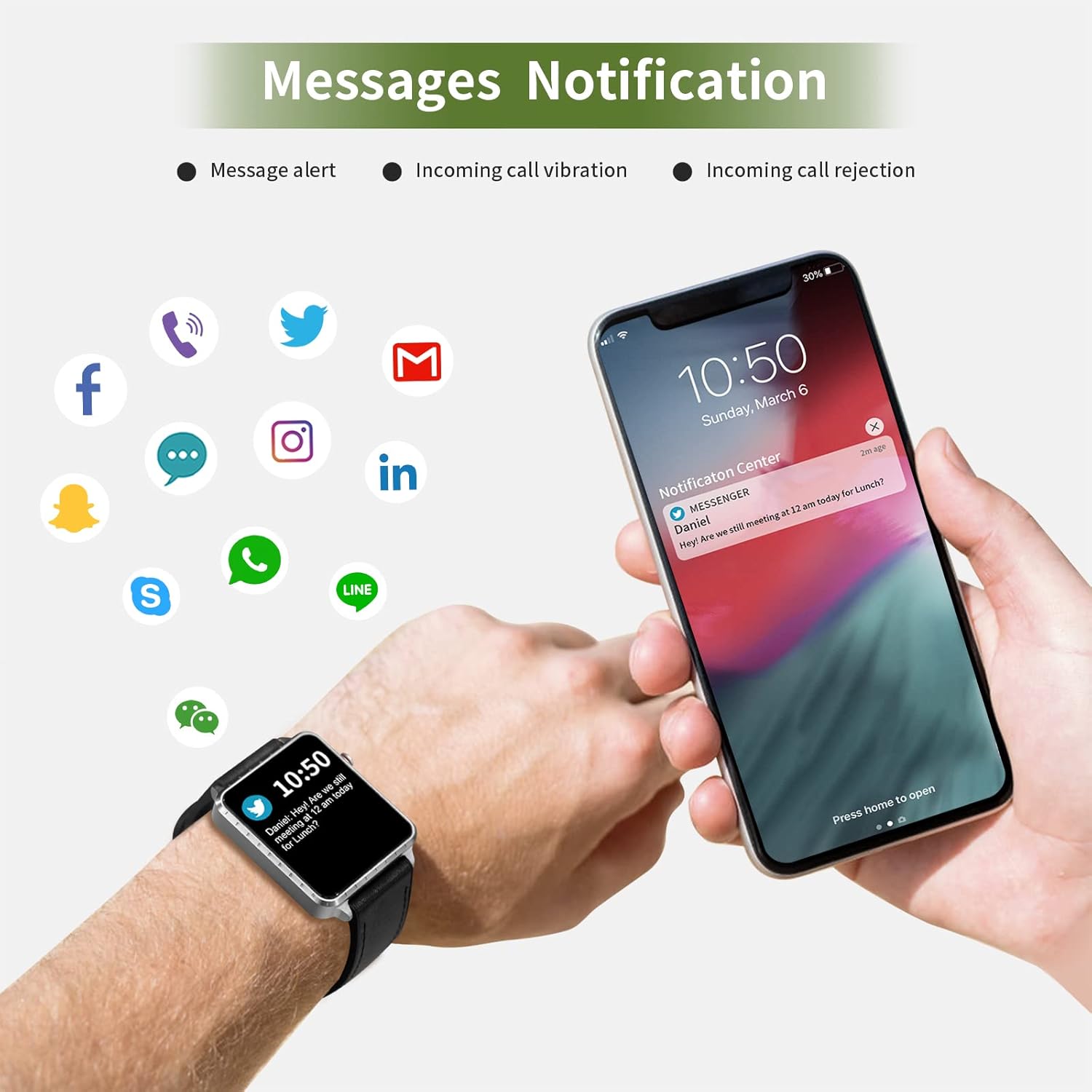
Image: The smartwatch and a smartphone displaying message notifications from social media and communication apps.

Image: The smartwatch screen showing icons for various social media and communication app notifications.
4.6. Додаткові функції
- Керування музикою: Control music playback on your smartphone (play, pause, skip tracks) directly from the watch.
- Пульт дистанційного керування камерою: Використовуйте годинник як пульт дистанційного керування затвором для камери вашого смартфона.
- Будильник: Set alarms through the app, and the watch will vibrate to alert you.
- Секундомір/таймер: Основні функції хронометражу.
- Знайти телефон: Locate your paired smartphone by triggering an alert sound from the watch.
- Сидячий нагадування: The app can remind you to move if you've been inactive for too long.
- Настроювані циферблати: Choose from various watch faces via the app.

Image: The smartwatch screen showing the camera icon, indicating its remote camera control function.

Image: The smartwatch screen showing music control icons (play, pause, skip).

Image: A collage of different watch faces available for the MAXTOP T5 Smartwatch.
5. Технічне обслуговування
5.1. Ступінь водонепроникності (IP68)
The MAXTOP T5 Smartwatch is IP68 waterproof, meaning it is dust-tight and protected against continuous immersion in water up to 1.5 meters for a maximum of 30 minutes.
- You can wear the watch while washing hands, running in the rain, or swimming in shallow water.
- НЕ робіть immerse the watch in seawater, hot water, or use it in hot springs or saunas.
- Avoid exposing the watch to high-pressure water jets.
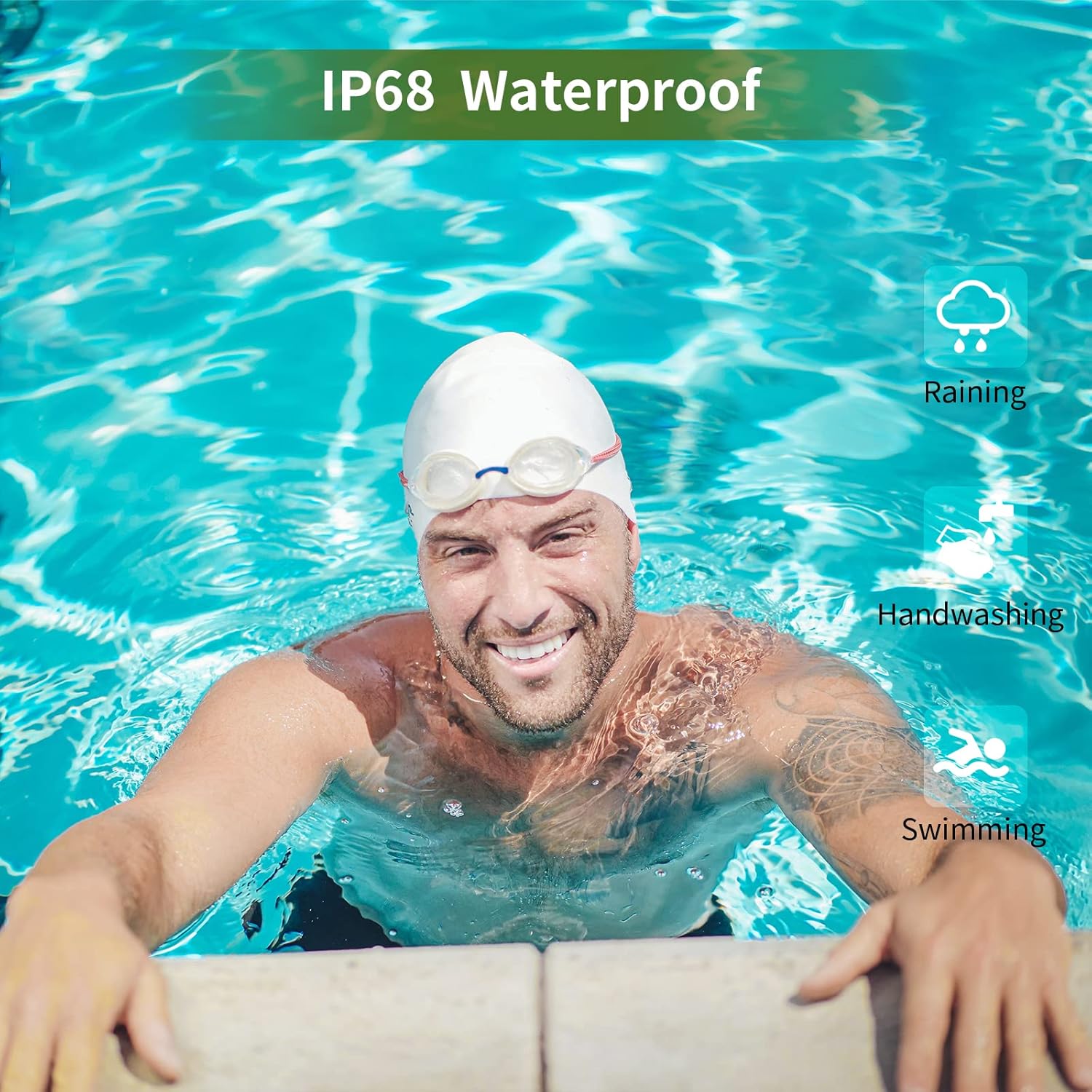
Image: A man swimming, demonstrating the IP68 waterproof capability of the MAXTOP T5 Smartwatch.

Image: The smartwatch with water droplets, visually confirming its IP68 waterproof rating.
5.2. прибирання
Регулярно протирайте годинник і ремінець м’якою сухою тканиною. За потреби використовуйте злегкаamp cloth and dry thoroughly. Avoid harsh chemicals.
6. Вирішення проблем
- Годинник не вмикається: Переконайтеся, що годинник повністю заряджений. Підключіть його до зарядного пристрою щонайменше на 10 хвилин.
- Не вдається з’єднати пристрій зі смартфоном:
- Переконайтеся, що на вашому телефоні ввімкнено Bluetooth.
- Переконайтеся, що годинник знаходиться в межах досяжності Bluetooth (зазвичай 10 метрів).
- Перезапустіть годинник і смартфон.
- Перевірте, чи програму оновлено до останньої версії.
- If previously paired, try unpairing from your phone's Bluetooth settings and re-pairing through the app.
- Неточні дані про стан здоров'я:
- Переконайтеся, що годинник щільно прилягає до зап'ястя, не надто туго і не надто вільно.
- Уникайте надмірних рухів під час вимірювань.
- Environmental factors can affect readings. For medical accuracy, consult a professional medical device.
- Не отримано сповіщень:
- Check app permissions on your smartphone to ensure the app has access to notifications.
- Verify that notification settings are enabled within the MAXTOP/H BAND app.
- Переконайтеся, що годинник підключено через Bluetooth.
- Короткий час автономної роботи:
- Frequent use of features like continuous heart rate monitoring, bright screen, and numerous notifications can reduce battery life.
- Reduce screen brightness and notification frequency if extended battery life is desired.
7. Технічні характеристики

Image: Detailed physical dimensions of the MAXTOP T5 Smartwatch, including watch face and strap measurements.
| Особливість | Деталь |
|---|---|
| Бренд | МАКСТОП |
| Модель | T5 |
| Розмір екрана | 1.54 дюймів |
| Розміри | 4.5 х 3.8 х 1 см |
| вага | 250 г |
| Рейтинг водонепроникності | IP68 |
| Підключення | Bluetooth |
| Операційна система | iOS (9.0 і вище), Android (6.0 і вище) |
| Тип батареї | Літій-полімер |
| Час зарядки | прибл. 2 години |
| Термін служби батареї (типове використання) | 3-5 днів |
| Термін служби батареї (в режимі очікування) | До 7 днів |
| Включені компоненти | Watch head, strap, magnetic charging cable, manual |
8. Гарантія та підтримка
For warranty information and customer support, please refer to the warranty card included in your package or visit the official MAXTOP webсайт.
Відмова від відповідальності: The health monitoring features of this device are for general wellness and fitness purposes only and are not intended for medical diagnosis, treatment, or prevention of any disease. Always consult a medical professional for health-related concerns.


