1. Важливі інструкції з техніки безпеки
Please read all instructions carefully before using the Baseus A7 Handheld Vacuum. Keep this manual for future reference.
- Не використовуйте пилосос поблизу води або у вологих умовах.
- Не пилососьте легкозаймисті або горючі матеріали, гарячий попіл або гострі предмети.
- Тримайте волосся, вільний одяг, пальці та всі частини тіла подалі від отворів і рухомих частин.
- Використовуйте лише зарядний кабель, наданий виробником.
- Не використовуйте пилосос з пошкодженим шнуром або вилкою.
- Перед використанням переконайтеся, що фільтр правильно встановлено.
- Цей прилад не призначений для використання особами (включаючи дітей) з обмеженими фізичними, сенсорними чи розумовими здібностями, або з браком досвіду та знань, якщо вони не перебувають під наглядом або не отримали інструкції щодо використання приладу особою, відповідальною за їх безпеку.
- Слідкуйте за дітьми, щоб переконатися, що вони не граються з пристроєм.
2. Вміст упаковки
Перевірте наявність усіх елементів в упаковці:

Рисунок 2.1: Включені компоненти
- Baseus A7 Handheld Vacuum Cleaner
- Flagship Flexible Extender Tube
- Silicone Brush / Precision Extensions (2-in-1 Crevice Tool)
- Зарядний кабель USB-C
- Storage Cloth Bag
- HEPA-фільтр (попередньо встановлений або запасний)
- Посібник користувача
- Гарантійний талон
3. Продукт закінчивсяview
The Baseus A7 is a portable, cordless handheld vacuum designed for efficient cleaning in various environments, including cars, carpets, and other small areas. It features two suction levels and a USB-C rechargeable battery.

Figure 3.1: Suction Power and Runtime
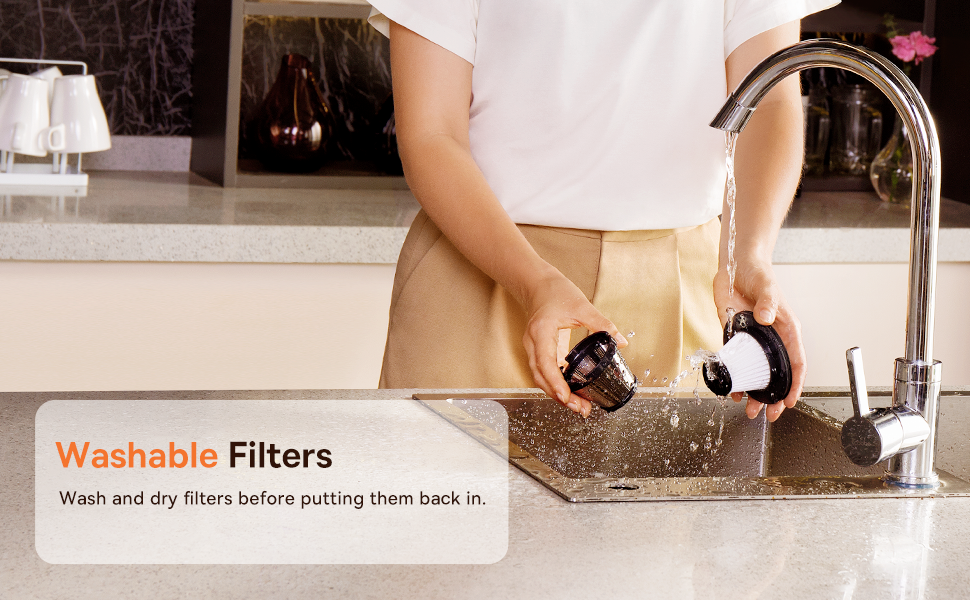
Figure 3.2: Powerful and Portable Design
Ключові характеристики:
- Бездротові та портативні: Designed for easy handling and use in various locations.
- Два рівні всмоктування: Standard (4500PA) for general cleaning and High (8000PA) for tougher debris.
- Перезаряджається USB-C: Convenient charging with a modern USB-C port.
- Фільтр HEPA: Затримує дрібний пил та алергени.
- 500ml Dust Box: Велика місткість для тривалого прибирання.
4. Налаштування та зарядка
4.1 Початкова плата
Before first use, fully charge the vacuum cleaner. The charging time is approximately 3 to 3.5 hours.
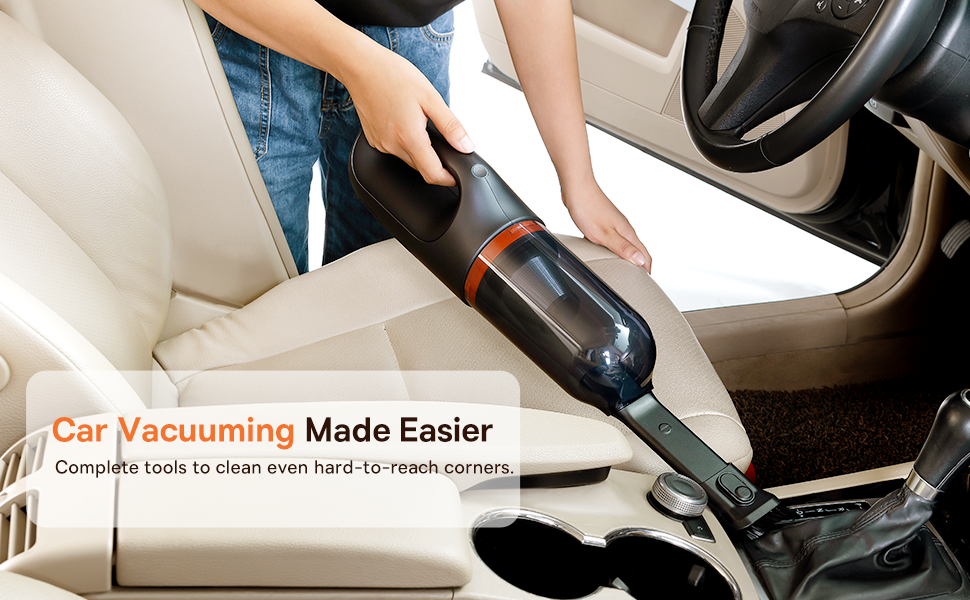
Рисунок 4.1: Заряджання через USB-C
- Connect the provided USB-C charging cable to the charging port on the vacuum cleaner.
- Підключіть інший кінець кабелю до сумісного USB-адаптера живлення (не входить до комплекту) або USB-порту.
- The indicator light will show charging status (refer to the device for specific light patterns).
- Після повної зарядки від’єднайте пилосос від джерела живлення.
4.2 Приєднання аксесуарів
Select the appropriate attachment for your cleaning task and firmly attach it to the vacuum's suction inlet.
- Flexible Extender Tube: For reaching deep or awkward spaces.
- 2-in-1 Crevice Tool (Silicone Brush/Precision Extensions): Use the narrow end for tight corners and crevices, or slide the brush attachment forward for delicate surfaces.
5. Інструкція з експлуатації
5.1 Power On/Off and Suction Levels
- To turn on the vacuum, press the power button. It will start in Standard suction mode (4500PA).
- Press the power button again to switch to High suction mode (8000PA).
- Натисніть кнопку живлення втретє, щоб вимкнути пилосос.
5.2 Застосування для очищення
The Baseus A7 is versatile for various cleaning tasks:

Figure 5.1: Versatile Cleanups

Figure 5.2: Car Vacuuming Made Easier
- Салони автомобілів: Use the crevice tool for tight spots between seats and the flexible tube for under seats.
- Household Surfaces: Effective for quick cleanups on tables, countertops, and furniture.
- Шерсть домашніх тварин: Can be used for light pet hair removal on upholstery.
- Keyboards and Electronics: Use the brush attachment for delicate cleaning.
For optimal performance, ensure the dust box is not overfilled and the filter is clean.
6. Технічне обслуговування
6.1 Спорожнення пилозбірника
Empty the dust box regularly to maintain suction power and prevent blockages.
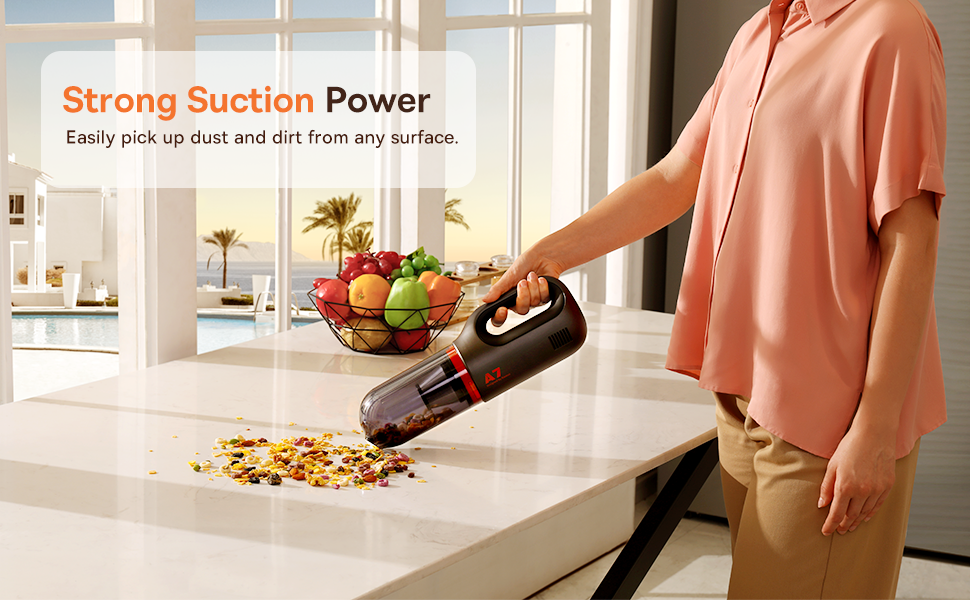
Figure 6.1: Easy to Empty Dust Box
- Переконайтеся, що пилосос вимкнено.
- Twist or unlatch the dust box from the main body of the vacuum (refer to device for specific mechanism).
- Carefully empty the collected debris into a trash receptacle.
- Reattach the dust box securely.
6.2 Очищення фільтра
The HEPA filter is washable and should be cleaned periodically to ensure efficient filtration and suction.

Figure 6.2: Washing the HEPA Filter
- Remove the dust box and then carefully remove the HEPA filter.
- Rinse the filter under cool, running water until clean. Do not use detergents.
- Дайте фільтру повністю висохнути на повітрі протягом щонайменше 24 годин, перш ніж знову вставляти його в пилосос. Не використовуйте пилосос із вологим фільтром.
- Ensure the filter is fully dry and properly seated before reassembling the vacuum.
7. Вирішення проблем
If you encounter issues with your Baseus A7 vacuum, refer to the following common problems and solutions:
| проблема | Можлива причина | Рішення |
|---|---|---|
| Немає живлення / Не вмикається | Акумулятор розрядився. | Charge the vacuum fully (approx. 3-3.5 hours). |
| Слабка потужність всмоктування | Пилозбірник повний. Фільтр забитий. Attachment is not properly sealed. | Спорожніть контейнер для пилу. Очистіть та висушіть HEPA-фільтр. Ensure attachments are firmly connected. |
| Пилосос несподівано зупиняється | Батарея розряджена. Активовано захист від перегріву. | Перезарядіть акумулятор. Turn off the vacuum and let it cool down for 30 minutes before resuming use. |
| Не працює індикатор зарядки | Проблема із зарядним кабелем або адаптером. Проблема з портом зарядки. | Try a different USB-C cable and power adapter. Ensure the cable is fully inserted. If the issue persists, contact customer support. |
Якщо проблема не зникає після спроби цих рішень, зверніться до служби підтримки клієнтів Baseus.
8. Технічні характеристики
| Особливість | Деталь |
|---|---|
| Бренд | Baseus |
| Назва моделі | A7 |
| Особливість | HEPA, Portable |
| Тип фільтра | Картридж (HEPA) |
| Бездротові | так |
| Ємність | 500 мілілітрів |
| Wattage | 120 Вт |
| Час зарядки | 3 - 3.5 годин |
| Рекомендоване використання | Car, Carpet, Household |
| Форм-фактор | Портативний |
| Колір | чорний |
| Розміри продукту | 4 см (Д) x 3 см (Ш) x 13 см (В) |
| Тип батареї | Літій-іонний (2 батареї в комплекті) |
| Рівень шуму | 75 децибели |
| Ampераж | 1.4 Amps |
| Кількість швидкостей | 2 |
| Вага товару | 3.43 фунта |
| Джерело живлення | Працює від батареї |
9. Гарантія та підтримка
The Baseus A7 Handheld Vacuum comes with a warranty to ensure your satisfaction.
- Гарантія: Includes a 1-year warranty card and a 3-year guarantee. Please refer to the warranty card included in your package for specific terms and conditions.
- Підтримка клієнтів: For any questions, technical assistance, or warranty claims, please contact Baseus customer support through their official webсайт або контактну інформацію, зазначену у вашому гарантійному талоні.
10. Відео про продукт
Watch the official product video for a visual guide on the Baseus A7 Handheld Vacuum's features and usage.
Video 10.1: Baseus A7 Handheld Vacuum Overview and Demonstration. This video showcases the vacuum's design, suction capabilities, and how to use its various attachments for different cleaning scenarios.


