вступ
This manual provides essential information for the safe and efficient operation of your Audiolab Omnia All-in-One Music System. Please read these instructions carefully before use and retain them for future reference. The Audiolab Omnia is designed to deliver high-fidelity audio performance from various sources, including CD, streaming, and external devices.
Важлива інформація з безпеки
- Джерело живлення: Connect the unit only to an AC power source of the type marked on the rear panel. Ensure the power cord is securely plugged into the unit and the wall outlet.
- Вентиляція: Не блокуйте вентиляційні отвори. Забезпечте достатній потік повітря навколо пристрою, щоб запобігти перегріву.
- Вода і вологість: Не піддавайте пристрій впливу дощу, вологи або надмірної вологості. Не ставте на пристрій предмети, наповнені рідинами, такі як вази.
- Джерела тепла: Тримайте пристрій подалі від джерел тепла, таких як радіатори, обігрівачі, печі або інші прилади, що виробляють тепло.
- Обслуговування: Не намагайтеся самостійно обслуговувати цей виріб. Зверніть усі послуги до кваліфікованого обслуговуючого персоналу.
- Прибирання: Unplug the unit from the wall outlet before cleaning. Use a soft, dry cloth for cleaning. Do not use liquid cleaners or aerosol cleaners.
Вміст упаковки
Перевірте наявність усіх елементів в упаковці:
- Audiolab Omnia All-in-One Music System
- Кабель живлення
- Пульт дистанційного керування
- Антени Wi-Fi (x2)
- Посібник користувача (цей документ)
Налаштування
1. Розпакування та розміщення
Carefully remove the Audiolab Omnia from its packaging. Place the unit on a stable, level surface with adequate ventilation. Avoid placing it near strong magnetic fields or direct sunlight.
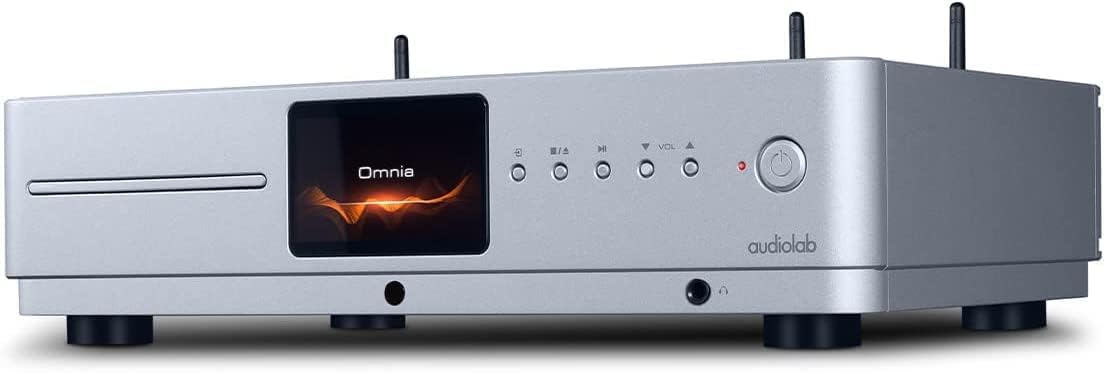
Фронт view of the Audiolab Omnia All-in-One Music System, showcasing its silver finish, central display, CD slot, and control buttons.
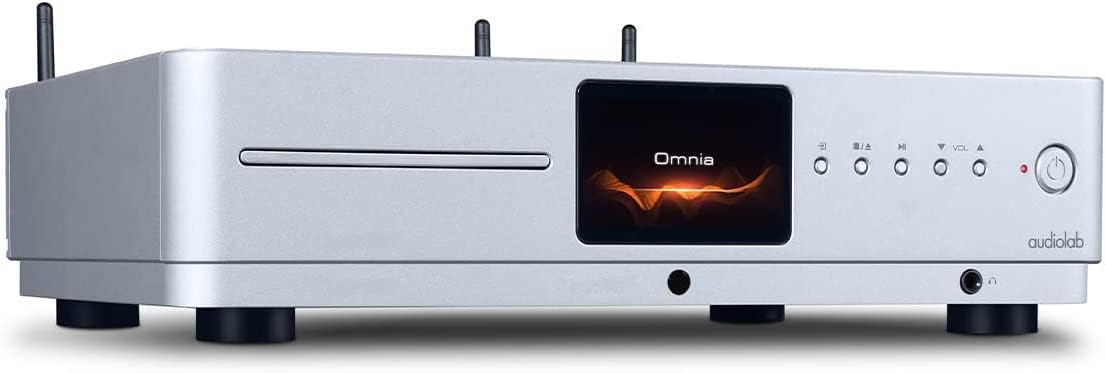
Кутова передня частина view of the Audiolab Omnia, highlighting its sleek design and integrated display.
2. Підключення динаміків
Connect your passive speakers to the speaker terminals on the rear panel of the Omnia. Ensure correct polarity (+ to + and - to -) for optimal sound quality. Use high-quality speaker cables.

The rear panel of the Audiolab Omnia, displaying speaker terminals, digital and analog inputs, network ports, and power input.
3. Підключення до мережі
For network streaming features, connect the supplied Wi-Fi antennas to the rear panel. Alternatively, connect an Ethernet cable from your router to the LAN port on the Omnia for a wired connection.
Detail of the rear panel, indicating the locations for Wi-Fi antenna attachment and the Ethernet port for network connectivity.
4. Підключення живлення
Connect the power cable to the AC inlet on the rear panel and then to a suitable wall outlet. Ensure the power switch is in the OFF position before connecting.
Інструкція з експлуатації
1. Увімкнення/вимкнення живлення
Press the power button on the front panel or the remote control to turn the unit on or off. The display will illuminate upon power-on.
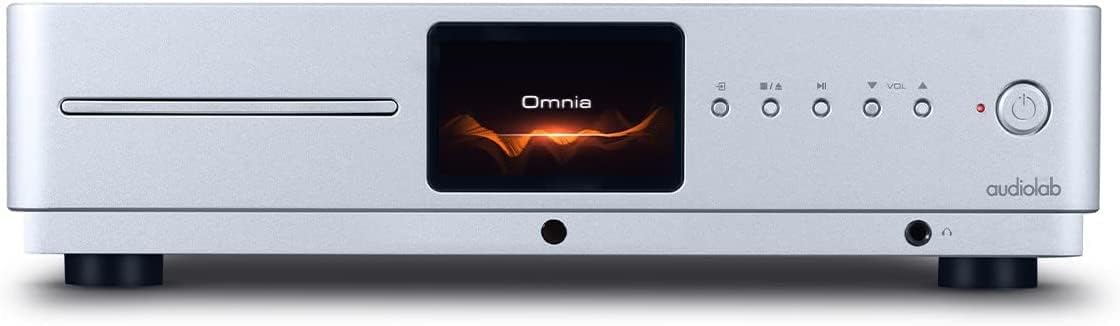
Front panel of the Omnia, showing the power button on the right and the central display.
2. Вибір джерела
Use the 'Input' button on the front panel or the remote control to cycle through available input sources (e.g., CD, Optical, Coaxial, USB, Network, Bluetooth, Analog).
3. Відтворення компакт-диска
Insert a CD into the slot on the front panel. The unit will automatically detect the CD and begin playback. Use the play/pause, stop, and track skip buttons on the front panel or remote control.
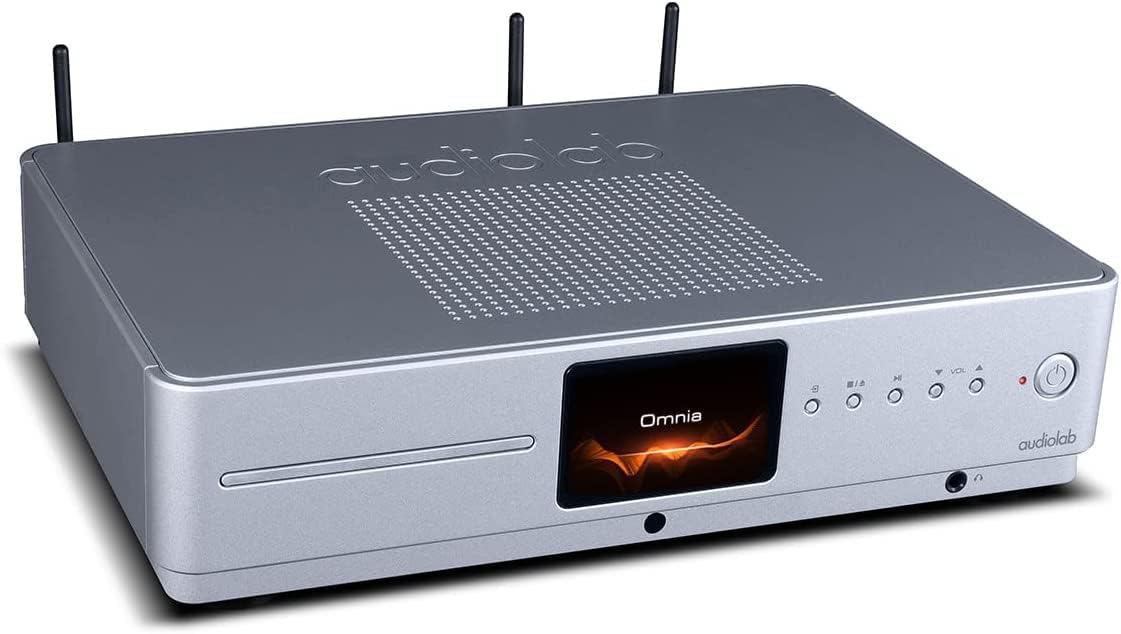
The CD slot on the front left of the Audiolab Omnia, ready for disc insertion.
4. Мережеве потокове передавання
Once connected to your network, use the dedicated Audiolab app (available for iOS and Android) to control streaming services, internet radio, and local network music files. Follow the in-app instructions for setup and control.
5. Підключення Bluetooth
Select Bluetooth as the input source. On your mobile device, search for "Audiolab Omnia" in the Bluetooth settings and pair. The unit supports aptX Bluetooth for high-quality wireless audio.
Технічне обслуговування
- Прибирання: Use a soft, dry, lint-free cloth to clean the unit's exterior. Do not use abrasive cleaners, waxes, or solvents.
- Вентиляція: Regularly check that the ventilation openings are clear of dust and debris to ensure proper airflow.
- Лоток для CD: Keep the CD slot clean and free from foreign objects.
Усунення несправностей
| проблема | Можлива причина | Рішення |
|---|---|---|
| Немає живлення | Power cable not connected; Power switch off; Wall outlet faulty. | Ensure power cable is securely connected; Turn power switch on; Test wall outlet with another device. |
| Немає звуку | Speakers not connected; Incorrect input source selected; Volume too low; Mute activated. | Check speaker connections; Select correct input source; Increase volume; Deactivate mute. |
| Компакт-диск не відтворюється | CD inserted incorrectly; CD dirty or scratched; Incorrect source selected. | Re-insert CD correctly; Clean or replace CD; Select CD input source. |
| Проблеми з мережевим підключенням | Wi-Fi antennas not connected; Router issues; Incorrect network settings. | Ensure antennas are connected; Restart router; Check network settings via the app. |
Технічні характеристики
- модель: Омнія
- Бренд: Аудіолабораторія
- Технологія підключення: Wi-Fi, Bluetooth, Ethernet
- колір: Срібло
- Тип динаміка: Stereo (Integrated Ampліфтер)
- Джерело живлення: Провідний електричний
- Вага товару: 26.1 фунта (приблизно 11.84 кг)
- Розміри упаковки: 21 x 16.7 x 8.3 дюймів (приблизно 53.34 x 42.42 x 21.08 см)
- Дата першої доступності: 21 жовтня 2021 р
Інформація про гарантію
Audiolab products are manufactured to the highest standards and undergo rigorous quality control. This product is covered by a limited warranty against manufacturing defects. The specific terms and duration of the warranty may vary by region. Please retain your proof of purchase for warranty claims. For detailed warranty information, please refer to the warranty card included with your product or visit the official Audiolab webсайт.
Підтримка клієнтів
If you encounter any issues not covered in the troubleshooting section or require further assistance, please contact Audiolab customer support. You can find contact details on the official Audiolab website or through your local dealer. Please have your product model and serial number ready when contacting support.
Інтернет-ресурси: Відвідайте www.audiolab.co.uk для реєстрації продукту, поширених запитань та додаткових допоміжних матеріалів.