1. Вступ
This manual provides detailed instructions for the setup, operation, and maintenance of your AWOW AK41 Mini PC. The AK41 is a compact and powerful desktop computer featuring an Intel Celeron J4125 processor, 8GB DDR4 RAM, and a 128GB NVMe M.2 SSD, pre-installed with Windows 11 Pro. It is designed for various applications including office work, home theater, study, and security monitoring.
2. Вміст упаковки
Будь ласка, перевірте наявність усіх предметів у вашій упаковці:
- AWOW AK41 Mini PC
- Адаптер живлення
- Кабель HDMI
- Mounting Bracket with Screws (for VESA mounting)
- Посібник користувача

Image 2.1: AWOW AK41 Mini PC with included accessories.
3. Продукт закінчивсяview
The AWOW AK41 Mini PC is engineered for efficiency and versatility. Below is an overview of its key components and ports.
3.1 Передня та бічна панелі

Зображення 3.1: Передня та бічна частини view of the AWOW AK41 Mini PC, highlighting the USB 3.0 ports, audio jack, and power button.
- Кнопка живлення: Натисніть, щоб увімкнути або вимкнути пристрій.
- Порти USB 3.0 (x2): Для підключення високошвидкісних USB-пристроїв.
- Аудіороз'єм (3.5 мм): Для навушників або зовнішніх динаміків.
3.2 Задня панель

Зображення 3.2: Ззаду view of the AWOW AK41 Mini PC, illustrating the DC power input, HDMI ports, Gigabit Ethernet, USB 2.0 ports, and Type-C port.
- Вхідна потужність постійного струму: Підключіть адаптер живлення, що входить у комплект.
- Порти HDMI 2.0 (x2): Connect to displays for 4K@60Hz output.
- Порт Gigabit Ethernet: Для дротового мережевого підключення.
- Порти USB 2.0 (x2): Для підключення стандартних USB-пристроїв.
- Full-Function Type-C Port (x1): Supports data transfer, video output (4K), and PD fast charging.
- Слот для карти Micro SD: Для додаткового розширення сховища.
4. Посібник із налаштування
Follow these steps to set up your AWOW AK41 Mini PC:
- Підключення до дисплея: Connect your monitor(s) to the Mini PC using the HDMI ports or the Type-C port. The device supports up to three displays simultaneously.
- Підключення периферійних пристроїв: Підключіть клавіатуру, мишу та будь-які інші USB-пристрої до доступних портів USB 2.0 або USB 3.0.
- Підключення до мережі: For a wired connection, connect an Ethernet cable to the Gigabit Ethernet port. For wireless, the device supports 2.4G/5G dual-band WiFi.
- Увімкнення: Connect the power adapter to the DC power input on the Mini PC, then plug the adapter into a power outlet. Press the power button on the front panel to turn on the device.
- Початкове налаштування: Upon first boot, follow the on-screen instructions to complete the Windows 11 Pro setup, including language, region, and network configuration.
5. Інструкція з експлуатації
5.1 Windows 11 Професійна
Your AWOW AK41 Mini PC comes pre-installed with Windows 11 Pro 64-bit. Familiarize yourself with the Windows 11 interface for optimal use.
- Меню Пуск: Доступ до програм, налаштувань та параметрів живлення.
- Панель завдань: Pin frequently used applications and manage open windows.
- Налаштування: Customize system preferences, network settings, and display options.
5.2 Налаштування кількох дисплеїв
The AK41 supports connecting up to three displays simultaneously at 4K@60Hz. This can be achieved using the two HDMI 2.0 ports and the full-function Type-C port.

Image 5.1: The AWOW AK41 Mini PC supporting multiple 4K displays for enhanced productivity.
Щоб налаштувати кілька дисплеїв у Windows 11:
- Клацніть правою кнопкою миші на робочому столі та виберіть «Параметри дисплея».
- Windows will detect the connected displays. You can arrange them, choose display modes (Extend, Duplicate, Show only on 1/2/3), and adjust resolution.
6. Розширення сховища
The AWOW AK41 Mini PC offers flexible storage expansion options:

Image 6.1: Visual guide for expanding storage on the AWOW AK41 Mini PC.
- 2.5-дюймовий жорсткий диск/твердотільний накопичувач SATA: You can add a 2.5-inch SATA hard drive or SSD (up to 2TB, not included) into the dedicated bay.
- Твердотільний накопичувач M.2 SATA: An additional M.2 SATA SSD (up to 2TB, not included) can be installed. Note that the M.2 port supports PCIe X2, and compatibility with PCIe X4 might vary.
- Зовнішня пам'ять: Utilize the USB 3.0 and USB 2.0 ports to connect external hard drives or USB flash drives.
- Micro SD Card: Insert a Micro SD card into the dedicated slot for portable storage.
7. Підключення
7.1 Wi-Fi
The AK41 supports dual-band 2.4G/5G Wi-Fi (802.11a/b/g/n/ac) for robust wireless connectivity.
- Клацніть піктограму Wi-Fi на панелі завдань Windows.
- Виберіть потрібну мережу зі списку.
- Enter the network password if prompted and click "Connect."
7.2 Ethernet
Для стабільного та високошвидкісного інтернет-з'єднання використовуйте гігабітний Ethernet-порт.
- Connect one end of an Ethernet cable to the Gigabit Ethernet port on the Mini PC.
- Підключіть інший кінець кабелю Ethernet до маршрутизатора або модему.
- The system will automatically detect and connect to the wired network.
НЕ Bluetooth
The Mini PC includes Bluetooth 4.2 for connecting wireless peripherals.
- Перейдіть до розділу Налаштування Windows > Bluetooth та пристрої.
- Переконайтеся, що Bluetooth увімкнено.
- Натисніть «Додати пристрій» і виберіть «Bluetooth».
- Виберіть свій пристрій Bluetooth зі списку та дотримуйтесь інструкцій щодо сполучення.
8. Технічне обслуговування
Правильне обслуговування забезпечує довговічність та оптимальну продуктивність вашого міні-ПК.
- Прибирання: Use a soft, dry cloth to clean the exterior. For dust accumulation in vents, use compressed air. Ensure the device is powered off and unplugged before cleaning.
- Вентиляція: Do not block the ventilation holes. Ensure adequate airflow around the device to prevent overheating. The AK41 features a built-in quiet fan for efficient heat dissipation.
- Оновлення програмного забезпечення: Regularly update Windows 11 and device drivers to maintain security and performance.
- Умови навколишнього середовища: Використовуйте міні-ПК у чистому, сухому середовищі, подалі від прямих сонячних променів, екстремальних температур та надмірної вологості.

Image 8.1: The AWOW AK41 Mini PC's internal cooling system with a quiet large fan for effective heat dissipation.
9. Вирішення проблем
If you encounter issues with your AWOW AK41 Mini PC, refer to the following common solutions:
- Немає живлення:
- Переконайтеся, що адаптер живлення надійно підключений як до міні-ПК, так і до справної розетки.
- Спробуйте іншу розетку.
- Немає дисплея:
- Verify that the HDMI or Type-C cable is firmly connected to both the Mini PC and the monitor.
- Переконайтеся, що монітор увімкнено та налаштовано на правильне джерело вхідного сигналу.
- Test with a different cable or monitor if possible.
- Немає підключення до Інтернету:
- For Wi-Fi, check if the Wi-Fi adapter is enabled in Windows settings and if you are connected to the correct network with the right password.
- For Ethernet, ensure the cable is properly connected and your router/modem is functioning.
- Перезавантажте маршрутизатор/модем і міні-ПК.
- Повільна продуктивність:
- Закрийте непотрібні програми, що працюють у фоновому режимі.
- Перевірте наявність та встановіть будь-які оновлення Windows, що очікують на оновлення.
- Переконайтеся, що на вашому SSD-накопичувачі достатньо вільного місця.
10. Технічні характеристики
| Особливість | Специфікація |
|---|---|
| Бренд | ВАУ |
| Номер моделі | AK41 |
| Операційна система | Windows 11 Pro |
| Процесор | Intel Celeron J4125 Quad-Core (2.0 GHz base, up to 2.7 GHz burst) |
| ОЗУ | 8 ГБ DDR4 |
| Внутрішня пам'ять | 128 GB NVMe M.2 SSD (PCIe x2) |
| Графіка | Intel UHD Graphics 600 |
| Вихід на дисплей | 2x HDMI 2.0, 1x Full-Function Type-C (supports 4K@60Hz, triple display) |
| роздільна здатність | До 4096 x 2304 (4K) |
| Бездротове підключення | Dual-band Wi-Fi (802.11a/b/g/n/ac), Bluetooth 4.2 |
| Дротове підключення | 1x Gigabit Ethernet |
| USB порти | 2x USB 3.0, 2x USB 2.0 |
| Інші порти | 1x 3.5mm Audio Jack, 1x Micro SD Card Slot, 1x DC Power Input |
| Розміри (Д x Ш x В) | 12.5 х 11 х 4 см |
| вага | 710 грами |
| Тип живлення | DC |
| Особливе використання | Multimedia, Personal, Professional |
11. Гарантія та підтримка
AWOW is committed to providing reliable products and customer satisfaction.
- Гарантія: Your AWOW AK41 Mini PC comes with a 1-year warranty.
- Повернення: Enjoy a 1-month free return period.
- Технічна підтримка: AWOW offers lifetime technical consulting services and 24-hour customer support.
If you encounter any issues or have questions, please contact AWOW customer service for assistance.
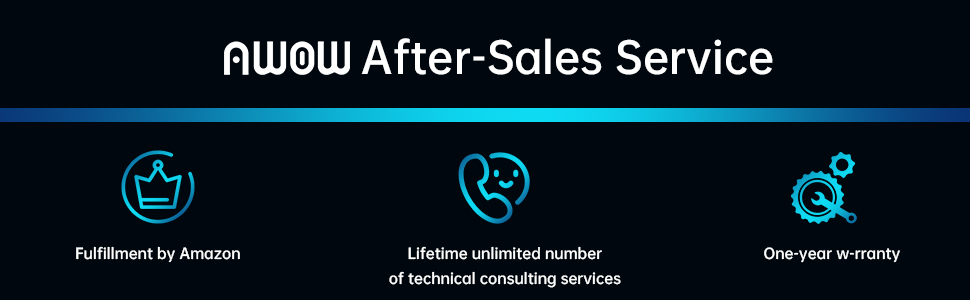
Зображення 11.1: закінченоview of AWOW's after-sales service commitments.


