вступ
This manual provides instructions for the setup, operation, and maintenance of your RCA RCDC45 Alarm Clock Caddy Charging Station. Please read this manual thoroughly before using the device to ensure proper functionality and safety. This device combines an alarm clock with a convenient storage caddy and USB charging capabilities.
Важлива інформація з безпеки
- Ensure the device is connected to an AC power outlet with the correct voltage.
- Цей виріб призначений лише для використання в приміщенні.
- Не піддавайте пристрій впливу води, вологи або екстремальних температур.
- Не намагайтеся розбирати або модифікувати пристрій. Звертайтеся до кваліфікованого персоналу для проведення будь-яких робіт з обслуговування.
- Тримайте пристрій подалі від джерел тепла, таких як радіатори, обігрівачі, плити чи інші прилади (включаючи ampліфікатори), які виробляють тепло.
Вміст упаковки
- RCA RCDC45 Alarm Clock Caddy Charging Station
- Адаптер змінного струму
- Батарейка CR2032 (для резервного копіювання)
Особливості продукту
- 1-inch tall / 3.25-inch diagonal red LED display with 4-level brightness control.
- Integrated small device and item organizer with a soft, non-scratch interior floor.
- USB charging port (5V/2A) for compatible devices.
- Alarm clock with 3 separate alarms.
- Displays indoor temperature in either Fahrenheit (°F) or Celsius (°C).
- Battery backup option (CR2032 battery included) to retain time settings during power outagес.
Продукт закінченийview
Familiarize yourself with the various components of your alarm clock caddy.

Малюнок 1: Спереду View. This image displays the front of the RCA RCDC45 Alarm Clock Caddy, featuring its prominent red LED digital display showing the time 6:18. The device is black with a smooth finish.

Малюнок 2: Задня частина View та елементи керування. The back of the unit features the USB charging port on the left, followed by three control buttons: ВНИЗ, UP, і НАБІР. These buttons are used for adjusting time, alarms, and other settings.

Figure 3: Storage Caddy in Use. This image illustrates the integrated storage caddy, shown holding a remote control, a pair of eyeglasses, and two pens. The caddy provides a convenient space for organizing small items.

Figure 4: Labeled Features. This diagram highlights the key features of the device, including the large dimmable display, the storage space, the USB charging port, and indicates its dual alarm capability.
Налаштування
- Підключіть джерело змінного струму: Plug the provided AC power adapter into the DC IN jack on the back of the alarm clock, then plug the adapter into a standard wall outlet. The display will light up.
- Встановлення резервного акумулятора: Open the battery compartment on the bottom of the unit. Insert the CR2032 battery (included) with the correct polarity (+/-). This battery retains time settings during a power outage, though the display will not be active and USB charging will not function without AC power.
Інструкція з експлуатації
Встановлення часу
- Натисніть і утримуйте НАБІР button on the back of the unit for approximately 3 seconds until the hour digits begin to flash.
- Використовуйте UP or ВНИЗ buttons to adjust the hour. Pay attention to the AM/PM indicator if present.
- Натисніть НАБІР знову натисніть кнопку, щоб підтвердити годину та перейти до налаштування хвилин. Цифри хвилин блиматимуть.
- Використовуйте UP or ВНИЗ кнопки для налаштування хвилин.
- Натисніть НАБІР button one more time to confirm the minutes and exit time setting mode.
Setting Alarms (Alarm 1, Alarm 2, Alarm 3)
This device supports up to three independent alarms.
- Кілька разів натисніть НАБІР button (do not hold) until 'AL1' (Alarm 1) appears on the display and the hour digits flash.
- Використовуйте UP or ВНИЗ кнопки, щоб встановити потрібну годину будильника.
- Прес НАБІР щоб підтвердити годину та перейти до налаштування хвилин.
- Використовуйте UP or ВНИЗ кнопки для встановлення потрібних хвилин будильника.
- Прес НАБІР to confirm the minutes. The display will show 'OFF' or 'ON'. Use UP or ВНИЗ to toggle the alarm ON or OFF.
- Прес НАБІР to save Alarm 1 settings.
- Repeat steps 1-6 for 'AL2' (Alarm 2) and 'AL3' (Alarm 3) by pressing НАБІР until the respective alarm indicator appears.
- To stop a sounding alarm, press any button. The alarm will reset for the next day.
Регулювання яскравості дисплея
The display has 4 levels of brightness.
- While the clock is displaying the time, repeatedly press the ВНИЗ button to cycle through the 4 brightness levels (High, Medium, Low, Off). Select your preferred brightness.
Temperature Display (°F/°C)
The device displays the indoor temperature.
- Щоб перемикатися між градусами Фаренгейта (°F) та Цельсія (°C), натисніть кнопку UP button while the clock is displaying the time.
USB зарядка
The integrated USB port allows you to charge compatible devices.
- Знайдіть порт USB для зарядки на задній панелі пристрою.
- Підключіть USB-кабель для заряджання вашого пристрою до порту.
- Підключіть інший кінець кабелю до вашого пристрою. Заряджання розпочнеться автоматично.
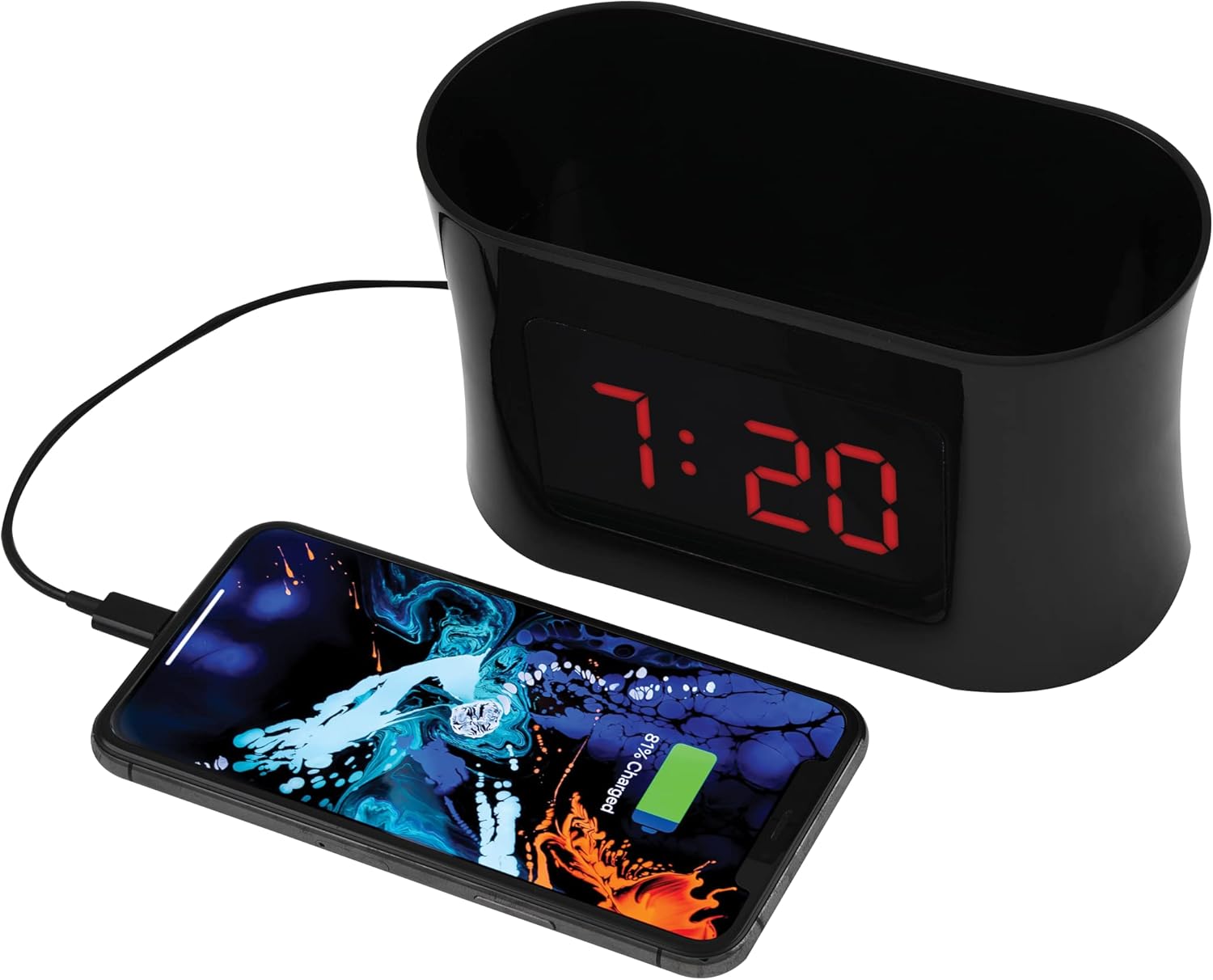
Figure 5: USB Charging. This image shows a smartphone connected to the USB port of the alarm clock caddy, illustrating its charging capability.
Using the Storage Caddy
The top compartment serves as a convenient organizer for small items.
- Place items such as remote controls, eyeglasses, pens, or other small personal devices into the caddy.
- The interior floor is designed with a soft, non-scratch material to protect your belongings.
Технічне обслуговування
Догляд і очищення
- Перед чищенням вимкніть пристрій з розетки.
- Протріть зовнішні поверхні м’якою сухою тканиною.
- Не використовуйте абразивні засоби для чищення, віск або розчинники, оскільки вони можуть пошкодити покриття.
- Ensure no liquids enter the device's openings.
Усунення несправностей
Refer to the table below for solutions to common issues.
| проблема | Рішення |
|---|---|
| Display is blank during a power outage. | The battery backup retains time settings but does not power the display or USB charging port. These functions resume when AC power is restored. |
| Difficulty setting time or alarms. | Переконайтеся, що ви натискаєте та утримуєте НАБІР button for 3 seconds to enter time setting mode, or pressing it repeatedly to cycle through alarm settings. Use UP/ВНИЗ buttons to adjust values. Refer to the 'Operating Instructions' section for detailed steps. |
| Зарядка через USB не працює. | Verify the AC power adapter is securely plugged into both the clock and a working wall outlet. Ensure your device's charging cable is fully inserted into both the clock's USB port and your device. Confirm your device is compatible with 5V/2A charging. |
| Temperature display is incorrect or not showing. | Ensure the device is in a stable indoor environment. If the issue persists, try unplugging and re-plugging the AC adapter to reset the unit. |
Технічні характеристики
| Особливість | Деталь |
|---|---|
| Бренд | RCA |
| Модель | RCDC45 |
| Тип дисплея | Цифровий світлодіод (червоний) |
| Розмір дисплея | 1-inch tall / 3.25-inch diagonal |
| Контроль яскравості | 4 рівнів |
| USB порт зарядки | 5В/2А |
| Сигналізація | 3 separate alarms |
| Відображення температури | Indoor (°F/°C) |
| Джерело живлення | Потужність змінного струму |
| Резервний акумулятор | CR2032 (включено) |
| Колір | чорний |
| Виробник | Voxx International, Inc |

Рисунок 6: Розміри виробу. This image provides the approximate dimensions of the alarm clock caddy, indicating a length of 15.9 cm and a height of 9 cm.
Гарантія та підтримка
This RCA product is covered by a limited manufacturer's warranty. For specific warranty terms and conditions, please refer to the documentation included with your purchase or contact RCA customer support.
For technical assistance or customer service inquiries, please visit the official RCA webсайт або зверніться до їхньої служби підтримки. Контактну інформацію зазвичай можна знайти на упаковці продукту або на етикетці виробника webсайт.


