1. Вступ
The iRobot Roomba i1+ (i155220) is a self-emptying robot vacuum designed to automate floor cleaning. It features intelligent navigation, powerful suction, and a Clean Base Automatic Dirt Disposal system, allowing the robot to empty its own dust bin for extended periods.
This manual provides essential information for setting up, operating, maintaining, and troubleshooting your Roomba i1+ robot vacuum.
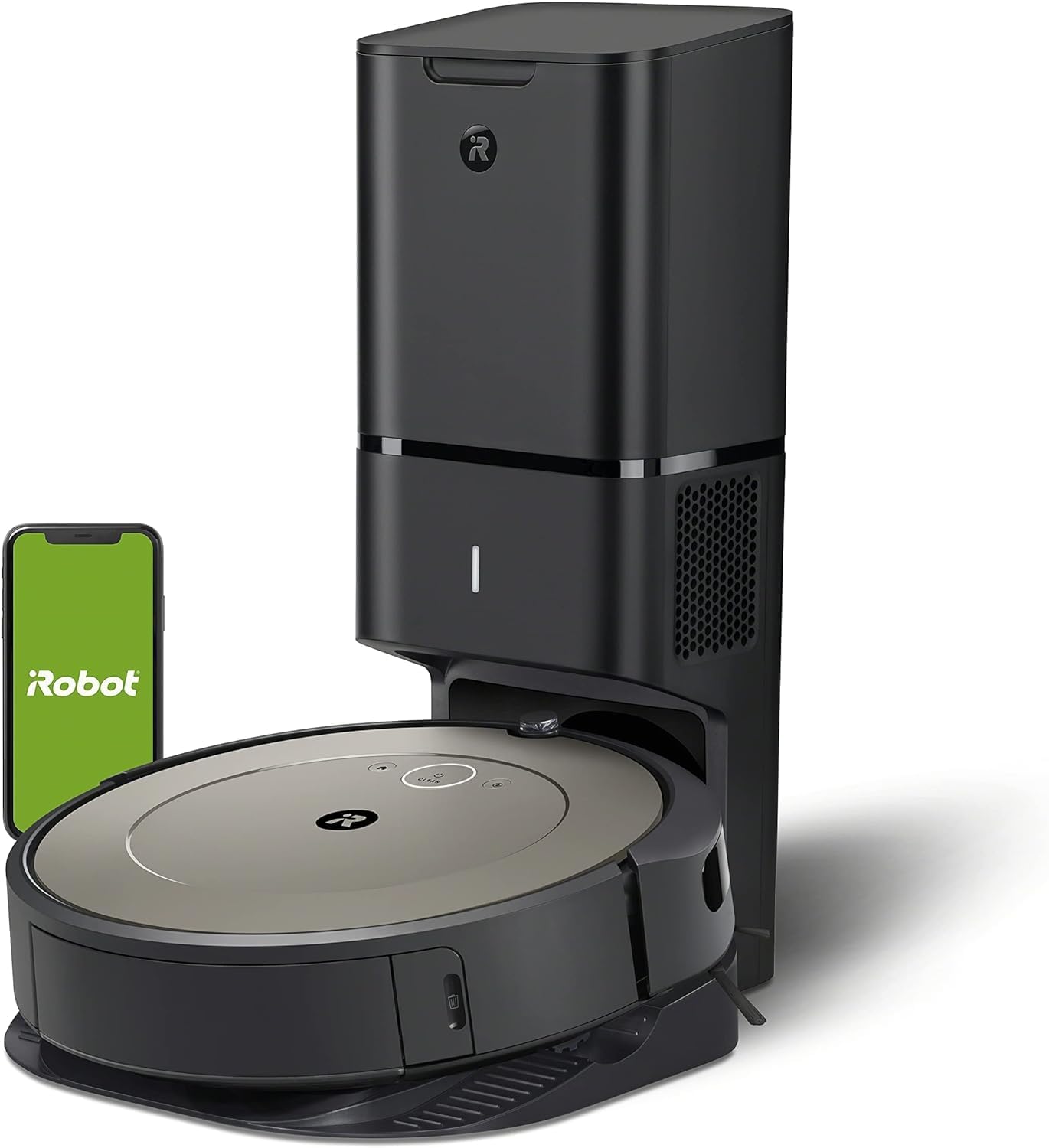
Image 1: The Roomba i1+ robot vacuum docked with its Clean Base Automatic Dirt Disposal unit.
2. Вміст упаковки
- Робот-пилосос iRobot Roomba i1+
- Автоматичне видалення бруду з чистої основи
- 1 мішок для збору сміття (попередньо встановлений у Clean Base)
- Лінійний шнур
- Owner's Guide (this document)
3. Налаштування
- Place the Clean Base: Select a location for the Clean Base that is near a wall outlet and on a level surface. Ensure there is clear space around the base (at least 1.5 feet on each side and 4 feet in front).
- Плагін: Connect the line cord to the Clean Base and then to a wall outlet. The indicator light on the Clean Base will illuminate.
- Зарядіть робота: Place the Roomba robot onto the Clean Base charging contacts. The robot will power on and begin charging. Allow at least 3 hours for a full charge before first use.
- Завантажте програму iRobot Home: For full functionality, download the iRobot Home app on your smartphone or tablet. Follow the in-app instructions to connect your Roomba i1+ to your Wi-Fi network. The app enables scheduling, cleaning preferences, and provides access to additional features.
4. Інструкція з експлуатації
Початок роботи з прибирання
- Ручний запуск: Press the CLEAN button on the robot once to wake it up, then press CLEAN again to start a cleaning cycle.
- Використання застосунку iRobot Home: Open the app and select 'CLEAN' to start a cleaning job. You can also set up cleaning schedules and customize cleaning preferences through the app.
Призупинення та відновлення
- To pause the robot during a cleaning cycle, press the CLEAN button.
- To resume, press the CLEAN button again.
Ending a Cleaning Job / Sending Home
- To send the robot back to its Clean Base during a cleaning cycle, press the CLEAN button and hold it for 2-3 seconds.
- Alternatively, use the 'Home' button in the iRobot Home app.
Ключові характеристики
- Інтелектуальна навігація: The Roomba i1+ uses floor tracking sensors to clean in neat, efficient rows.
- Технологія виявлення бруду: The robot identifies and focuses on dirtier areas of your home for a more thorough clean.
- Автоматичне видалення бруду: The robot automatically empties its dust bin into the Clean Base, which holds up to 60 days of debris.
5. Технічне обслуговування
Regular maintenance ensures optimal performance of your Roomba i1+ robot vacuum.
Автоматичне видалення бруду з чистої основи
- Replace Dirt Disposal Bag: The Clean Base bag should be replaced approximately every 60 days, or when the indicator light on the Clean Base turns solid red. To replace, lift the lid, pull up on the bag tab to remove, and insert a new bag.

Image 2: The Clean Base Automatic Dirt Disposal system actively transferring debris from the robot's bin into a sealed bag.
Технічне обслуговування роботів
- Чисті пензлі: Regularly remove hair and debris from the multi-surface rubber brushes. Pinch the brush frame release tabs, lift the frame, and remove the brushes.
- Чистий фільтр: Remove the filter from the robot's dust bin and tap it against a trash can to clear debris. Replace the filter every 2-3 months.
- Clean Caster Wheel: Міцно потягніть за переднє колесо, щоб зняти його. Видаліть волосся або сміття з колеса та його корпусу.
- Чисті датчики: Wipe the charging contacts on the robot and Clean Base, as well as the cliff sensors and dirt detect sensors on the robot's underside, with a clean, dry cloth.
6. Вирішення проблем
If your Roomba i1+ encounters an issue, the robot will play an audible alert and the indicator light will flash. Consult the iRobot Home app for specific error messages and troubleshooting steps.
Поширені проблеми та рішення:
- Робот не заряджається: Ensure the Clean Base is plugged in and the robot is properly aligned on the charging contacts. Clean the charging contacts on both the robot and the Clean Base.
- Проблеми з підключенням (Wi-Fi): Verify your Wi-Fi network is active. Restart your router, then attempt to reconnect the robot via the iRobot Home app. Ensure the robot is within Wi-Fi range.
- Robot Not Emptying: Check if the dirt disposal bag in the Clean Base is full or improperly installed. Ensure the Clean Base's suction port is clear of obstructions.
- Погана ефективність очищення: Clean the multi-surface brushes, filter, and caster wheel. Ensure the robot's dust bin is not full (though it should self-empty).
- Robot Stuck/Error Messages: Clear any obstacles from the robot's path. If an error persists, try rebooting the robot by holding the CLEAN button for 10 seconds until the light ring turns white, then release.
7. Технічні характеристики
| Особливість | Деталь |
|---|---|
| Бренд | iRobot |
| Назва моделі | iRobot® Roomba® i1+ (1552) Wi-Fi® Connected Robot Vacuum with Automatic Dirt Disposal |
| Номер моделі | i155220 |
| Особливість | Automatic Dust Collection, Self-Emptying |
| Колір | Мигдаль |
| Розміри продукту | 13 см (Д) x 13 см (Ш) x 3.6 см (В) |
| Вага товару | 21.8 фунта |
| Джерело живлення | Працює від батареї |
| Тип батареї | Літій-іонний (в комплекті) |
| Тип фільтра | диск |
| Спосіб контролю | додаток |
| Сумісні пристрої | Amazon Echo |
| UPC | 885155029904 |
8. Гарантія та підтримка
For information regarding your product's warranty, please refer to the warranty card included in your product packaging or visit the official iRobot webсайт. Гарантійні умови можуть відрізнятися залежно від регіону та продавця.
If you require technical assistance, have questions about your product, or need to order replacement parts, please contact iRobot Customer Care. Support contact information can typically be found on the iRobot website or within the iRobot Home app.
When contacting support, please have your robot's serial number and proof of purchase available.


