1. Вступ
Дякуємо за покупкуasing the Comix S360A Cross Cut Paper Shredder. This manual provides essential information for the safe and efficient operation, maintenance, and troubleshooting of your shredder. Please read these instructions carefully before use and retain them for future reference.
The Comix S360A is designed for secure disposal of sensitive documents, credit cards, and CDs. It features a cross-cut mechanism for enhanced security and includes a jam-proof system with reverse and forward functions to clear paper jams. An energy-saving mode ensures optimal efficiency during operation.
2. Важливі інструкції з техніки безпеки
ПОПЕРЕДЖЕННЯ: Недотримання цих інструкцій з безпеки може призвести до пожежі, ураження електричним струмом або травмування.
- Тримайте дітей і домашніх тварин подалі від шредера.
- Keep loose clothing, jewelry, hair, and ties away from the paper entry slot.
- Do not insert fingers or other body parts into the paper entry slot.
- Не розпилюйте жодних легкозаймистих речовин або мастильних матеріалів у шредер.
- Do not shred metal objects, wet paper, or adhesive labels.
- Always unplug the shredder when not in use or before cleaning.
- Do not operate the shredder if the power cord is damaged. Contact customer support for assistance.
- Переконайтеся, що подрібнювач встановлено на стійкій, рівній поверхні.
- Do not overload the shredder beyond its specified sheet capacity.
3. Вміст упаковки
Будь ласка, перевірте упаковку на наявність наступних предметів:
- Comix S360A Shredder Head
- Waste Bin (13 Liter capacity)
- Інструкція з експлуатації (цей документ)
4. Налаштування
- Розпакуйте шредер: Акуратно вийміть усі компоненти з упаковки.
- Place the Waste Bin: Position the waste bin on a flat, stable surface.
- Встановіть головку подрібнювача: Carefully place the shredder head onto the top of the waste bin, ensuring it is securely seated. The shredder will not operate if the head is not correctly positioned.
- Підключіть живлення: Підключіть шнур живлення до стандартної електричної розетки.
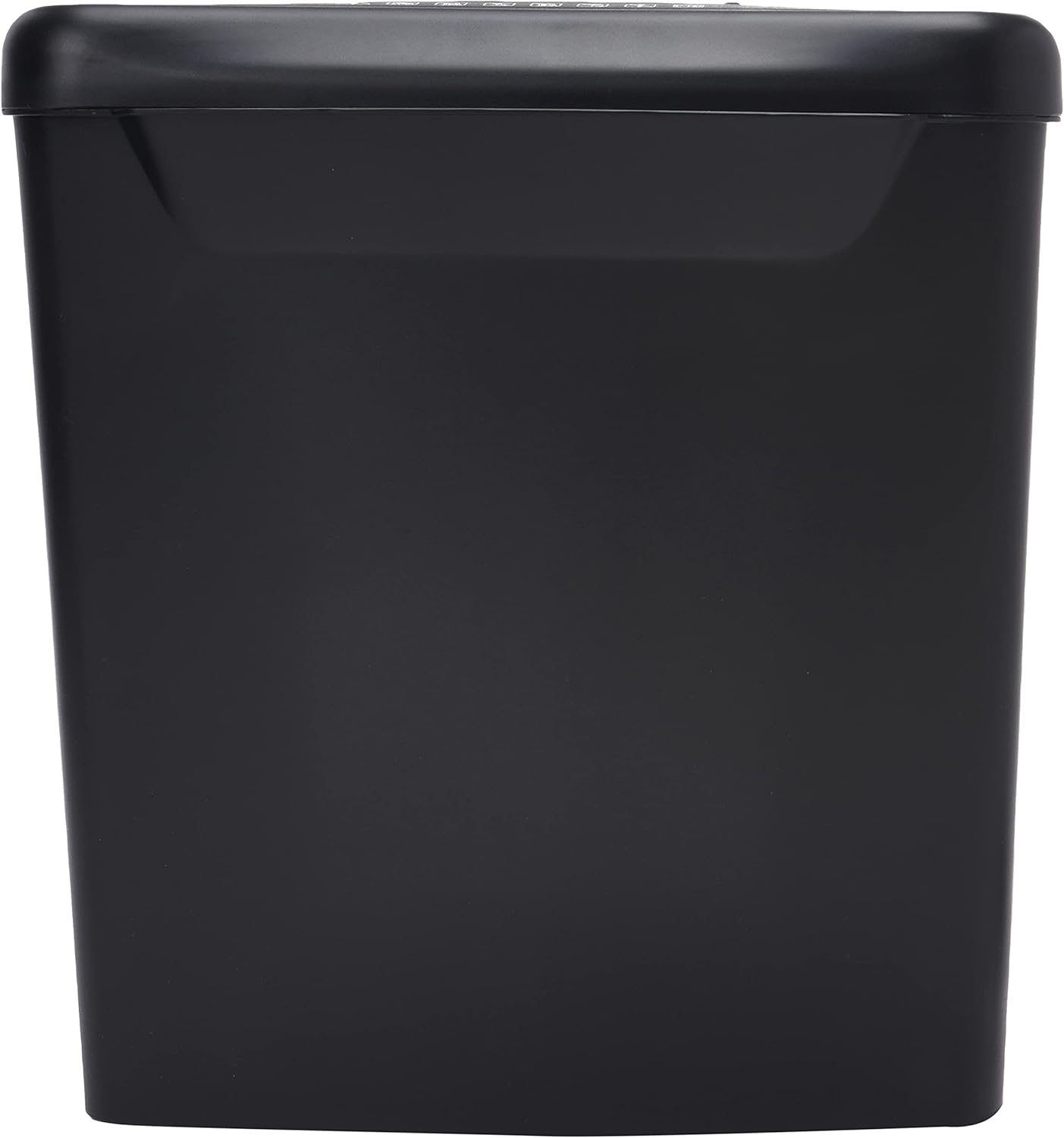
Зображення: Збоку view of the Comix S360A shredder bin, showing its black exterior and compact design. The shredder head is not visible in this image.
5. Інструкція з експлуатації
5.1 Перемикач управління
The shredder features a slide switch with three positions:
- АВТО: The shredder will automatically start when paper is inserted and stop when shredding is complete. This is the normal operating mode.
- ВИМКНЕНО: The shredder is powered off. Always set the switch to OFF when emptying the bin or when the shredder is not in use.
- REV (Задній хід): This position reverses the shredder blades to help clear paper jams.

Зображення: Верх view of the shredder head, highlighting the paper entry slot, the three-position control switch (Rev, OFF, Auto), and various safety warning icons.
5.2 Подрібнення документів
- Ensure the shredder head is securely placed on the waste bin.
- Вставте шнур живлення в електричну розетку.
- Встановіть перемикач керування в положення АВТО.
- Insert up to 8 sheets of 70gsm A4 paper into the paper entry slot. The shredder will start automatically.
- For credit cards or CDs, use the dedicated slot if available (refer to product specifications for capability).
- The shredder will stop automatically once the shredding process is complete.
5.3 Робочий цикл
The Comix S360A has a continuous run time of 2 хвилин, followed by a rest time of 40 хвилин. Exceeding the run time may cause the shredder to overheat and automatically shut off. Allow the shredder to cool down for the specified rest time before resuming operation.
6. Технічне обслуговування
6.1 Опорожнення контейнера для сміття
- Встановіть перемикач керування в положення ВИМКНЕНО.
- Від’єднайте шредер від розетки.
- Lift the shredder head off the waste bin.
- Викиньте подрібнений папір.
- Щільно встановіть головку шредера на сміттєвий бак.
- Знову підключіть шредер до розетки.
6.2 Змащування лез подрібнювача
Regular oiling of the shredder blades is recommended to maintain optimal performance and extend the life of your shredder. Use shredder oil specifically designed for paper shredders.
- Нанесіть тонку лінію олії для подрібнювача на отвір для входу паперу.
- Встановіть перемикач керування в положення АВТО.
- Insert a sheet of paper to distribute the oil evenly across the blades.
- Repeat this process periodically, especially after emptying a full waste bin or if the shredder's performance decreases.
6.3 Очищення
Протріть зовнішню частину шредера м’якою сухою тканиною. Не використовуйте абразивні засоби для чищення або розчинники. Перед чищенням переконайтеся, що шредер відключений від мережі.
7. Вирішення проблем
| проблема | Можлива причина | Рішення |
|---|---|---|
| Шредер не запускається. |
|
|
| Зминання паперу. |
|
|
| Шредер зупиняється під час роботи. |
|
|
8. Технічні характеристики
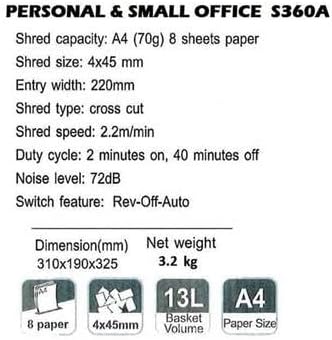
Image: Technical specifications sheet for the Comix S360A, detailing performance metrics and physical attributes.
- модель: S360A
- Тип подрібнення: Поперечний зріз
- Розмір подрібнення: 4 х 45 мм
- Shred Capacity (A4, 70g): 8 аркушів
- Ширина входу: 220 мм
- Швидкість подрібнення: 2.2 м/хв
- Ємність смітника: 13 літра
- Робочий цикл: 2 хвилин увімкнено / 40 хвилин вимкнено
- Рівень шуму: 72 дБ
- Switch Feature: Rev-Off-Auto
- Розміри продукту: 310 x 190 x 325 мм (Д x Ш x В)
- Вага нетто: 3.2 кг
- Особливості: Energy Saving Mode, Jam Pro, Quiet Operation
9. Гарантія та підтримка
For warranty information or technical support, please refer to the warranty card included with your product or contact Comix customer service through their official website or the retailer where the product was purchased. Please have your model number (S360A) and purchase date available when contacting support.


