вступ
Thank you for choosing the ORICO Universal CPU Stand. This stand is designed to elevate your computer tower, printer, or potted plants, providing mobility and protection from dust and moisture. Its robust ABS construction and smooth-rolling wheels offer convenience and durability for various uses.

Image: The ORICO CPU stand positioned under a desk, supporting a computer tower, demonstrating its practical application in an office or home environment.
Продукт закінченийview
Ключові характеристики:
- Розширена мобільність: Equipped with four swivel wheels, two of which are lockable, for easy movement and stable positioning.
- Damp-Proof Design: Elevates your device off the floor, protecting it from moisture and dust.
- Міцна конструкція: Made from high-quality ABS material, offering resistance to high temperatures, wear, and pressure.
- Безпечне розміщення: A 3 cm protective edge prevents the supported item from sliding during movement.
- Універсальне використання: Suitable for computer towers, printers, and potted plants.
Компоненти:
- 1 x ORICO CPU Stand Platform
- 4 x Swivel Wheels (2 with locking mechanism)

Image: A visual representation of the stand's key attributes, including its high-temperature resistant ABS material, sturdy build, mobile functionality, and versatility for various storage purposes.
Інструкції з налаштування
- Розпакуйте компоненти: Carefully remove all parts from the packaging. Ensure you have the stand platform and four wheels.
- Прикріпіть колеса: Insert each wheel into the designated slots on the underside of the stand platform. Apply firm, even pressure until each wheel clicks securely into place. Увага: While attaching, avoid excessive force as the ABS material, though durable, can be damaged if over-tightened or forced improperly.
- Перевірка стабільності: Once all wheels are attached, gently press down on the stand to ensure all wheels are firmly seated and the stand is stable.

Зображення: Детальний view of one of the stand's wheels, highlighting the locking mechanism for secure placement.
Інструкція з експлуатації
- Розміщення: Position your computer tower, printer, or other item centrally on the stand platform. Ensure the item fits within the internal dimensions of the stand (45.4 x 22.2 x 2.2 cm).
- Переміщення підставки: To move the stand, ensure the two locking wheels are in the unlocked position. Gently push or pull the stand to its desired location.
- Locking the Stand: Once the stand is in its desired position, engage the locking mechanism on the two designated wheels to prevent unintended movement. This provides stability and keeps the stand stationary.

Image: The ORICO CPU stand elevating a computer tower, allowing for easy cleaning underneath and demonstrating its damp-proof capability.
Технічне обслуговування
- Прибирання: Протріть підставку м’якою ганчіркоюamp cloth. Avoid abrasive cleaners or solvents that may damage the ABS material.
- Перевірка коліс: Periodically check the wheels for any debris or hair that might hinder smooth movement. Clean as necessary.
- Вантажопідйомність: Do not exceed the maximum load capacity of 20 kg to ensure the longevity and stability of the stand.
Усунення несправностей
- Стійка нестійка: Ensure all four wheels are fully inserted into their slots. Check that the locking mechanisms on the two wheels are disengaged if you intend to move it, or engaged if you want it stationary.
- Колеса котяться неплавно: Inspect wheels for trapped debris (e.g., hair, dust). Clean the wheels and their axles.
- Wheels detach when moving: This may occur if the supported item is too heavy or if the wheels were not fully secured during assembly. Re-attach wheels firmly. Ensure the total weight on the stand does not exceed 20 kg.
Технічні характеристики
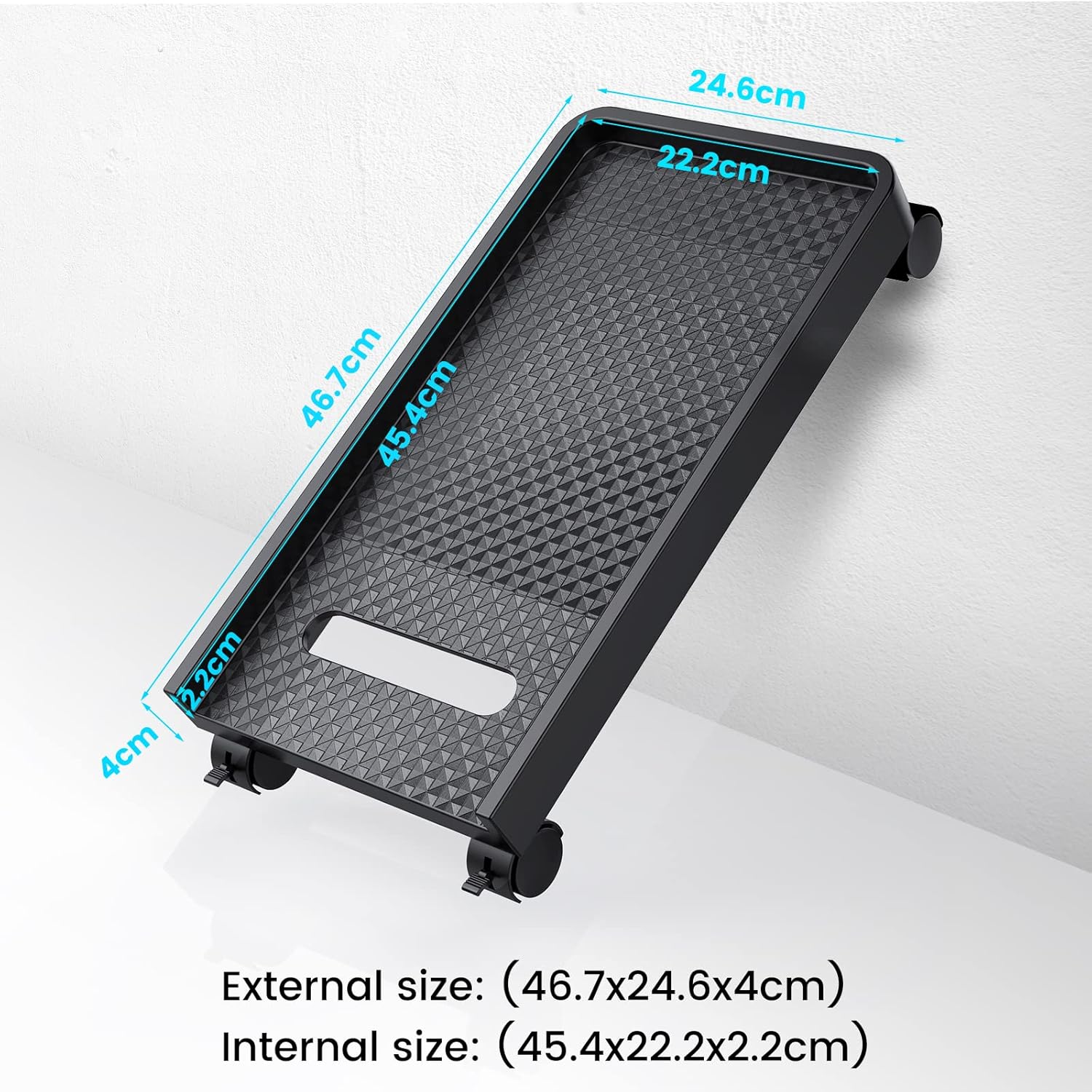
Image: A diagram illustrating the external and internal measurements of the ORICO CPU stand for compatibility reference.
| Особливість | Деталь |
|---|---|
| Модель | ORICO-CPB2-BK-BP-A-EU |
| матеріал | Акрилонітрилбутадієнстирол (АБС) |
| Колір | чорний |
| Зовнішні розміри (Д x Ш x В) | 46.5 x 25 x 4 см (18.3 x 9.8 x 1.6 дюйма) |
| Внутрішні розміри (Д х Ш х В) | 45.4 x 22.2 x 2.2 см (17.9 x 8.7 x 0.9 дюйма) |
| Вага продукту | 780 г (1.72 фунта) |
| Максимальна вантажопідйомність | 20 кг (44 фунта) |
| Колеса | 4 Swivel Wheels (2 with locking mechanism) |
| Сумісність | Desktop PCs, Printers, Potted Plants |
Гарантія та підтримка
ORICO products are designed for reliability and performance. For warranty information or technical support, please refer to the official ORICO webсайт або зверніться до продавця. Зберігайте чек про покупку для гарантійних претензій.


