Інструкція користувача бездротового телефону VTech CS2051
Model: CS2051 | Brand: VTech
вступ
This user manual provides comprehensive instructions for the setup, operation, maintenance, and troubleshooting of your VTech CS2051 Cordless Phone system. Please read this manual thoroughly before using your new phone to ensure proper functionality and to take full advantagе його особливостей.
The VTech CS2051 is a DECT cordless phone system designed for home and office use, featuring two handsets and an integrated answering machine. It offers advanced features such as call blocking, ECO mode for energy efficiency, and a clear backlit display.
Налаштування
Вміст упаковки
Переконайтеся, що всі предмети присутні в упаковці:
- 1 x Base Unit
- 2 бездротові телефони
- 2 x Handset Chargers (for additional handsets)
- 2 акумуляторні NiMH батареї
- 1 x адаптер живлення для базового блоку
- 1 х телефонний шнур
- Посібник користувача (цей документ)

Image: The VTech CS2051 cordless phone system, showing the main base unit with one handset docked, and a second standalone handset with its charger.
Установка батареї
- Відкрийте кришку відсіку для батарейок на задній панелі кожної трубки.
- Insert the supplied NiMH rechargeable battery, observing the correct polarity (+ and -).
- Закрийте кришку батарейного відсіку.
Підключення базового блоку
- Підключіть один кінець телефонного шнура до гнізда TEL LINE на базовій станції.
- Підключіть інший кінець телефонного шнура до телефонної розетки.
- Connect the small end of the power adapter to the POWER jack on the base unit.
- Підключіть більший кінець адаптера живлення до стандартної електричної розетки.
- Place the main handset on the base unit to charge.
Connecting Additional Handset Chargers
- Connect the power adapter for each additional charger to the POWER jack on the charger.
- Підключіть адаптер живлення до стандартної електричної розетки.
- Place the additional handset(s) on their respective chargers to charge.
Allow the handsets to charge for at least 16 hours before initial use to ensure optimal battery performance.
Інструкція з експлуатації
Здійснення та отримання дзвінків
- Щоб зателефонувати: Візьміть слухавку, наберіть номер і натисніть Телефонуйте кнопку.
- Щоб прийняти дзвінок: Коли телефон дзвонить, натисніть кнопку Телефонуйте кнопку.
- Hands-Free (Speakerphone): Під час дзвінка натисніть Спікер кнопку, щоб увімкнути гучний зв’язок.

Image: A VTech CS2051 handset with a speech bubble indicating hands-free communication, demonstrating the ease of making or receiving calls without holding the handset.
Adjusting Volume and Ringtones
You can adjust the handset's earpiece volume during a call using the navigation buttons. Ringtone volume and melody can be customized through the handset's menu settings.

Image: A VTech CS2051 handset on its base, with a visual representation of sound waves emanating from it, indicating adjustable ringtone volume and melody settings.
Блокування дзвінка
The VTech CS2051 allows you to block unwanted and intimidating calls. You can block up to 30 numbers by adding them to a blacklist. Refer to the handset menu for instructions on adding numbers to the call block list.
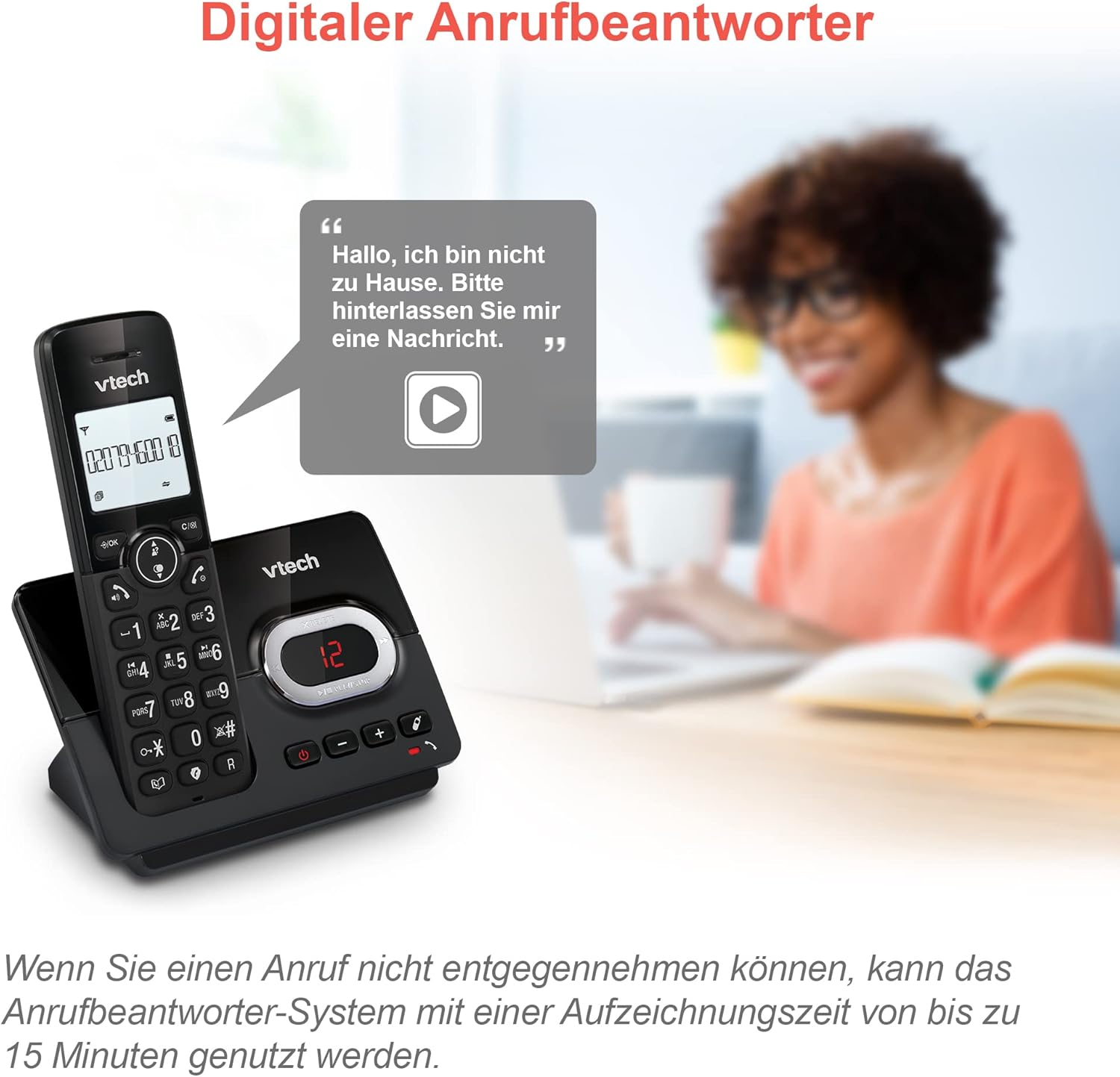
Image: A VTech CS2051 handset next to a television screen, with a "No Entry" symbol over a phone icon, illustrating the call blocking feature for unwanted and unknown calls.
Автовідповідач
The integrated answering machine offers up to 15 minutes of recording time. It will automatically answer calls when you are unavailable. The digital message counter on the base unit indicates the number of new messages.
- Відтворення повідомлень: Натисніть ГРАТИ/СТОП кнопку на базовому блоці.
- Запис вихідного повідомлення: Access the answering machine settings via the handset menu.

Image: A VTech CS2051 handset on its base, with a speech bubble showing a voicemail message, highlighting the digital answering machine function with up to 15 minutes of recording time.
Phonebook and Redial
- Телефонна книга: Store up to 30 names and numbers in the integrated phonebook for quick dialing.
- Повторний набір: Easily redial the last 10 numbers called by pressing the Redial button.
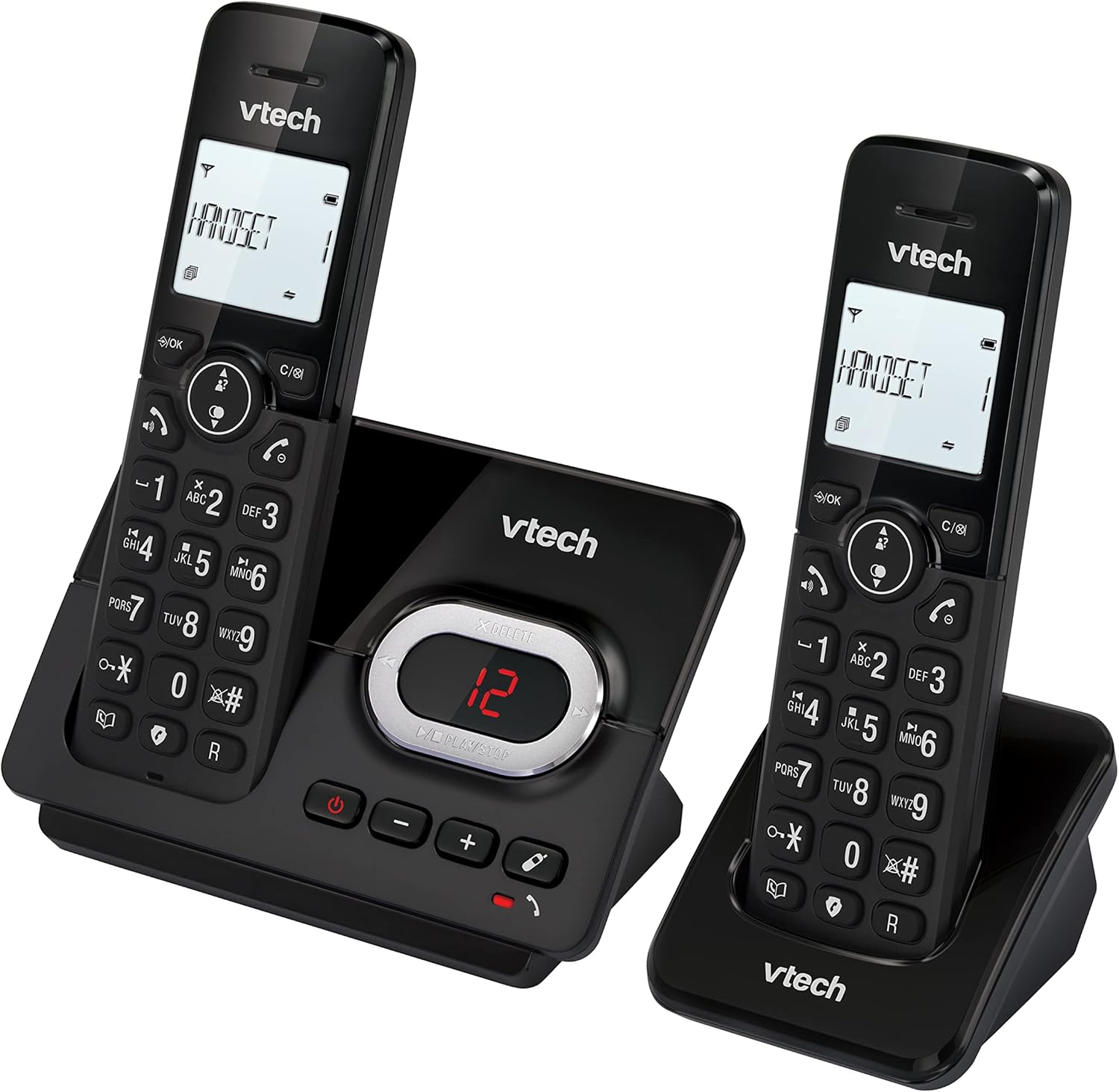
Image: A VTech CS2051 handset on its base, with an overlay showing a phonebook interface, indicating the ability to store up to 30 names and numbers.
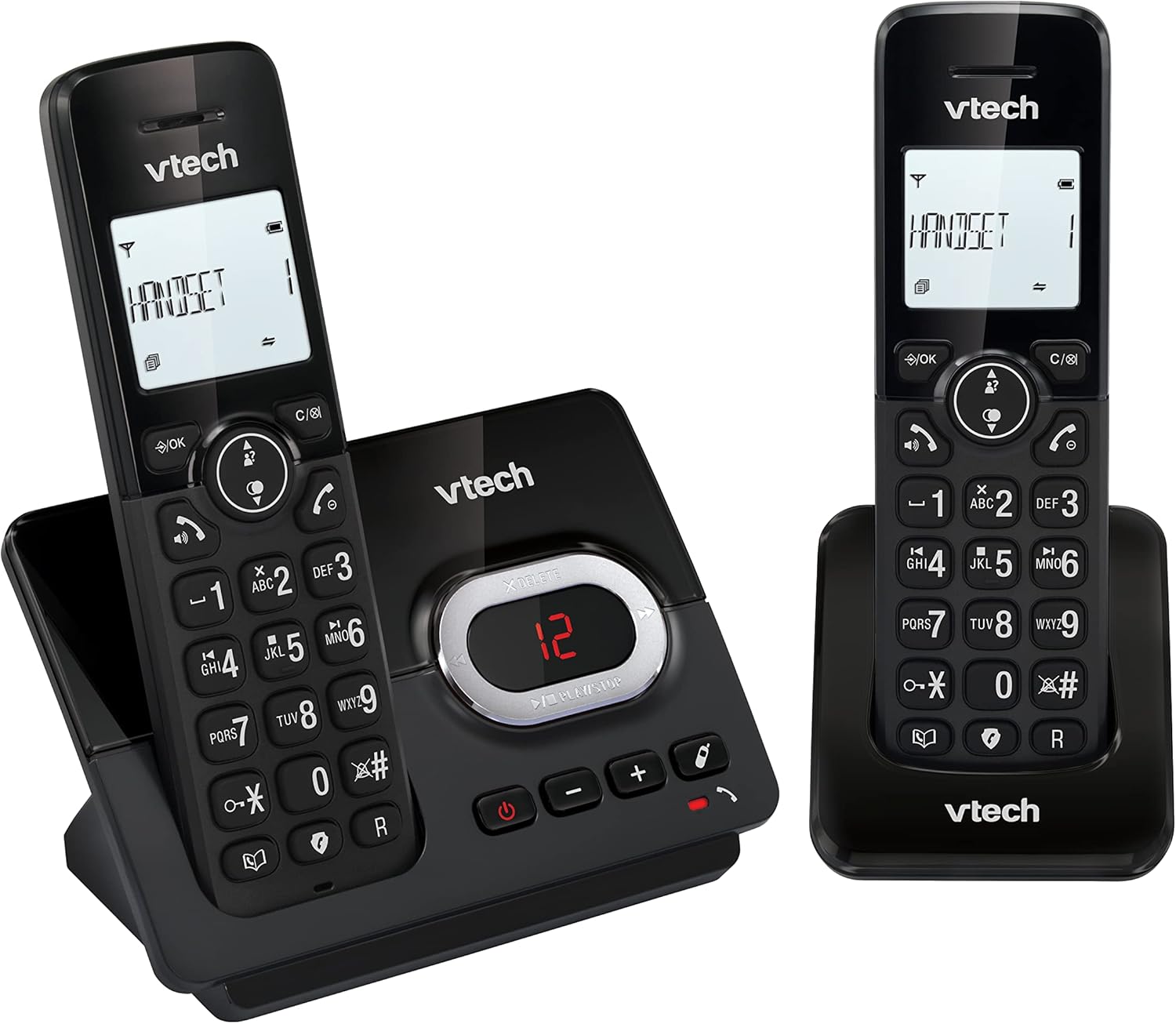
Image: A close-up of the VTech CS2051 handset's navigation buttons, with a circle highlighting the redial button, indicating the ability to redial the last 10 numbers.
Ідентифікатор абонента та очікування виклику
With Caller ID and Call Waiting features, you can see who is calling before you answer. The handset display shows the caller's name, number, time, and date of incoming calls.

Image: A VTech CS2051 handset on its base, with the screen displaying caller information, illustrating the Caller ID and Call Waiting features that show who is calling.
Режим ECO
The handset automatically adjusts the radio frequency power based on its distance from the base unit. In full ECO mode, there is no transmission power in standby mode, contributing to energy saving.
Технічне обслуговування
- Прибирання: Протріть телефон і базу м’якою губкоюamp тканиною. Не використовуйте чистячі спреї або агресивні хімікати.
- Догляд за акумулятором: Use only the supplied rechargeable NiMH batteries. If the phone will not be used for an extended period, remove the batteries from the handsets.
- Розміщення: Place the base unit and chargers in a dry, stable location away from direct sunlight, heat sources, and moisture. Ensure adequate ventilation.
Усунення несправностей
| проблема | Можлива причина / рішення |
|---|---|
| Немає гудка |
|
| Телефон не заряджається |
|
| Погана якість дзвінків / Статичні перешкоди |
|
| Автовідповідач не записує |
|
Технічні характеристики
- модель: CS2051
- Технологія: DECT 6.0
- Дисплей: 1.8-дюймовий РК-дисплей з підсвічуванням
- Автовідповідач: Цифровий, час запису до 15 хвилин
- Ємність телефонної книги: 30 записів (імена та номери)
- Місткість блоку викликів: До 30 номерів
- Пам'ять ідентифікатора абонента: Зберігає останні 20 дзвінків
- Тип батареї: NiMH rechargeable battery (included)
- діапазон: До 300 метрів (відкрите поле)
- колір: чорний
- вага: 660 Grams (approximate, for the system)
- Сумісні пристрої: Analog telephone networks, router with analog connection
Гарантія та підтримка
VTech products are manufactured to high quality standards. For warranty information, please refer to the warranty card included in your product packaging or visit the official VTech webсайт для вашого регіону. Зберігайте чек про покупку як підтвердження покупки.
For technical support or service inquiries, please contact VTech customer support. Contact details can typically be found on the VTech webсайту або в упаковці продукту.
Інтернет-ресурси: For the latest information, FAQs, and support, please visit the official VTech support webсайт.


