вступ
The BIQU H2 V2S Direct Drive Extruder is an advanced component designed to enhance the performance of various 3D printers, including Creality Ender Series, CR Series, Anycubic Mega S, and Geeetech models. This manual provides essential information for the setup, operation, maintenance, and troubleshooting of your H2 V2S extruder to ensure optimal printing results.
For detailed technical specifications and compatibility, please refer to the relevant sections within this manual.
Ключові характеристики
- Direct Drive Extrusion: Offers precise control over filament feeding and retraction, minimizing stringing and improving print quality.
- Dual Gear Transmission: Features stainless steel multi-gear transmission with a 7:1 ratio, providing a high torque of 770mN.m for powerful and consistent extrusion. This design effectively prevents filament slippage and jamming.
- High-Quality Hotend: Equipped with a titanium-copper alloy throat pipe, ensuring excellent heat dissipation and high-temperature resistance up to 400°C. The internal wall smoothness (Ra0.4) helps prevent clogging.
- Оптимізована система охолодження: The heatsink structure is designed to divert airflow away from the nozzle, accelerating heat dissipation and maintaining stable temperatures.
- Легкий дизайн: Weighs approximately 195g, reducing inertia and improving printing accuracy, especially beneficial for dual-nozzle setups.
- Гнучке розширення: Designed for easy DIY integration with multiple mounting points for accessories like auto-leveling sensors or cooling fans.

Малюнок 1: Закінченоview of the BIQU H2 V2S Direct Drive Extruder.

Figure 2: Visual representation of the BIQU H2 V2S Extruder's upgraded features.
Налаштування та встановлення
Installation of the BIQU H2 V2S Extruder requires careful attention to detail and may vary depending on your specific 3D printer model. It is recommended to consult your 3D printer's documentation and online resources for model-specific mounting solutions and wiring diagrams.
Загальні кроки встановлення:
- Приготування: Power off and unplug your 3D printer. Allow the hotend to cool completely.
- Remove Old Extruder (if applicable): Carefully disconnect wiring and unmount your existing extruder assembly.
- Mounting the H2 V2S: Secure the H2 V2S extruder to your printer's carriage using appropriate mounting brackets and screws. Ensure it is firmly attached and aligned.
- Електропроводка: Connect the stepper motor, heater cartridge, thermistor, and cooling fan wires to your printer's mainboard. Note: Wiring configurations may differ. Verify pinouts to avoid damage.
- Конфігурація прошивки: Update your printer's firmware to reflect the new extruder's E-steps (steps per mm), retraction settings, and any other necessary parameters. The recommended E-steps for the H2 V2S are typically around 932 steps/mm, but precise calibration is essential for optimal performance.
- Initial Filament Loading: Once installed and configured, carefully load your filament into the extruder.

Figure 3: Mounting points for flexible installation and accessory integration.

Figure 4: The H2 V2S Extruder is compatible with a wide range of 3D printer models.
Інструкція з експлуатації
Proper operation of the H2 V2S Extruder involves understanding its capabilities and adjusting your slicing software settings accordingly. The direct drive system and dual gear mechanism provide enhanced control over filament flow.
Ключові експлуатаційні міркування:
- Налаштування відведення: Due to the short filament path of a direct drive system, significantly lower retraction distances (e.g., 0.5mm to 1.5mm) and speeds are typically required compared to Bowden setups. Experiment to find optimal values for your filament.
- Швидкість друку: The robust extrusion force allows for higher print speeds while maintaining print quality.
- Flexible Filaments: The H2 V2S is particularly well-suited for printing flexible filaments (e.g., TPU) due to its direct and constrained filament path, which prevents buckling. Adjust the screw tensioner to accommodate different drive gear tension for flexible filaments.
- Налаштування температури: The hotend supports printing temperatures up to 400°C, enabling the use of high-temperature engineering filaments. Always refer to the filament manufacturer's recommended print temperatures.

Figure 5: The adjustable tensioner and dual gears are ideal for flexible filaments.

Figure 6: The dual gear system provides significant extrusion force.

Figure 7: High-temperature printing capabilities of the H2 V2S.
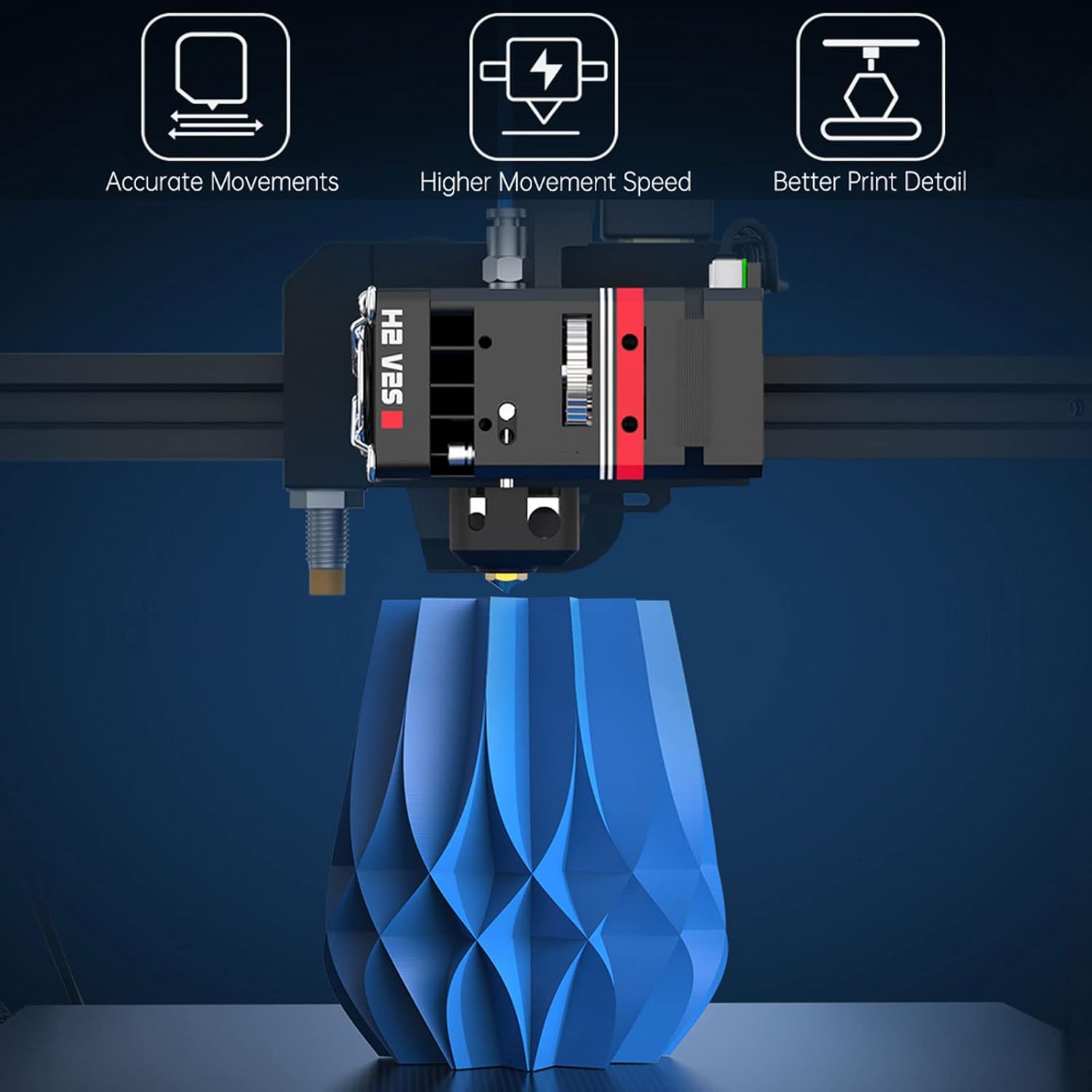
Figure 8: The H2 V2S Extruder enhances print accuracy and speed.
Технічне обслуговування
Regular maintenance ensures the longevity and consistent performance of your BIQU H2 V2S Extruder.
- Очищення/заміна форсунки: Periodically clean or replace the nozzle to prevent clogs and maintain print quality. The quick disassembly feature of the throat makes this process convenient.
- Огляд спорядження: Inspect the stainless steel gears for any signs of wear or debris. Clean as necessary.
- Очищення вентилятора: Ensure the cooling fan is free of dust and filament debris to maintain optimal heat dissipation.
- Filament Path Inspection: Check the filament path for any obstructions or wear that could impede smooth filament flow.

Figure 9: Internal components for easy access and maintenance.

Figure 10: The compact and lightweight design simplifies handling and maintenance.
Усунення несправностей
This section addresses common issues you might encounter with your H2 V2S Extruder.
| проблема | Можлива причина | Рішення |
|---|---|---|
| Under-extrusion / Clogging | Incorrect E-steps, nozzle clog, heat creep, insufficient temperature. | Calibrate E-steps. Clean or replace nozzle. Ensure cooling fan is working. Increase print temperature. |
| Grinding Filament | Extruder tension too high/low, partial clog, heat creep. | Adjust extruder tension. Clear any clogs. Verify cooling. |
| Poor Layer Adhesion | Under-extrusion, incorrect temperature, wet filament. | Check E-steps and flow rate. Optimize print temperatures. Dry filament. |
| Stepper Motor Noise/Skipping | Insufficient current, mechanical obstruction, excessive back pressure. | Adjust stepper driver current (if applicable). Check for filament path obstructions. Reduce print speed or increase temperature. |
Технічні характеристики
- Номер моделі: KINGPRINTER-UUU002021
- Розміри: 35mm x 35mm x 60mm (approximate, based on product images)
- вага: 0.19 кілограма (195 г)
- матеріал: Aluminum (body), Stainless Steel (gears), Titanium-Copper Alloy (throat pipe)
- Extrusion Ratio: 7:1
- Extrusion Torque: 770mN.m
- Max Printing Temperature: 400°C (with titanium-copper alloy throat)
- Nozzle Inner Wall Smoothness: Ra0.4
- Сумісні пристрої: Various 3D Printers including Creality Ender Series, CR Series, Anycubic Mega S, Geeetech.

Figure 11: Details of the extruder's robust construction.
Що в коробці
- BIGTREETECH H2 V2S Direct Extruder
- Associated mounting hardware and tools (as typically included)
- Wiring harness (as typically included)

Figure 12: Contents of the BIQU H2 V2S Extruder package.
Офіційне відео продукту
Video 1: An official product video from BIGTREETECH showcasing the BIQU H2 V2S Extruder, its features, and internal mechanisms. This video provides a visual guide to the product's design and functionality.
Гарантія та підтримка
BIGTREETECH products typically come with a manufacturer's warranty covering defects in materials and workmanship. For specific warranty terms, duration, and to initiate a support request, please refer to the official BIGTREETECH webсайт або зверніться безпосередньо до служби підтримки клієнтів. Зберігайте чек про покупку як підтвердження покупки.
For additional resources, community forums, and troubleshooting tips, consider visiting the Магазин Amazon BIGTREETECH або їхні офіційні канали підтримки.


