1. Вступ
This manual provides essential information for setting up, operating, maintaining, and troubleshooting your Google Pixel 6 Pro smartphone. The Pixel 6 Pro is a powerful 5G Android device featuring the custom Google Tensor processor, an advanced camera system, and enhanced security features, designed to deliver a smart and fast mobile experience.
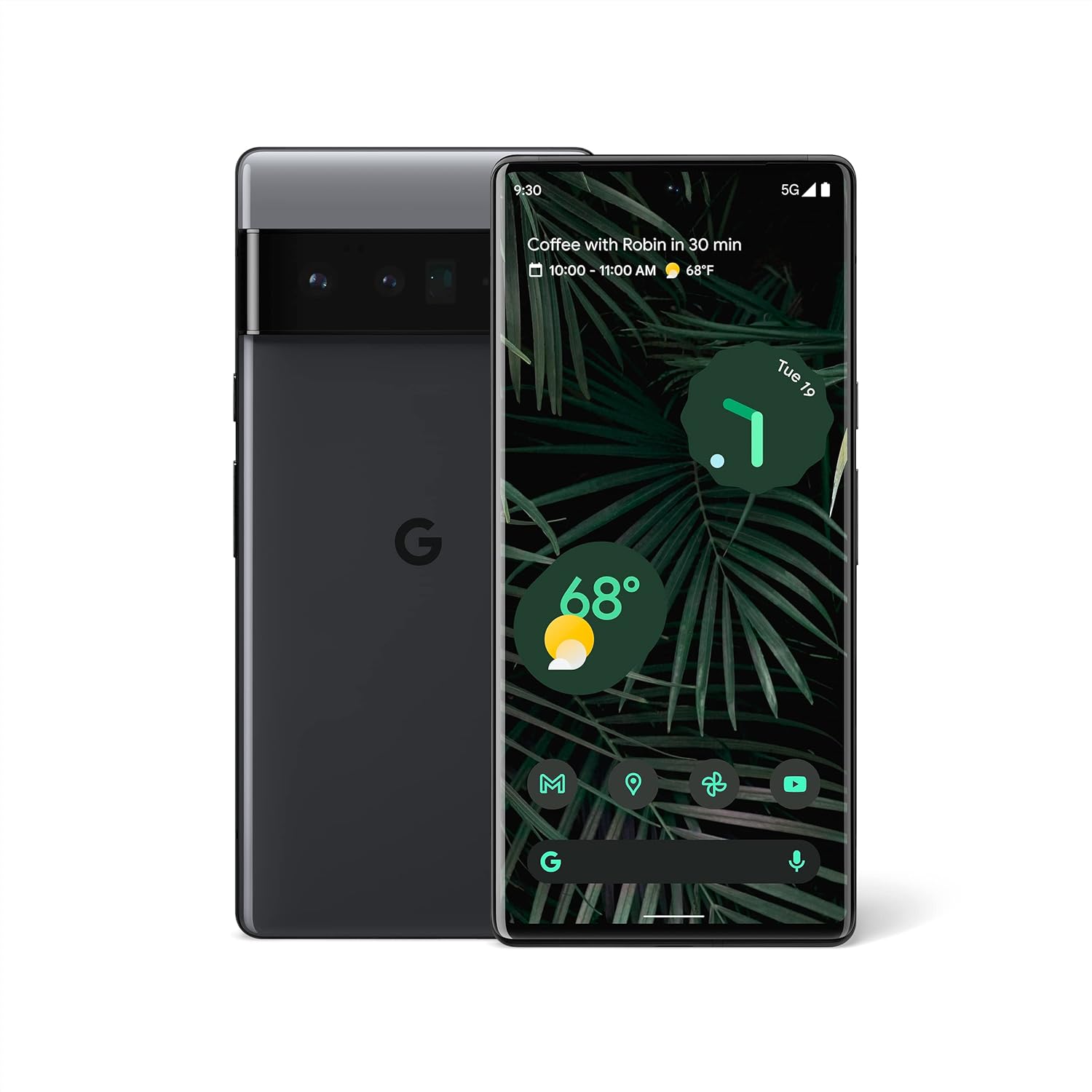
Рисунок 1.1: Передня та задня частини view of the Google Pixel 6 Pro in Stormy Black. The front displays the home screen with time, weather, and app icons, while the back shows the distinctive camera bar and Google logo.
2. Посібник із налаштування
2.1 Розпакування та початковий огляд
Після відкриття упаковки переконайтеся, що всі компоненти присутні:
- Мобільний телефон Google Pixel 6 Pro
- Кабель USB-C – USB-C
Перш ніж продовжити, перевірте пристрій на наявність будь-яких фізичних пошкоджень.
2.2 Встановлення SIM-картки
- Знайдіть лоток для SIM-картки збоку вашого Pixel 6 Pro.
- Вставте інструмент для викидання SIM-картки (або маленьку скріпку) у маленький отвір на лотку та обережно натисніть, доки лоток не вискочить.
- Place your Nano-SIM card into the tray with the gold contacts facing down and the notched corner aligned.
- Обережно засуньте лоток назад у гніздо, доки він не зафіксується на місці з клацанням.
2.3 Увімкнення та початкове налаштування
- Press and hold the Power button (located on the right side) until the Google logo appears on the screen.
- Дотримуйтесь підказок на екрані, щоб вибрати мову, підключитися до мережі Wi-Fi та ввійти за допомогою свого облікового запису Google.
- You will be guided through setting up security features like fingerprint unlock and screen lock.
2.4 Transferring Data from Your Old Phone
The Pixel 6 Pro offers a seamless way to transfer your messages, contacts, photos, and other data from your previous device during the initial setup process. Use the provided USB-C cable and follow the on-screen instructions.

Figure 2.1: A Google Pixel 6 Pro connected via USB-C cable to another smartphone, illustrating the data transfer process. The Pixel's screen shows options to copy messages, contacts, photos, and other data.
3. Operating Your Pixel 6 Pro
3.1 Функції дисплея
The Pixel 6 Pro features a 6.7-inch LTPO QHD+ Smooth Display with a resolution of 1080 x 2340 pixels and a 120Hz refresh rate for fluid scrolling and responsiveness. The display is protected by Corning Gorilla Glass Victus for enhanced durability.
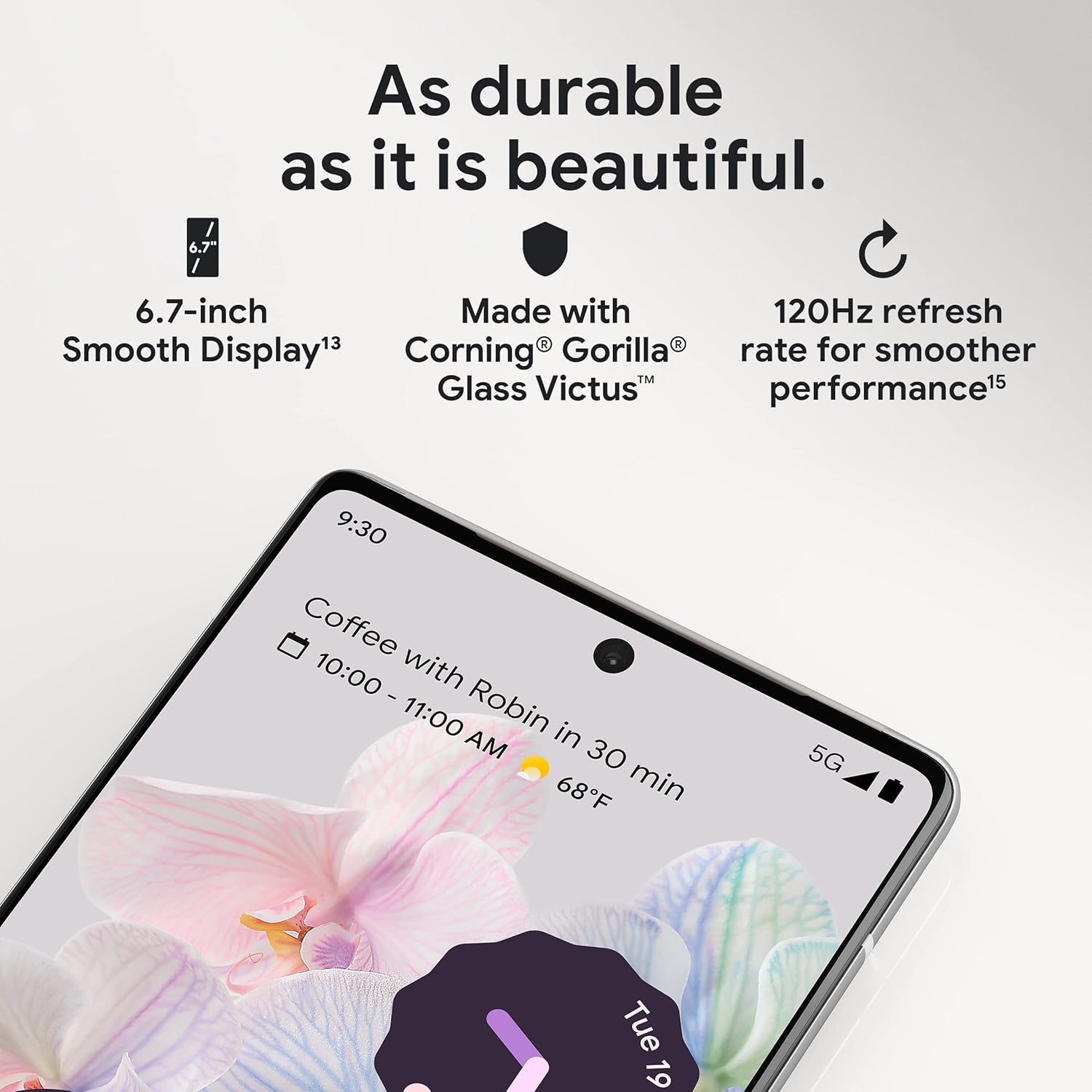
Рисунок 3.1: Крупний план view of the Pixel 6 Pro's display, highlighting its durability with Corning Gorilla Glass Victus and the smooth performance enabled by its 120Hz refresh rate.
Система камери 3.2
The Pixel 6 Pro is equipped with an advanced camera system:
- 50 MP Wide Camera: Captures 150% more light for detailed photos.
- 48 MP Telephoto Camera: Offers 4x optical zoom for distant subjects.
- 12-мегапіксельна надширококутна камера: For expansive landscape and group shots.
- Фронтальна камера: Для високоякісних селфі та відеодзвінків.
Key camera features include:
- Чарівна гумка: Removes unwanted objects or people from your photos.
- Режим руху: Creates dynamic long-exposure shots.
- Портретний режим: Artfully blurs backgrounds for professional-looking portraits.

Рисунок 3.2: Внутрішній view of the Pixel 6 Pro's camera array, detailing the 50 MP wide camera, 48 MP telephoto camera with 4x optical zoom, and 12 MP ultrawide camera.

Figure 3.3: Visual demonstrations of the Pixel 6 Pro's advanced camera tools: Magic Eraser removing background elements, Motion Mode capturing light trails, and Portrait Mode creating a blurred background effect.
3.3 Продуктивність
The Pixel 6 Pro is powered by the custom-built Google Tensor processor, which provides a significant boost in performance compared to previous Pixel models. This chip enables advanced on-device AI capabilities and contributes to maximum battery efficiency.
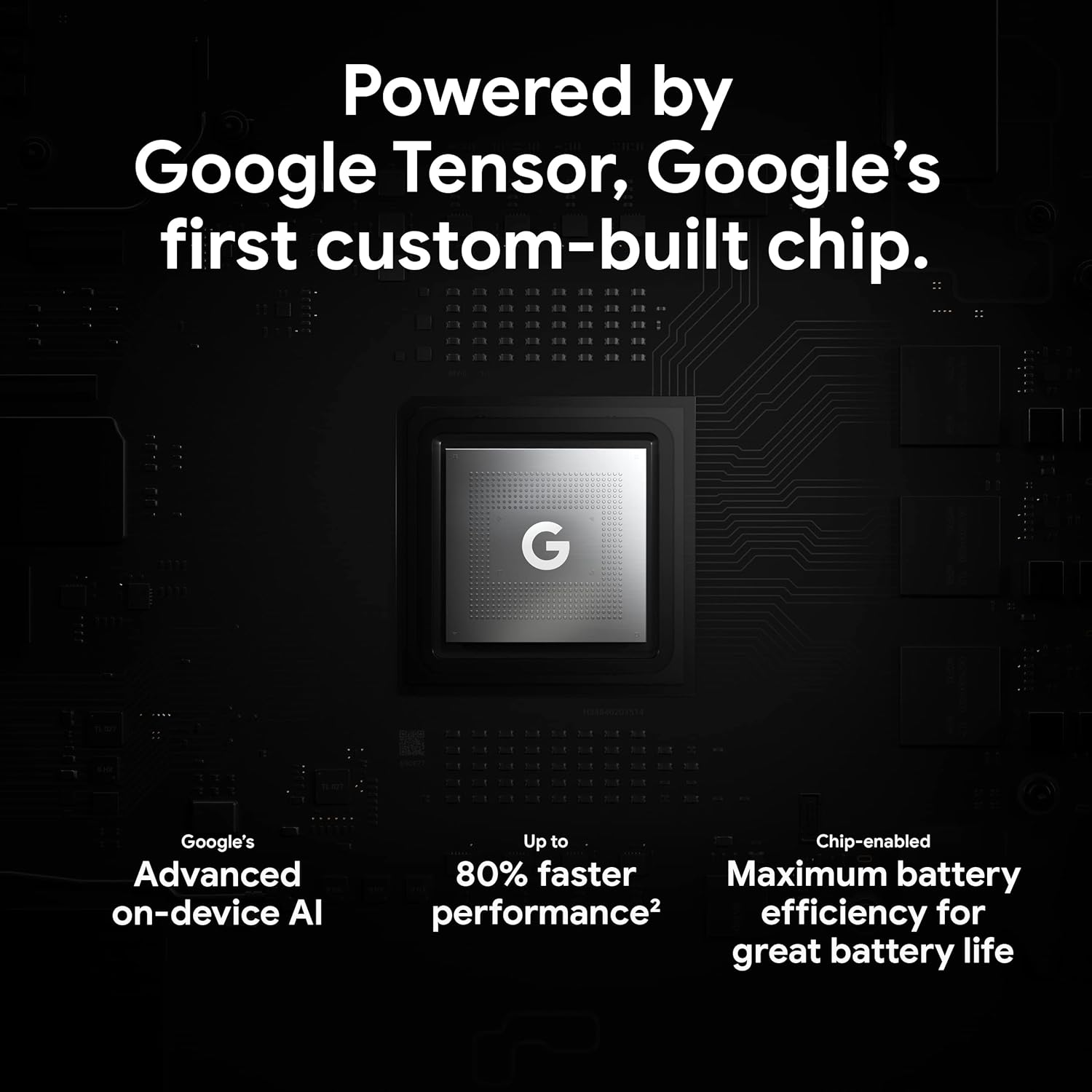
Figure 3.4: An illustration of the Google Tensor chip, highlighting its role in providing advanced on-device AI and up to 80% faster performance for improved battery efficiency.
3.4 Особливості безпеки
Your Pixel 6 Pro is built with robust security:
- Titan M2™ chip: Provides next-generation hardware security.
- Оновлення безпеки: Guaranteed 5 years of security updates to protect against threats.
- IP68 Water and Dust Protection: Offers resistance against water and dust ingress.
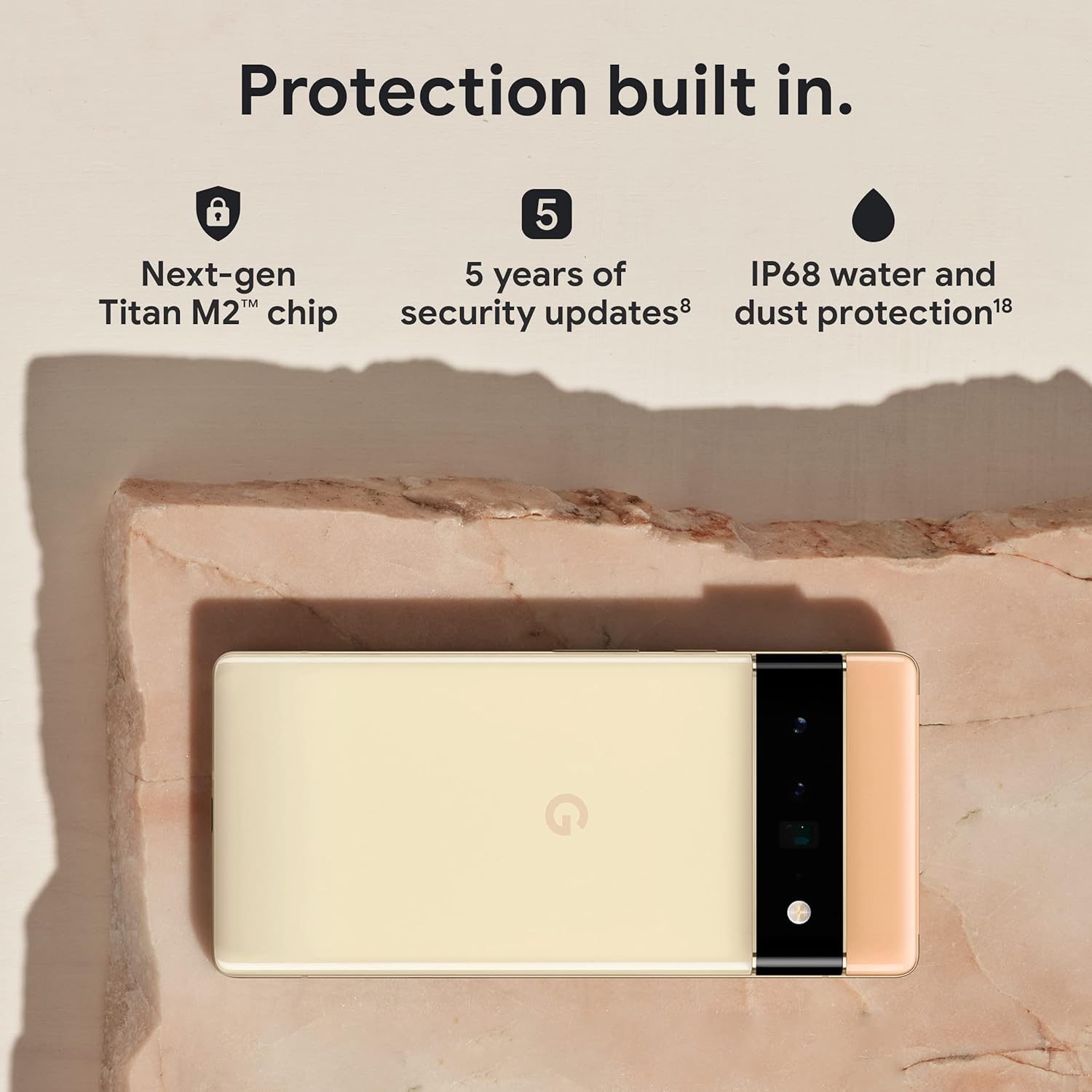
Figure 3.5: The Pixel 6 Pro shown alongside icons representing its built-in security features: the Titan M2 chip, 5 years of security updates, and IP68 water and dust protection.
3.5 Акумулятор та зарядка
The device is equipped with a large 5003 mAh battery. It supports fast wired charging (with a compatible 30W USB-C charger, sold separately) and adapts to your usage patterns to save power for frequently used applications, extending battery life beyond 24 hours.

Рисунок 3.6: Накладні витрати view of a person using the Pixel 6 Pro, with icons illustrating the phone's battery capabilities: super-fast charging, power saving for frequently used apps, and extended battery life.
3.6 Програмне забезпечення та інтерфейс користувача
The Pixel 6 Pro runs on the Android 12 operating system, offering a modern and intuitive user interface. It includes features like Material You for personalized themes and enhanced privacy controls.
3.7 Translation Capabilities
The device comes with Google Translate pre-installed, allowing you to translate private chats, messages, and live video captions in up to 55 languages directly on your phone.
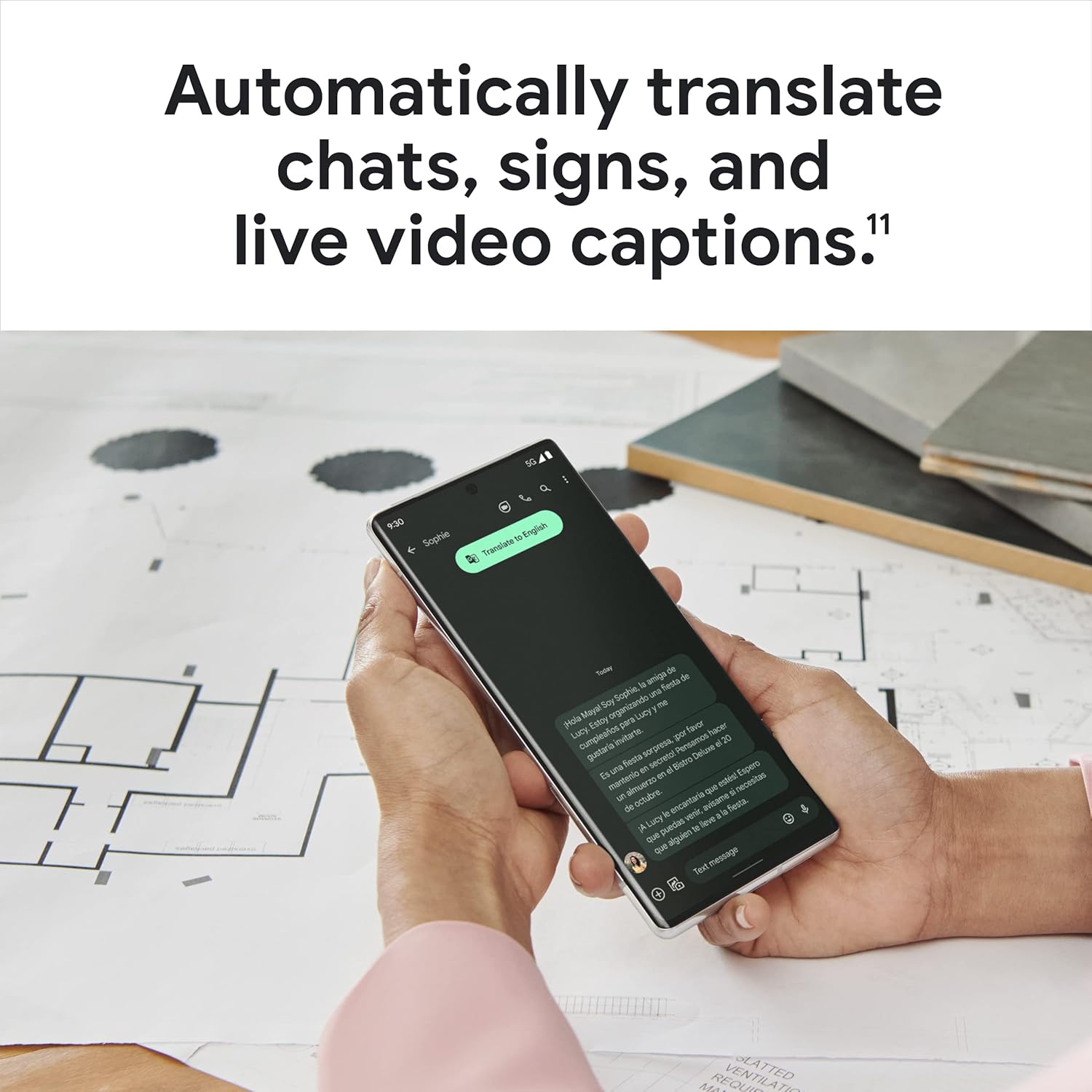
Figure 3.7: A user holding the Pixel 6 Pro, which displays a live translation of text on its screen, demonstrating the device's automatic translation capabilities for chats, signs, and live video captions.
3.8 Підключення
The Pixel 6 Pro supports various connectivity options for seamless integration with other devices and services:
- USB: Для зарядки та передачі даних.
- Wi-Fi: Для бездротового доступу до Інтернету.
- Bluetooth: Для підключення бездротових аксесуарів.
- NFC: Для безконтактних платежів та швидкого сполучення.
4. Технічне обслуговування
4.1 Загальний догляд
- Keep your device away from extreme temperatures, direct sunlight, and excessive moisture.
- Avoid dropping the phone or exposing it to strong impacts.
- Use a screen protector and a protective case to minimize damage from drops and scratches.
4.2 Очищення пристрою
To clean your Pixel 6 Pro:
- Перед очищенням вимкніть пристрій.
- Використовуйте м’яку тканину без ворсу (наприклад, з мікрофібри), щоб обережно протерти екран і корпус.
- Для стійких плям злегкаampПротріть тканину водою або засобом для чищення екранів, спеціально призначеним для електроніки. Уникайте агресивних хімікатів або абразивних матеріалів.
4.3 Оновлення програмного забезпечення
Regularly check for and install software updates. These updates often include performance improvements, new features, and critical security patches that keep your device running optimally and securely.
5. Вирішення проблем
5.1 Пристрій не вмикається
- Перевірте батарею: Ensure the battery is charged. Connect the phone to a charger for at least 15-30 minutes.
- Примусовий перезапуск: Натисніть і утримуйте кнопку живлення приблизно 30 секунди.
- Check Charger/Cable: Try a different charger and USB-C cable to rule out faulty accessories.
5.2 Проблеми з підключенням до мережі
- Перезавантажте телефон: Простий перезапуск часто може вирішити тимчасові збої мережі.
- Перемикання режиму польоту: Увімкніть режим польоту на кілька секунд, а потім вимкніть його.
- Перевірити SIM-карту: Переконайтеся, що SIM-картка правильно вставлена.
- Скинути налаштування мережі: Go to Settings > System > Reset options > Reset Wi-Fi, mobile & Bluetooth. Note: This will erase saved Wi-Fi passwords.
5.3 Збої або зависання програм
- Примусове закриття програми: Swipe up from the bottom of the screen, find the problematic app, and swipe it away to close.
- Clear Cache/Data: Go to Settings > Apps > See all apps, select the app, then Storage & cache > Clear cache. If the issue persists, try Clear storage (this will delete app data).
- Оновити додаток: Переконайтеся, що додаток оновлено до останньої версії з Google Play Store.
- Перезавантажте телефон: A full device restart can often resolve app-related issues.
5.4 Швидка розрядка акумулятора
- Identify Usage: Go to Settings > Battery > Battery usage to see which apps are consuming the most power.
- Налаштування яскравості екрана: Зменште яскравість екрана або увімкніть адаптивну яскравість.
- Вимкнути невикористовувані функції: Turn off Wi-Fi, Bluetooth, GPS, or NFC when not in use.
- Фонове оновлення програми: Обмежте кількість програм, що працюють у фоновому режимі.
6. Технічні характеристики
| Особливість | Специфікація |
|---|---|
| Розміри продукту | 6.45 x 2.98 x 0.35 дюймів |
| Вага товару | 7.4 унції |
| Номер моделі товару | GA03149 |
| Операційна система | Android 12.0 |
| ОЗУ | 12 ГБ |
| Ємність пам'яті | 128 ГБ |
| Розмір екрана | 6.7 дюймів |
| роздільна здатність | 1080 х 2340 |
| Частота оновлення | 120 Гц |
| Ємність акумулятора | 5003 мАг |
| Час розмови по телефону | 25.5 години |
| Час зарядки | 119 minutes (with compatible 30W charger) |
| Технології бездротового зв'язку | Bluetooth, NFC, Wi-Fi |
| Технології підключення | Bluetooth, NFC, USB, Wi-Fi |
| Особливості | High-Refresh-Rate Screen, Wireless Charging, Fast Charging, Powerful Camera System with Magic Eraser and Deblurring, Custom Google Tensor Processor |
| Колір | Stormy Black |
| Що в коробці | Cell Phone, USB Cable |
7. Гарантія та підтримка
For detailed warranty information and customer support, please refer to the official Google support website or the warranty card included with your purchase. Google provides comprehensive support resources, including FAQs, troubleshooting guides, and contact options for technical assistance.
Visit the official Google Support page: support.google.com/pixelphone


