1. Вступ
Welcome to the TAOPON Smart Watch user manual. This guide provides essential information for setting up, operating, and maintaining your new smartwatch. The TAOPON Smart Watch is designed for both Android and iOS phones, featuring IP67 waterproofing, a full touch screen, and comprehensive fitness and health tracking capabilities.

Figure 1: TAOPON Smart Watch, showcasinйого елегантний дизайн та яскравий дисплей.
2. Ключові характеристики
- Модний дизайн: Features a 1.28-inch full touch color screen with 240x240 pixel resolution, offering high-definition clarity. Customize your watch face with various pre-set dials or your own photos.
- Комплексне відстеження фізичної форми: Supports 8 sports modes including walking, running, cycling, skipping rope, badminton, basketball, football, and swimming. Tracks calorie consumption, steps, distance, activity minutes, and heart rate. Connects to your mobile phone's GPS for detailed movement tracking.
- Розширений моніторинг стану здоров'я: Accurately monitors real-time health data such as heart rate, blood oxygen, and blood pressure. Includes a sleep monitor to track deep sleep, light sleep, and overall sleep quality trends.
- Convenient Smart Tools: Integrates practical tools like weather forecast, pedometer, sedentary reminder, remote camera control, music control, theater mode, timer, deep breathing guide, and adjustable brightness. Supports up to 3 alarms.
- Розумні сповіщення: Receives message notifications from the 'Da Fit' APP, including call reminders, call rejection, SMS, Facebook, Twitter, LinkedIn, WhatsApp, Line, and InstagОЗП.
- Тривалий термін служби та довговічність батареї: Equipped with a 200mAh battery providing up to 7 days of typical use and 30 days of standby time on a single charge. Features an IP67 waterproof rating, suitable for hand washing and rainy conditions.
3. Посібник із налаштування
3.1 Розпакування та початкова оплата
Upon unboxing, ensure all components are present: the TAOPON Smart Watch, charging cable, and user manual. Before first use, fully charge the device.
- Підключіть магнітний зарядний кабель до зарядних точок на задній панелі годинника.
- Підключіть USB-кінець кабелю до стандартного USB-адаптера живлення (рекомендовано 5 В/1 А) або USB-порту комп’ютера.
- Дисплей годинника показуватиме стан заряджання. Повне заряджання зазвичай триває близько 2 годин.

Figure 2: Illustration of the smartwatch's ultra-thin dial and charging process, highlighting its long battery life.
3.2 Встановлення та сполучення програм
To unlock the full potential of your TAOPON Smart Watch, download and install the 'Da Fit' application on your smartphone.
- Scan the QR code in the manual or search for 'Da Fit' in your smartphone's app store (Google Play Store for Android, Apple App Store for iOS).
- Install the 'Da Fit' app and open it.
- Переконайтеся, що Bluetooth увімкнено на вашому смартфоні.
- In the 'Da Fit' app, navigate to the 'Device' section and select 'Add Device'.
- The app will search for available devices. Select 'smartwatch zl02g' from the list to pair.
- Follow any on-screen prompts to complete the pairing process. Once connected, the watch will synchronize time and data with your phone.
4. Інструкція з експлуатації
4.1 Основна навігація
- Сенсорний екран: Проведіть пальцем ліворуч/праворуч, вгору/вниз, щоб переходити між меню та функціями. Торкніться, щоб вибрати.
- Бічна кнопка: Press the side button to return to the home screen or to turn the screen on/off.
- Підняти, щоб розбудити: The display automatically lights up when you raise your wrist.
4.2 Налаштування циферблатів годинника
Personalize your smartwatch by changing the watch face.
- From the home screen, long-press the watch face to enter the watch face selection mode.
- Swipe left or right to browse pre-installed watch faces. Tap to select.
- For more options, open the 'Da Fit' app, go to 'Watch Faces' or 'Dial Settings' to download new designs or set a custom photo as your watch face.
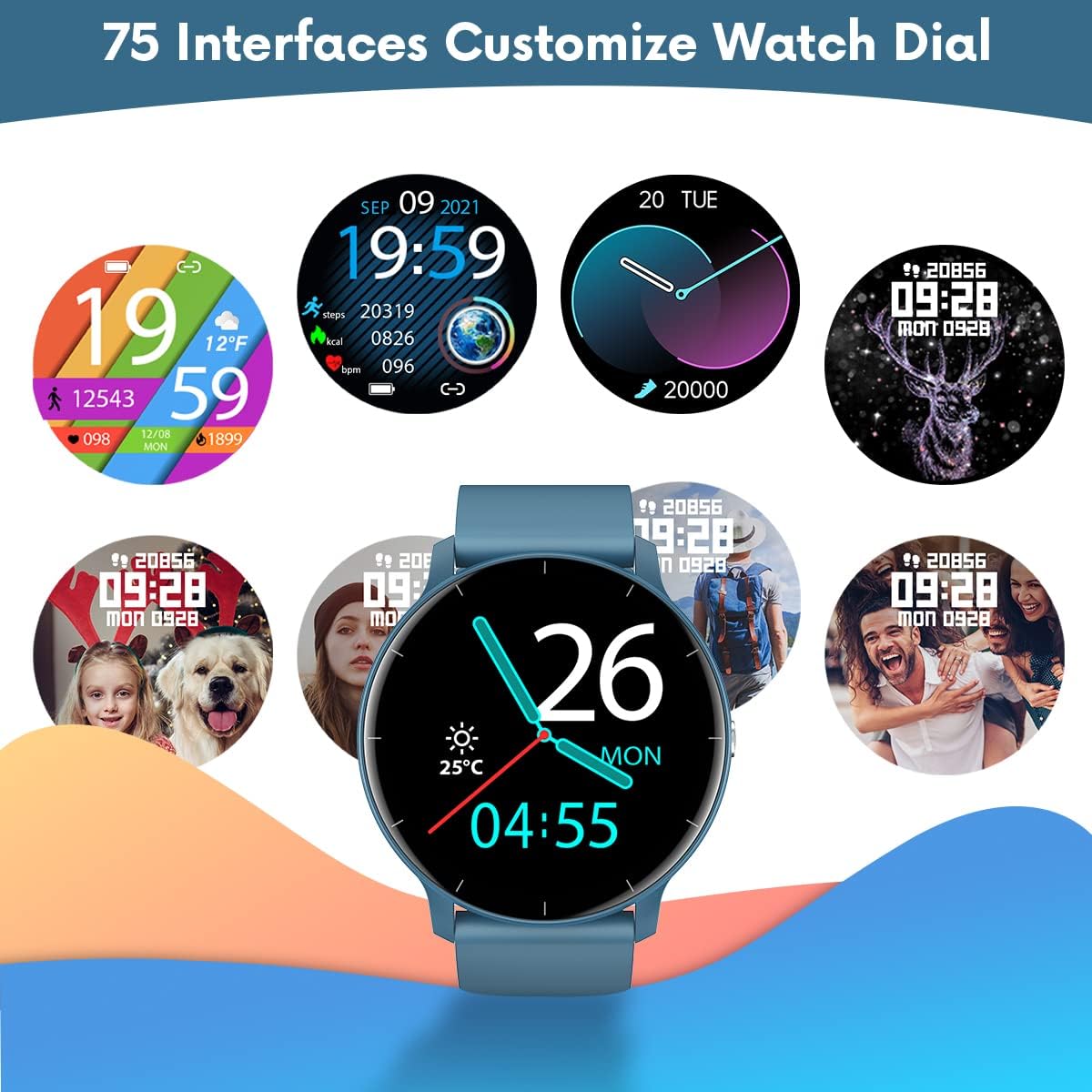
Малюнок 3: Впрamples of customizable watch faces available on the TAOPON Smart Watch.
4.3 Відстеження фізичної активності
Utilize the various sports modes to track your workouts.
- Swipe on the watch to find the 'Exercise' or 'Sports Modes' icon.
- Select your desired activity (e.g., Walking, Running, Cycling).
- The watch will begin tracking your activity, including steps, distance, calories burned, and heart rate.
- Connect to your phone's GPS via the 'Da Fit' app for detailed route mapping during outdoor activities.
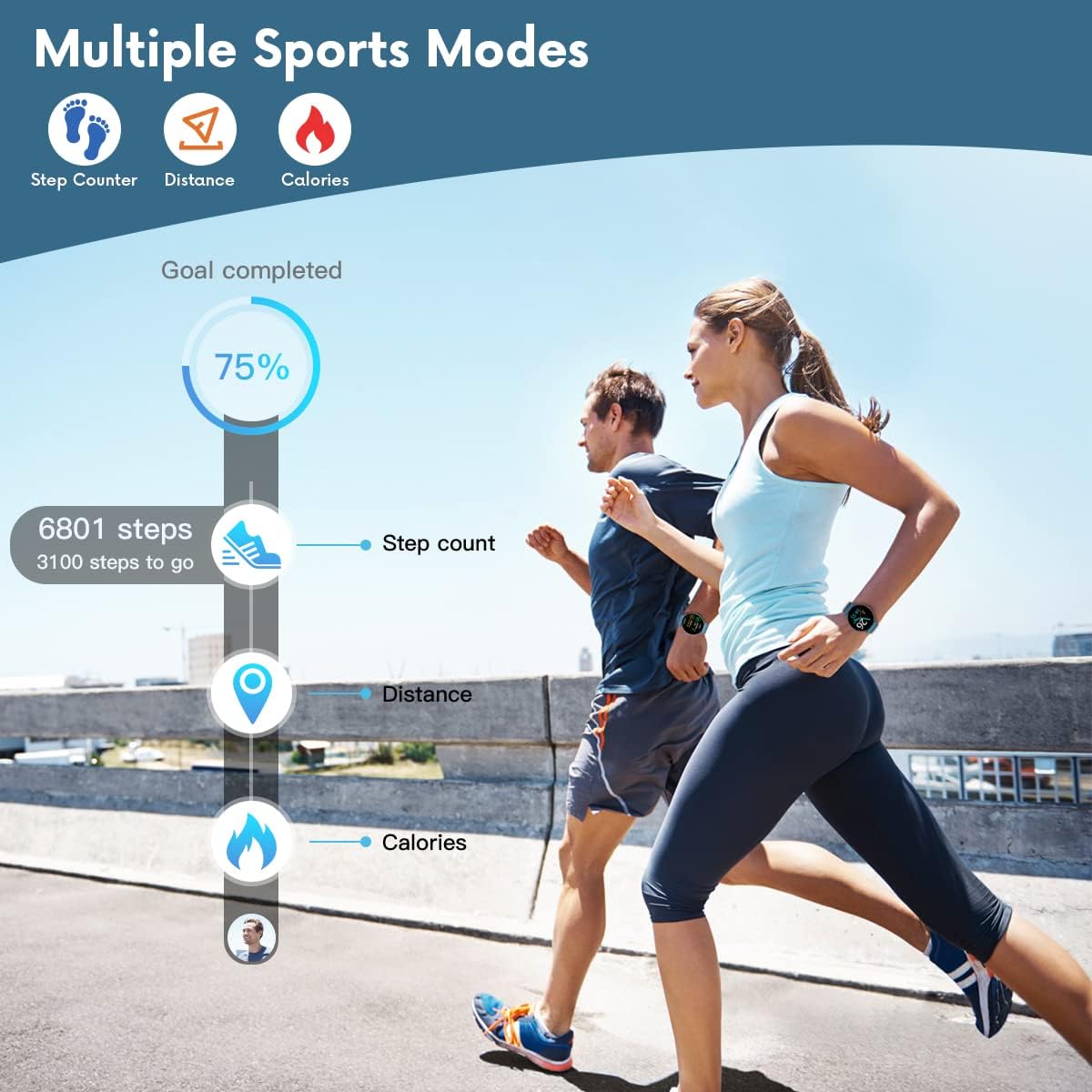
Figure 4: The smartwatch displaying fitness metrics like step count, distance, and calories during a workout.
4.4 Моніторинг здоров'я
Monitor your vital health metrics directly from your wrist.
- ЧСС: Navigate to the heart rate monitoring interface. The watch will automatically measure your heart rate. Continuous monitoring can be enabled via the 'Da Fit' app.
- Артеріальний тиск і рівень кисню в крові (SpO2): Access these functions from the watch menu. Ensure the watch is worn snugly on your wrist for accurate readings.
- Моніторинг сну: Wear the watch to bed. It will automatically track your sleep patterns, including deep sleep, light sleep, and wake times. View detailed sleep reports in the 'Da Fit' app.

Figure 5: Visual representation of the smartwatch's health monitoring capabilities, including heart rate, blood pressure, blood oxygen, and sleep tracking.
4.5 Розумні функції
- Сповіщення: Ensure the 'Da Fit' app has necessary permissions. You will receive call, SMS, and social media notifications directly on your watch. You can reject calls from the watch.
- Дистанційне керування камерою: Open the camera function in the 'Da Fit' app. Use the watch as a remote shutter button to take photos on your phone.
- Керування музикою: Control music playback on your smartphone (play/pause, next/previous track) directly from the watch.
- Прогноз погоди: View current weather conditions and forecasts after syncing with the 'Da Fit' app.
- Будильники та нагадування: Set up to 3 alarms via the 'Da Fit' app. Enable sedentary reminders to prompt you to move after periods of inactivity.

Figure 6: Using the smartwatch to remotely control your phone's camera for group photos.

Figure 7: The smartwatch interface showing music playback controls.
5. Технічне обслуговування та догляд
Proper maintenance ensures the longevity and optimal performance of your TAOPON Smart Watch.
- Прибирання: Регулярно протирайте екран годинника та ремінець м’якою сухою тканиною. Для стійкого бруду використовуйте злегкаamp тканиною, а потім ретельно висушіть. Уникайте агресивних хімікатів або абразивних матеріалів.
- Водонепроникність: The watch is IP67 waterproof, meaning it can withstand splashes, rain, and brief immersion in shallow water (e.g., hand washing). Do not use it for hot showers, diving, or prolonged submersion. Avoid contact with hot water, steam, or corrosive liquids.
- Зберігання: Зберігайте годинник у прохолодному, сухому місці, подалі від прямих сонячних променів та екстремальних температур.
- Зарядка: Use only the provided charging cable. Do not attempt to charge the watch if it or the cable is wet.
6. Вирішення проблем
If you encounter issues with your TAOPON Smart Watch, refer to the following common solutions:
| проблема | Можливе рішення |
|---|---|
| Годинник не вмикається | Переконайтеся, що годинник повністю заряджений. Підключіть його до зарядного пристрою та зачекайте кілька хвилин, перш ніж намагатися ввімкнути його. |
| Не вдається з’єднатися з телефоном | Ensure Bluetooth is enabled on your phone and the watch is within range. Restart both the watch and your phone. Check if the 'Da Fit' app has necessary permissions. |
| Неточні дані про здоров'я | Ensure the watch is worn snugly on your wrist, not too loose or too tight. Avoid excessive movement during measurements. Clean the sensor on the back of the watch. |
| Сповіщення не отримано | Verify that the 'Da Fit' app is running in the background and has notification permissions enabled for the desired apps. Check phone's notification settings. |
| Короткий час автономної роботи | Reduce screen brightness, disable continuous heart rate monitoring, and limit frequent notifications. Ensure background app refresh is managed. |
7. Технічні характеристики
| Особливість | Деталь |
|---|---|
| Номер моделі | smartwatch zl02g |
| Розміри | 1.77 x 1.77 x 0.39 дюймів |
| вага | 1.23 унції (35 грама) |
| Розмір екрана | 1.28 дюймів |
| Роздільна здатність дисплея | 240x240 пікселів |
| Ємність акумулятора | Полімер літію 200mAh |
| Термін служби батареї (типове використання) | До 7 днів |
| Час очікування | До 30 днів |
| Водонепроникність | IP67 |
| Сумісність | iOS 9.0 & Android 5.0 or higher |
| Підключення | Bluetooth |
| GPS | Через смартфон |
| Виробник | ТАОПОН |
8. Гарантія та підтримка
For warranty information and customer support, please refer to the documentation included with your product or contact TAOPON customer service directly. Keep your purchase receipt as proof of purchase.


