Google Nest Cam (Outdoor or Indoor, Battery) User Manual
Модель: GA02411-US | Бренд: Google
вступ
The Google Nest Cam (Outdoor or Indoor, Battery) is a versatile security camera designed for both indoor and outdoor use. It offers advanced features to help you monitor your home effectively. This manual provides detailed instructions for setting up, operating, and maintaining your Nest Cam.
Ключові характеристики
- Інтелектуальні сповіщення: Differentiates between people, animals, and vehicles.
- Wire-Free & Weather Resistant: Flexible placement indoors or outdoors.
- 1080p HDR Video with Night Vision: Clear video day and night.
- 3 Hours Free Event Video History: Review recent activity without a subscription.
- Двостороння розмова: Communicate with visitors or deter unwanted guests.
- Локальна пам'ять: Stores up to an hour of recorded events during outagес.
- Google Home App Integration: Control and manage your camera from one app.
Що включено
Your Google Nest Cam package includes the following items:
- 2 Nest Cam Cameras
- Magnetic and Wall Plates
- Стінові анкери та шурупи
- Зарядний кабель
- Адаптер живлення

Figure 1: Two Google Nest Cams included in the package.
Налаштування та встановлення
Setting up your Nest Cam is designed to be straightforward. Follow the instructions in the Google Home app for a guided installation process.
Вимоги до програми
The Nest Cam requires the Google Home app and a free Google Account. It is not compatible with the older Nest app or Nest webсайт.
Wire-Free Installation
The battery-powered design allows for wire-free installation, making it easy to place almost anywhere.

Figure 2: Wire-free installation is as simple as hanging a picture frame.
Параметри живлення
Your Nest Cam is primarily battery-powered. For continuous power and 24/7 video recording (with Nest Aware Plus subscription), you can add a weatherproof power cable or an indoor stand with a power cable (both sold separately).

Figure 3: Nest Cam with optional weatherproof power cable for continuous operation.
Operating Your Nest Cam
The Google Home app is your central hub for controlling and monitoring your Nest Cam.
Інтелектуальні сповіщення
The Nest Cam has built-in intelligence to detect and differentiate between people, animals, and vehicles, sending specific alerts to your phone.
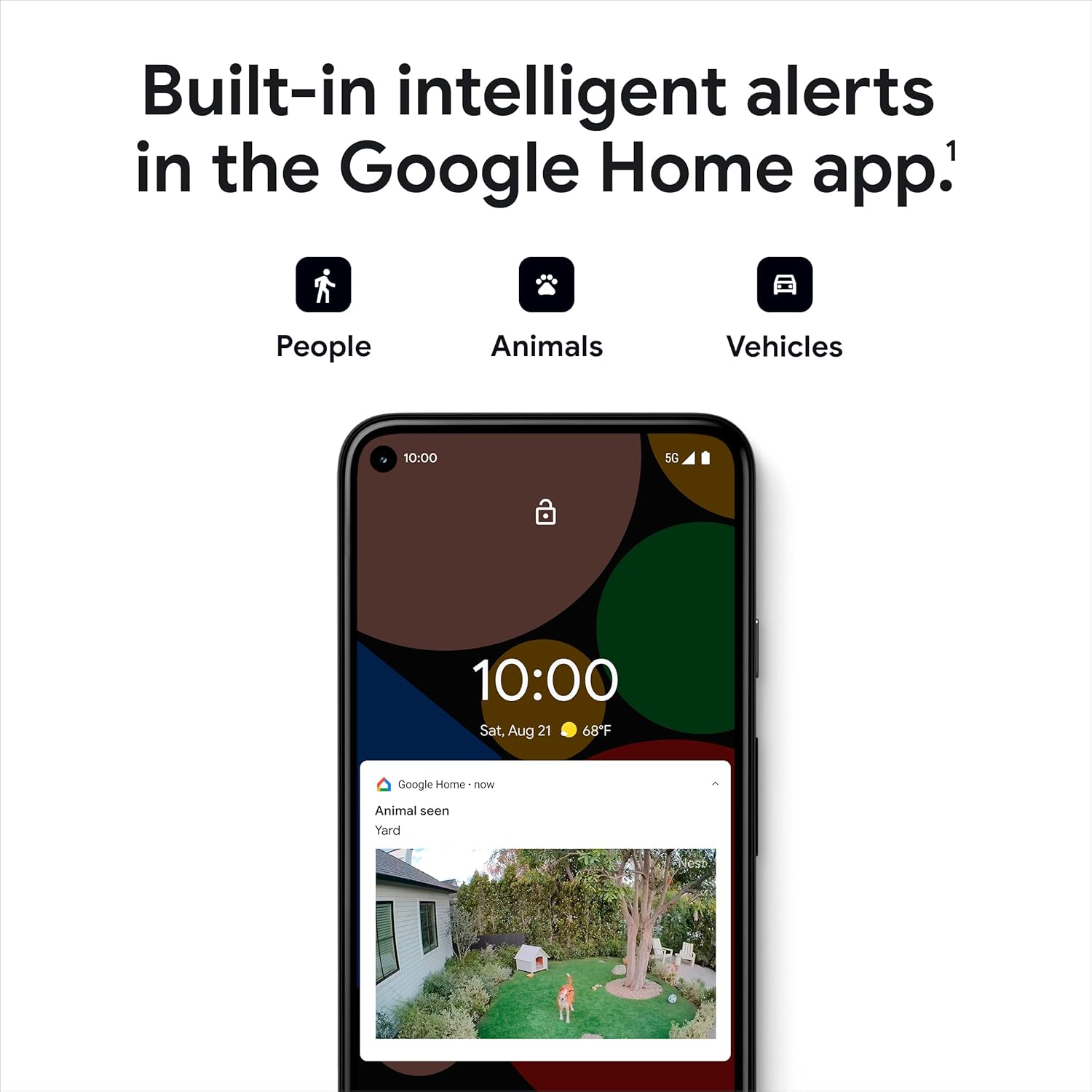
Figure 4: Intelligent alerts for people, animals, and vehicles.
Жити View and Video History
Access a live 1080p HDR video feed from anywhere, 24/7. The camera also provides night vision for clear viewing in low-light conditions. You get 3 hours of free event video history, with options to extend up to 60 days with a Nest Aware subscription (sold separately).
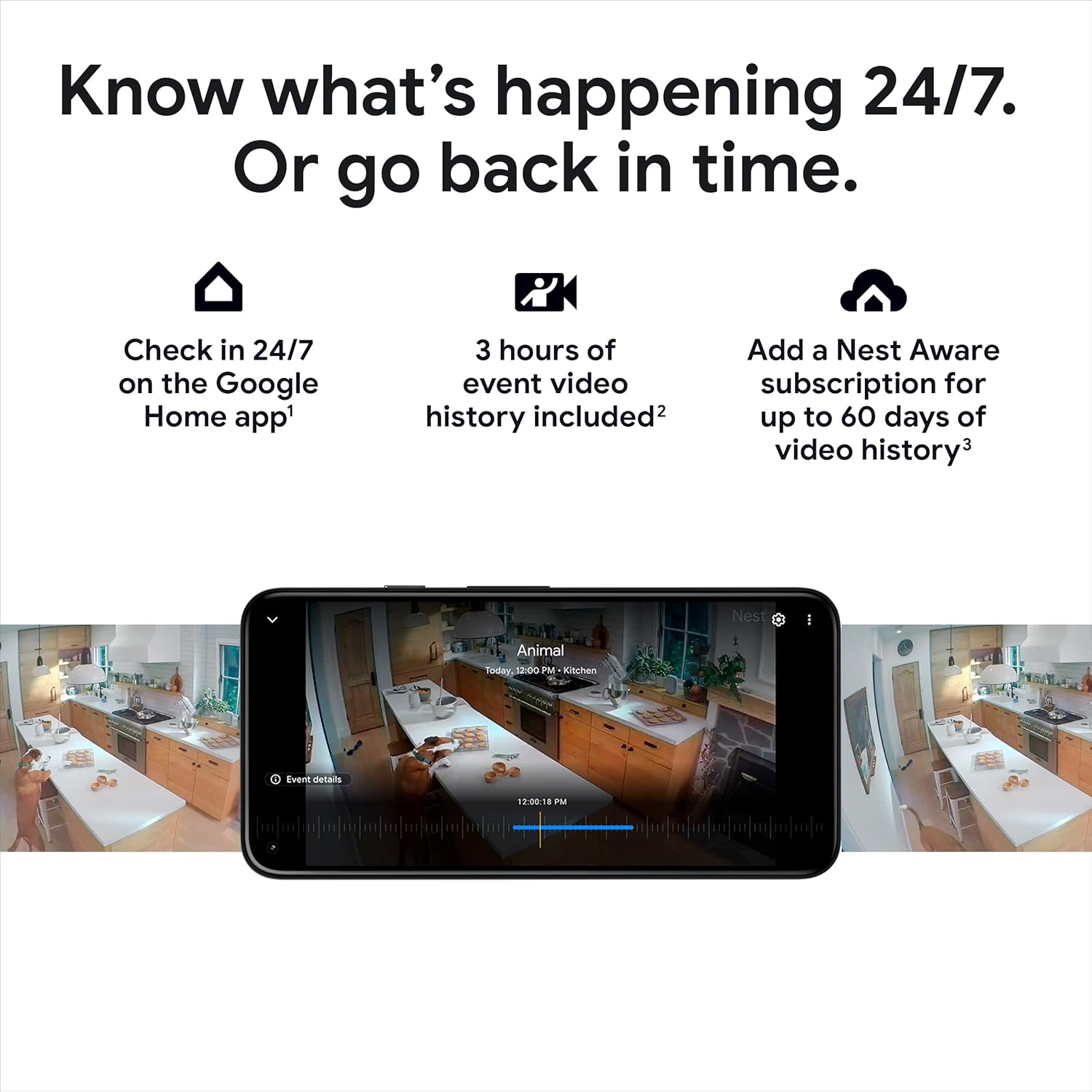
Малюнок 5: Reviewing video history in the Google Home app.

Малюнок 6: Live view of your home through the Nest Cam.

Figure 7: Night vision provides clear images in the dark.
Двостороння розмова
Use the built-in speaker and microphone to talk to visitors or communicate with family members through the camera.

Figure 8: Two-way talk and emergency service calling from the app.

Figure 9: Activating two-way talk via the Google Home app.
Зони діяльності
Визначте конкретні області в межах камери view as Activity Zones to receive notifications only when activity is detected in those critical areas.

Figure 10: Customizing Activity Zones for targeted alerts.
Автономне зберігання
If your Wi-Fi goes down or there's a power outage, the Nest Cam will store up to an hour of recorded events locally, so you don't miss important moments.

Figure 11: Nest Cam continues to record during outagес.
Технічне обслуговування
To ensure optimal performance of your Nest Cam, consider the following maintenance aspects:
Зарядка акумулятора
As a battery-powered device, the Nest Cam will require periodic recharging. The Google Home app will notify you when the battery is low.
Continuous Power Options
For uninterrupted operation and 24/7 video recording (with Nest Aware Plus), consider purchasing a weatherproof power cable for outdoor use or an indoor stand with a power cable for indoor use.
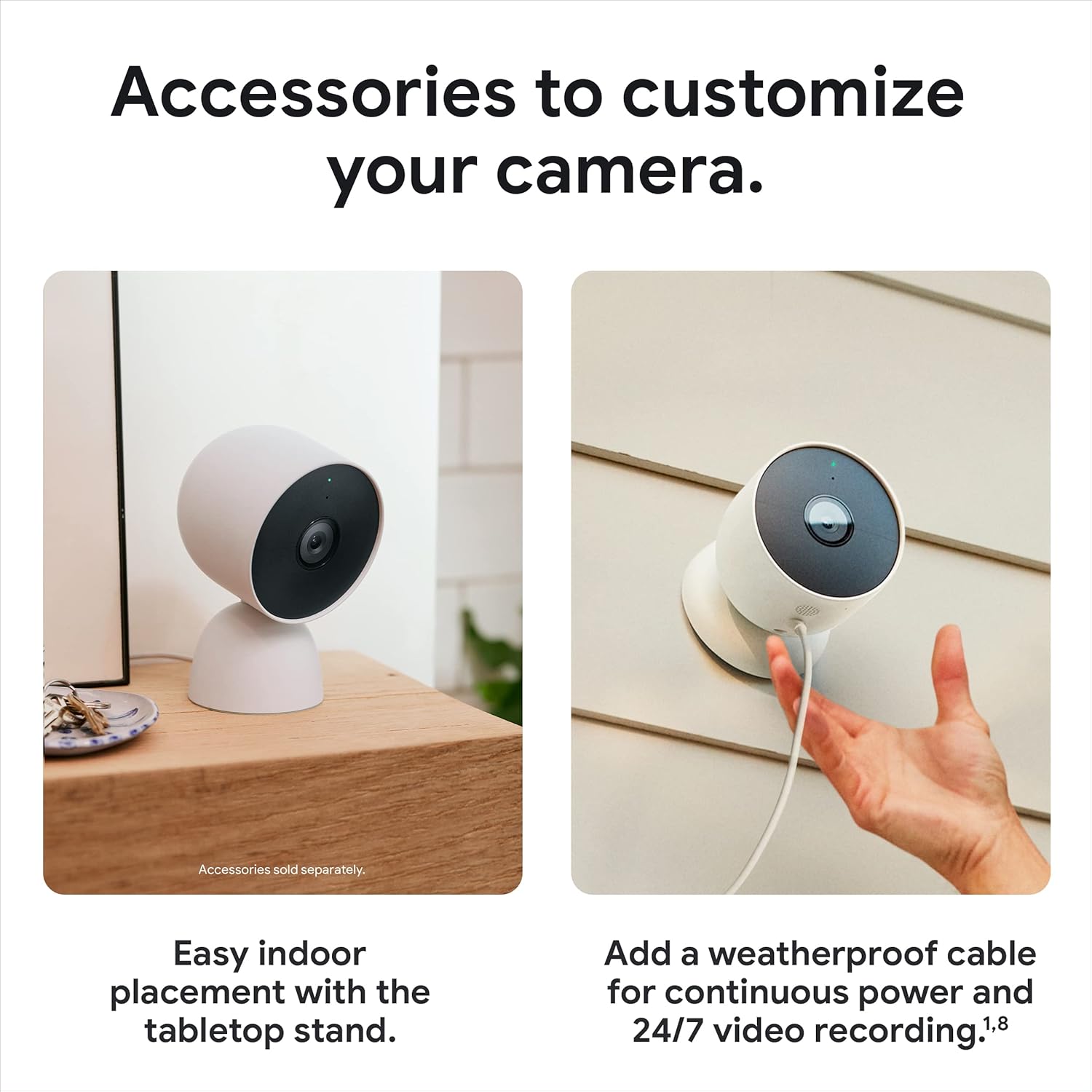
Figure 12: Optional accessories for enhanced power and placement.
Усунення несправностей
If you encounter issues with your Nest Cam, try the following steps:
Проблеми з підключенням
If your camera shows as 'offline' or is not connecting to your Wi-Fi network, ensure your Wi-Fi is stable. Remember that the camera stores up to an hour of events during outages. If reconnection fails, you may need to reset the camera. Locate the reset button (refer to the device diagram in the app) and press it for 15 seconds to perform a factory reset, then repeat the connection process.
Сумісність програм
Ensure you are using the Google Home app. The Nest Cam is not compatible with the older Nest app.
Технічні характеристики
| Особливість | Деталь |
|---|---|
| Використання в приміщенні/зовні | На відкритому повітрі, в приміщенні |
| Джерело живлення | Працює від батареї |
| Протокол підключення | Bluetooth, Wi-Fi (802.11a/b/g/n 2.4GHz/5GHz) |
| Роздільна здатність захоплення відео | 1080p |
| Поле оф View | 130 градусів |
| Технологія низького освітлення | Нічний колір |
| Тип сповіщення | Motion Only (Intelligent alerts for person, animal, vehicle) |
| Міжнародний захист рейтингу | IP65 (погодостійкий) |
| Розміри предмета (Д x Ш x В) | 3.27 x 3.27 x 3.27 дюймів |
| Вага товару | 1.76 фунтів (28.08 унцій) |
| Акумулятори | Потрібні 4 літій-іонні батареї (у комплекті) |
| Сумісні пристрої | Amazon Alexa, Google Assistant |
Гарантія та підтримка
For warranty information and technical support, please refer to the official Google support channels. You can also visit the Google Store на Amazon для отримання додаткових ресурсів та інформації про продукт.


