1. Вступ
The Hama MW-650 is a versatile 6-button optical wireless mouse designed for multi-device use. It offers flexible connectivity options via a 2.4 GHz USB-A receiver and Bluetooth, allowing seamless switching between up to three devices. The optical sensor provides precise cursor control, and adjustable DPI settings cater to various user preferences. This manual provides detailed instructions for setup, operation, maintenance, and troubleshooting to ensure optimal performance of your device.
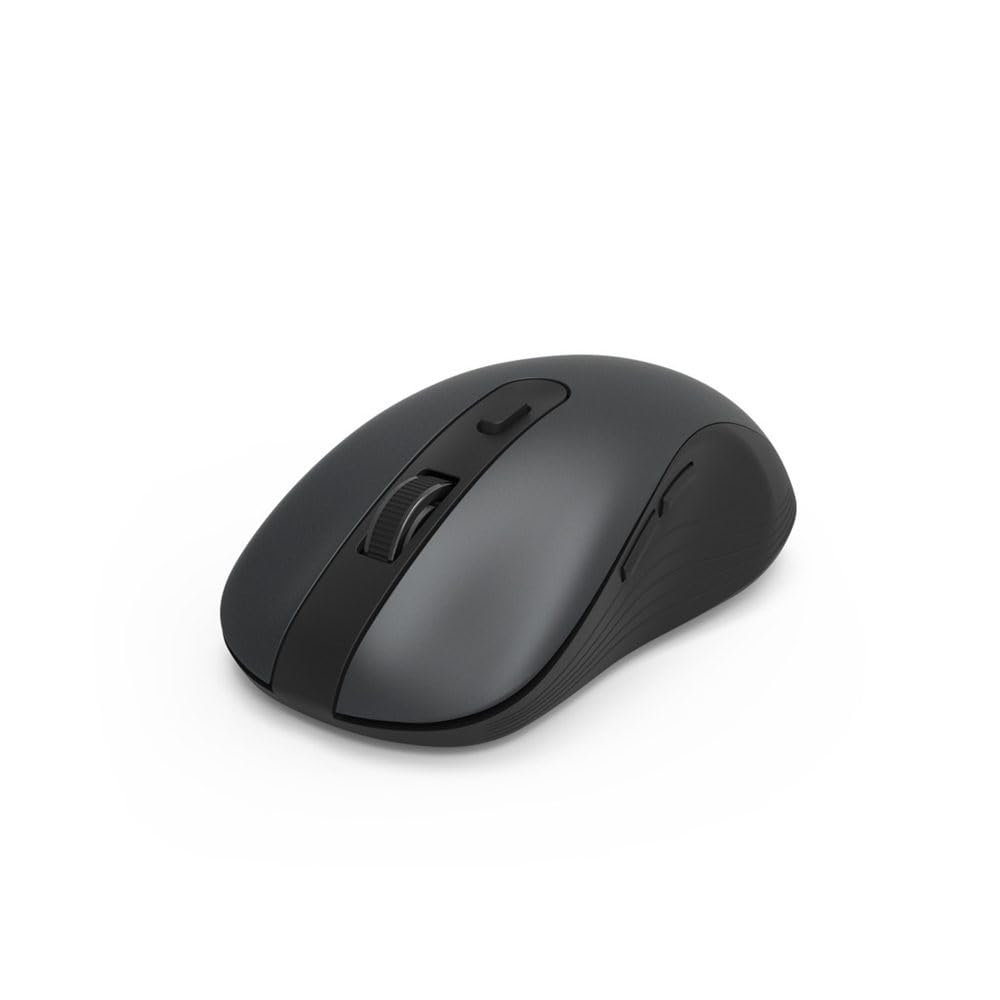
Image 1.1: Hama MW-650 Wireless Mouse (Top View)
2. Вміст упаковки
Будь ласка, перевірте упаковку на наявність наступних предметів:
- 1 x Hama MW-650 6-Button Optical Wireless Mouse
- 1 x USB-A приймач
- 2 батарейки типу АА Міньон
- 1 x Інструкція з експлуатації (цей документ)

Image 2.1: Hama MW-650 Product Packaging
3. Налаштування
3.1. Встановлення батареї
- Знайдіть батарейний відсік на нижній стороні миші.
- Відкрийте кришку батарейного відсіку.
- Insert the two AA Mignon batteries, ensuring correct polarity (+/-).
- Надійно закрийте кришку батарейного відсіку.
3.2. Увімкнення/вимкнення живлення
On the underside of the mouse, slide the ON/OFF switch to the 'ON' position to power on the mouse. Slide it to 'OFF' when not in use to conserve battery life.

Image 3.1: Underside of Hama MW-650 Mouse with ON/OFF Switch and Receiver
3.3. Параметри підключення
The Hama MW-650 mouse supports two wireless connection methods: 2.4 GHz via USB-A receiver and Bluetooth.
3.3.1. 2.4 GHz USB-A Receiver Connection
- Remove the USB-A receiver from its storage slot on the underside of the mouse.
- Plug the USB-A receiver into an available USB-A port on your computer or laptop.
- Операційна система повинна автоматично виявити та встановити необхідні драйвери.
- The mouse will connect automatically. The LED indicator for BT1/BT2 will not be lit when using the USB receiver.
3.3.2. Підключення Bluetooth
The mouse can connect to two separate Bluetooth devices (BT1 and BT2).
- Переконайтеся, що миша увімкнена.
- Press the 'BT1' or 'BT2' button on the underside of the mouse to select the desired Bluetooth channel. The corresponding LED will flash slowly.
- To enter pairing mode, press and hold the selected 'BT1' or 'BT2' button for approximately 3 seconds until the LED flashes rapidly.
- На вашому пристрої (ПК, ноутбуці, планшеті, смартфоні) увімкніть Bluetooth та почніть пошук нових пристроїв.
- Select "Hama MW-650" from the list of available devices to pair.
- Once successfully paired, the LED will stop flashing and remain steadily lit for a few seconds before turning off.
4. Інструкція з експлуатації
4.1. Основні функції миші
The Hama MW-650 features 6 buttons and a scroll wheel:
- Ліва кнопка миші: Primary function, typically for selecting items or opening links.
- Клацніть правою кнопкою миші: Secondary function, typically for context menus.
- Колесо прокрутки: For scrolling up and down documents or web сторінки. Також можна натиснути для функції клацання середньою кнопкою миші.
- Кнопка DPI: Located behind the scroll wheel, used to adjust cursor sensitivity.
- Кнопки «Вперед/Назад»: Located on the side of the mouse, typically used for navigating web сторінки або папки.
4.2. Перемикання між пристроями
The MW-650 mouse allows you to switch between three connected devices (one via USB receiver, two via Bluetooth).
- To switch to a Bluetooth-connected device, press the 'BT1' or 'BT2' button on the underside of the mouse. The corresponding LED will light up briefly.
- To switch to the device connected via the USB receiver, press the 'USB' button (or the button without a BT label) on the underside of the mouse.

Image 4.1: Multi-Device Connectivity Example

Image 4.2: Multi-Device Setup with Monitor
4.3. DPI Sensitivity Adjustment
The mouse offers adjustable DPI (Dots Per Inch) settings to control cursor speed and sensitivity. Press the DPI button located behind the scroll wheel to cycle through the available sensitivities:
- 800 DPI
- 1200 DPI (за замовчуванням)
- 1600 DPI
- 2000 DPI
- 2400 DPI
Each press of the DPI button will change the sensitivity, allowing you to find the setting that best suits your task or preference.
5. Управління живленням
The Hama MW-650 mouse is designed with intelligent power management features to conserve battery life:
- Автоматичний режим очікування: The mouse will automatically enter a standby mode after a period of inactivity. To wake it up, simply move the mouse or click any button.
- Вмикання/вимкнення: For extended periods of non-use, slide the ON/OFF switch on the underside of the mouse to the 'OFF' position to completely power down the device and maximize battery life.
6. Догляд і технічне обслуговування
6.1. прибирання
To maintain the performance and appearance of your mouse:
- Перед чищенням переконайтеся, що миша вимкнена.
- Використовуйте м’яку, суху тканину без ворсу, щоб протерти поверхню миші.
- Для стійкого бруду злегкаampПротріть тканину водою або м’яким миючим розчином. Уникайте агресивних хімікатів або абразивних матеріалів.
- Періодично очищуйте область оптичного датчика на нижній стороні миші ватним тампоном, щоб забезпечити точне відстеження.
6.2. Заміна батареї
When the mouse's performance degrades or it stops responding, it may be time to replace the batteries.
- Power off the mouse using the ON/OFF switch.
- Відкрийте батарейний відсік на нижній стороні.
- Remove the old AA batteries and dispose of them according to local regulations.
- Insert new AA Mignon batteries, observing correct polarity.
- Закрийте батарейний відсік.
7. Вирішення проблем
If you encounter issues with your Hama MW-650 mouse, please refer to the following common solutions:
| проблема | Можливе рішення |
|---|---|
| Миша не реагує. |
|
| Рух курсора нерівномірний або повільний. |
|
| Неможливо перемикатися між пристроями. |
|
| Не вдається з'єднати Bluetooth. |
|
8. Технічні характеристики
| Номер моделі | 00182617 (MW-650) |
| Технологія підключення | 2.4GHz RF (USB-A Receiver), Bluetooth 5.0 |
| Технологія виявлення руху | Оптичний |
| Чутливість DPI | 800 / 1200 / 1600 / 2000 / 2400 DPI (adjustable) |
| Кількість кнопок | 6 (including scroll wheel) |
| Форм-фактор | Права рука |
| Джерело живлення | 2 батарейки типу АА Міньон (в комплекті) |
| Термін служби батареї | До 288 днів (залежно від використання) |
| Сумісні операційні системи | Windows 11/10/8/7, Android 4.3 or higher, macOS 10.10 or higher, iOS 13 or higher |
| Розміри продукту (Д x Ш x В) | 11.3 x 6.3 x 4 см (4.41 x 2.48 x 1.57 дюйма) |
| Вага товару | 3.62 унції |
| Колір | чорний |
9. Гарантія та підтримка
Щоб отримати інформацію про гарантію та технічну підтримку, зверніться до офіційного постачальника Hama. webсайт або зверніться безпосередньо до служби підтримки клієнтів. Зберігайте чек про покупку для будь-яких гарантійних претензій.
- Виробник: Hama GmbH & Co KG
- Webсайт: www.hama.com


