вступ
The PlayStation 5 console unleashes new gaming possibilities that you never anticipated. Experience lightning fast loading with an ultra-high speed SSD, deeper immersion with support for haptic feedback, adaptive triggers, and 3D Audio, and an all-new generation of incredible PlayStation games.
Інформація про безпеку
Always read and follow all warnings and instructions provided with the PlayStation 5 console and any accessories. Keep the console and accessories out of reach of small children. Do not expose the console to extreme temperatures, high humidity, or direct sunlight. Ensure proper ventilation to prevent overheating.
Що в коробці
The PlayStation 5 console package typically includes the following items:
- PlayStation 5 Console (Model CFI-1102A)
- Бездротовий контролер DualSense
- Кабель HDMI
- Шнур живлення змінного струму
- USB кабель
- Base (for vertical or horizontal orientation)
- Printed Materials (Quick Start Guide, Safety Guide)

Image: The PlayStation 5 console, its DualSense wireless controller, and the product's retail packaging. The console is shown both inside and outside its box, highlighting its sleek white and black design.
Налаштування
1. Фізичне налаштування
- Розташування консолі: Place the console on a flat, stable surface. Ensure adequate space around the console for ventilation. Use the included base to position the console vertically or horizontally.
- Підключення кабелю HDMI: Connect one end of the HDMI cable to the HDMI OUT port on the PS5 console and the other end to the HDMI input on your TV or display.
- Підключення шнура живлення: Plug the AC power cord into the AC IN connector on the PS5 console, then plug the other end into a wall outlet.
- Connecting the DualSense Controller: Connect the DualSense wireless controller to the console using the included USB cable to pair and charge it.
2. Initial Console Setup
- Увімкнення: Press the power button on the console or the PS button on the paired controller to turn on the PS5.
- Дотримуйтесь інструкцій на екрані: The console will guide you through initial setup steps, including language selection, internet connection (Wi-Fi or Ethernet), display settings, and user account creation or login.
- Оновлення системного програмного забезпечення: It is recommended to update the system software to the latest version for optimal performance and access to all features.
Робота з консоллю
Увімкнення/вимкнення
- Щоб увімкнути: Press the power button on the console or the PS button on the DualSense controller.
- To Enter Rest Mode: Select [Power] from the control center, then select [Enter Rest Mode].
- Щоб вимкнути: Select [Power] from the control center, then select [Turn Off PS5].
Навігація інтерфейсом користувача
The PS5 features a streamlined user interface. Use the DualSense controller's directional buttons or left stick to navigate menus. The X button confirms selections, and the O button (or Circle button) typically cancels or goes back.
Ігровий досвід
The PlayStation 5 offers a revolutionary gaming experience with advanced features:

Зображення: Оверview of the PlayStation 5's stunning gaming capabilities, including Ray Tracing for realistic lighting, HDR Technology for vibrant colors, support for 4K-TV gaming, up to 120 frames per second with 120Hz output, and backward compatibility with PS4 games.
- Stunning Graphics: Marvel at incredible graphics with support for Ray Tracing, HDR Technology, and 4K-TV Gaming.
- Висока частота кадрів: Enjoy smooth and fluid gameplay at up to 120fps with 120Hz output for compatible games.
- Зворотна сумісність: Play over 4,000 PS4 games on your PS5 console, with Game Boost for improved frame rates.
Breathtaking Immersion with DualSense Controller
The DualSense wireless controller enhances immersion through innovative feedback technologies:
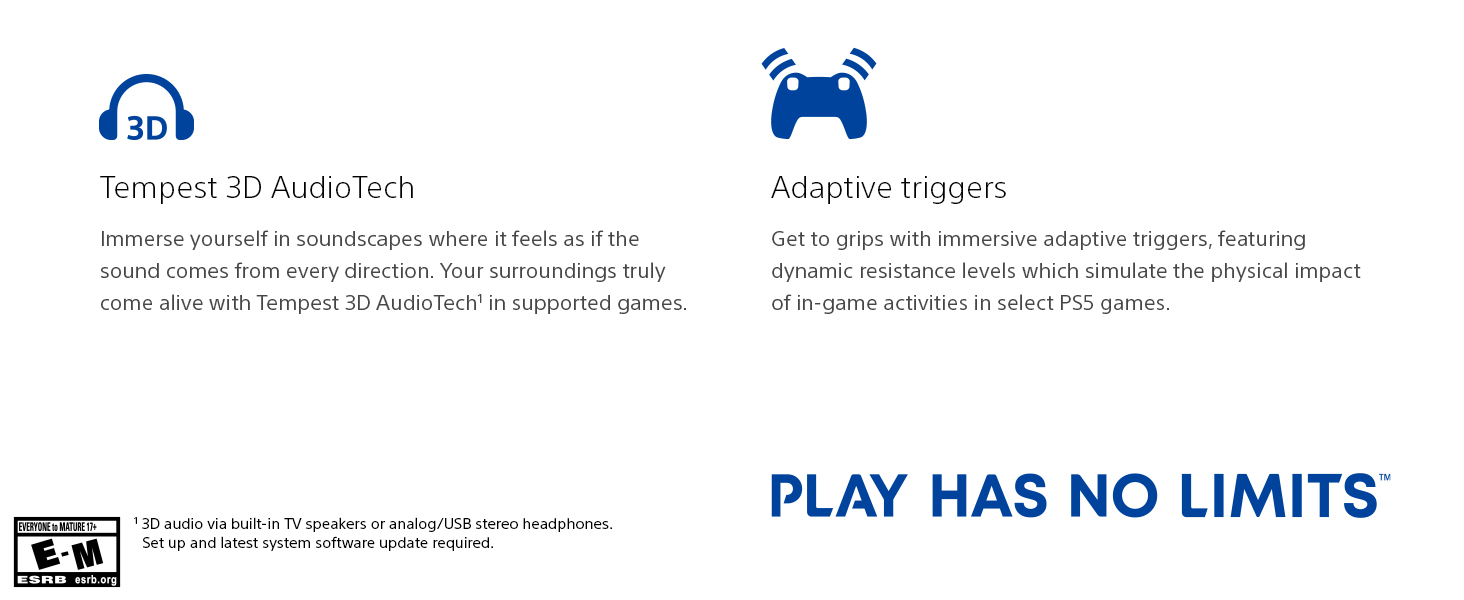
Image: The DualSense wireless controller, highlighting its key immersive features: Haptic Feedback for dynamic sensory responses, Tempest 3D AudioTech for directional sound, and Adaptive Triggers for realistic resistance.
- Тактильний зворотний зв'язок: Experience dynamic sensory feedback through the controller, simulating environmental effects and weapon recoil.
- Адаптивні тригери: Відчувайте різні рівні сили та напруги під час взаємодії з ігровим спорядженням та оточенням.
- 3D-аудіо: Immerse yourself in soundscapes where it feels as if the sound comes from every direction, supported by Tempest 3D AudioTech.
Офіційне відео продукту
Video: "Play Like Never Before | PS5 Console" - This official video from Sony Interactive Entertainment LLC showcases the immersive features and next-generation gaming experience offered by the PlayStation 5 console.
Технічне обслуговування
- Прибирання: Regularly wipe the console and controller with a soft, dry cloth. Do not use liquid cleaners or solvents.
- Вентиляція: Ensure the console's vents are not blocked to prevent overheating. Keep the console in a well-ventilated area.
- Зберігання: When not in use for extended periods, store the console in a cool, dry place away from direct sunlight and dust.
Усунення несправностей
| проблема | Можливе рішення |
|---|---|
| Консоль не вмикається. | Check power cord connection to both console and wall outlet. Ensure the outlet is functional. |
| No image on TV. | Verify HDMI cable connections. Ensure TV input is set to the correct HDMI port. Try a different HDMI cable or port. |
| Контролер не відповідає. | Ensure controller is charged. Connect via USB cable to re-pair. Reset the controller using the small button on the back. |
| Не читається ігровий диск. | Clean the disc with a soft cloth. Ensure the disc is inserted correctly. |
Технічні характеристики
| Особливість | Деталь |
|---|---|
| Номер моделі | IFC-1102A |
| Розміри (прибл.) | 18 x 18 x 12 дюймів |
| Вага (прибл.) | 15.17 фунта |
| Дата випуску | 22 жовтня 2021 р |
| Виробник | Sony |
| Акумулятори | Потрібен 1 літій-іонний акумулятор (у комплекті) |
Гарантія та підтримка
For detailed warranty information and customer support, please refer to the official documentation included with your PlayStation 5 console or visit the official PlayStation support webсайт. Зберігайте чек про покупку для гарантійних претензій.
Інтернет-підтримка: www.playstation.com/support


