вступ
Thank you for choosing the DIZO Watch 2 Smartwatch. This manual provides essential information and instructions to help you get started, operate, and maintain your device effectively. Please read this manual thoroughly before using your smartwatch to ensure proper function and safety.
Вміст упаковки
- DIZO Watch 2 Smartwatch
- Зарядний кабель
- Посібник користувача
Налаштування
1. Заряджання смарт-годинника
Before initial use, fully charge your DIZO Watch 2. Connect the charging cable to the charging port on the back of the watch and plug the USB end into a power adapter (not included) or a computer's USB port. A full charge typically takes approximately 2 hours.
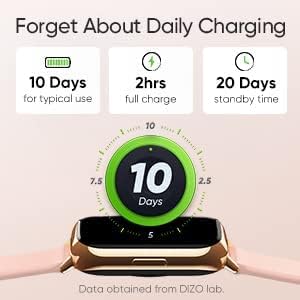
Image: The DIZO Watch 2 displaying its battery life, indicating 10 days for typical use, 2 hours for a full charge, and 20 days standby time.
2. Downloading the DIZO App
To unlock all features and synchronize data, download the official DIZO app on your Android smartphone. шукати "DIZO App" in the Google Play Store.
3. Сполучення зі смартфоном
- Переконайтеся, що Bluetooth на вашому смартфоні увімкнено.
- Open the DIZO app and follow the on-screen instructions to create an account or log in.
- Виберіть «Додати пристрій» або аналогічну опцію в додатку.
- The app will search for your DIZO Watch 2. Select your watch from the list of available devices.
- Підтвердіть запит на сполучення як на годиннику, так і на смартфоні.
Інструкція з експлуатації
Основна навігація
- Сенсорний екран: Swipe up, down, left, or right to navigate through menus and notifications. Tap to select an option.
- Бічна кнопка: Press the side button to return to the home screen or wake up the display.

Image: A close-up of the DIZO Watch 2's 1.69-inch bright full touch screen, highlighting its sharp display.
Моніторинг здоров'я
The DIZO Watch 2 offers comprehensive health tracking features:
- Монітор кисню в крові (SpO2): Measures your blood oxygen saturation levels throughout the day and during sleep.
- Real-time Heart Rate Monitor: Continuously tracks your heart rate, providing insights into your cardiovascular health and workout intensity.
- Розширений моніторинг сну: Аналізує ваші режими сну, включаючи легкий, глибокий та REM-сонtages, along with heart rate, stress, and breathing data.
- Відстеження менструального циклу: Provides tracking and predictions for the menstrual cycle.
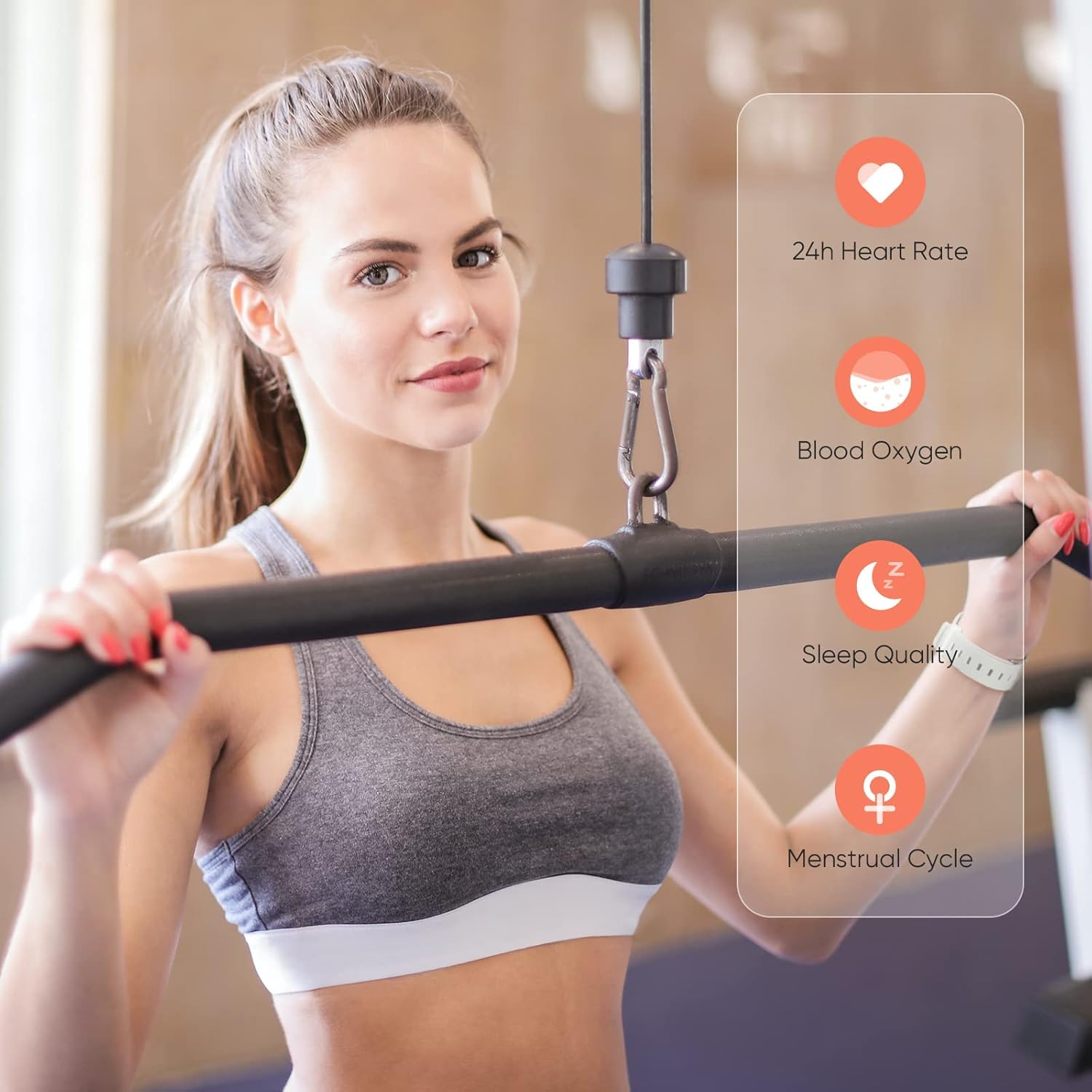
Image: A user wearing the DIZO Watch 2, with an overlay showing the watch's ability to monitor 24-hour heart rate, blood oxygen, sleep quality, and menstrual cycle.
Спортивні режими
The watch supports 15 dedicated sports modes to accurately track your workouts. Select your activity from the watch's menu to record data such as duration, calories burned, and heart rate.

Image: The DIZO Watch 2 screen showing "15 Sports Modes" with icons representing different activities like running, cycling, and swimming, surrounded by images of people engaging in these sports.
Настроювані циферблати
Choose from over 100 watch faces available through the DIZO app. You can also customize a watch face using your own pictures.

Image: The DIZO Watch 2 displaying a custom watch face with a personal photo, surrounded by other available watch face designs and a smartphone screen showing customization options.
Smart Controls and Notifications
Connect your smartwatch to the DIZO app to enable smart features:
- Керування музикою: Керуйте відтворенням музики на своєму смартфоні безпосередньо з годинника.
- Керування камерою: Використовуйте свій годинник як пульт дистанційного керування затвором для камери смартфона.
- Розумні сповіщення: Отримуйте сповіщення про дзвінки, повідомлення та сповіщення додатків.
- Calls Reject: Decline incoming calls from your watch.
- Steps Counter: Track your daily steps and activity.
- сигналізація: Встановлюйте будильники безпосередньо на годиннику.

Image: The DIZO Watch 2 displaying icons for various smart controls, including Music Control, Camera Control, Smart Notifications, Calls Reject, Steps Counter, and Alarm.
Водонепроникність (5 атм)
The DIZO Watch 2 is 5ATM water resistant, meaning it can withstand pressures equivalent to a depth of 50 meters (164 feet). This allows for use during swimming, showering, or other shallow water activities. Avoid hot water, steam, or high-velocity water streams.

Image: A person swimming while wearing the DIZO Watch 2, with text indicating its 5ATM (164 ft./50 meters) waterproof rating.
Технічне обслуговування
- Прибирання: Регулярно протирайте годинник і ремінець м’якою сухою тканиною. За потреби використовуйте злегкаamp тканину з м’яким милом, потім змийте та ретельно висушіть.
- Зарядка: Use only the provided charging cable. Avoid exposing the charging contacts to water or sweat.
- Зберігання: Зберігайте годинник у прохолодному, сухому місці, коли він не використовується.
- Водонепроникність: While 5ATM water resistant, avoid prolonged submersion in saltwater or chemical liquids, which can degrade seals over time.
Усунення несправностей
- Годинник не вмикається: Переконайтеся, що годинник повністю заряджений. Підключіть його до зарядного пристрою щонайменше на 10 хвилин.
- Не вдається підключитися до телефону: Check if Bluetooth is enabled on your phone. Ensure the watch is within range and the DIZO app is open. Try restarting both the watch and your phone.
- Неточні дані про стан здоров'я: Переконайтеся, що годинник щільно прилягає до зап'ястя, не надто туго і не надто вільно. Регулярно очищуйте датчики.
- Не отримано сповіщень: Check app permissions on your phone to ensure the DIZO app has access to notifications. Verify notification settings within the DIZO app.
- Екран не реагує: Спробуйте перезавантажити годинник, натиснувши та утримуючи бічну кнопку, доки він не вимкнеться, а потім знову ввімкніть його.
Технічні характеристики
| Назва моделі | Дивитися 2 |
| Довідка виробника | DW-123 |
| Бренд | ДІЗО |
| Дисплей | 1.69 inch (4.3cm) Bright Full Touch Screen |
| Водонепроникність | 5ATM (up to 50 meters / 164 feet) |
| Моніторинг здоров'я | Blood Oxygen (SpO2), Heart Rate, Sleep Tracking, Menstrual Cycle |
| Спортивні режими | 15 режимів |
| Термін служби батареї | До 10 днів (типове використання), 20 днів (в режимі очікування) |
| Час зарядки | прибл. 2 години |
| Підключення | Bluetooth, USB (для заряджання) |
| Сумісність | Android |
| Розміри | 21.49 х 2.01 х 1.22 см |
| вага | 191 грами |
Гарантія та підтримка
The DIZO Watch 2 Smartwatch comes with a standard manufacturer's warranty. Please refer to the warranty card included in your package for specific terms and conditions. For technical support, troubleshooting assistance, or warranty claims, please contact DIZO customer service through their official webсайт або контактну інформацію, зазначену у вашій гарантійній документації.


