1. Вступ
Thank you for choosing Baseus W11 True Wireless Earbuds. This manual provides detailed instructions for the proper use and maintenance of your device. Please read it carefully before use.

Image: Baseus W11 True Wireless Earbuds and Charging Case.
2. Що в коробці
Пакет включає наступні предмети:
- Baseus W11 True Wireless Earbuds (Left and Right)
- Чохол для бездротової зарядки
- Зарядний кабель USB-C
- Multiple sizes of silicone ear tips (XS, S, M, L)
- Посібник користувача
Video: TWS W11 Operation Guide Video, demonstrating unboxing and initial setup steps.
3. Продукт закінчивсяview
Навушники
- Торкніться Зона керування
- мікрофон
- Зарядка контактів
- Силіконовий наконечник для вух
Зарядний футляр
- Слоти для зарядки навушників
- Світловий індикатор батареї
- Порт зарядки USB-C
- Функціональна кнопка

Image: Baseus W11 Earbuds inside their charging case, showing the earbuds and charging contacts.
4. Налаштування
4.1 Початкове заряджання
Before first use, ensure the charging case and earbuds are fully charged. Remove any insulation stickers from the earbud charging contacts.
- Підключіть кабель USB-C до зарядного футляра та джерела живлення.
- Alternatively, place the charging case on a compatible wireless charging pad.
- Індикатор на корпусі показуватиме стан заряджання.

Image: Baseus W11 charging case on a wireless charging pad, illustrating wireless charging capability.

Image: Baseus W11 charging case connected via USB-C cable, showing fast charging feature.
4.2 Сполучення з пристроєм
- Відкрийте зарядний футляр. Навушники автоматично перейдуть у режим сполучення.
- На вашому пристрої (смартфоні, планшеті тощо) увімкніть Bluetooth.
- шукати "Baseus Encok W11" in the list of available Bluetooth devices and select it to connect.
- Після підключення ви почуєте звукове повідомлення, і навушники будуть готові до використання.
4.3 Встановлення застосунку Baseus
For enhanced features like anti-lost function, gesture customization, and firmware updates, download the official Baseus app from your device's app store.

Image: Baseus app interface showing anti-lost function, low latency, and button customization options.
5. Інструкція з експлуатації
5.1 Носіння навушників
Choose the ear tips that provide the most comfortable and secure fit for your ears. Insert the earbuds into your ear canal and gently twist them to lock them in place.

Image: Man wearing Baseus W11 earbuds while running, demonstrating the secure and comfortable fit for active use.
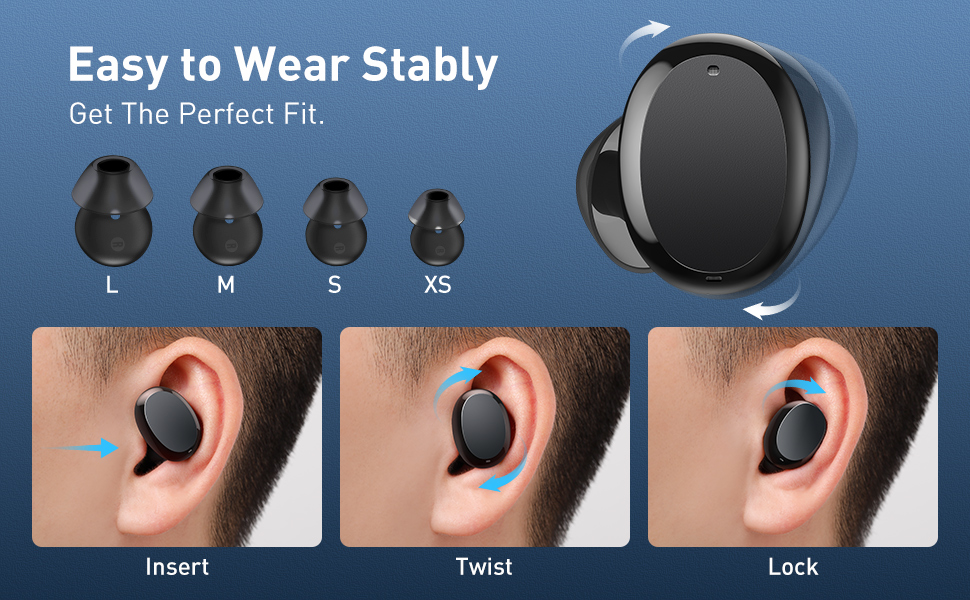
Image: Diagram illustrating the three steps to achieve a secure fit for the Baseus W11 earbuds: insert, twist, and lock.
5.2 Сенсорне керування
The earbuds feature smart touch controls. Functions can be customized via the Baseus app.
- Відтворення/пауза: Double-tap Left/Right earbud.
- Наступний трек: Long press Right earbud.
- Попередній трек: Long press Left earbud.
- Активувати голосового помічника: Triple-tap Left/Right earbud.
- Відповісти/покласти трубку: Double-tap Left/Right earbud.
- Відхилити виклик: Long press Left/Right earbud.
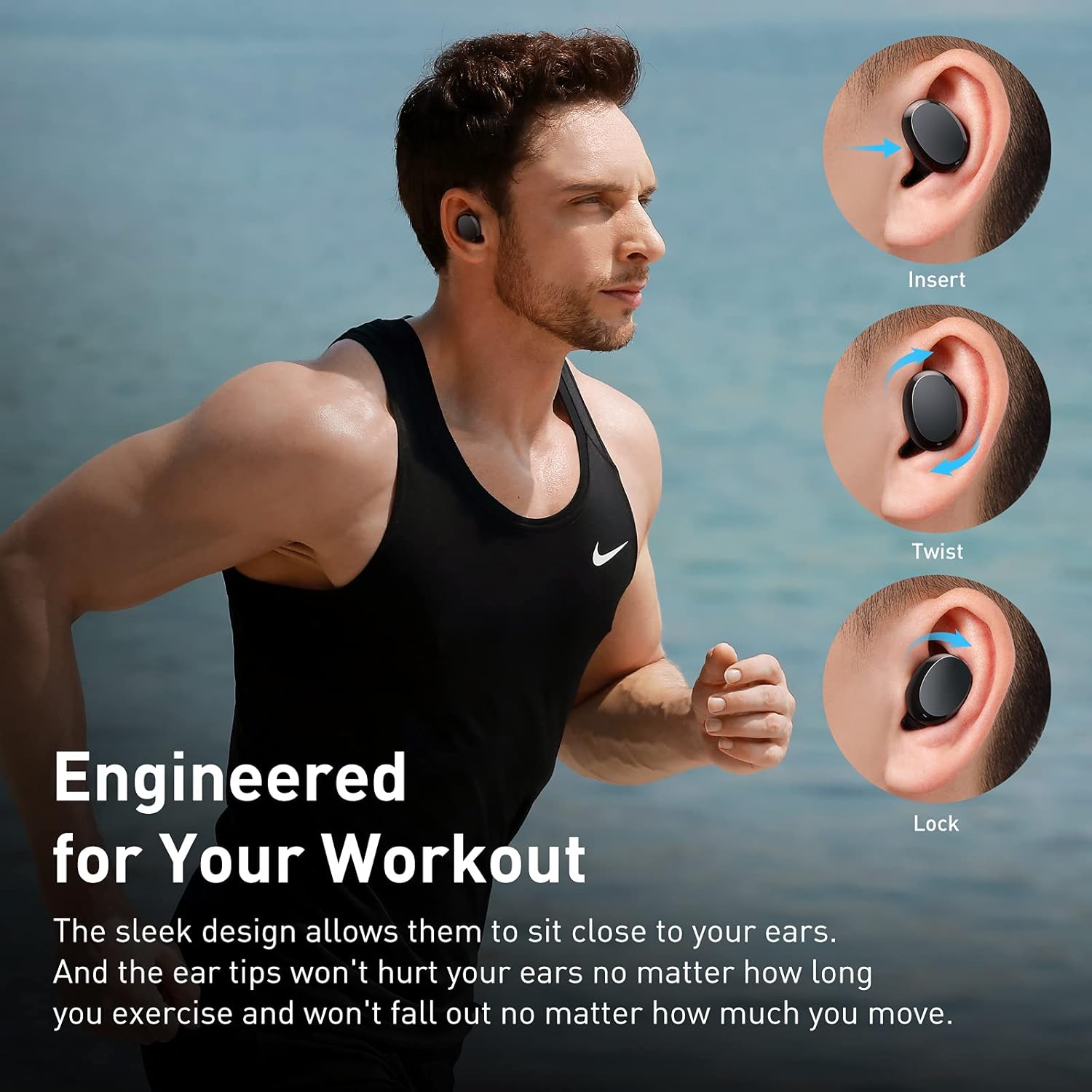
Image: Diagram illustrating the various touch control functions for the Baseus W11 earbuds, including play/pause, track skipping, voice assistant, and call management.
5.3 Використання одного навушника
The Baseus W11 earbuds support independent use. You can use either the left or right earbud individually while the other is charging or stored.
6. Зарядка
6.1 Зарядка навушників
Place the earbuds into the charging case. They will automatically begin charging. The case's indicator light will show the charging status.
6.2 Заряджання футляра
The charging case can be charged via the included USB-C cable or wirelessly using a compatible Qi-certified wireless charger.
6.3 Швидка зарядка
The earbuds feature fast charging. A 10-minute charge can provide up to 4 hours of playback time.
7. Технічне обслуговування
7.1 Водонепроникний клас (IPX8)
The Baseus W11 earbuds are IPX8 waterproof, providing protection against sweat and rain. This makes them suitable for sports and outdoor activities. Avoid prolonged submersion in water.
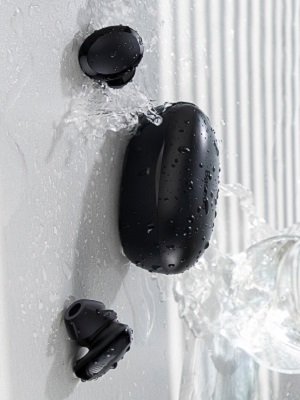
Image: Baseus W11 earbuds and case with water splashing, demonstrating IPX8 waterproof rating.
7.2 Очищення
Regularly clean the earbuds and charging case with a soft, dry cloth. Ensure charging contacts are free from dust and debris to maintain optimal charging performance.
8. Вирішення проблем
- Навушники не сполучаються: Ensure both earbuds are fully charged and removed from the case. Check your device's Bluetooth settings and try reconnecting. If issues persist, try resetting the earbuds (refer to the app or full user manual for specific reset instructions).
- Один навушник не працює: Ensure both earbuds are charged. Try placing them back in the case and taking them out again. If only one earbud connects, try re-pairing them as a pair.
- Проблеми з якістю звуку: Ensure ear tips are properly fitted to create a good seal. Check the audio source and volume levels on both your device and the earbuds.
- Lost Earbuds: Use the anti-lost function in the Baseus app to locate misplaced earbuds by making them emit a sound.
Video: Great Waterproof Wireless Earbuds with Locator App, demonstrating the app's anti-lost feature.
9. Технічні характеристики
| Особливість | Специфікація |
|---|---|
| Назва моделі | NGTW060001 (W11) |
| Технологія підключення | Бездротовий (Bluetooth) |
| Технологія бездротового зв'язку | Bluetooth V5.0 |
| Ємність акумулятора навушника | 40mAh (0.148Wh) |
| Ємність батареї зарядного пристрою | 300mAh (1.11Wh) |
| Діапазон частотної характеристики | 20 Гц-20 кГц |
| Інтерфейс зарядки | Тип-C |
| Рівень водонепроникності | Водонепроникність IPX8 |
| Тип аудіо драйвера | Динамічний драйвер 10 мм |
| Спосіб контролю | Додаток, дотик |
| вага | 5.1 ounces (total item weight) |
| матеріал | Міцний пластик або гума |
10. Гарантія та підтримка
Baseus products come with a standard manufacturer's warranty. For warranty claims, technical support, or any product-related inquiries, please contact Baseus customer service through their official webсайт або контактну інформацію, зазначену на упаковці вашого продукту.
Щоб отримати додаткову допомогу, відвідайте: www.baseus.com/support