1. Вступ
This manual provides instructions for the Monoprice Dark Matter 27-inch 165Hz Gaming Monitor. This monitor features an IPS panel, a 165Hz refresh rate, and a 1920x1080p Full HD resolution. It includes Adaptive Sync technology for smooth visuals and offers multiple connectivity options, including HDMI and DisplayPort inputs.
2. Інформація про безпеку
- Read all instructions before operating the monitor.
- Тримайте монітор подалі від води абоamp середовищ.
- Не перекривайте вентиляційні отвори.
- Використовуйте лише адаптер живлення, наданий виробником.
- Уникайте розміщення монітора на нестійких поверхнях.
- Від’єднуйте кабель живлення під час грози або якщо пристрій не використовується протягом тривалого часу.
- Будь-яке обслуговування доручайте кваліфікованому персоналу.
3. Вміст упаковки
Переконайтеся, що ваш пакет містить такі елементи:
- Monoprice Dark Matter 27-inch Gaming Monitor
- Підставка для монітора (основа та шия)
- Адаптер живлення та кабель живлення
- Кабель HDMI
- Посібник користувача (цей документ)
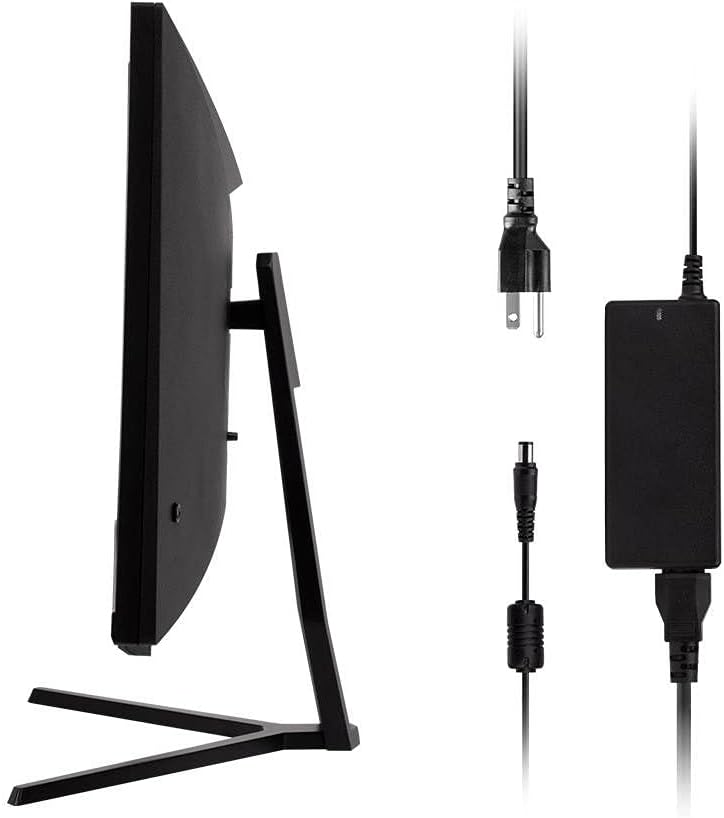
Image: Monitor side view with included power adapter and cable.
4. Моніторview
Фронт View
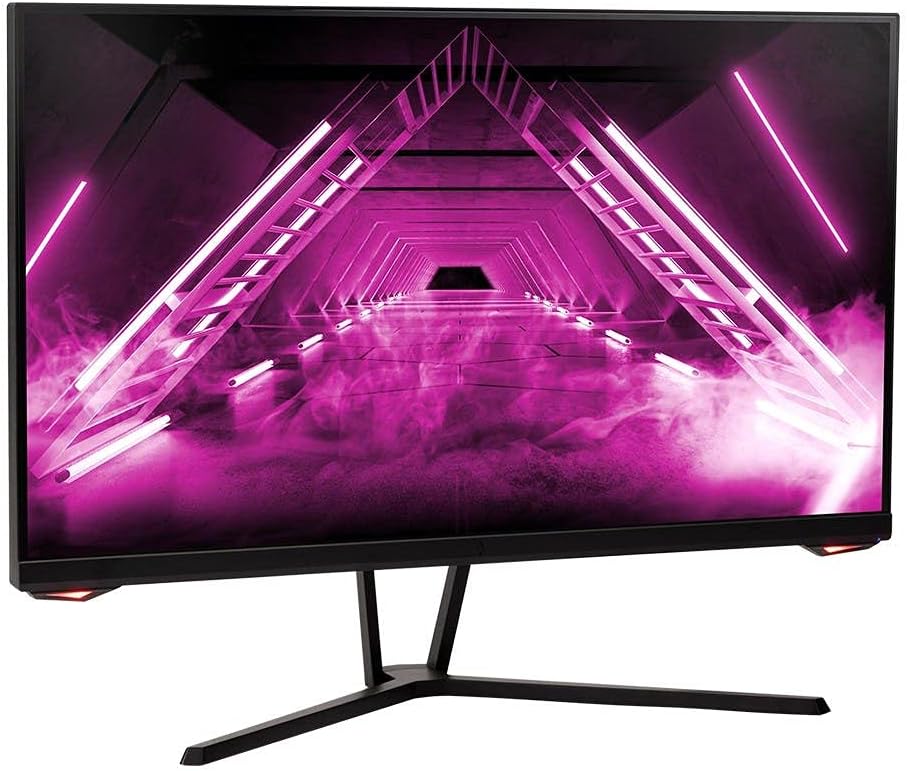
Зображення: спереду view монітора.
Задня View і порти
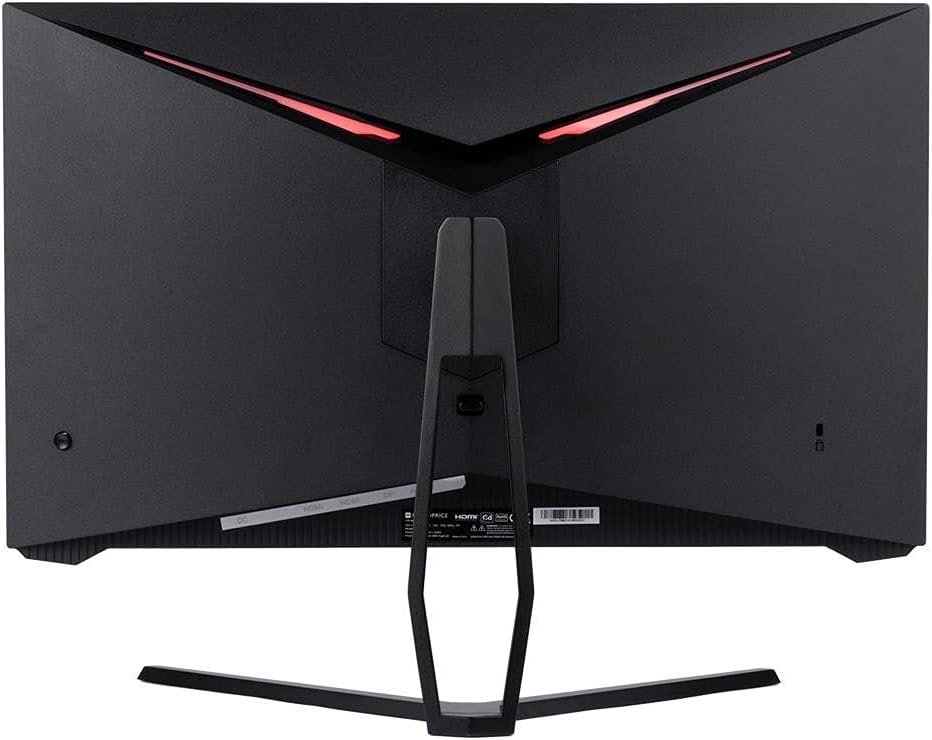
Зображення: Задня частина view of the monitor, highlighting the VESA mount and stand attachment.

Image: Close-up of the monitor's input ports.
5. Налаштування
5.1 Збірка підставки
- Обережно вийміть монітор з упаковки, зберігаючи його на м’якій поверхні в захищеному місці.
- Attach the stand neck to the monitor's rear panel by aligning the tabs and securing any screws if present.
- Прикріпіть основу підставки до шиї підставки, переконавшись, що вона надійно закріплена.
- Помістіть зібраний монітор на стійку, рівну поверхню.
5.2 Кріплення VESA
The monitor supports a 75x75mm VESA mount pattern. To use a wall or desk mount:
- Remove the pre-attached stand by unscrewing it from the monitor's rear panel.
- Attach your VESA-compatible mount to the monitor using the appropriate screws (not included).
- Ensure the mount is securely fastened before releasinмонітор.
5.3 Підключення до комп’ютера
Підключіть монітор до комп’ютера одним із наведених нижче способів.
- DisplayPort: Connect one end of a DisplayPort cable to the DisplayPort output on your computer's graphics card and the other end to the DisplayPort input on the monitor.
- HDMI: Connect one end of an HDMI cable to an HDMI output on your computer's graphics card and the other end to one of the HDMI inputs on the monitor.
After connecting the video cable, connect the power adapter to the monitor's DC input and then plug the power cable into a wall outlet.
6. Експлуатація монітора
6.1 Увімкнення/вимкнення живлення
Press the power button, typically located on the rear or bottom of the monitor, to turn the monitor on or off. The power indicator light will illuminate when the monitor is on.
6.2 Екранне меню (OSD)
The OSD menu allows you to adjust various monitor settings. Access the OSD menu by pressing the menu button (often a joystick or a series of buttons) on the monitor. Navigate through the options using the directional controls and confirm selections.
Звичайні налаштування екранного меню включають:
- Параметри зображення: Яскравість, контрастність, різкість, колірна температура.
- Вибір входу: Choose between DisplayPort and HDMI inputs.
- Аудіо: Volume control for the audio output.
- Особливості гри: Overdrive, FreeSync/Adaptive Sync settings.
6.3 Основні характеристики
- Частота оновлення 165 Гц: This monitor supports a 165Hz refresh rate, providing smoother motion and reduced input lag compared to standard 60Hz monitors. Ensure your graphics card and system settings are configured to utilize this refresh rate.
- Адаптивна синхронізація: This technology synchronizes the monitor's refresh rate with your graphics card's frame rate, eliminating screen tearing and stuttering for a smoother gaming experience. Enable Adaptive Sync in your graphics card's control panel and the monitor's OSD menu.
- Full HD Resolution (1920x1080p): The monitor displays content at 1920x1080 pixels, offering clear and detailed visuals.
7. Технічне обслуговування
To maintain your monitor and ensure its longevity:
- Очищення екрану: Обережно протріть екран м’якою тканиною без ворсу. Для стійких плям використовуйте спеціальний розчин для чищення моніторів, нанесений на тканину, а не безпосередньо на екран.
- Очищення Casing: Використовуйте м’яку суху тканину для протирання монітора casing. Уникайте абразивних засобів для чищення.
- Вентиляція: Переконайтеся, що вентиляційні отвори монітора не засмічені пилом та іншими перешкодами, щоб запобігти перегріву.
- Вимкнення живлення: Вимикайте монітор, коли він не використовується протягом тривалого часу.
8. Вирішення проблем
Якщо у вас виникли проблеми з монітором, зверніться до наступного посібника з усунення несправностей:
| проблема | Можлива причина | Рішення |
|---|---|---|
| Немає зображення на екрані / Світлодіод живлення не горить | Monitor not powered on; Power cable loose; Power outlet faulty. | Press the power button; Check power cable connections; Try a different power outlet. |
| Немає зображення / повідомлення «Немає сигналу» | Video cable loose; Incorrect input selected; Computer not outputting signal. | Check video cable connections; Select the correct input via OSD; Ensure computer is on and outputting video. |
| Screen flickers or goes black intermittently | Loose video cable; Graphics driver issue; Monitor overheating; Faulty cable. | Ensure video cable is secure; Update graphics drivers; Ensure adequate ventilation around the monitor; Try a different video cable. |
| Перегрів / дим | Blocked ventilation; Internal component issue. | Immediately unplug the monitor. Ensure ventilation is clear. Do not use the monitor if smoke is present. Contact support. |
| Red line or other display artifacts | Faulty panel; Graphics card issue. | Test with a different video cable and computer. If the issue persists, contact support. |
| Backlight turns off, requires power cycle | Power management settings; Internal fault. | Check computer's power saving settings. If issue persists, contact support. |
9. Технічні характеристики
| Особливість | Специфікація |
|---|---|
| Номер моделі | 142771 |
| Розмір екрана | 27 дюймів |
| Тип панелі | IPS |
| роздільна здатність | 1920 x 1080 (FHD 1080p) |
| Частота оновлення | 165 Гц |
| Співвідношення сторін | 16:9 |
| Відеовходи | 2x HDMI 1.4, 1x DisplayPort 1.2a |
| Гора VESA | 75х75 мм |
| Розміри (ДxШxВ) | 28.8 x 7.1 x 19.3 дюймів |
| Вага товару | 15.77 фунта |
10. Гарантія та підтримка
10.1 Інформація про гарантію
This Monoprice monitor is backed by a 1 Year PixelPerfect Guarantee. This warranty covers defects in materials and workmanship under normal use for one year from the date of purchase. Please refer to Monoprice's official webсайт для повних умов гарантії.
10.2 Підтримка клієнтів
For technical assistance, warranty claims, or further information, please contact Monoprice Customer Support. Contact details can typically be found on the official Monoprice webсайт або вашу документацію щодо придбання.
11. Відеоресурси
Для цієї моделі не знайдено офіційних відео від продавця.


