вступ
The XTOOL D7W is an advanced wireless OBD2 diagnostic scanner designed for comprehensive vehicle system analysis. This tool provides extensive diagnostic capabilities, including bidirectional control, ECU coding, and over 39 special reset functions. It supports a wide range of vehicle brands and incorporates modern communication protocols like CAN FD and DoIP, offering efficient and precise vehicle maintenance and repair solutions.

Image: XTOOL D7W diagnostic tablet and wireless VCI module.
Вміст упаковки
Перевірте наявність усіх елементів в упаковці:
- D7W Tablet (Main diagnostic unit)
- VCI Box (Vehicle Communication Interface)
- Кабель USB (тип C)
- Зарядний пристрій для планшета
- Адаптер для США
- ЄС адаптер
- EN Adapter
- Чохол для транспортування
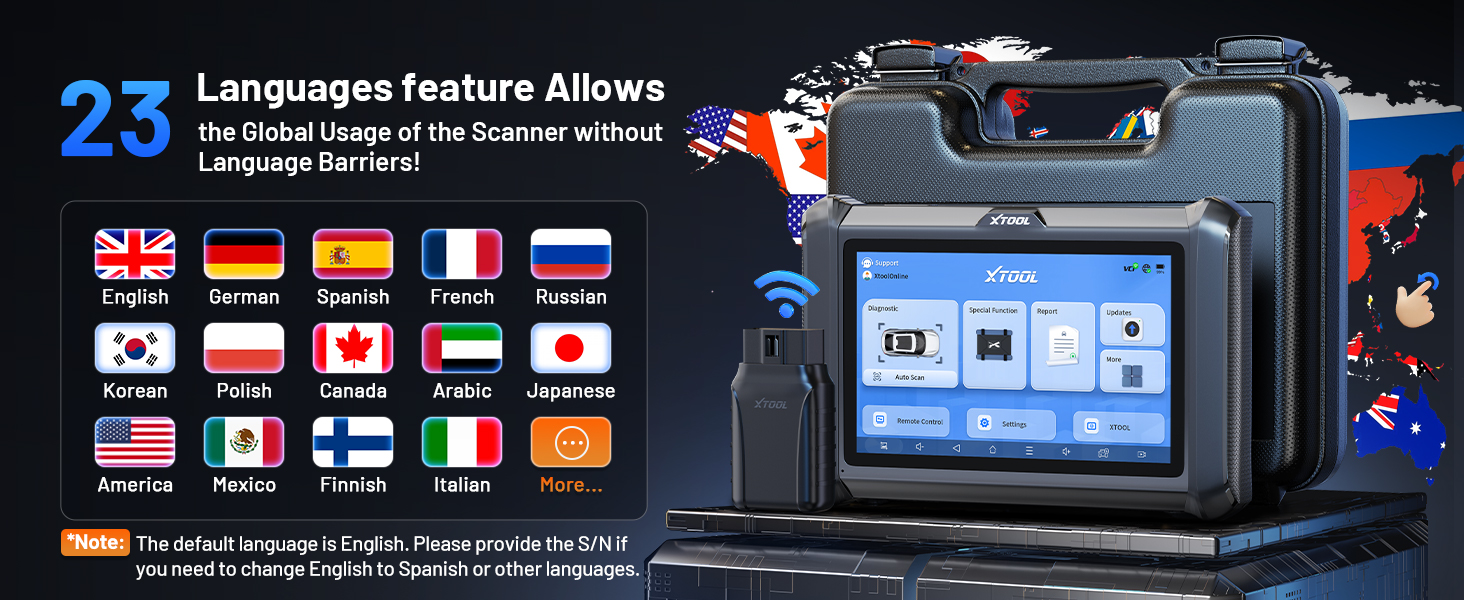
Image: Visual representation of the XTOOL D7W package contents, including the tablet, VCI box, cables, adapters, and carrying case.
Налаштування
- Зарядити планшет: Connect the D7W tablet to the power adapter using the provided USB Type-C cable. Ensure the tablet is fully charged before first use.
- Увімкнення: Натисніть і утримуйте кнопку живлення на планшеті, щоб увімкнути його.
- Connect VCI Box: Plug the VCI box into the vehicle's OBD2 port. The OBD2 port is typically located under the dashboard on the driver's side.
- Встановлення бездротового з'єднання: The D7W tablet features built-in Wi-Fi for direct communication with the VCI box. No external Wi-Fi router is required for this connection. The tablet will automatically attempt to connect to the VCI box.
- Початкове налаштування програмного забезпечення: Follow the on-screen prompts to complete the initial software setup, including language selection and Wi-Fi network configuration for internet access (for updates).

Image: Diagram illustrating the wireless connection between the XTOOL D7W tablet and the VCI box, highlighting the freedom from tangled wires.
Інструкція з експлуатації
1. Повна діагностика системи
The D7W performs comprehensive diagnostics across all available vehicle systems, including Engine, ABS, SRS, Transmission, BCM, and more. This function allows you to:
- Read and Clear Diagnostic Trouble Codes (DTCs)
- View Live Data (up to 8 PIDs simultaneously)
- Отримання даних стоп-кадру
- Access ECU Information
- Perform Auto VIN scanning for automatic vehicle identification
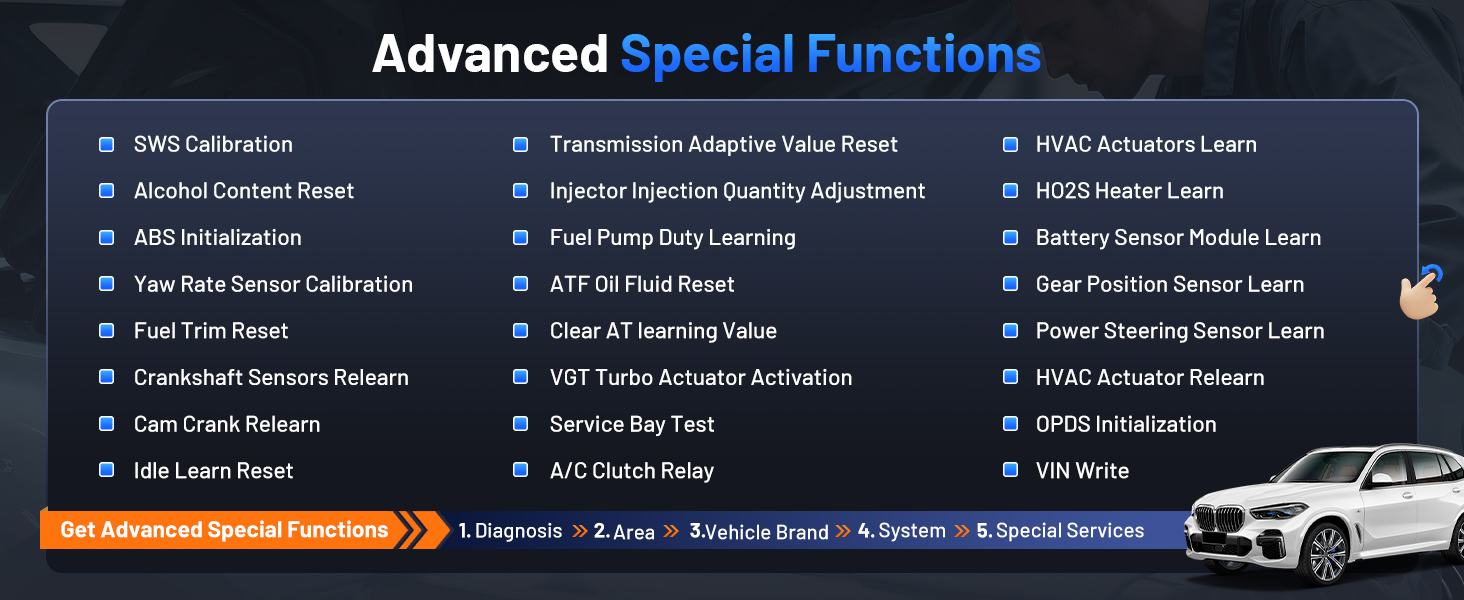
Image: Screenshot of the XTOOL D7W performing full system diagnostics, showing various diagnostic functions.
2. Двонаправлене керування (активні тести)
This function allows the diagnostic tool to send commands to vehicle components to test their functionality, aiding in faster fault isolation. Exampвключають:
- Тест на гудіння форсунки
- ABS Pump Control
- Активація вентилятора охолодження
- Паливний насос увімкнено/вимкнено
- Window/Door Lock Tests

Зображення: Прamples of bidirectional control (active tests) such as injector buzz test, ABS pump control, and sound horn test.
3. Special Functions (39+ Resets)
The D7W offers a wide array of maintenance and reset services, including but not limited to:
- Скидання масла
- Скидання налаштувань EPB (електронного стоянкового гальма)
- Скидання TPMS (системи контролю тиску в шинах)
- Скидання BMS (системи керування акумулятором)
- Калібрування SAS (датчика кута повороту керма)
- Кровотеча з АБС
- Кодування інжектора
- Перевчити дросельну заслінку
Зображення: Оверview of the 39+ maintenance services available on the XTOOL D7W, including various reset and calibration functions.
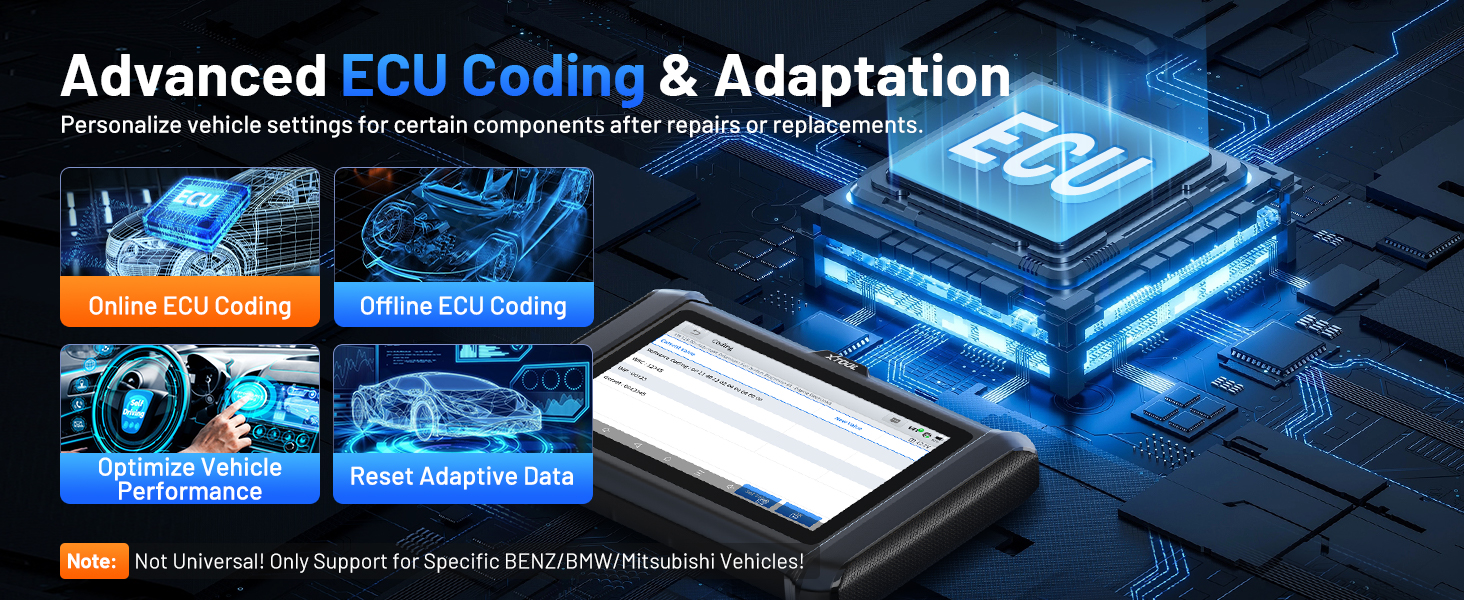
4. Advanced ECU Coding & PMI Programming
This feature allows for personalization of vehicle settings and recoding adaptive data for certain components after repairs or replacements. PMI (Programmable Module Installation) programming enables programming data from an original module to a new unit for module replacement, particularly for Ford, Lincoln, and Mazda vehicles. Примітка: ECU Coding is not universally supported for all vehicles; it is specific to certain brands like VW, Audi, Skoda, Benz, and Mitsubishi.
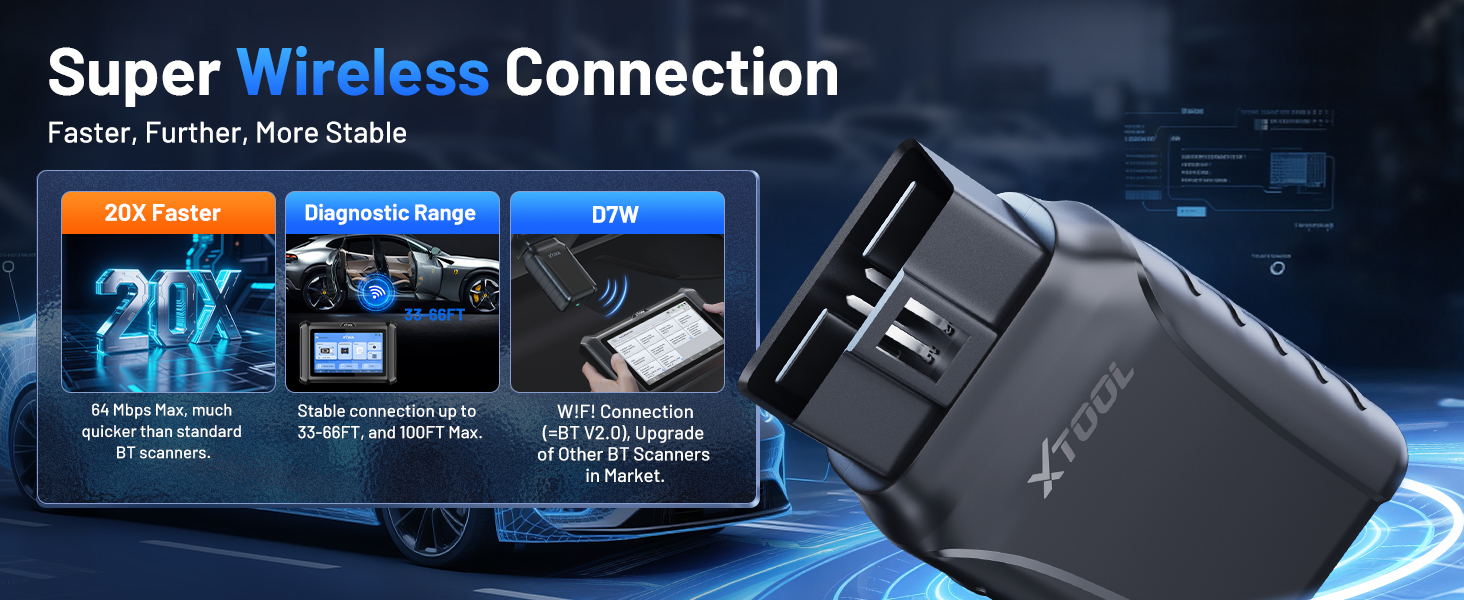
Image: Visual explanation of advanced ECU coding and adaptation, showing how it optimizes vehicle performance and resets adaptive data.
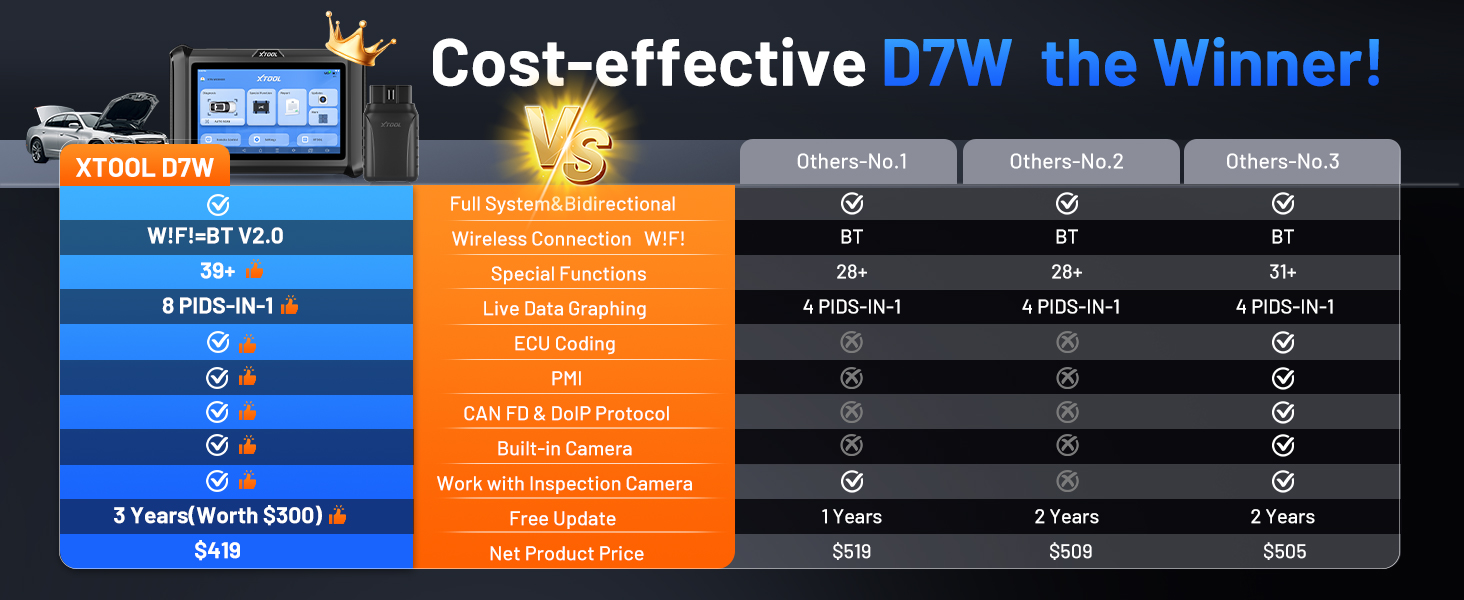
Image: Illustration of PMI and offline ECU programming for Ford, Lincoln, and Mazda vehicles, demonstrating module replacement procedures.
Технічне обслуговування
- Оновлення програмного забезпечення: Regularly check for and install software updates via Wi-Fi to ensure compatibility with the latest vehicle models and diagnostic functions. The device includes 3 years of free updates.
- Догляд за акумулятором: To prolong battery life, avoid fully discharging the tablet frequently. Store the device in a cool, dry place when not in use.
- Прибирання: Використовуйте м'який, damp тканину для очищення екрана та корпусу планшета. Уникайте абразивних засобів для чищення або розчинників.
- Зберігання: Store the device and its accessories in the provided carry case to protect them from damage.
Усунення несправностей
- Пристрій не вмикається: Переконайтеся, що планшет достатньо заряджений. Підключіть його до зарядного пристрою та зачекайте кілька хвилин, перш ніж спробувати знову ввімкнути.
- VCI не підключається: Verify the VCI box is securely plugged into the vehicle's OBD2 port. Check the vehicle's ignition status. Ensure the tablet's Wi-Fi is enabled and attempting to connect to the VCI.
- Діагностична функція не працює: Confirm that the vehicle model and year are correctly selected. Ensure the software is up to date. Some functions may not be supported on all vehicle makes/models. Refer to the vehicle compatibility list or contact support.
- Повільна продуктивність: Закрийте всі непотрібні програми, що працюють у фоновому режимі. Переконайтеся, що є достатньо місця для зберігання.
Технічні характеристики
| Особливість | Специфікація |
|---|---|
| Модель | XTOOL D7W |
| Операційна система | Android 10.0 |
| Дисплей | 7-дюймовий сенсорний екран |
| Пам'ять | 2 ГБ оперативної пам’яті + 64 ГБ пам’яті |
| Акумулятор | 5000mAh (7.3V) Lithium Polymer |
| Спосіб підключення | Built-in Wi-Fi (Wireless VCI) |
| Підтримувані протоколи | CAN FD, DoIP, FCA (with active subscription) |
| Розміри | 12.6 x 11.25 x 4.1 дюймів |
| Вага товару | 5.06 фунта |
| Мови | Підтримується 23 мов |

Image: Comparison table highlighting the enhanced features of the XTOOL D7W compared to previous models like D7, D7S, and D7BT.
Гарантія та підтримка
XTOOL D7W постачається з Гарантія 2 рікКрім того, він включає 3 роки безкоштовних оновлень програмного забезпечення from the date of purchase, ensuring your tool remains current with the latest vehicle data and functionalities.
For technical assistance, troubleshooting, or any inquiries, please contact XTOOL customer support:
- Електронна пошта: xtooldirect@outlook.com
- 24/7 Technical Assistance is available.
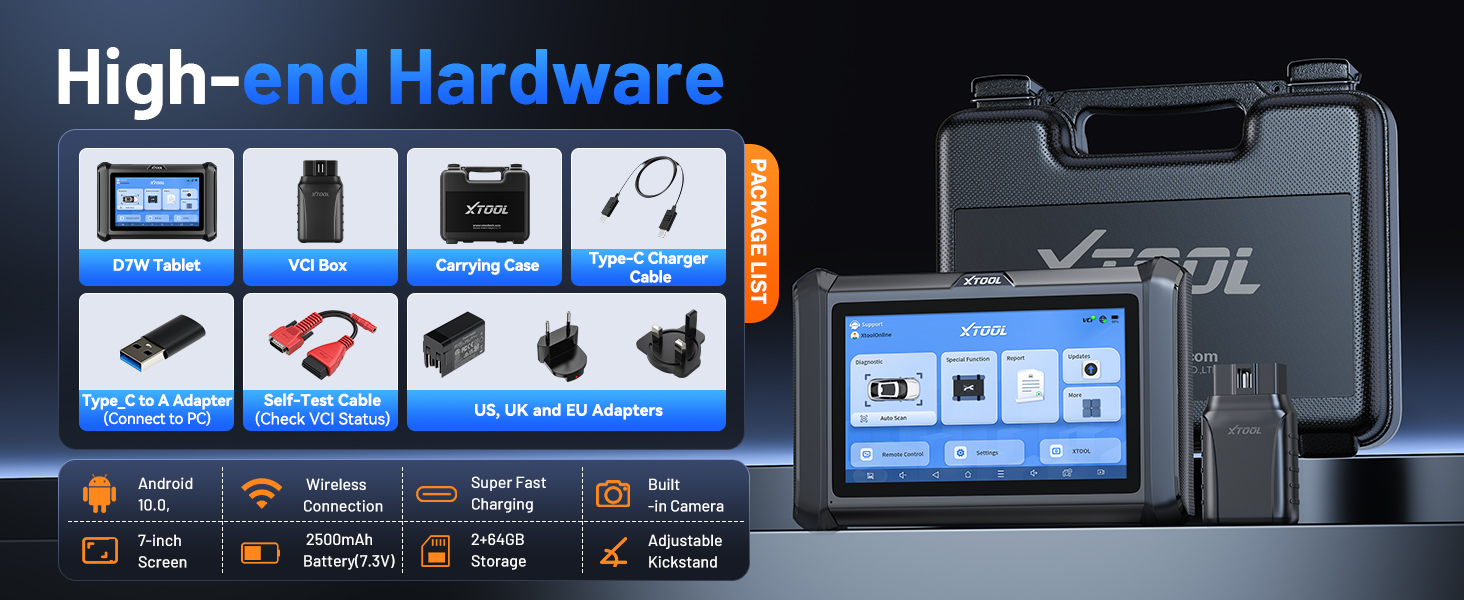
Image: Information regarding XTOOL's professional services, including 24/7 tech assistance, 2-year warranty, and 3 years of free updates.


