1. Вступ та опис продуктуview
The deleyCON CAT 6a RJ45 Network Plug is designed for quick and tool-free termination of solid core network installation cables. This shielded connector ensures high-quality data transmission up to 10 Gigabit per second (Gbit/s) and 500 MHz. It is universally compatible with various CAT cable types, including CAT5, CAT6, CAT6a, CAT7, CAT7a, and CAT8 solid core cables.
The plug features a robust metal housing for optimal shielding and a screw cap for strain relief and secure cable fixation. Its snap-in technology simplifies the installation process by automatically pressing the wires onto the LSA bar when the plug is closed.
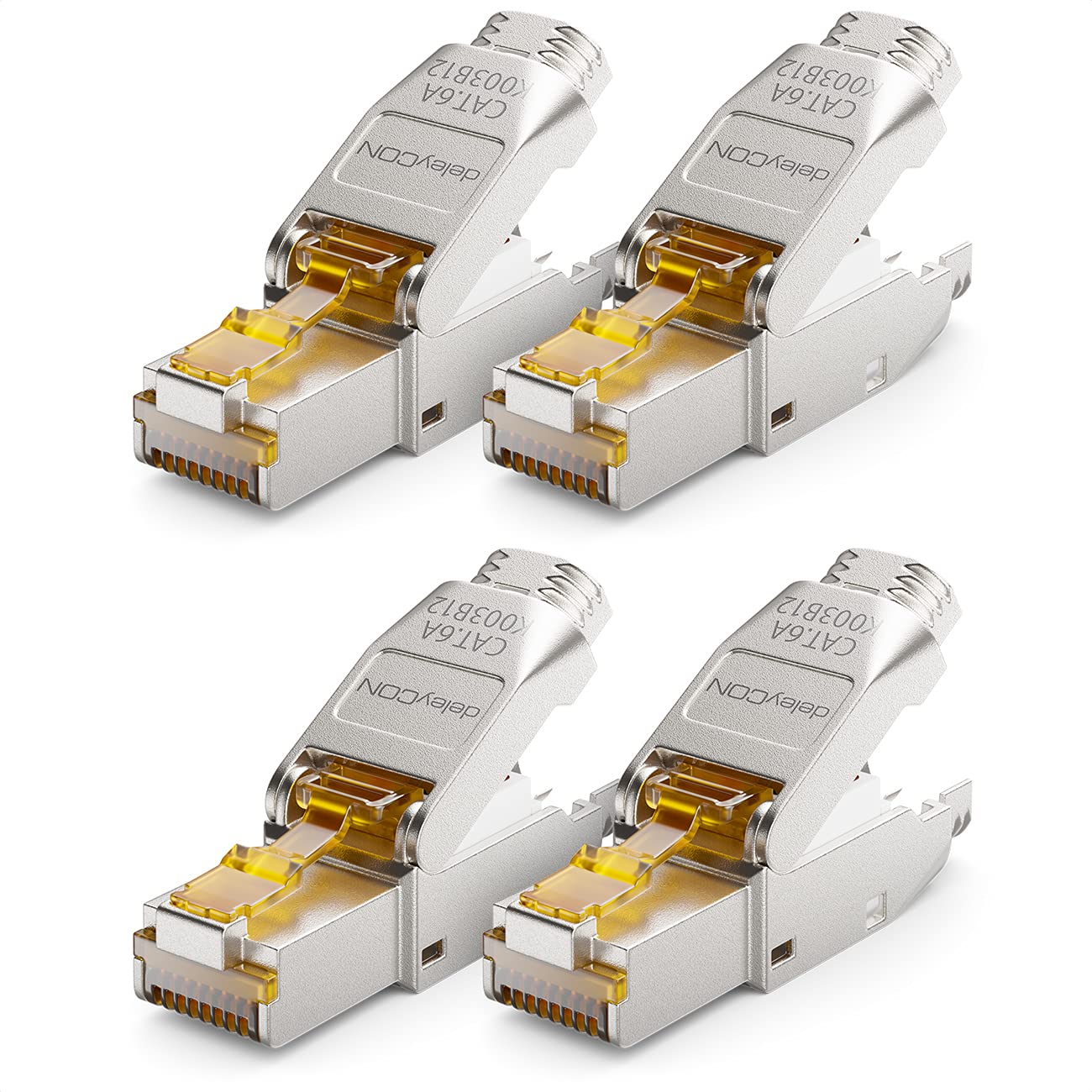
малюнок 1: Four deleyCON CAT 6a RJ45 network plugs, showcasing their metallic finish and compact design.

малюнок 2: Вибухнув view of the deleyCON CAT 6a RJ45 network plug, showing its components: the main plug body, wire guide, screw cap, and gold foil for shielding.
2. Налаштування та встановлення
This section details the step-by-step process for installing the deleyCON CAT 6a RJ45 Network Plug onto a solid core network cable. No special crimping tools are required.
2.1 Сумісність кабелів

малюнок 3: This diagram illustrates that the deleyCON RJ45 plug is designed for solid core installation cables (Verlegekabel/Installation cable) and is not suitable for flexible stranded wire network cables (Netzwerkkabel/Network cable).
2.2 Етапи встановлення
- Підготуйте кабель:
Carefully strip the outer jacket of your solid core network cable to expose the twisted pairs and the cable's shielding (if present). Ensure approximately 2-3 cm of wires are exposed. Slide the screw cap onto the cable before proceeding.

малюнок 4: The first step involves removing the outer insulation of the cable and folding back the braided shielding.
- Розкручування та упорядкування проводів:
Untwist the individual wire pairs and straighten them. Arrange the wires according to the TIA/EIA T568A or T568B wiring standard, as indicated on the wire guide. Apply the included gold foil around the exposed cable shielding for enhanced protection.

малюнок 5: Untwist the wires, apply the gold shielding foil around the cable's inner shield, and prepare to insert wires into the guide.
- Insert Wires into Wire Guide:
Carefully insert each colored wire into its corresponding slot in the white wire guide, following your chosen T568A or T568B standard. Ensure the wires are fully seated and cut to the appropriate length, flush with the guide.
малюнок 6: Insert the individual wires into the designated slots of the wire guide, ensuring correct color coding (T568A or T568B).
- Зберіть штекер:
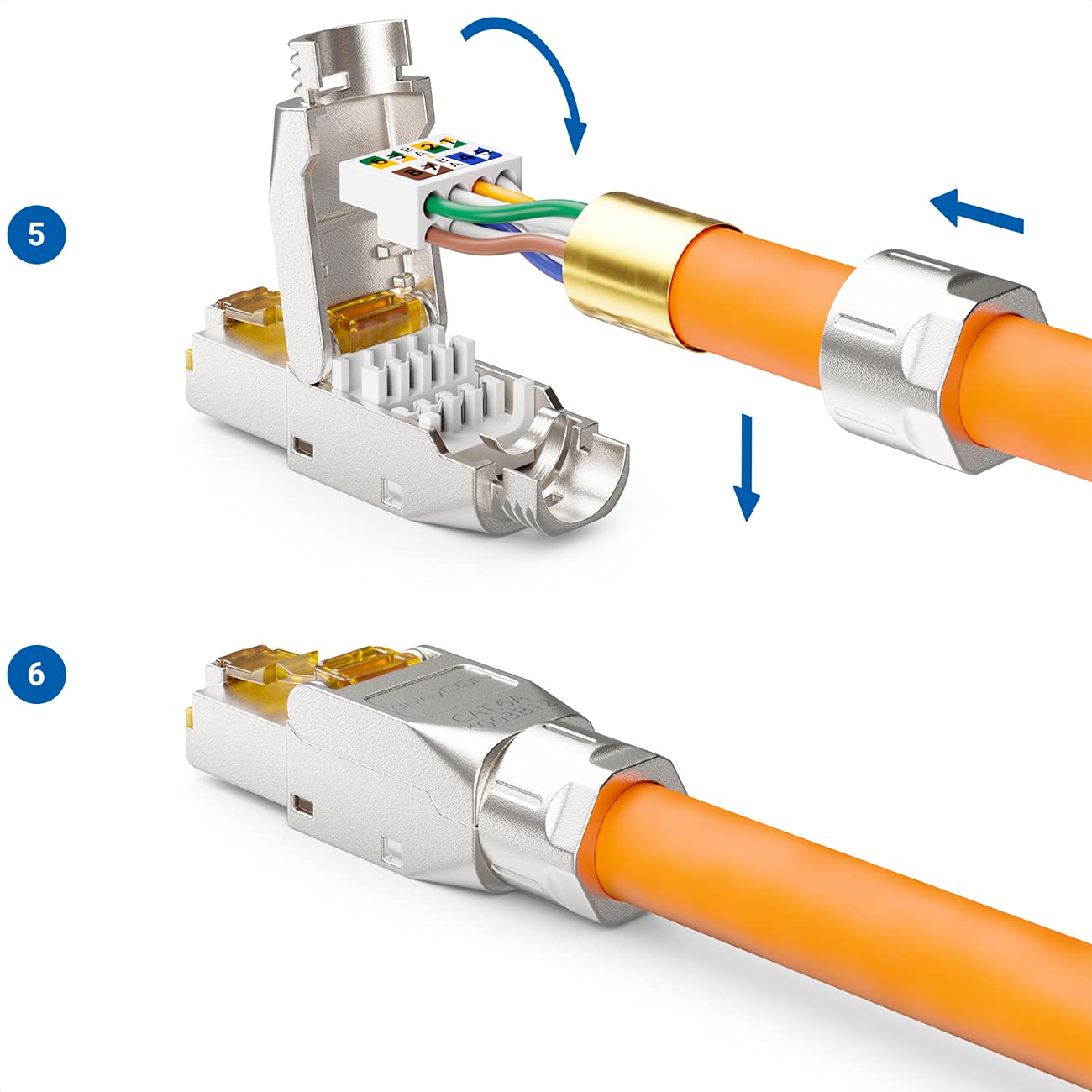
Open the main body of the RJ45 plug. Insert the wire guide, with the wires correctly seated, into the plug. Close the plug firmly. The snap-in mechanism will automatically press the wires onto the LSA contacts, establishing the connection.

малюнок 7: Insert the prepared wire guide into the open RJ45 plug body and close it securely. The plug's mechanism will terminate the wires.
- Закріпіть кабель:
Once the plug is closed, slide the screw cap forward and tighten it onto the plug body. This provides strain relief and secures the cable firmly in place.
3. Операційна
After successful installation, the deleyCON CAT 6a RJ45 Network Plug functions as a standard RJ45 connector. It facilitates high-speed data transmission between network devices such as computers, routers, switches, and patch panels, supporting speeds up to 10 Gbit/s.
Simply connect the terminated cable to any compatible RJ45 port on your network equipment. The shielded design helps minimize electromagnetic interference, ensuring a stable and reliable connection.
4. Технічне обслуговування
- Прибирання: Keep the connector free from dust and debris. Use a soft, dry cloth for cleaning. Avoid liquid cleaners directly on the contacts.
- Зберігання: Store unused plugs in a dry, cool environment, away from direct sunlight and extreme temperatures.
- Огляд: Periodically inspect connected plugs for any signs of physical damage or loose connections.
5. Вирішення проблем
- Немає мережевого підключення:
- Verify that the wires are correctly inserted into the wire guide according to the T568A/B standard.
- Ensure the plug is fully closed and the wires are properly terminated by the LSA contacts.
- Check for any broken or poorly cut wires.
- Confirm that the cable itself is not damaged.
- Переривчасте підключення:
- Ensure the screw cap is tightly secured for proper strain relief and cable fixation.
- Check for proper shielding contact if using shielded cables.
- Повільна швидкість:
- Confirm that all components in your network (cable, switch, router, network card) support CAT 6a or higher speeds.
- Ensure the cable length does not exceed the maximum recommended length for CAT 6a (100 meters for 10 Gbit/s).
6. Технічні характеристики
| Особливість | Деталь |
|---|---|
| Номер моделі | MK4899 |
| Бренд | deleyCON |
| Тип роз'єму | RJ45 (8-pin LSA cutting terminal) |
| Сумісність типів кабелів | Solid core installation cables (AWG 22-25) - CAT5, CAT6, CAT6a, CAT7, CAT7a, CAT8 |
| Ethernet Category | Category 6a |
| Швидкість передачі даних | До 10 Гбіт/с |
| Пропускна здатність | До 500 МГц |
| Особливості | Tool-free installation (Snap-In technology), Metal housing, Shielded, Screw cap for strain relief |
| Розміри (Д x Ш x В) | 4.25 х 1.35 х 1.25 см |
| вага | Approximately 60.6 grams (per 4 pieces) |

малюнок 8: Technical drawing illustrating the dimensions of the deleyCON CAT 6a RJ45 plug: 42.5 mm length, 13.5 mm width, and 12.5 mm height.
7. Гарантія та підтримка
Specific warranty information for the deleyCON CAT 6a RJ45 Network Plug is not provided in the product data. For detailed warranty terms, technical support, or further assistance, please refer to the official deleyCON webсайт або зверніться безпосередньо до служби підтримки клієнтів.
Будь ласка, збережіть чек про покупку для будь-яких гарантійних претензій.


