1. Вступ
Дякуємо за покупкуasing the EARISE D61 Plus Bluetooth Speaker. This manual provides important information regarding the safe operation, setup, and maintenance of your device. Please read it thoroughly before use and retain it for future reference.

Image 1.1: The EARISE D61 Plus Bluetooth Speaker, showcasing its portable design and integrated RGB lighting.
2. Важлива інформація з безпеки
- Не піддавайте динамік впливу води або надмірної вологи, оскільки він не є водонепроникним.
- Уникайте екстремальних температур, прямих сонячних променів або джерел тепла.
- Не розбирайте, не ремонтуйте та не модифікуйте пристрій. Звертайтеся до кваліфікованого персоналу з будь-яким обслуговуванням.
- Використовуйте лише зазначений зарядний кабель та адаптер живлення.
- Тримайте динамік подалі від дітей і домашніх тварин.
- Не використовуйте динамік на надмірно високій гучності протягом тривалого часу, щоб запобігти пошкодженню слуху.
3. Вміст упаковки
Будь ласка, перевірте упаковку на наявність наступних предметів:
- EARISE D61 Plus Bluetooth Speaker
- USB-кабель для зарядки
- Посібник користувача (цей документ)
Якщо будь-які елементи відсутні або пошкоджені, зверніться до служби підтримки клієнтів.
4. Продукт закінчивсяview
Ознайомтеся з компонентами та елементами керування динаміка.
Зображення 4.1: спереду view of the EARISE D61 Plus speaker, highlighting the control panel and speaker grille.
4.1 Панель керування та порти

Image 4.2: Diagram illustrating the various input options and features of the speaker, including USB, TF card, AUX, Microphone, Bluetooth, and FM radio.
- MODE/LIGHT Button: Short press to switch between input modes (Bluetooth, AUX, USB, TF, FM). Long press to change light effects.
- M-/V- Button: Short press for previous track (in music modes) or previous station (in FM mode). Long press to decrease volume.
- MSCAN/TWS Button: Short press to Play/Pause (in music modes) or auto-scan FM stations (in FM mode). Long press to activate TWS pairing.
- M+/V+ Button: Short press for next track (in music modes) or next station (in FM mode). Long press to increase volume.
- Порт USB: Для відтворення з USB-флеш-накопичувача.
- Слот для картки TF: Для відтворення з карт TF (MicroSD).
- Вхід AUX: Для підключення зовнішніх аудіопристроїв за допомогою аудіокабелю 3.5 мм.
- Мікрофонний вхід: Для підключення мікрофона.
- Порт зарядки: Для заряджання внутрішнього акумулятора динаміка.
5. Налаштування
5.1 Заряджання динаміка
Before first use, fully charge the speaker. Connect the provided USB charging cable to the speaker's charging port and the other end to a USB power adapter (not included) or a computer's USB port. The charging indicator will illuminate during charging and turn off when fully charged.

Image 5.1: Visual representation of the speaker being charged, indicating battery status.
5.2 Увімкнення/вимкнення
Press and hold the Power button (often integrated with the MODE button or a separate switch, refer to physical device for exact location) to turn the speaker ON or OFF. A sound prompt will indicate the power status.
5.3 Створення пари Bluetooth
- Ensure the speaker is powered on and in Bluetooth mode (indicated by a voice prompt or flashing LED). If not, short press the MODE/LIGHT button to switch to Bluetooth mode.
- Увімкніть Bluetooth на своєму мобільному пристрої (смартфоні, планшеті тощо).
- шукати available Bluetooth devices. You should see "EARISE D61 Plus" in the list.
- Select "EARISE D61 Plus" to connect. Once paired, a confirmation sound will be heard.
- The speaker will automatically reconnect to the last paired device when in Bluetooth mode, if the device is within range and Bluetooth is enabled.
5.4 Сполучення TWS (справжнє бездротове стерео)
To achieve stereo sound, you can pair two EARISE D61 Plus speakers together.

Image 5.2: Illustration of two EARISE D61 Plus speakers connected via TWS for a stereo audio experience, controlled by a single smartphone.
- Ensure both EARISE D61 Plus speakers are powered on and in Bluetooth mode, but not yet connected to any device.
- On one of the speakers (this will be the primary speaker), long press the MSCAN/TWS button. You will hear a prompt indicating TWS pairing mode.
- Дві колонки автоматично почнуть пошук та під’єднання одна до одної. Звуковий сигнал підтвердження свідчитиме про успішне сполучення TWS.
- Once paired, the primary speaker will be ready for Bluetooth connection to your mobile device. Follow the steps in "5.3 Bluetooth Pairing" to connect your device to the primary speaker.
- Тепер аудіо відтворюватиметься стерео через обидва динаміки.
- To disconnect TWS, long press the MSCAN/TWS button on either speaker.
6. Інструкція з експлуатації
6.1 Вибір режиму
Коротко натисніть кнопку РЕЖИМ/СВІТЛО button to cycle through available input modes: Bluetooth, AUX, USB, TF Card, FM Radio.
6.2 Audio Playback (Bluetooth, USB, TF Card, AUX)
- Відтворення/пауза: Коротко натисніть кнопку MSCAN/TWS кнопку.
- Наступний трек: Коротко натисніть кнопку M+/V+ кнопку.
- Попередній трек: Коротко натисніть кнопку M-/V- кнопку.
- Збільшення гучності: Тривале натискання M+/V+ кнопку.
- Зменшення гучності: Тривале натискання M-/V- кнопку.
6.3 Робота FM-радіо
- Перемкніться в режим FM за допомогою РЕЖИМ/СВІТЛО кнопку.
- Коротко натисніть кнопку MSCAN/TWS button to automatically scan and save available FM stations. The speaker will play the first saved station.
- Коротке натискання M+/V+ or M-/V- для навігації між збереженими станціями.
6.4 Світлові ефекти RGB
The speaker features dynamic RGB lighting. Long press the РЕЖИМ/СВІТЛО button to cycle through different light modes or turn the lights off.
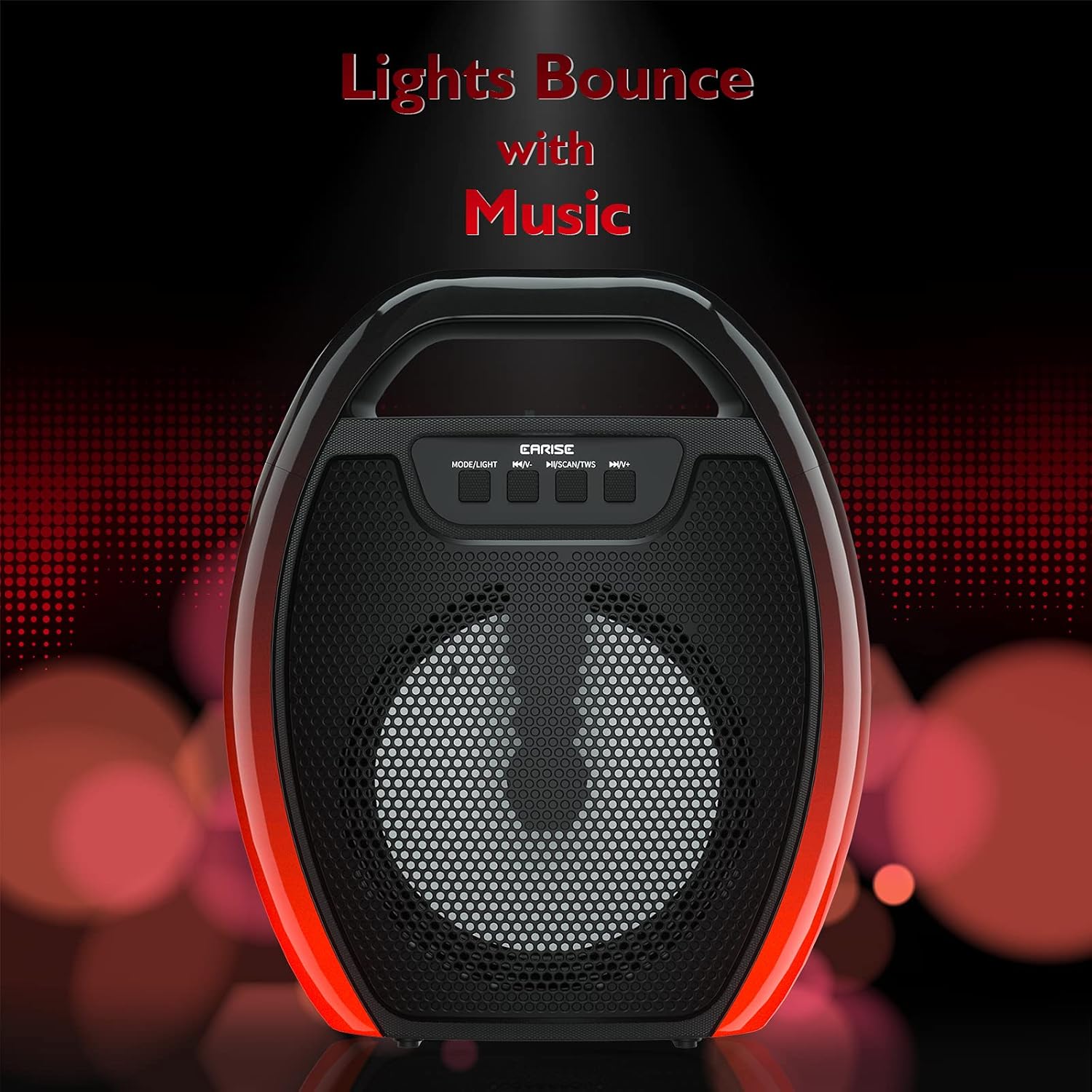
Image 6.1: The speaker displaying its light effects, which can synchronize with music playback.
6.5 Мікрофонний вхід
Connect a wired microphone (not included) to the MIC input port for karaoke or public address functions. Adjust the microphone volume using the connected microphone's controls or the speaker's main volume controls.
7. Технічне обслуговування
- Прибирання: Використовуйте м’яку суху тканину для очищення динаміка. Не використовуйте рідкі засоби для чищення або аерозолі.
- Зберігання: Зберігайте динамік у прохолодному, сухому місці, подалі від прямих сонячних променів та екстремальних температур.
- Догляд за акумулятором: To prolong battery life, fully charge the speaker before long periods of inactivity and recharge it at least once every three months. Avoid completely draining the battery frequently.
8. Вирішення проблем
| проблема | Можлива причина | Рішення |
|---|---|---|
| Динамік не вмикається. | Низький заряд батареї; кнопка живлення натиснута неправильно. | Charge the speaker; Press and hold the Power button for a few seconds. |
| Не вдається підключитися через Bluetooth. | Speaker not in pairing mode; Device Bluetooth off; Speaker too far from device; Already connected to another device. | Ensure speaker is in Bluetooth pairing mode; Turn on Bluetooth on your device; Move device closer to speaker; Disconnect from other devices. |
| Ні звуку. | Занадто низька гучність; неправильний режим введення; пристрій не відтворює аудіо. | Increase speaker and device volume; Switch to correct input mode (Bluetooth, AUX, etc.); Ensure audio is playing on your device. |
| Не вдалося підключити TWS. | Speakers too far apart; One speaker already paired to a device; Not in TWS pairing mode. | Ensure speakers are close; Disconnect both speakers from any devices; Long press MSCAN/TWS on one speaker to initiate TWS pairing. |
| RGB-підсвічування не працює. | Фари вимкнені; Несправність. | Long press MODE/LIGHT button to cycle through light modes; If issue persists, contact support. |
9. Технічні характеристики
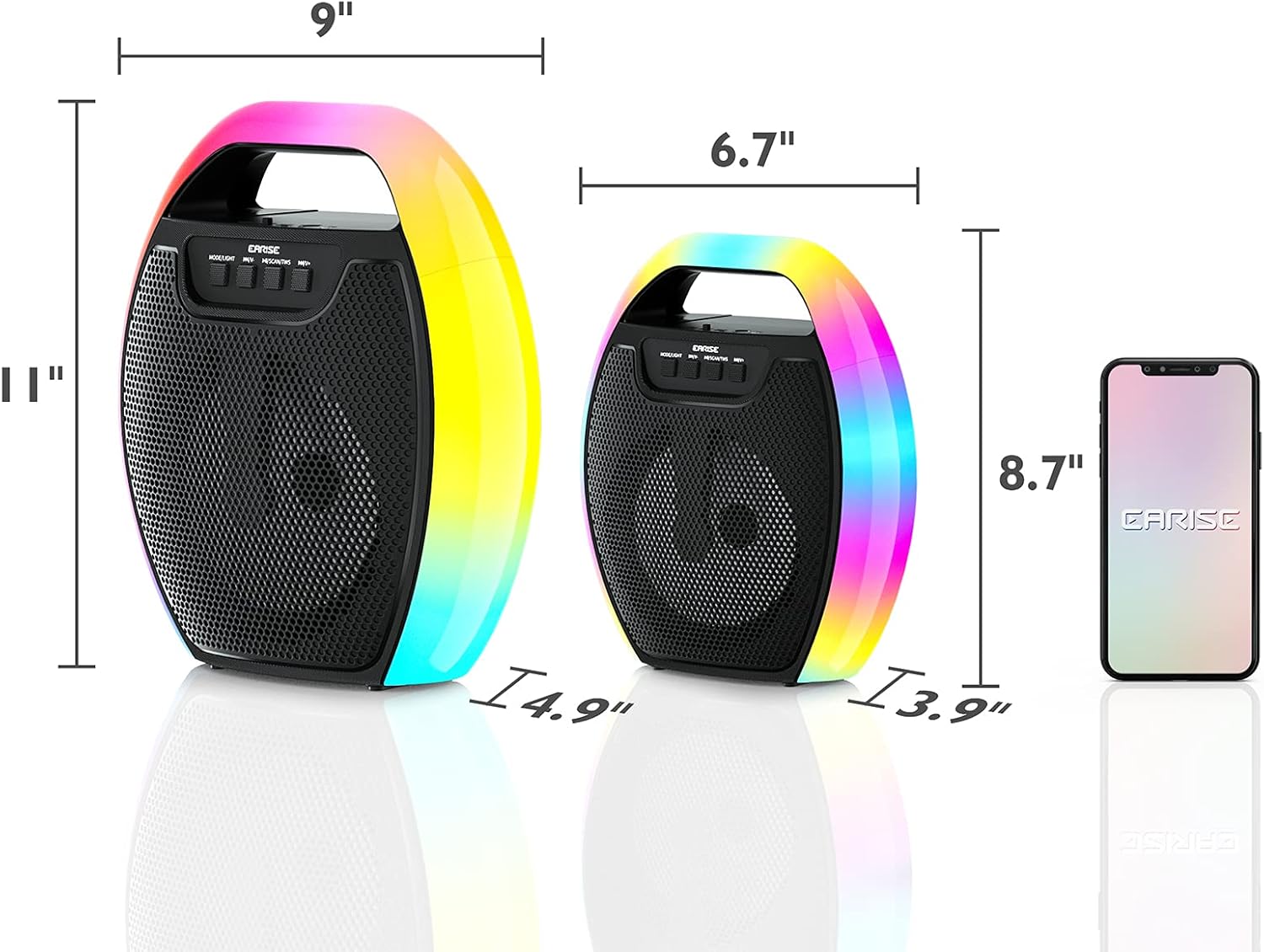
Image 9.1: Product dimensions of the EARISE D61 Plus speaker.
| Особливість | Деталь |
|---|---|
| Назва моделі | D61 Plus |
| Бренд | ЕРИЗЕ |
| Технологія підключення | Bluetooth, Auxiliary (3.5mm), USB, TF Card, FM Radio |
| Режим аудіовиходу | Стерео (з TWS) |
| Тип динаміка | Портативний зовнішній динамік |
| Розмір динаміка | 4 дюймів |
| Джерело живлення | Працює від батареї |
| Термін служби батареї | Up to 12 Hours (actual playtime varies with volume and light usage) |
| Водостійкий | немає |
| Розміри продукту | 9 x 5 x 11 дюймів (Д x Ш x В) |
| Вага товару | 2.28 фунта |
| Особливості | RGB Lights, TWS Pairing, Portable |
10. Гарантія та підтримка
EARISE products are designed and manufactured to the highest quality standards. For information regarding warranty coverage, technical support, or service inquiries, please refer to the warranty card included with your purchase or visit the official EARISE webсайт.
Зберігайте підтвердження покупки для гарантійних претензій.


