1. Вступ
Thank you for choosing the VIOMI Smart Robot Vacuum V3 Max. This intelligent device is designed to provide a comprehensive cleaning solution for your home, combining sweeping, vacuuming, and mopping functionalities. Equipped with advanced Lidar navigation technology, it ensures efficient and thorough cleaning across various floor types. This manual provides essential information for setting up, operating, maintaining, and troubleshooting your robot vacuum to ensure optimal performance and longevity.

The VIOMI V3 Max Robot Vacuum and its smart app control interface.
2. Продукт закінчивсяview
The VIOMI V3 Max is a versatile 3-in-1 cleaning robot that sweeps, vacuums, and mops. Its advanced Lidar navigation system creates precise maps of your home, enabling efficient cleaning paths and smart zone management. The robot automatically adjusts suction power for different surfaces, including carpets, and operates quietly for minimal disturbance.
Ключові характеристики:
- 3 засоби для чищення: Sweeping, Vacuuming, and Mopping capabilities for comprehensive floor care.
- Навігація лідаром: Advanced SLAM algorithm for fast and accurate mapping, ensuring efficient cleaning paths.
- Smart Carpet Boost: Автоматично збільшує силу всмоктування на килимах для ретельнішого очищення.
- Smart Clean Settings: Define custom areas, no-go zones, and virtual walls via the app.
- Додаток та голосове керування: Compatible with Mi Home App, Amazon Alexa, and Google Assistant for convenient control.
- Тонкий дизайн: 4.1-inch sleek design allows access to hard-to-clean areas under furniture.
- Тиха робота: Operates at noise levels below 57 dB for a peaceful environment.
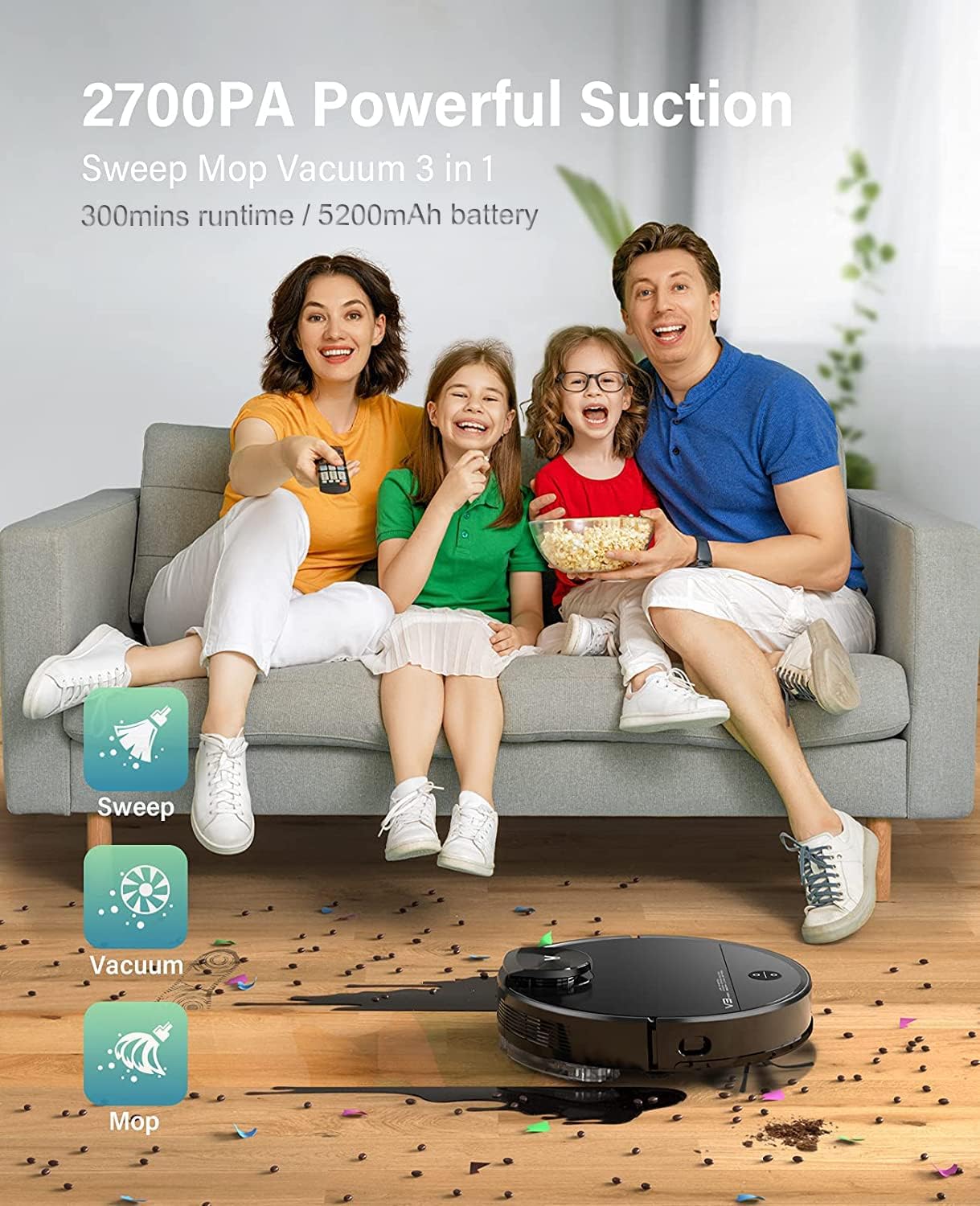
The VIOMI V3 Max offers 3-in-1 functionality for sweeping, vacuuming, and mopping.

Keenly SLAM Lidar Navigation for multi-level mapping and saving maps.

Smart Carpet Boost Mode for deep cleaning on carpets.

Quiet cleaning with noise levels below 57 dB.
3. Налаштування
Початкова зарядка:
Place the charging dock in an open area with good Wi-Fi signal. Ensure there is sufficient space around the dock for the robot to navigate. Connect the power adapter to the charging dock and plug it into a wall outlet. Place the robot vacuum on the charging dock to fully charge before first use.
Connecting to Mi Home App:
To unlock the full potential of your VIOMI V3 Max, connect it to the Mi Home App. This allows for remote control, scheduling, map management, and more.
Відео: How to connect the VIOMI V3 Max Robot Vacuum to the Mi Home App. This video demonstrates the step-by-step process of pairing your robot vacuum with the Mi Home application, including pressing the power and home buttons, signing into the app, searching for the device, selecting your Wi-Fi router, and confirming the device addition.
- Підготуйте робота: Press and hold both the Power and Home buttons on the robot for 5 seconds until you hear the broadcast of "Network configured."
- Open Mi Home App: Download and open the Mi Home App on your smartphone. Sign up or log in with your Mi Home account.
- Додати пристрій: Tap the "+" icon on the top right corner of the app. шукати "V3 Max" and select "VIOMI V3 Max."
- Підтвердження операції: Confirm the operation in the app and proceed to the next step.
- Select Router: Select your Wi-Fi router (ensure it's a 2.4GHz network, not 5GHz) and tap "NEXT."
- Підключити пристрій: Bring your phone closer to the device to complete the connection. Once connected, tap "DONE."
- Select Room & Rename: Select the room where the robot will operate and optionally rename the device for easier identification.
Початкове зіставлення:
For the first cleaning cycle, allow the robot to complete a full mapping of your home without interruption. This creates an accurate floor plan for future efficient cleaning.
Відео: Viomi Lidar Robot Vacuum and Mop Smart Navigation. This video highlights the superior mapping speed and cleaning path planning of Lidar navigation compared to VSLAM technology, demonstrating how the robot efficiently maps and cleans your home.
4. Інструкція з експлуатації
Запуск циклу очищення:
- Через робота: Press the Power button on the robot to start a general cleaning cycle.
- Через додаток: Open the Mi Home App, select your VIOMI V3 Max, and tap "Start" to begin cleaning. You can choose specific modes (Vacuum, Mop, Vacuum & Mop) and suction levels.
Smart Clean Settings (App Only):
Utilize the Mi Home App to customize your cleaning experience:
- Вибіркове прибирання кімнат: Choose specific rooms on your map for targeted cleaning.
- Заборонені зони: Draw virtual boundaries on the map to prevent the robot from entering certain areas (e.g., pet bowls, delicate items).
- To-Go Zones: Define specific areas for the robot to clean intensively.
- Віртуальні стіни: Створіть невидимі бар'єри, щоб обмежити рух робота.

Lidar Navigation with Multi-Floor Smart Mapping allows for selective room cleaning, no-go zones, to-go zones, and quick mess spot cleaning.
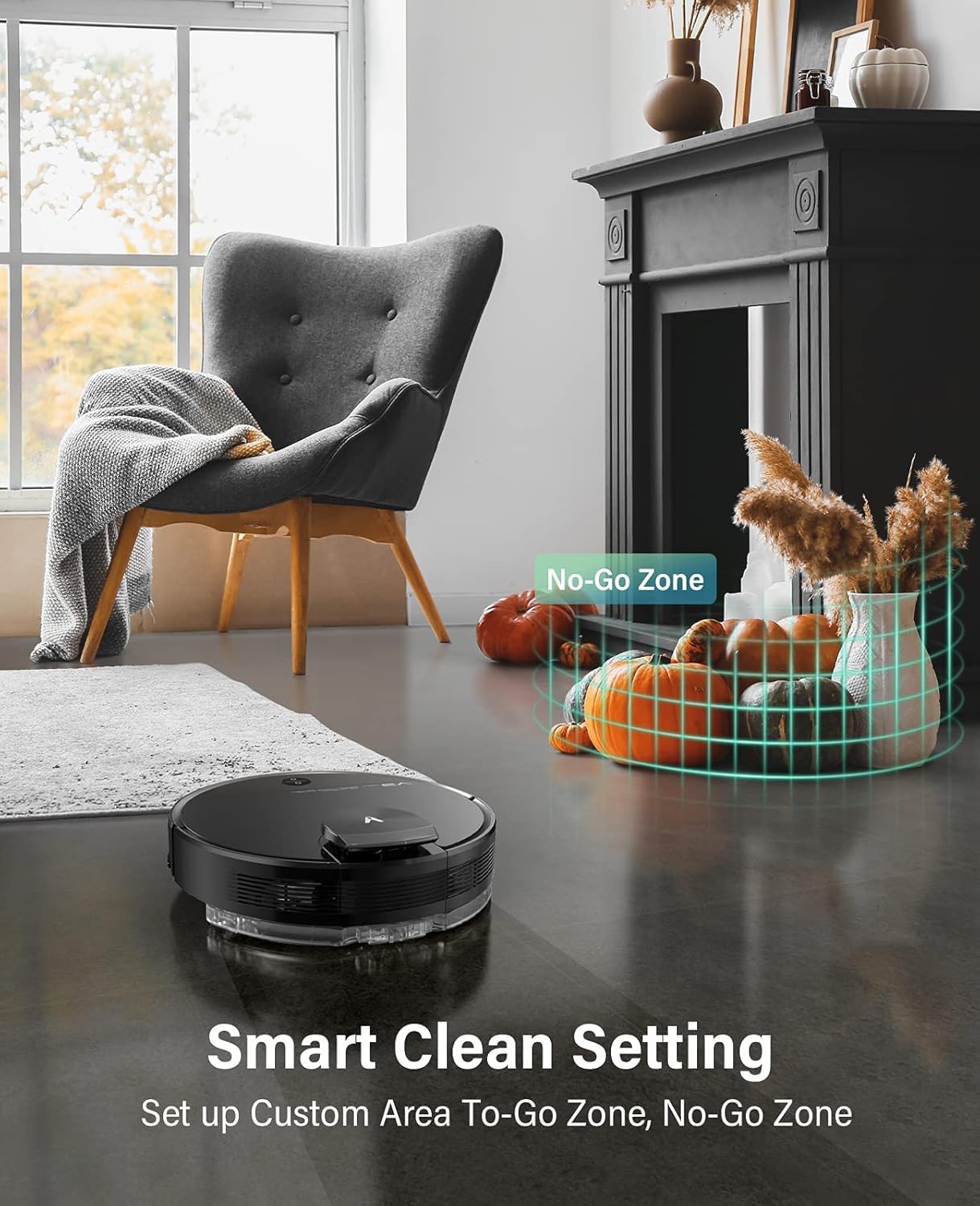
Set up custom areas and no-go zones using the Smart Clean Setting.
Голосове керування:
Integrate your VIOMI V3 Max with Amazon Alexa or Google Assistant for hands-free control.
- Amazon Alexa: Enable the VIOMI skill in the Alexa app and link your Mi Home account. Then, use commands like "Alexa, ask V3 Max to start clean."
- Google Assistant: Link your Mi Home account in the Google Home app. Use commands like "Hey Google, start cleaning with V3 Max."

Start cleaning with voice commands or through the Mi Home App.
5. Технічне обслуговування
Regular maintenance ensures your VIOMI V3 Max operates efficiently and extends its lifespan. Perform these tasks regularly:
Спорожнення пилозбірника:
The dust box should be emptied after each cleaning cycle or when full.
- Відкрийте верхню кришку робота.
- Remove the 2-in-1 dust compartment with the water tank.
- Open the dust box compartment and empty its contents into a trash bin.
Відео: VIOMI V3 Max cleaning hard floors and carpets. This video demonstrates the robot's ability to clean various surfaces and shows the process of emptying the dust box with a single click.
Cleaning Filters and Brushes:
- Фільтр: Tap the filter to remove loose dirt. Do not rinse the filter with water. Replace the filter every 3-6 months depending on usage.
- Основна щітка: Remove the main brush cover and clean any tangled hair or debris from the brush.
- Бічна щітка: Check the side brush for tangled hair or debris and clean as needed. Replace if worn.
Water Tank and Mop Pad:
- Після миття підлоги злийте залишки води з резервуара.
- Remove and clean the mop pad. It is recommended to wash the mop pad after each use.
6. Вирішення проблем
If you encounter issues with your VIOMI V3 Max, refer to the following common solutions:
| проблема | Можлива причина | Рішення |
|---|---|---|
| Робот не вмикається | Низький заряд батареї; кнопка живлення натиснута неправильно. | Place on charging dock; Press and hold power button for 3 seconds. |
| Робот застряг або загубився | Obstacles; Complex environment. | Clear obstacles; Use no-go zones in app; Relocate robot to a clear area. |
| Погана ефективність очищення | Full dust box; Clogged filter/brushes. | Empty dust box; Clean/replace filter and brushes. |
| Проблеми з підключенням програми | Incorrect Wi-Fi; Robot not in pairing mode. | Ensure 2.4GHz Wi-Fi; Reset Wi-Fi on robot (hold Power & Home buttons); Re-pair in app. |
| Water tank removed error | Резервуар для води встановлено неправильно. | Ensure the 2-in-1 dust compartment with water tank is securely installed. |
7. Технічні характеристики
| Особливість | Деталь |
|---|---|
| Бренд | VIOMI |
| Номер моделі | V-RVCLM27B |
| Особливість | Безмішковий |
| Розміри продукту | 13.98 см (Д) x 13.98 см (Ш) x 4.13 см (В) |
| Включені компоненти | Кисть |
| Тип фільтра | Картридж |
| Ємність | 0.2 Liters (Dust Box) |
| Джерело живлення | Працює від батареї |
| Спосіб контролю | Голос |
| Сумісні пристрої | Amazon Echo, Google Assistant |
| Форм-фактор | Роботизований |
| Вага товару | 10 фунта |
8. Гарантія та підтримка
For detailed warranty information, product registration, and technical support, please refer to the official VIOMI webсайт або зверніться безпосередньо до служби підтримки клієнтів. Зберігайте чек про покупку як підтвердження покупки для гарантійних претензій.
Інтернет-ресурси:
- Official VIOMI Webсайт: Visit the VIOMI Store on Amazon
- Посібник користувача (PDF): Завантажити посібник користувача
- Інструкція користувача (PDF): Завантажити посібник користувача


